



Picwand Review: I Tested Picwand for AI Video Generator and Here’s the Result
Picwand is worth trying if you want a simple AI video generator for text-to-video, image-to-video, social clips, product demos, and quick creative experiments.
I liked Picwand most when I needed to turn a simple idea or static image into a short video. It works well for casual social content, visual drafts, and fast product-style clips. But it is not perfect. Picwand still needs review when the video involves motion consistency, realistic people, brand details, or campaign-ready polish.
Picwand AI Video Generator Review: TL;DR
Picwand is a useful AI video generator for users who want quick video creation without learning complex editing software. Its strongest value is accessibility. You can start with text or an image and generate a short video with a simple workflow.
The catch is that Picwand works best for lightweight video tasks. You may get fun and useful results, but motion, realism, product details, and final polish still need checking before the video is used for business.
Review Criteria | Verdict |
|---|---|
| Text-to-Video | Good fit for quick ideas, animated scenes, and simple visual drafts. |
| Image-to-Video | One of the more practical uses, especially for product shots and social posts. |
| Video Enhancement | Useful for improving old or blurry clips, but results depend on source quality. |
| Social Video Use | Good for casual TikTok, Reels, Shorts, and creator-style content. |
| Ease of Use | Beginner-friendly and easier than traditional editing tools. |
| Best Fit | Creators, students, small sellers, social media users, and casual marketers. |
What Is Picwand AI Video Generator?
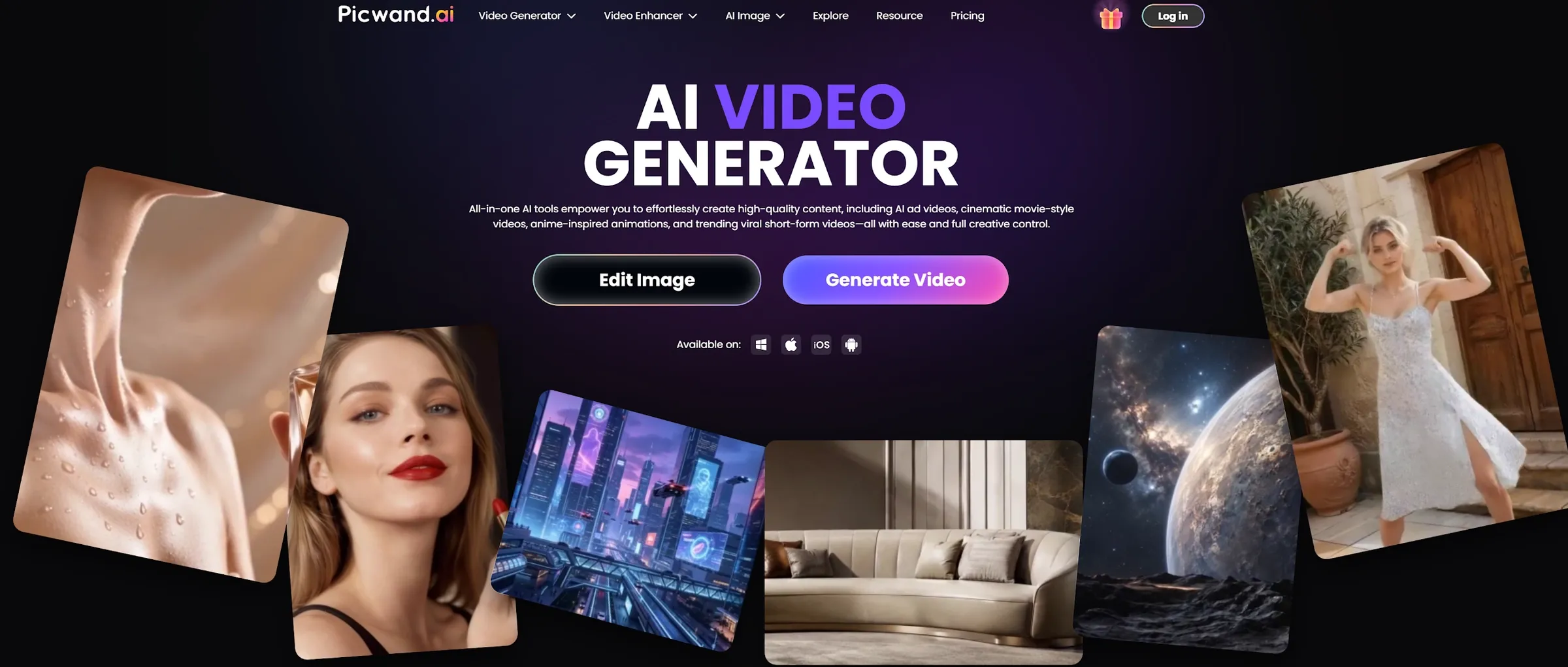
Picwand AI video generator is a video creation tool built for people who want to turn text, images, or simple ideas into short videos without using a traditional editing workflow.
Instead of asking you to build a video from a timeline, Picwand starts with a simpler question: “What do you want this idea or image to become?” You can describe a scene, upload a picture, or use a video-related tool to create something more dynamic. That makes it different from a normal video editor. Picwand is not really built for frame-by-frame editing. It is built for fast video creation, quick social content, and simple visual transformation.
In my testing, Picwand felt most useful when I already had a clear starting point. A short prompt, a product image, or a simple creative idea gave the tool enough direction to produce something usable for a first draft.
How I Tested Picwand
I tested Picwand across common AI video tasks that everyday users are likely to care about. I focused on text-to-video, image-to-video, promotional clips, social-style videos, and video enhancement.
I did not judge it only by whether the output looked interesting. I looked at whether the result could be used after the first generation. That matters because AI videos can look impressive for two seconds, then lose consistency as the motion continues.
So I paid attention to motion, scene logic, subject stability, product clarity, and how much review the output needed. Picwand performed best when the task was simple and visual. It became less predictable when I asked for more realistic motion or more brand-specific detail.
What Are Picwand’s Best Features?
Picwand’s best features are text-to-video generation, image-to-video creation, video enhancement, and social-style video workflows.
1. Text-to-Video Generation
Picwand’s text-to-video tool is useful when you want to turn a simple idea into a short visual clip. You type a prompt, describe the scene, and let the AI generate a video from that direction. This is helpful for creators who need quick ideas for social content, animated scenes, educational visuals, or creative drafts. It lowers the pressure of starting from a blank screen.
I found it worked best with simple prompts. A clear subject, action, and visual style usually gave better results than a long, crowded prompt.
The limit is control. Picwand can follow the general idea, but it may not always capture exact motion, camera direction, or small visual details. For casual content, that is acceptable. For brand videos, I would review the output carefully.
If your main goal is broader video creation, it is also worth comparing Picwand with a dedicated AI video generator.
2. Image-to-Video Creation
Picwand’s image-to-video workflow is one of its more practical features. It lets you start from a static image and turn it into something more dynamic.
This is useful for product photos, travel shots, artwork, character images, and social media visuals. Instead of creating a video from nothing, you give the AI video generator a visual anchor.
That makes the workflow easier to control than pure text-to-video. The tool already knows what the main subject looks like, so the result can feel more connected to your original idea.
The weak point is motion quality. If the image has a person, product, or detailed object, the movement still needs checking. A product shape may shift. A face may change slightly. Background motion can also feel too artificial.
3. Video Enhancement and Upscaling
Picwand is also useful when you already have a video but want it to look cleaner. This part feels different from generation. You are not asking the tool to invent a new clip. You are asking it to improve the one you already have.
That makes it helpful for old clips, blurry footage, low-resolution social videos, and videos that need a sharper look before posting. If the source video has a clear subject and decent lighting, enhancement has a better chance of working well.
The limit is source quality. If the original video is too blurry, compressed, or dark, the AI may sharpen noise instead of restoring real detail. The result may look cleaner at first glance but still feel unnatural when watched closely. So I would treat video enhancement as a useful improvement step, not a magic repair button.
4. Social and Product Video Workflows
Picwand is useful for users who want quick social clips or simple product videos. This is where the tool feels most practical for small sellers, creators, and casual marketers.
A static product image can become a more engaging visual. A short idea can become a clip for TikTok, Instagram Reels, YouTube Shorts, or other social platforms. This gives users a faster way to test content without building everything manually.
I would not call it a full ad production system, though. Picwand can help create video drafts and simple promotional assets. But a real campaign still needs hooks, messaging, product positioning, editing review, and multiple creative versions.
What Are Picwand’s Pros and Cons?
Picwand is strong for quick video creation, but it has clear limits.
Pros:
- Easy to use for text-to-video and image-to-video
- Good for quick social video ideas
- Useful for turning images into dynamic clips
- Helpful for enhancing older or blurry videos
- Beginner-friendly workflow
- Good for casual creators and small sellers
Cons:
- Detailed motion control can be limited
- Realistic movement still needs review
- Product and face details may shift
- Weak source footage can still look artificial
- Less complete for full campaign production
- Brand-sensitive videos need careful checking
Where Does Picwand Fall Short?
Picwand falls short when you need precise motion control, strong realism, or a complete video production workflow.
The Output Still Needs Review
Picwand can create useful short videos, but the first result is not always final. This matters most for product clips, people-based videos, and business visuals.
A product may change shape during motion. A face may look slightly different between frames. A scene may start strong but lose consistency as the video continues. This is not a major issue for casual social content. But it matters when the video represents a brand, product, or paid campaign.
Prompt and Source Quality Matter
Picwand feels simple, but the input still affects the result. A clear prompt gives the AI better direction. A clean image gives image-to-video a stronger visual anchor.
If the prompt is vague, the video may feel generic. If the image is messy, the motion can become harder to control. So the learning curve is not technical editing. It is knowing how to give the AI a clear starting point.
It Is Not a Full Video Production System
Picwand is useful for short clips, video drafts, and quick creative tests. But it does not feel like a full production system for larger marketing workflows.
If you need ad hooks, product videos, avatar clips, voiceovers, multiple formats, and campaign-ready assets, you may need more than Picwand. That is where Pollo AI feels stronger. It covers more parts of the creative workflow in one place.
Is Picwand Right for You?
Picwand is right for you if you want a simple AI video generator for short clips, image-to-video content, and quick social visuals.
It makes sense for creators, students, small sellers, and casual marketers who want to create videos without learning complex editing software.
Skip it if you need exact motion control, strict brand consistency, or full campaign production. The simple version is this: Picwand is good for quick AI videos. It is less complete for serious video marketing workflows.
How Does Picwand Perform Across Real Use Cases?
Picwand performs best when the video task is clear, short, and visual.
Use Case | My Take |
|---|---|
| Text-to-Video Ideas | Good fit for simple scenes and quick creative drafts. |
| Image-to-Video Clips | Strong fit for product images, artwork, and social visuals. |
| Viral Videos | Good for TikTok, Reels, Shorts, and casual creator content. |
| Product Videos | Useful for simple promos, but product details need review. |
| Video Enhancer | Helpful for improving blurry clips, but source quality matters. |
| Education Content | Useful for simple visual explanations and animated ideas. |
| Marketing Campaigns | Helpful for single assets, but not enough for full campaign systems. |
My Personal Take on Picwand
I like Picwand because it makes AI video generation feel approachable. You do not need a timeline, editing skills, or a full production process to test a visual idea.
It is especially useful when you want a quick first draft. A prompt can become a short scene. A product image can become a more dynamic clip. An old video can look cleaner with enhancement.
But I hit the limits when I needed more control. Picwand is convenient for simple videos, but it is less convincing when the output needs strong realism, brand consistency, or campaign-level structure. My take is simple. Picwand is a good AI video generator for quick clips and creative tests. It is not the only tool I would use for serious video production.
Why Is Pollo AI a Better Picwand Alternative?
Pollo AI is a better Picwand alternative if you want more than quick AI video generation.
Picwand is useful for text-to-video, image-to-video, social clips, and video enhancement. But if your work involves marketing, product content, or repeatable creative production, you may need a wider workflow.
A Broader Creative Workflow
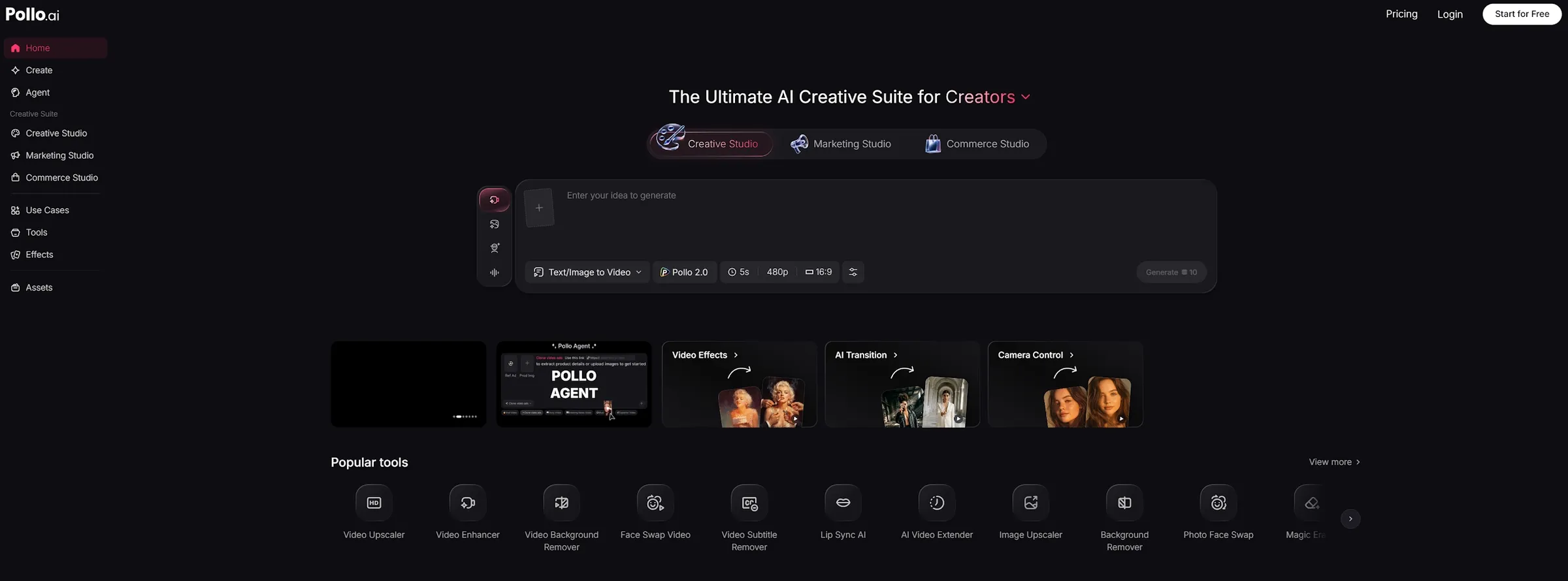
That is where Pollo AI feels more practical. Pollo AI is the ultimate AI creative suite for marketers, creators, and sellers & brands. It brings video generation, image creation, product visuals, avatars, audio, and AI video editing tools into one place.
Picwand can help you create a quick video. Pollo AI is better when the content needs to fit into a larger workflow.
Studios Built Around Real Use Cases
I also like that Pollo AI is organized around real use cases. Marketing Studio is for video ads and campaign content. Commerce Studio is for product visuals and seller workflows. Creative Studio is for image, video, avatar, and audio creation.
This keeps the platform from feeling like a random tool list. The tools are grouped by what users are actually trying to create.
More Model Choice for Different Video Needs
Pollo AI also gives users access to many leading AI video models, including Kling AI and Veo AI.
That matters because one model rarely handles every video task well. Some are better for realistic motion. Some are stronger for cinematic scenes. Others work better for image-to-video generation or fast social content.
For creators, the AI video generator is useful for broader video creation. For image-led clips, image to video AI gives a more direct workflow. For marketers and sellers, tools like UGC video ads and the AI product video generator are more focused on campaign and product content.
Final Verdict: Is Picwand AI Video Generator Worth It?
Picwand is worth trying if you want a simple AI video generator for text-to-video, image-to-video, social clips, and quick creative experiments. It is strongest when the task is short, clear, and not too brand-sensitive. For creators, students, small sellers, and casual marketers, it can save real time.
But Picwand is not perfect. Motion consistency, realistic details, product accuracy, and final polish still need review.
My verdict is simple. Use Picwand for quick AI video drafts and social clips. Use Pollo AI when you need a wider creative suite for video generation, product videos, UGC ads, image-to-video workflows, and repeatable marketing content.