



Starry AI Review: I Tested Starry AI & I Have So Much To Reveal About This AI Art Generator
Having used plenty of AI image generators, I can attest that most of them are often limited in the creativity and imagination side of things.
Very few actually accommodate a wide range of art styles that would allow me to explore and stretch my ideas as far as possible.
But this came to a surprising halt when I came across Starry AI. Unlike other generative AI art tools, this one offers over 1,000 AI art model styles to choose from!
Now, there’s so much to unravel about Starry AI, but some of you may just want a summary on it. So, let me give you a quick lowdown.
I find this platform to be great for exploring new artistic avenues. It especially shines when it comes to generating artistic imagery that is suitable for digital or print use.
The interface is also simplistic and intuitive with fast outputs. Plus, it has a vast community of users who frequently share their creations to inspire others.
On the flip side, Starry AI isn’t the best tool when it comes to generating photorealistic imagery. In most cases, the outputs look too artificially rendered to be believable.
It also comes with limited customization options, which restricts personalization. But before I dive into all that in greater detail, let me give you an overview of Starry AI.
What Is Starry AI?
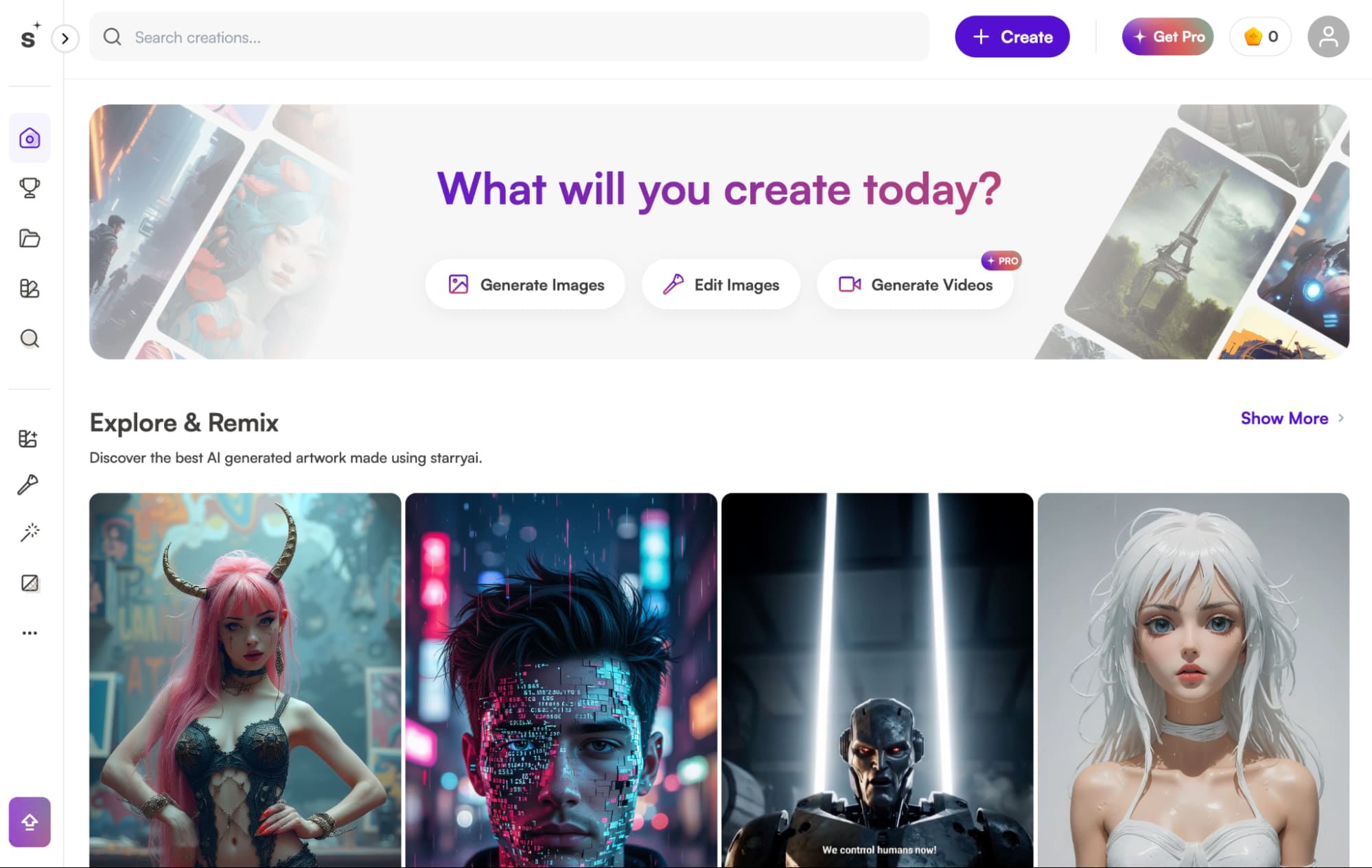
Starry AI is an advanced generative AI art tool that lets users create imaginative, high-quality images via simple text prompts.
I can also freely upload reference images to reimagine them differently, match the facial likeness, or even mirror the same art style for even more accurate generations.
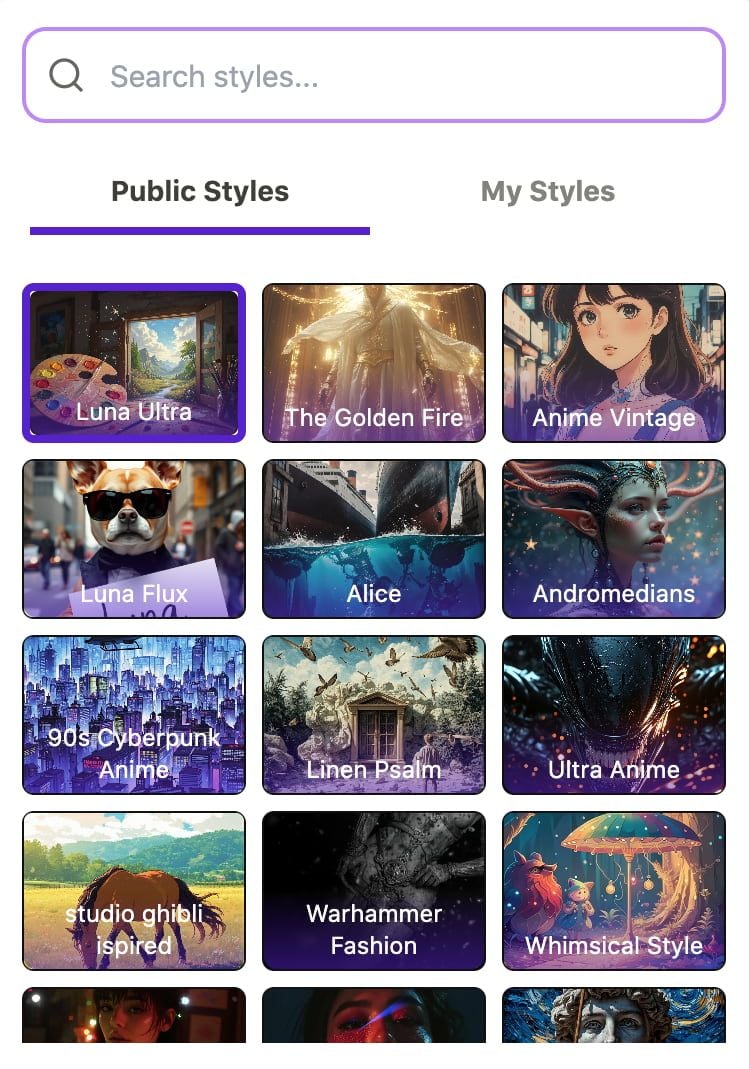
But the biggest highlight is that there are 1000+ diverse art model styles available. So, whatever creative design needs I have, be it for personal or professional, it should be covered!
Some of the countless options I can explore and use include anime, fantasy, surrealist, painting, cyberpunk, whimsical, illustration, pixel, Studio Ghibli, comic style, and several others.
On top of that, Starry AI has fast generation with the added benefit of being able to make instant changes to any image outputs via simple prompt edit requests.
Besides that, I enjoy how the platform has a seamless interface that makes navigation a breeze. I particularly like the concept behind its unique ‘Prompt Builder’ feature.
With this, I can refine my instructions to capture aspects like artist, style, resolution, etc. But what most impressed me was how Starry AI democratizes art creation.
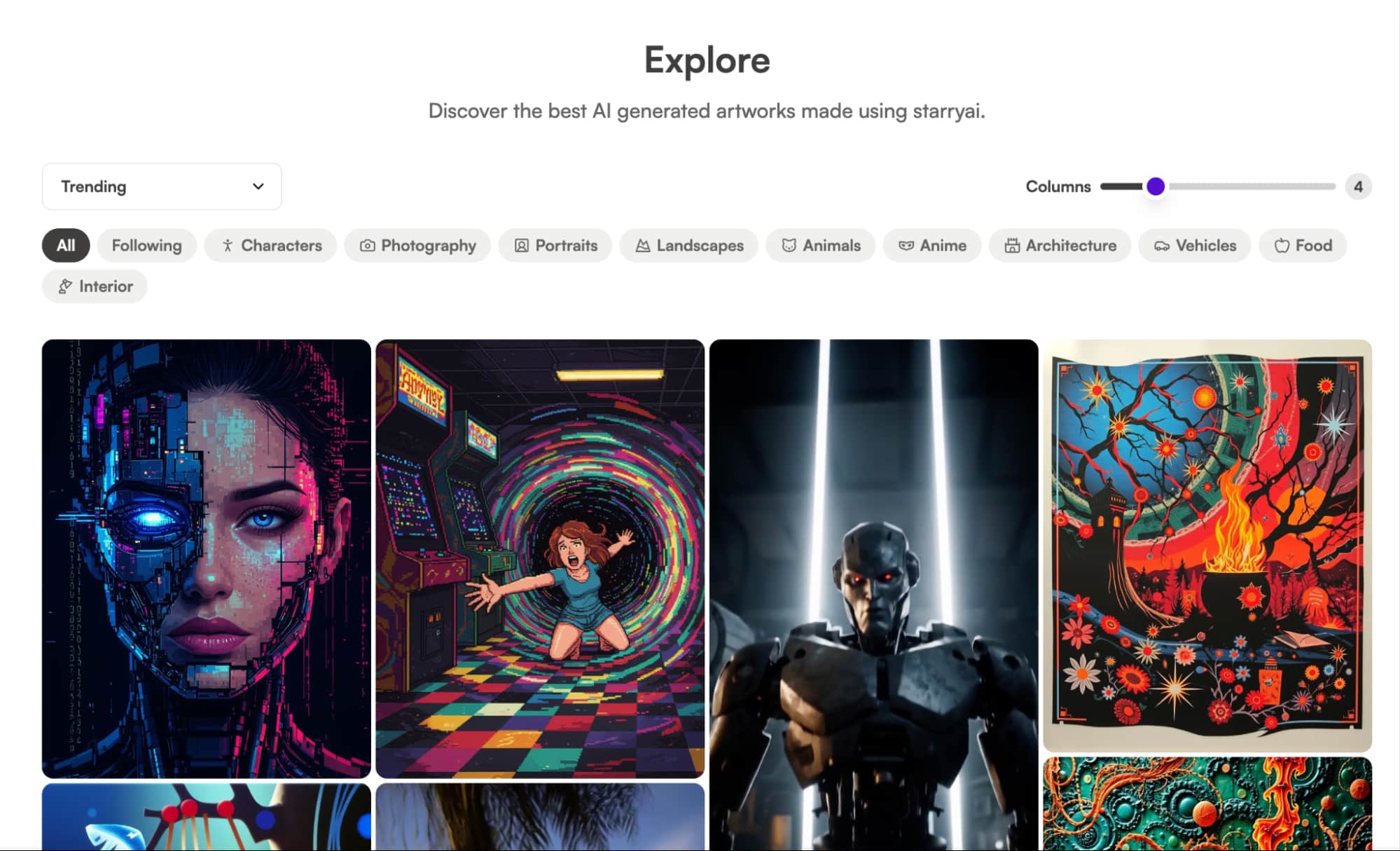
On this platform, I could freely explore other users’ designs, like their posts, follow their accounts, replicate their prompts, and even remix their creations.
Starry AI even has a ‘Model Trainer’ feature that lets me upload reference images to create new AI art styles that I can publicly share with others to use.
In addition, there are daily challenges that users can participate in to win free credits based on who can design the best theme-based digital artwork.
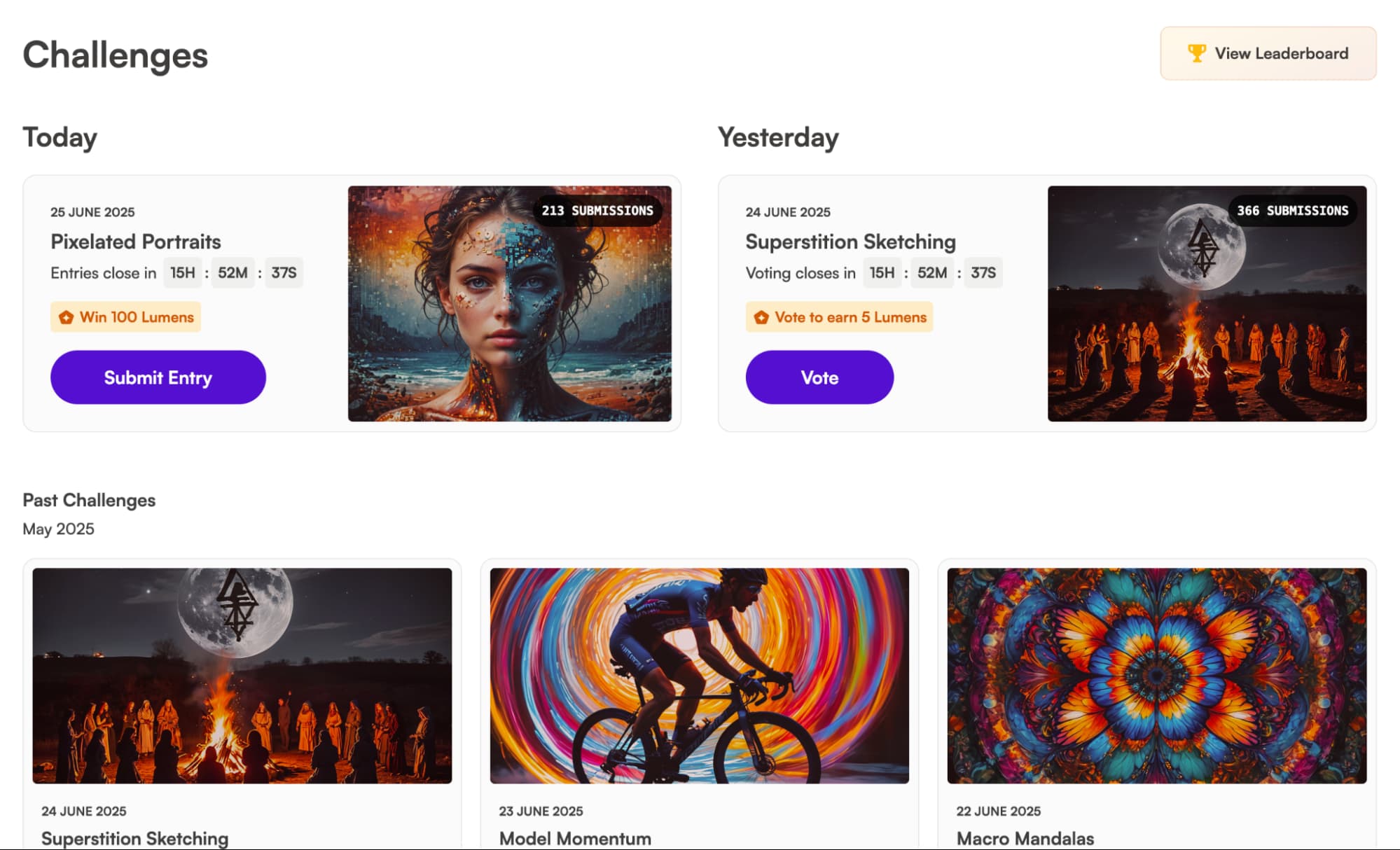
With this level of community and collaboration, it becomes easier than ever to gather inspiration that can help improve the quality of my digital art projects.
Now that I’ve laid out what Starry AI can do, it’s time to answer the important question: Can it truly generate high-quality imagery? Let’s find out!
How Was My Personal Experience with Starry AI?
From the moment I discovered Starry AI, I was eager to see what it was capable of. So, I decided to carry out a few sample tests to assess if it was truly a winner or not.
For my first test, I decided to check out how it performs with photorealistic imagery. So this was the prompt request I made:
[generate a cinematic 80s film image of a female model posing outside a street of a retro cityscape filled with glowing neon signs and classic cars visible in the background. She’s wearing a vintage blue leather jacket and gold jewellery around her neck, looking cool, calm, and confident.]
This was the output it produced:
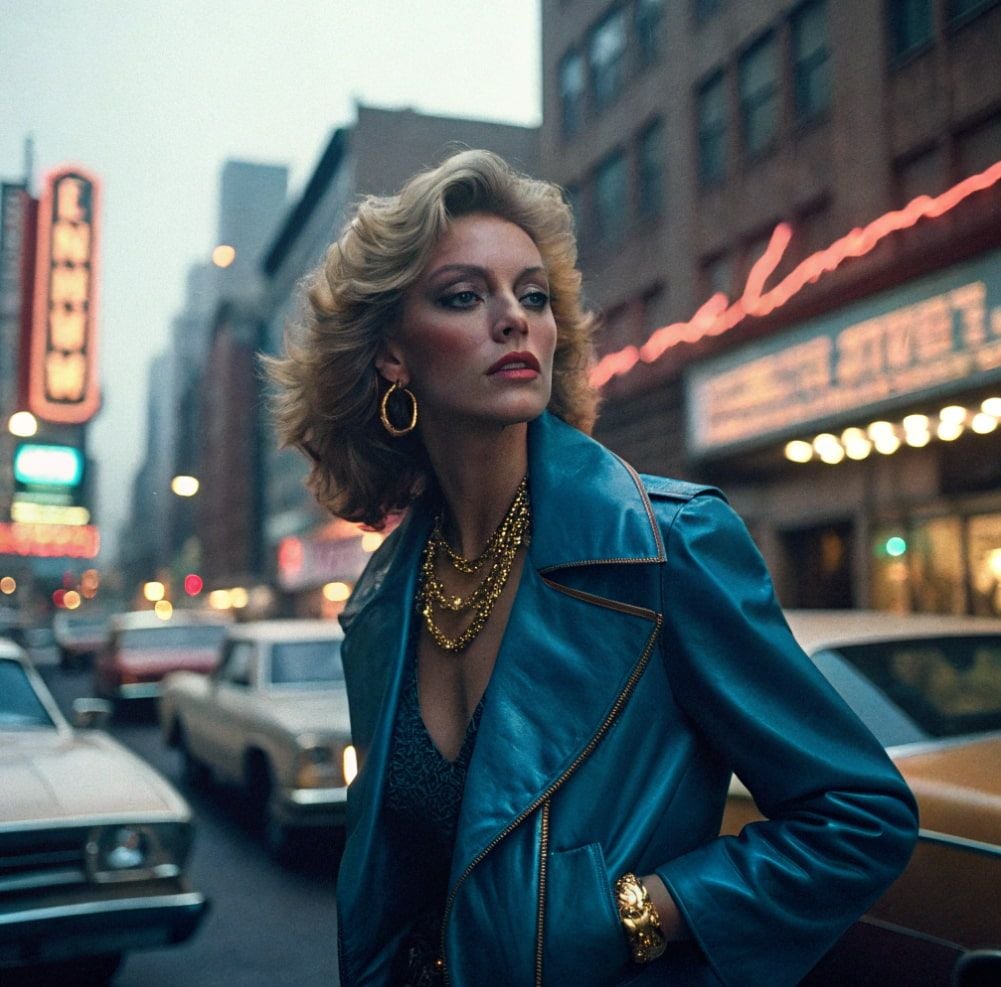
I did appreciate how Starry AI followed my prompt instructions to a tee. The scene composition abided by the retro 80s aesthetic with the outfit, buildings, and even cars.
I also love the ambience and lighting of the image, but the background is too heavily blurred. Also, there is no coherence in the typography, which is typical of AI-generated images.
The other issue I had was with the character design. At first glance, it looks fine but the more you look at the render, the more it doesn’t seem believable.
For instance, certain facial features like the ears and nose are a bit off. You can’t even tell if she has a right arm! It also has that typical glossy, hyper-symmetrical, and perfectly sculpted AI look.
In short, the image isn’t realistic enough to be mistaken for an actual photograph or a cinematic still. So, if I had to rate this image, I’d give it a 6.5/10 for effort.
Since the first test was a bit of a bust, I wanted to see if it would be able to do better with more creative, art-based designs. So, this was the prompt I used:
[A giant cartoon football-shaped monster starts smashing through a city on a hot summer day. It’s crushing cars underneath its feet, causing massive infrastructure damage in its path while scaring away any citizens in the nearby area.]
You can check out the generated image it created below:
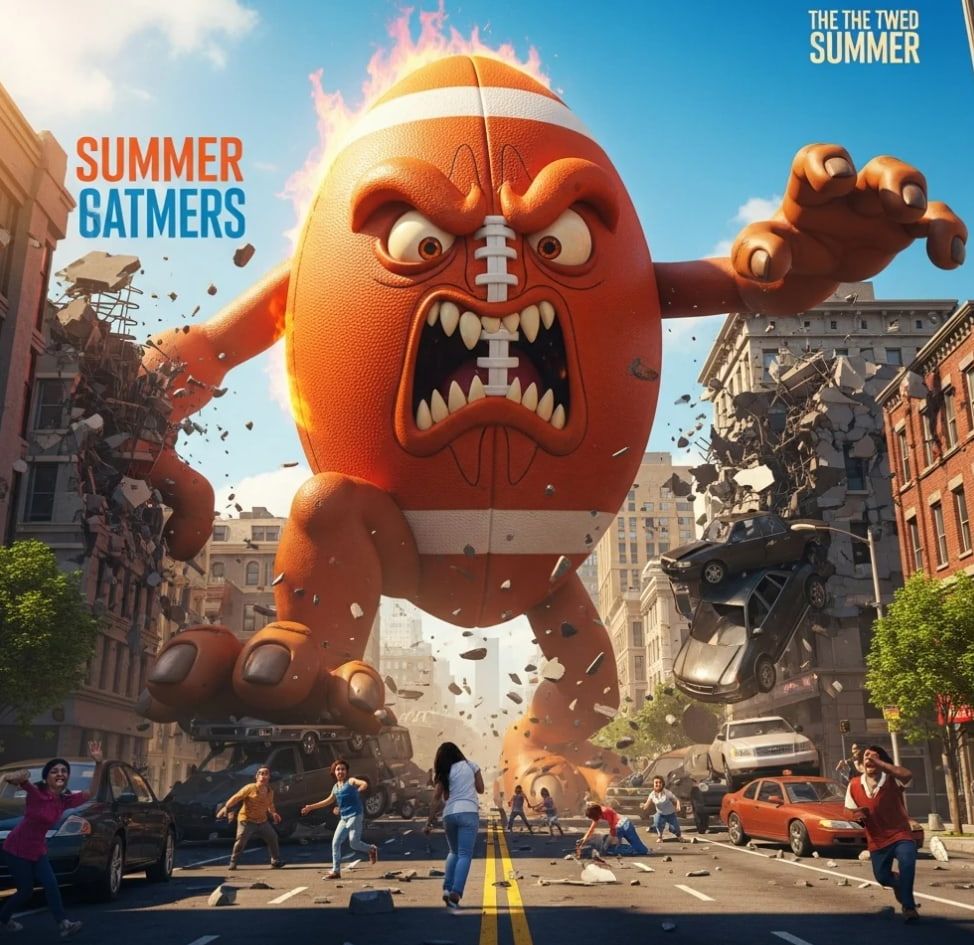
This time around, Starry AI produced a more impressive result. The image looks like a snapshot from an animated film with excellent clarity on all fronts.
I especially love the character design because it is so hilariously creative, as well as how the scene has been rendered with such stunning vividness and detail.
If I had to rate this image output, I would give it a 8/10. Based on this result, I would say that Starry AI works much better with conceptualization than lifelike renders.
What Is My General Verdict on Starry AI?
With Starry AI’s vast library of custom AI model styles, it would be hard for me to argue that this isn't one of the most diverse AI art generators in the current market.
I find the ability to train custom models has empowered Starry AI’s user community to expand its style options beyond what most other AI tools can offer.
And while I must admit I don’t find it to be the best AI generator for lifelike character renders, I do believe that its capacity for artistic rendering is fantastic.
Whether you want to create anime, cartoons, fantasy art, or even game character designs, Starry AI offers a ton of creative freedom.
For this reason, I think it can help with ideation and experimentation across various fields, be it for concept art, artistic mockups, digital storyboards, etc.
Also, the platform’s seamless simplicity means that first-timers won’t have to waste so much time adjusting to a steep learning curve.
But ultimately, I do not think it is a good choice for photorealistic rendering. Plus, it can be frustrating not having any customization tools and options.
In fact, Starry AI is so severely limited in this area that it makes image personalization, beyond the initial prompt engineering, impossible.
All in all, it can be a fun platform to explore visual ideas. But for incredibly lifelike imagery and extensive editing capabilities, then you will need a more sophisticated alternative.
Need A More Advanced AI Image Generator? Try Using Pollo AI!
While Starry AI may excel at creative versatility, I don’t find it to be advanced and reliable enough to use on professional projects. Instead, I would recommend Pollo AI!
I came across it and it truly blew my mind. Why? Well, Pollo AI is an advanced, all-in-one AI image and video generator that can create lifelike visual content in numerous styles.
Integrated with powerful and popular AI image models like Seedream 5.0 Lite, and Imagen 4, it can help you visualize any concept with high-quality results.
To add a little icing on the cake, I was pleasantly surprised to discover that Pollo AI also hosts dozens of AI tools and effects that help me with image editing.
I don’t even need any advanced skills to use them! You can also try AI image effects, such as the Pixar AI generator, to create fun, animation-style visuals.
There are also several AI image tools that I found on Pollo AI to be very useful, such as the image upscaler.
I suggest you try all this out for yourself. And since Pollo AI has a free trial plan, you can explore all its vast capabilities without having to pay a thing!
Conclusion
Starry AI can help you visualize almost any creative idea and even get some inspiration from its vast community of users. But its limitations in photorealism and customization mean that it can’t reliably deliver professional-grade results. Instead, I recommend using Pollo AI, which is a more advanced and balanced tool that is better equipped for any use case.