



Vidnoz AI Review: Is This AI Video Generator Worth Trying?
I tested Vidnoz AI to see whether it really keeps its promises: helping users create structured AI videos faster without a heavy production workflow.
In this Vidnoz AI review, I’ll share what Vidnoz AI does well, where it feels limited, which users it fits best, and whether Pollo AI is a better alternative for broader video creation.
TL; DR
Vidnoz AI is an AI video generator which is ideal for fast, presenter-led videos. It performs well when the video has a clear script, a business message, or an educational purpose.
But as a general video generator, it has a more limited creative range. It is less useful for building highly visual campaigns, cinematic scenes, or product-focused videos.
| Review Criteria | My Verdict |
| Video Quality | Clean and professional for structured avatar videos |
| Workflow Efficiency | Fast, guided, and beginner-friendly |
| Creative Flexibility | Better for presenter videos than open-ended visual storytelling |
| Prompt and Script Handling | Useful when starting from prepared text, URLs, or documents |
| Output Readiness | Good for business communication, but some marketing videos need more polish |
| Best Fit | Teams that need clear, message-led videos without filming |
| Better Alternative | Pollo AI, an ultimate creative suite where you can have broader video creation and more creative flexibility |
What Is Vidnoz AI?
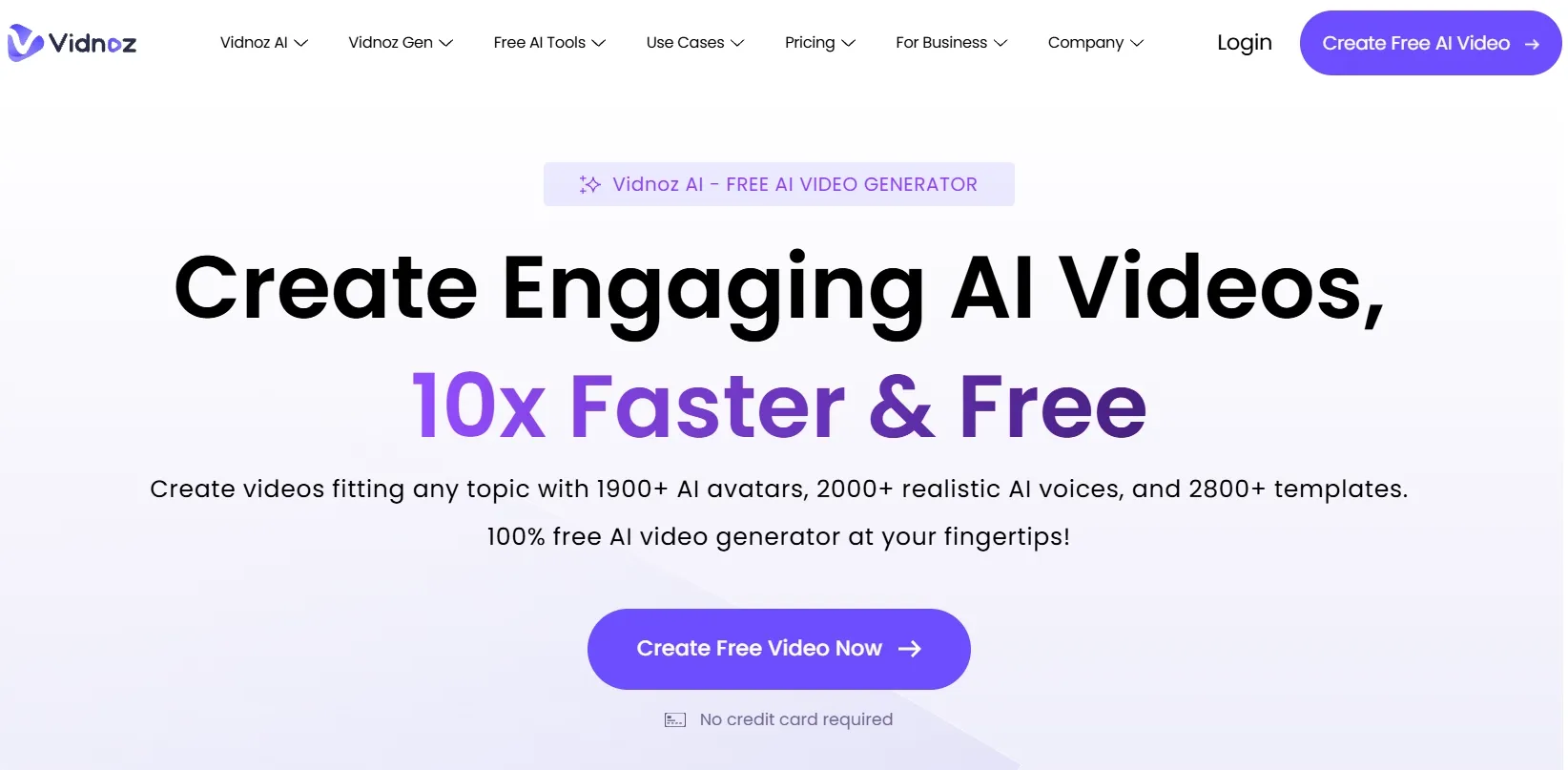
Vidnoz AI is built mainly around structured, presenter-led video creation. Instead of starting with a blank editing timeline, users can create videos with AI avatars, AI voiceovers, scripts, templates, and other production tools.
Its biggest value is making video creation easier for people who need clear communication content. For example, businesses, educators, and support teams can use it to create training videos, tutorial videos, internal updates, etc. more efficiently.
Compared with more open-ended AI video generators, Vidnoz AI also feels more guided. It is less about creating cinematic scenes from scratch and more about turning prepared content into a polished video format with a human-like presenter or structured visual flow.
What Are Vidnoz AI’s Key Features?
Vidnoz AI’s key features are built around structured video creation, AI presenter delivery, voice generation, and post-production refinement.
AI Video Wizard
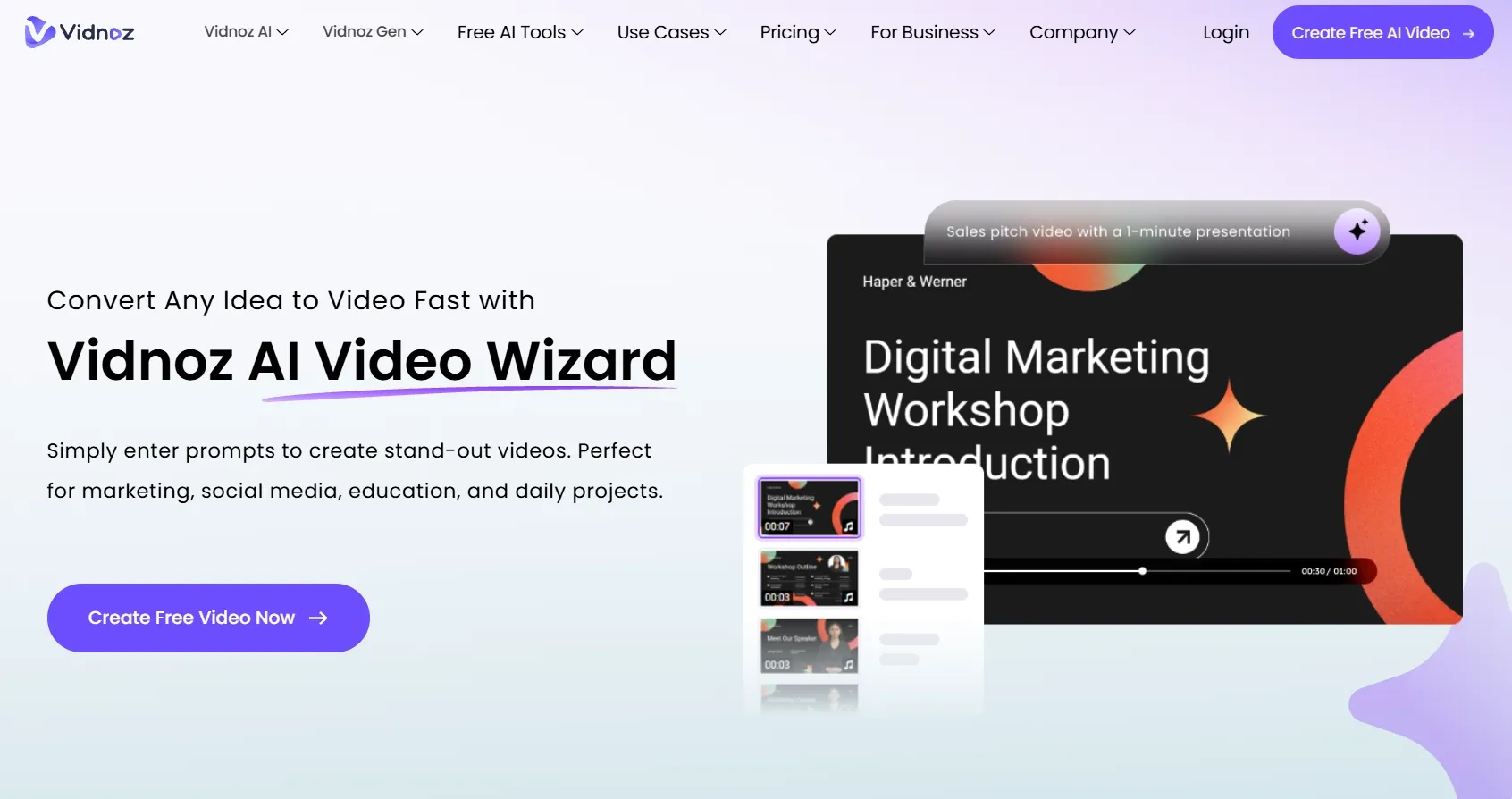
The AI Video Wizard makes Vidnoz AI easier to use when I already have source material. I can start with text, a script, a URL, or a document, then let the tool organize that information into a video format.
This is especially helpful for business explainers, training content, education videos, and internal communication video. Instead of building a video from a blank page, I can move from existing content to a more structured video workflow faster.
Lifelike AI Avatar Performances
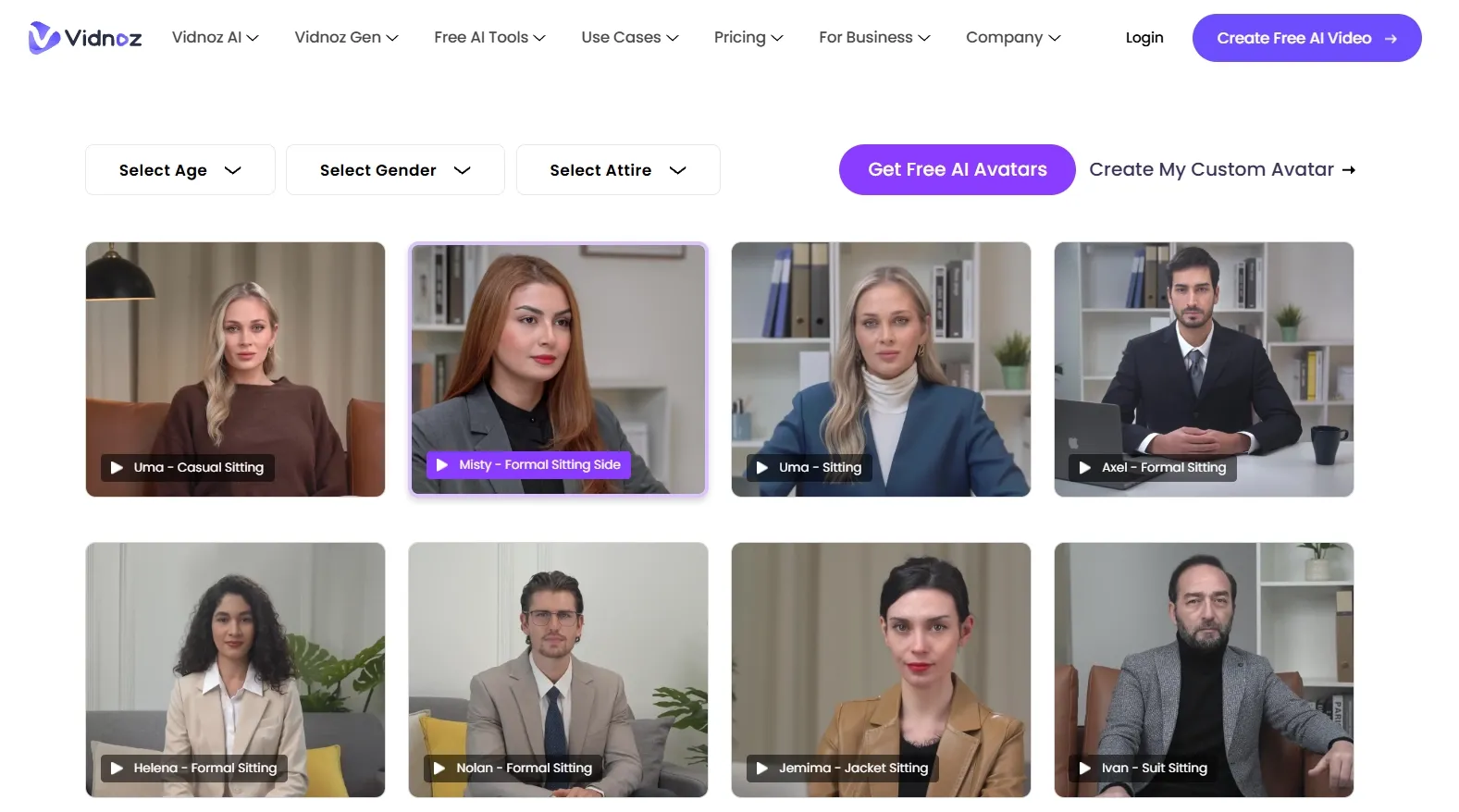
Vidnoz AI’s avatar videos are one of its strongest features. The platform is clearly designed for presenter-led content, where an AI spokesperson explains a topic directly to viewers.
This format works well for tutorials, education, sales introductions, and onboarding videos. The talking avatars help add a human presence to content that might otherwise feel like plain slides or text.
Personalized Voice Cloning
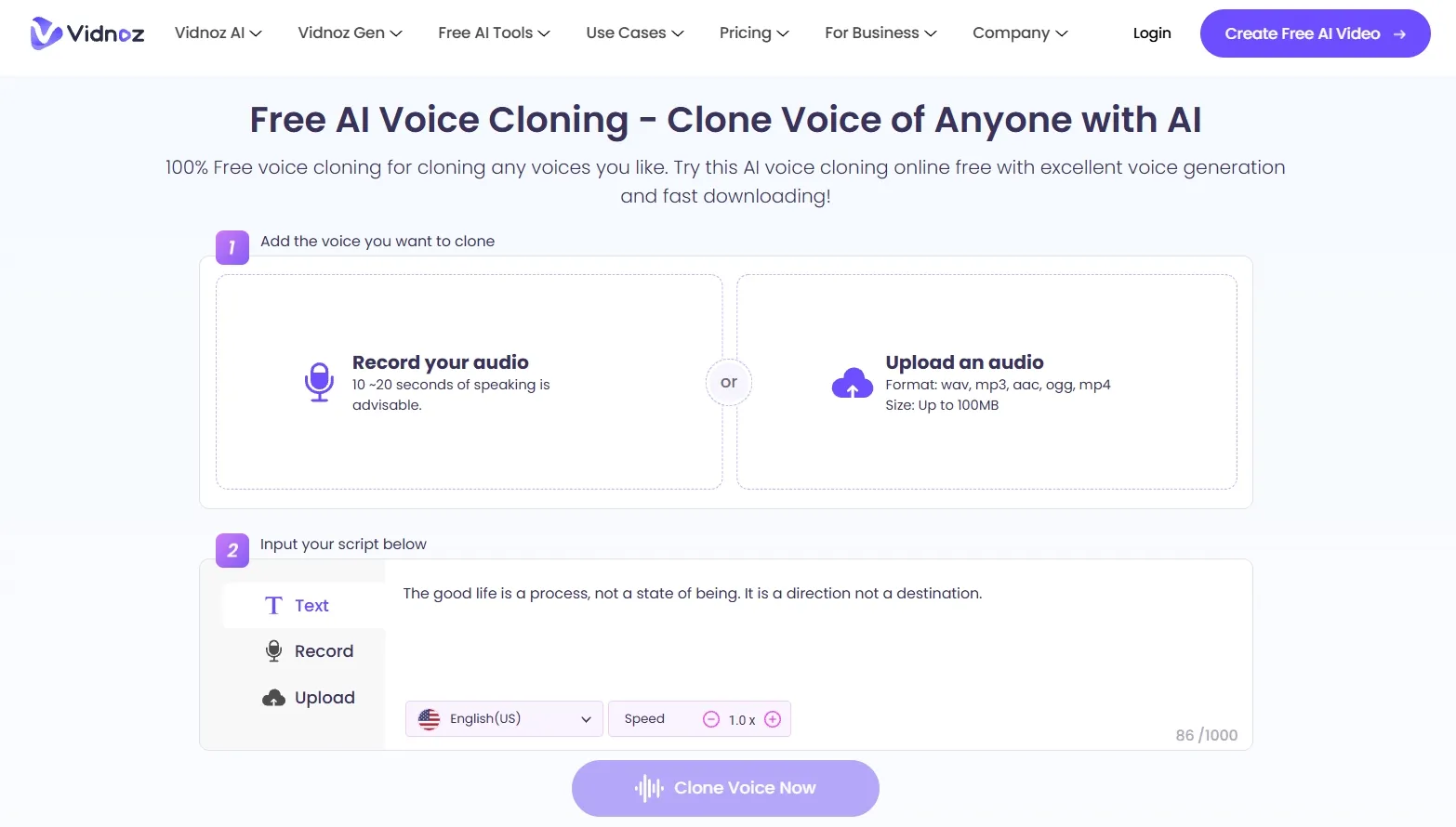
Vidnoz AI’s voice cloning feature helps make videos feel more personal and consistent. For teams that publish recurring training, brand updates, product explainers, or customer education content, this can make narration feel more familiar.
It also reduces the need to record every voiceover manually. That makes Vidnoz AI more useful for users who want repeatable video production without setting up a microphone, recording environment, or voice actor workflow each time.
Professional Video Enhancement Suite
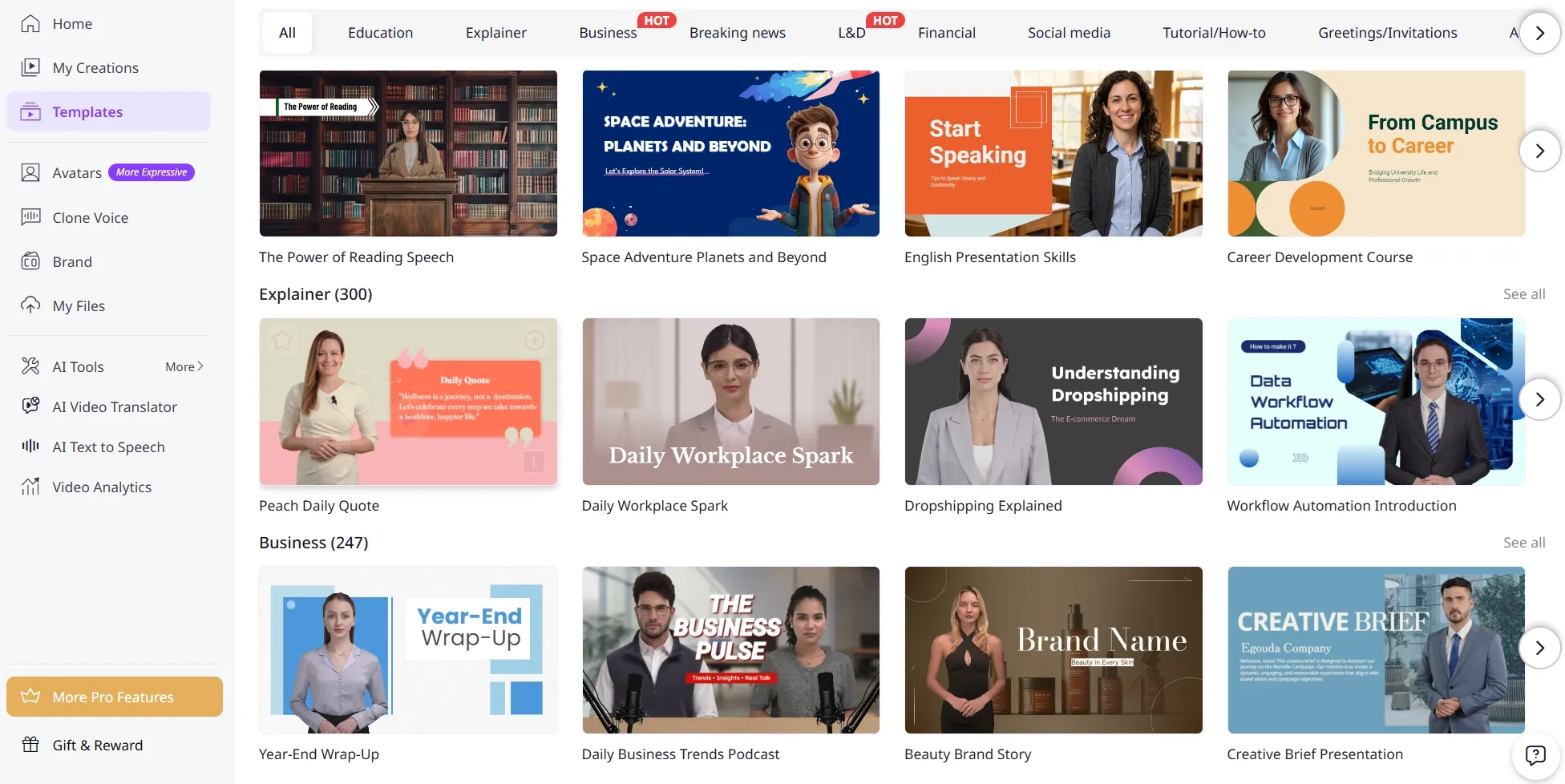
Vidnoz AI also provides templates, effects, animated text, transitions, and branding tools to help videos look more complete.
These tools are useful because a generated avatar alone does not always make a finished video. Layout, pacing, visual sections, and branded elements all help make the result easier to watch and more suitable for professional use.
What Are Vidnoz AI’s Pros and Cons?
Vidnoz AI is easy to start with because the workflow feels guided and familiar. The main trade-off is that the same structured setup can make the tool feel less flexible when the video needs stronger creativity or visual variety.
Pros:
- Easy to create presenter-style videos from scripts, documents, or prepared content
- Useful AI avatar workflow for explainers, training videos, and business communication
- Voice cloning, dubbing, translation, and lip sync tools support multilingual video creation
- Guided workflow makes video production easier for beginners and business users
- Editing and enhancement tools help improve videos after generation
Cons:
- Less flexible for cinematic, product-focused, or highly creative video styles
- Outputs can feel too structured for social ads or visually driven campaigns
- Limited creative control over scene design, motion, camera direction, and visual storytelling
- Not the strongest choice for e-commerce visuals, UGC-style ads, or dynamic product videos
- Some videos may still need extra review before they feel fully publish-ready
Where Does Vidnoz AI Fall Short?
Vidnoz AI’s main limits appear when the video needs more visual variety, stronger creative control, and a less template-driven production path.
Limited Video Style Range
Vidnoz AI can feel restrictive when the video needs more than a presenter-led format. Many projects require stronger scene design, richer motion, visual storytelling, or more flexible creative direction.
This becomes more noticeable when creating product ads, cinematic clips, social campaigns, anime videos, music-style videos, or story-driven content. The workflow does not always give enough room to build videos that feel visually distinct or creatively dynamic.
Less Control Over Visual Storytelling
Vidnoz AI is not the most flexible option when I want to shape the video scene by scene. It gives users a guided production path, but that can also limit how much control I have over camera movement, scene transitions, product placement, and visual style.
For projects that depend on mood, motion, composition, or detailed creative direction, the workflow can feel too controlled. I may get a clear video, but not always the visual depth or creative freedom I need.
Marketing Outputs Can Feel Too Similar
Vidnoz AI may not be strong enough for marketing videos that need strong differentiation. Performance ads, e-commerce creatives, UGC video ads, and social campaigns often depend on fast hooks, product close-ups, scene changes, creator-style pacing, and platform-native energy.
But Vidnoz AI’s outputs can feel too structured for those needs. When the video needs to sell through visuals rather than explanation, the result may not feel as competitive or campaign-ready as a more marketing-focused AI video workflow.
How I Reviewed Vidnoz AI
I reviewed Vidnoz AI as a video generator, not just as an avatar tool. I focused on whether it could help users move from an idea or source material to a video that feels practical, clear, and useful.
Here are the main areas I considered:
- Video Quality: whether the final output looked clean, stable, and professional enough for real use.
- Workflow Efficiency: whether the tool reduced the time needed for scripting, presenting, editing, and formatting.
- Creative Control: whether users could shape the video beyond a basic template or default presenter format.
- Script Handling: whether the platform could make existing text, URLs, or documents easier to turn into video.
- Output Readiness: whether the result felt close to publishable or still needed major edits.
- Use Case Coverage: whether the tool worked across training, explainers, marketing, social content, product videos, and creative projects.
- Business Value: whether the tool solved a real production problem for teams, educators, marketers, or creators.
Is Vidnoz AI Right For You?
Vidnoz AI is a good fit if your main goal is to create clear, professional, presenter-led videos. I would recommend it for training videos, onboarding content, internal announcements, customer support clips, etc.
It is also useful if you want to avoid filming yourself or hiring a presenter. The avatar and voice workflow makes it easier to create repeatable videos, especially when the content is based on scripts, documents, URLs, or structured information.
However, Vidnoz AI may not be the best choice if your video needs to feel cinematic, highly visual, product-focused, or social-first. If you are creating anime videos, music videos, or dynamic brand content, you may want a more flexible AI video generator.
In short, Vidnoz AI is right for users who need to explain. It is less ideal for users who need to create richer visual experiences.
How Does Vidnoz AI Perform Across Real Use Cases?
| Use Case | My Take |
| Training Videos | Strong fit. Vidnoz AI helps turn instructional content into watchable presenter videos. |
| Business Explainers | Good fit. It is useful when clarity matters more than cinematic style. |
| Sales Campaigns | Decent fit. It can make a pitch feel more human, but the video may still need polish. |
| Social Media Clips | Mixed fit. It is fast, but some outputs may feel too template-driven. |
| Product Videos | Limited fit. It can explain a product, but it is not the strongest for visual product storytelling. |
| Customer Support Videos | Strong fit. Avatar explanations can make help content easier to understand. |
| Brand Campaigns | Mixed fit. It can support message-led content, but not every campaign should look like a presenter video. |
Why Is Pollo AI a Better Vidnoz AI Alternative?
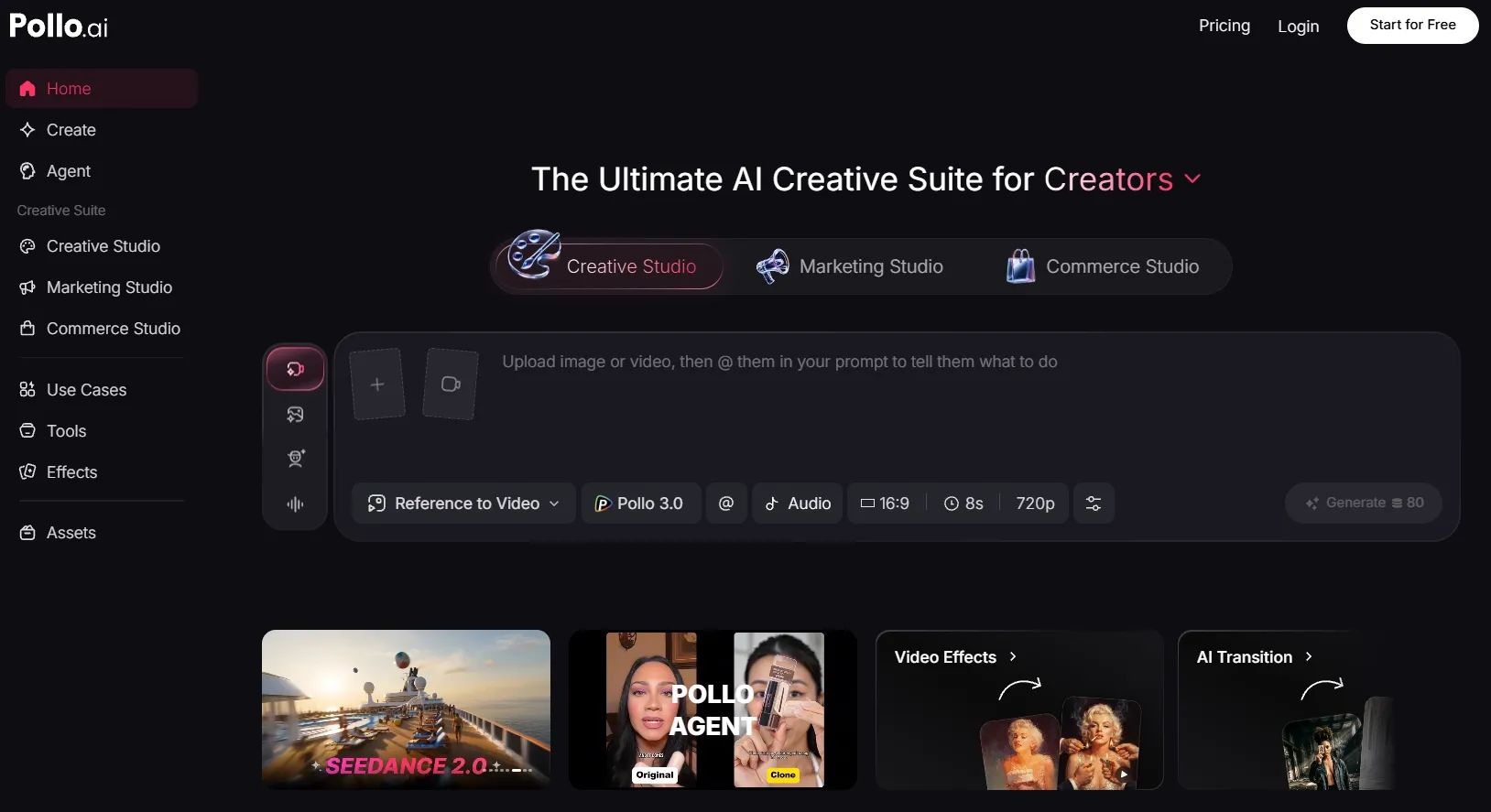
Vidnoz AI is useful for avatar-led communication. Pollo AI is stronger when I need an ultimate AI creative suite that can support various video styles, editing, talking avatars, and audio in one place.
More Complete Video Generation Workflow
Pollo AI gives me a more complete video generation workflow. Instead of leaving me with a raw clip that still needs extra work elsewhere, it lets me keep polishing the video with built-in video editor, SFX, voiceovers, and specialized workflow apps for real project needs.
That makes the process feel more practical. I can generate the main video, refine the result, add supporting elements, and adjust the output for different content goals without constantly switching tools.
For me, this makes Pollo AI more useful when I need a video that is closer to publish-ready, not just a quick AI draft.
Post-Ready Videos With Pollo Agent
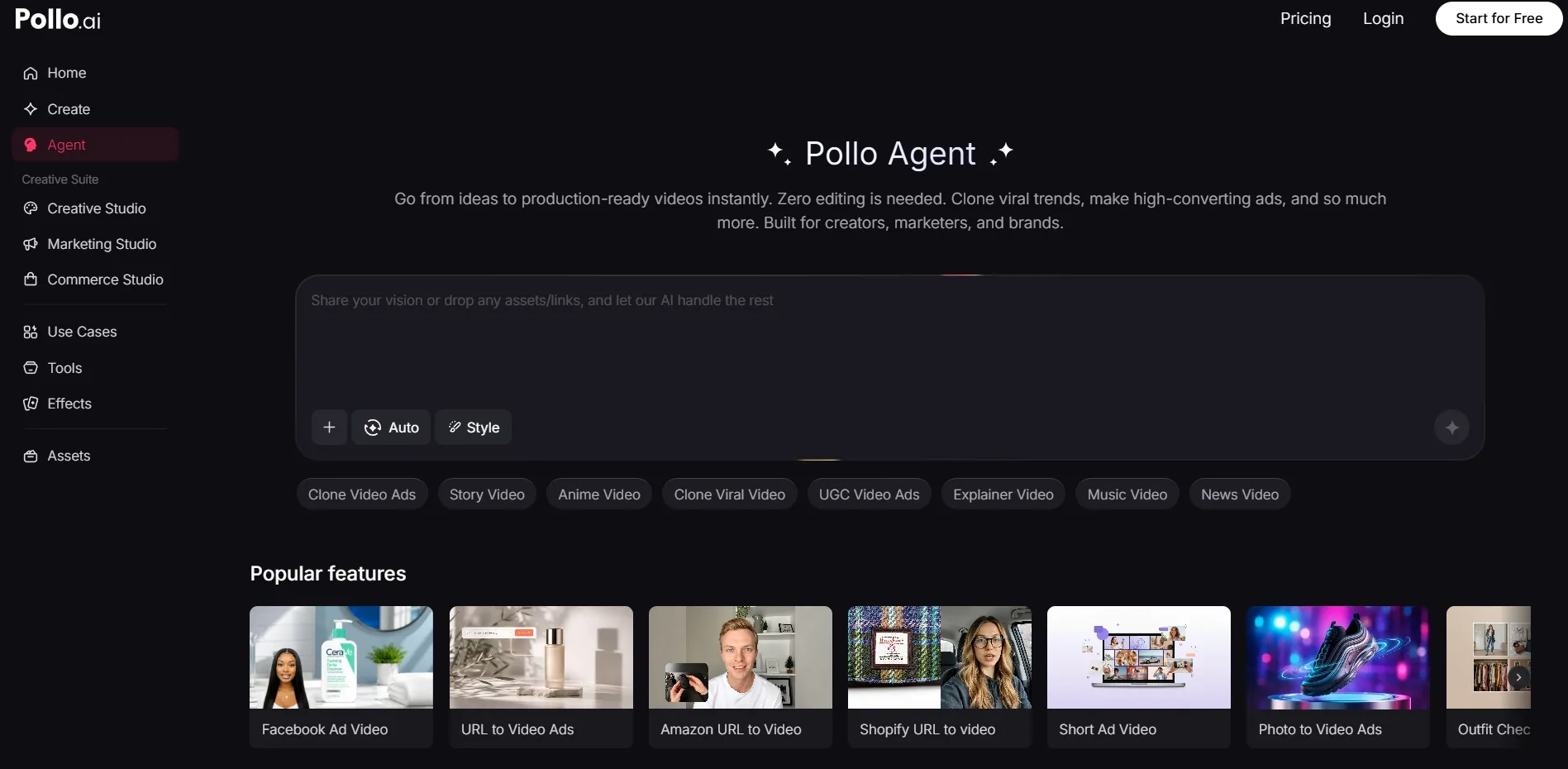
Pollo Agent gives Pollo AI a stronger end-to-end production advantage. Instead of only generating separate assets, it is designed to help create structured, production-ready videos with no editing required.
I can start from an idea, text, image, or URL, and Pollo Agent can help handle the video’s structure, pacing, visuals, and sound. This makes it more suitable when I want a finished result instead of a basic generated clip that still needs manual editing.
It also supports more content directions, such as viral video cloning, UGC ads, story videos, anime videos, music videos, and news-style videos. That makes Pollo AI more flexible for real publishing tasks.
Stronger Marketing and Commerce Workflows
Pollo AI also has a clearer advantage for commercial content.
Marketing Studio by Pollo AI is specifically built for marketers to create ready-to-use ads, including URL-to-video ads, photo-to-video ads, and more. Commerce Studio by Pollo AI is designed for sellers and brands that need product showcase videos and e-commerce-ready assets.
This makes Pollo AI more practical for users who care about campaign output, product presentation, and conversion-focused visuals.
Make AI Videos With More Freedom!
Pollo AI helps you create videos with broader styles, stronger workflows, and more production-ready results.
Start Creating With Pollo AI Free
My Personal Take On Vidnoz AI
I think Vidnoz AI does one job clearly: it helps users create presenter-style videos without filming. For business explainers, training clips, and internal communication, that is genuinely useful.
I also like that the workflow is approachable. It does not ask users to understand complex AI video prompting before they can create something watchable. For teams that mainly need clear communication, Vidnoz AI can save real production time.
But I would not use Vidnoz AI as my main tool for every video project. Once the goal moves beyond explaining information, I would want stronger visual control, richer creative formats, and a workflow that can support more types of content.
Final Verdict: Is Vidnoz AI Worth Using?
Vidnoz AI is fast, structured, and helpful for users who want to create videos without filming or heavy editing.
But creative range is a main issue. Vidnoz AI is not a good choice for cinematic videos, product ads, ecommerce visuals, UGC-style campaigns, or highly creative social content.
For a broader AI video workflow, I would choose Pollo AI. It gives me Pollo Agent for production-ready videos, Marketing Studio for ready-to-use ads and Commerce Studio for commercial product visuals.
Pollo AI also gives me more creative flexibility through leading AI models like Happy Horse 1.1 and Seedance 2.5. So I can choose different models for different creative needs instead of staying locked into one video style.
Beyond generation, Pollo AI also helps me improve and finish my videos with tools like AI voiceovers and 100+ specialized workflow apps for real use cases. This makes it easier to save production time while moving closer to post-ready results.
Try Pollo AI to create post-ready videos with more flexibility, stronger workflows, and less editing work.