FitRoom is an AI virtual try-on platform offering clothes swapping, preset models, and ecommerce-ready images for fashion shoppers and sellers. For broader product imagery, campaign variations, and practical photo editing, Pollo AI is the ideal alternative. Try Pollo AI for free now!
POLLO AI INFLUENCER
Create your own influencer. Then jump into any trend with Recast.
Kling 4.0
Up to 10 keyframes. Impressive performance.
Pollo Recast
Recreate viral videos. Remix new versions.
Pollo Recast Challenge
One upload in. Your viral video out. Unlimited rewards await.
Pollo Agent x DeepSeek V4.1 FLASH
Faster completion at a much lower cost.
Pollo Agent x Gemini 4 Argon
Smarter reasoning. All through Pollo Agent.
Pollo MCP
End-to-end content creation. Up to 4 Videos/ 20 Images for FREE.
Key Features of FitRoom AI Virtual Try-On
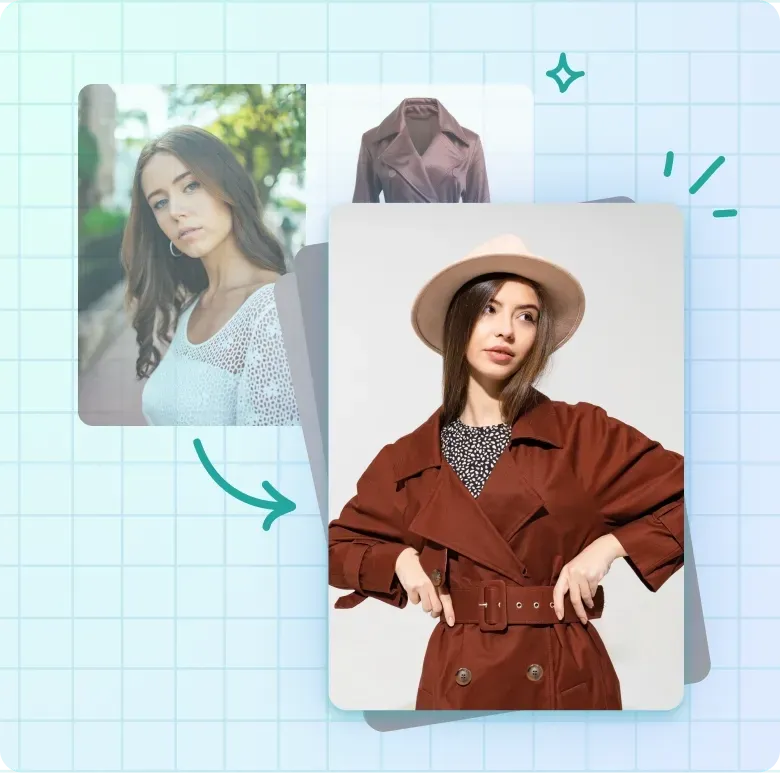
AI Virtual Try-On: FitRoom combines a person image with an uploaded garment or a preset clothing item to create a dressed result.
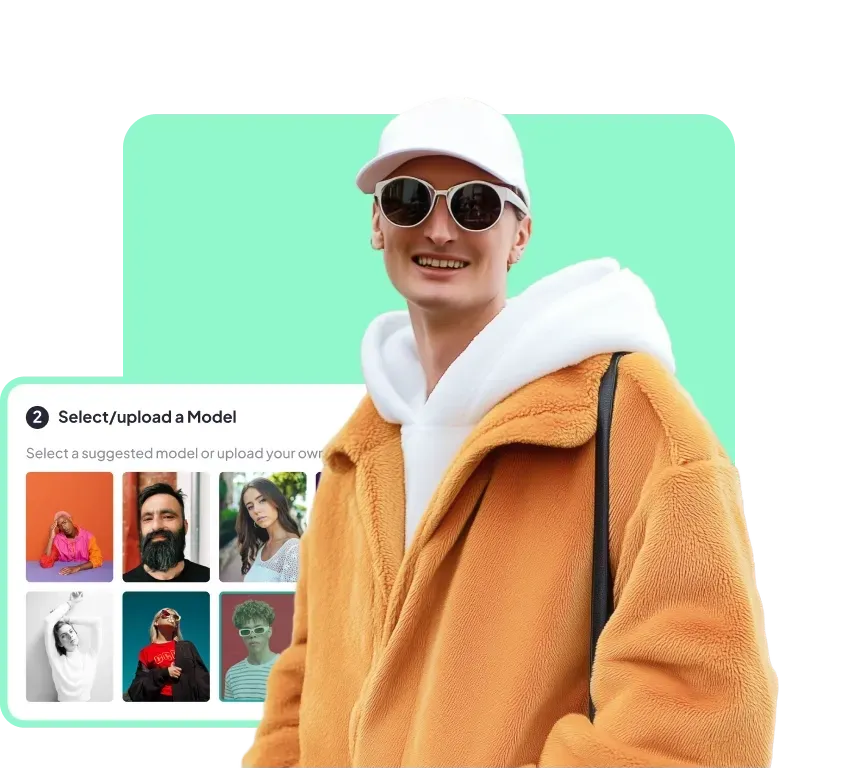
Personal and Preset Models: FitRoom lets users upload a person photo or choose from ready-made model images for fashion visualization.
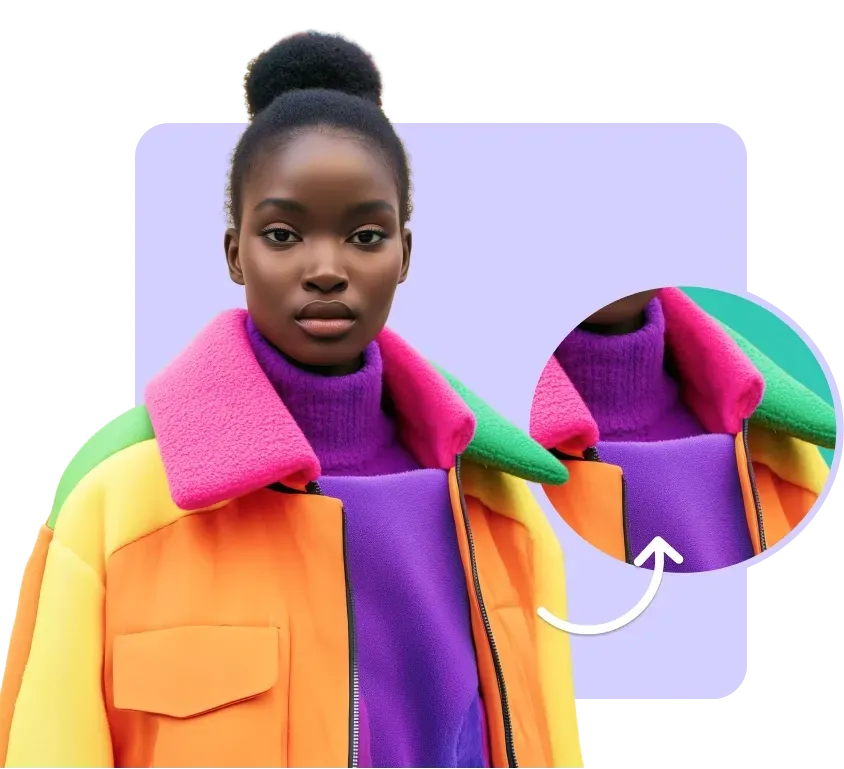
Fabric and Garment Rendering: FitRoom attempts to preserve fabric texture, folds, patterns, and material cues across generated try-on images.
Mobile Clothes Changer: FitRoom provides browser, iOS, and Android access for outfit testing away from a desktop workflow.
HD Ecommerce Outputs: FitRoom supports higher-resolution downloads for social posts, store listings, and fashion catalog drafts.
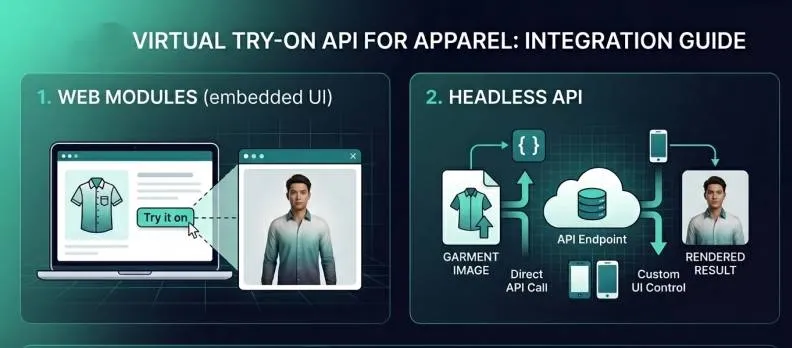
Virtual Try-On API: FitRoom offers an API for adding virtual fitting functionality to fashion websites and applications.
AI Virtual Try-On
FitRoom supports a two-image virtual try-on workflow built around a person photo and a garment photo. The system analyzes body position, clothing shape, and visible contours before producing a composite outfit image.
Results remain dependent on clear source photos. Straight-on poses, visible garment edges, and simple backgrounds give the system a cleaner basis for preserving fit and silhouette.
Personal and Preset Models
FitRoom includes both personal-photo input and a library of preset models. This supports casual outfit testing as well as faster product visualization when a seller does not have a suitable model photo.
The preset-model route is useful for catalog experiments, while personal photos are better suited to individual style checks and purchase planning.
Fabric and Garment Rendering
FitRoom is designed to carry garment details such as folds, patterns, sheen, and thickness into the generated result. Regular garments with clear outlines are generally easier to represent than highly reflective, transparent, or heavily layered clothing.
Users should review logos, seams, prints, and small accessories before treating an output as a final product image.
Mobile Clothes Changer
FitRoom extends its clothes-changing workflow across the web and mobile apps. This makes it practical for shoppers saving looks from a phone and for sellers testing products without returning to a desktop editor.
Mobile access emphasizes speed and convenience rather than detailed layer-based retouching.
HD Ecommerce Outputs
FitRoom offers HD downloads intended for social media and ecommerce use. Sellers can use generated images as listing drafts, merchandising references, or campaign concepts before final quality review.
Commercial teams should still check plan terms, output resolution, garment accuracy, and brand-detail consistency for each project.
Virtual Try-On API
FitRoom provides API access for businesses that want to place virtual try-on inside an existing shopping journey. The integration path is more relevant to fashion platforms and developers than to individual users making occasional images.
Teams should evaluate latency, supported garment categories, privacy handling, and output consistency before production deployment.
For fashion sellers: Turn garment photos into on-model listing drafts and supplement product catalogs with virtual try-on photos.
For social creators: Test outfit combinations and prepare fashion posts without arranging a new photoshoot for every look.
For developers and retailers: Add a try-on step to a store or app through FitRoom's API, then create product photos for adjacent catalog needs.
FitRoom Market Positioning
FitRoom stands out as a virtual fitting product that serves both consumers and fashion businesses. Its core loop is simple: provide a garment, choose or upload a model, and generate an on-body result without manual compositing.
This gives FitRoom a dual position in the market. A shopper can test personal styles, a small seller can create provisional model imagery, and a retailer can evaluate an API-based try-on experience from the same product family.
Its distinctive appeal is the bridge between casual outfit experimentation and deployable fashion-commerce infrastructure.
FitRoom Pros and Cons
Pros
Cons
Simple person-plus-garment workflow
Accuracy varies with pose, garment edges, and source-image quality
Preset and personal model options
Complex fabrics and small brand details may need review
Web and mobile access
Not a layer-based professional photo editor
API path for fashion retailers
Business deployment requires integration and privacy evaluation
Feature Comparison: FitRoom vs Pixelcut vs Pollo AI
FitRoom is focused on photo-based outfit testing, while Pixelcut is designed for editing and presenting existing ecommerce product photos.
Pollo AI fits users who want virtual try-on to connect with edited product images, listing assets, and broader campaign imagery.
Why Is Pollo AI a Strong FitRoom Alternative?
Pollo AI is an AI commerce-image generation platform that generates photo-based virtual try-on images from person and garment photos. FitRoom concentrates on fitting previews and API deployment, while Pollo AI carries the approved result into a broader seller workflow. It can then generate complete listing sets, staged campaign scenes, product posters, and batch-refined catalog assets.
Step 1
Try-On That Continues
Generate an on-model result from a person and garment photo, then keep working with the approved image instead of treating the fitting preview as the final deliverable.
Step 2
Complete Listing Image Sets
Turn one approved product photo into 7+ listing images with main shots, lifestyle scenes, detail views, feature callouts, and marketplace-ready formats for several sales channels.
Step 3
Staged Campaign Visuals
Place the same item into realistic lifestyle scenes or conversion-focused product posters, then standardize the final campaign set with batch edits for launches, promotions, and ads.
I’ve been using Pollo AI mainly for short videos and quick image-to-video tests. The interface is straightforward and it works well even with simple prompts, which is a big plus compared to tools that need long, complicated instructions. The results can be really impressive, and it’s honestly been fun to experiment with. I’d love a bit more consistency on faces when there’s movement, but overall it’s been a solid experience for what I needed.
Awesome website. loads of options and a great way to learn how to work with 'AI' my reasoning for 5 stars is based upon price, versatility and ease of use. Also I would like to add, Pollo AI runs a lot of promos on different AI products as well. I rate their customer service at 5 stars, when I purchased my first subscription my computer crashed the following weekend and I lost all my data and info passwords you name it I lost it, contacted pollo by email they responded quickly and found my info/username and account, and I was able to restore my account.
I have been using Pollo AI for short videos. It is easy to use and works well with simple prompts. Other generators seem to need long drawn out complicated explanations to get even close to what I want.
i tried 220 online img to vid in 2 months, and this is the best online video.I will subscribe for a year; there are many reasons. But freedom is the most important.
FitRoom is used to place an uploaded garment onto a personal or preset model photo for virtual outfit previews, seller imagery, and fashion ecommerce experiments.
Can FitRoom use my own clothes and photo?
Yes. Its main workflow accepts a garment image and a person image, although clean photos and visible body posture generally produce more usable results.
Does FitRoom support mobile use?
FitRoom provides a browser experience and mobile apps. Current platform availability and feature parity should be checked before choosing a plan.
Can businesses integrate FitRoom?
FitRoom offers a virtual try-on API for apps and ecommerce sites. Businesses should evaluate category support, latency, privacy, and commercial terms.
Is FitRoom a full fashion image platform?
No. FitRoom is strongest for virtual fitting and on-model outfit previews. Broader product-image editing and campaign production may require additional image workflows.
Create Complete Fashion Campaigns with Pollo AI
Move from outfit ideas to refined product photos, model images, listing assets, and campaign variations in one image workflow.