




Remaker AI Image Generator
Ranked among the top 50 AI web products of 2025, Remaker AI is an advanced editing suite with rich templates and AI tools for background removal, upscaling, and style transfer. Yet, demanding image work needs more control, consistency, and commercial polish. Pollo AI gives you multi-model image generation, flexible photo editing, and more tools. Try Pollo AI image generator for free!
Key Features of Remaker AI
Multiple Image Style Presets: Create images in various styles like comic, cyberpunk, 3D, pop art, etc.AI Image Model Aggregator: Access multiple AI models like Nano Banana, Flux, etc, in one place.Text-Based Image Editing: Initiate instant complex image edits using plain language prompts.AI Image Restoration & Enhancement: Restore old or enhance low-quality photos up to 4096px resolution.AI Image Background/Object Removal: Flawlessly erase unwanted backgrounds, subjects or objects from images.One-Click AI Avatar Templates: Turn subject images into stylized AI avatar pictures in seconds.Instant AI Face Swap: Swap and replace faces across photos in a few clicks with realistic results.
Multiple Image Style Presets
Remaker AI comes with several unique style preset options that allow users to instantly create new images or reimagine existing ones in a few simple clicks. You can craft multiple visual narratives in various aeathetics like anime, fantasy, illustration, watercolor, surrealism, and more, making it easy to explore new creative directions.
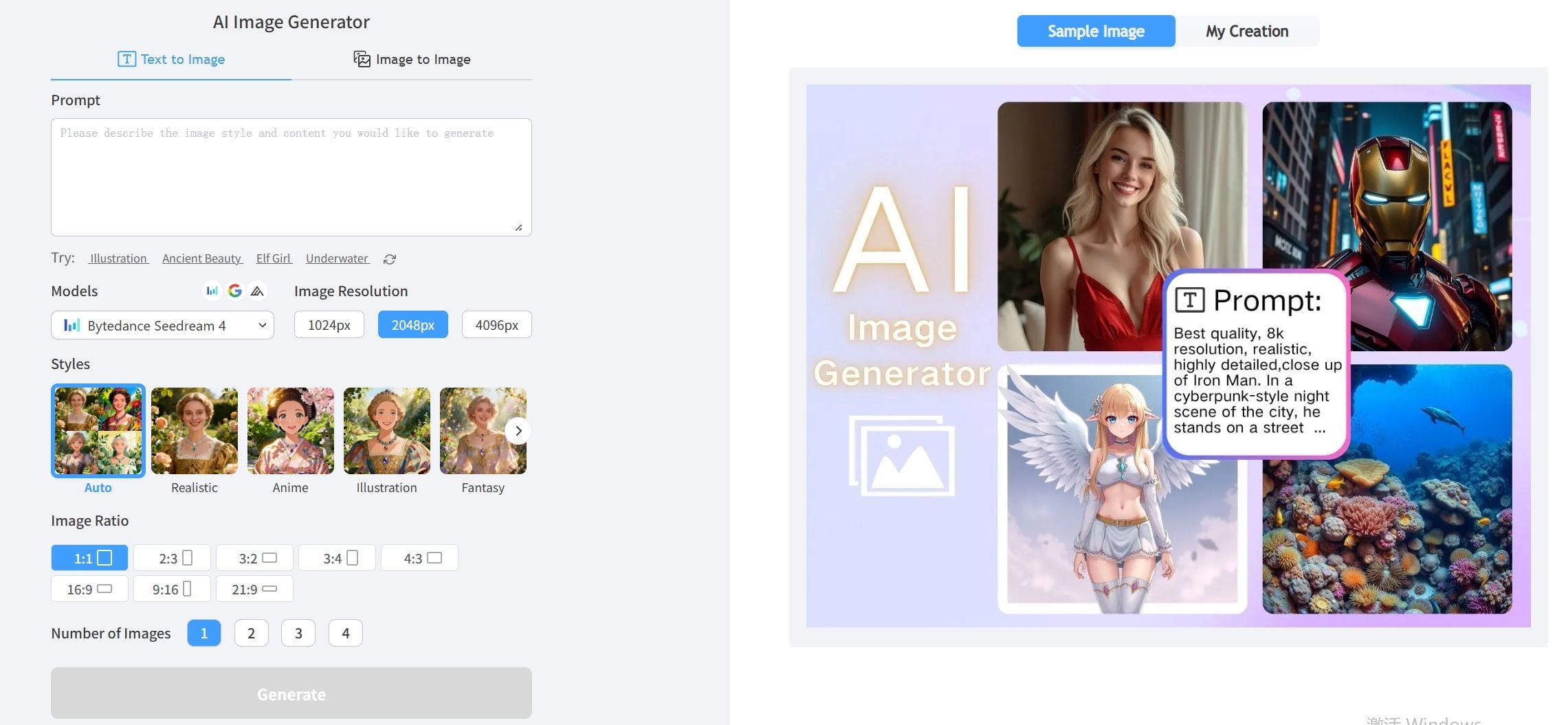
AI Image Model Aggregator
With Remaker AI, users can seamlessly access several top-class AI image models in one place, such as Seedream AI, Nano Banana Pro, and Imagen. Whether you prefer faster renders, detailed compositions, higher resolution, etc, it becomes significantly easier to accommodate different image creation needs.
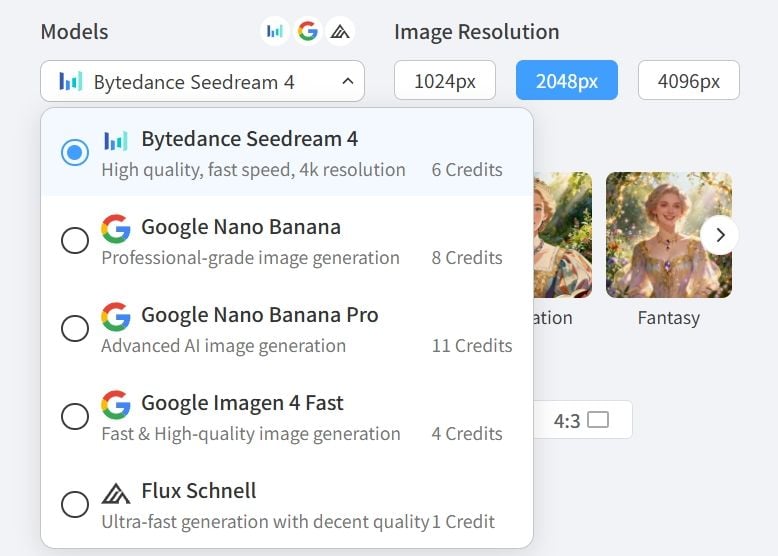
Text-Based Image Editing
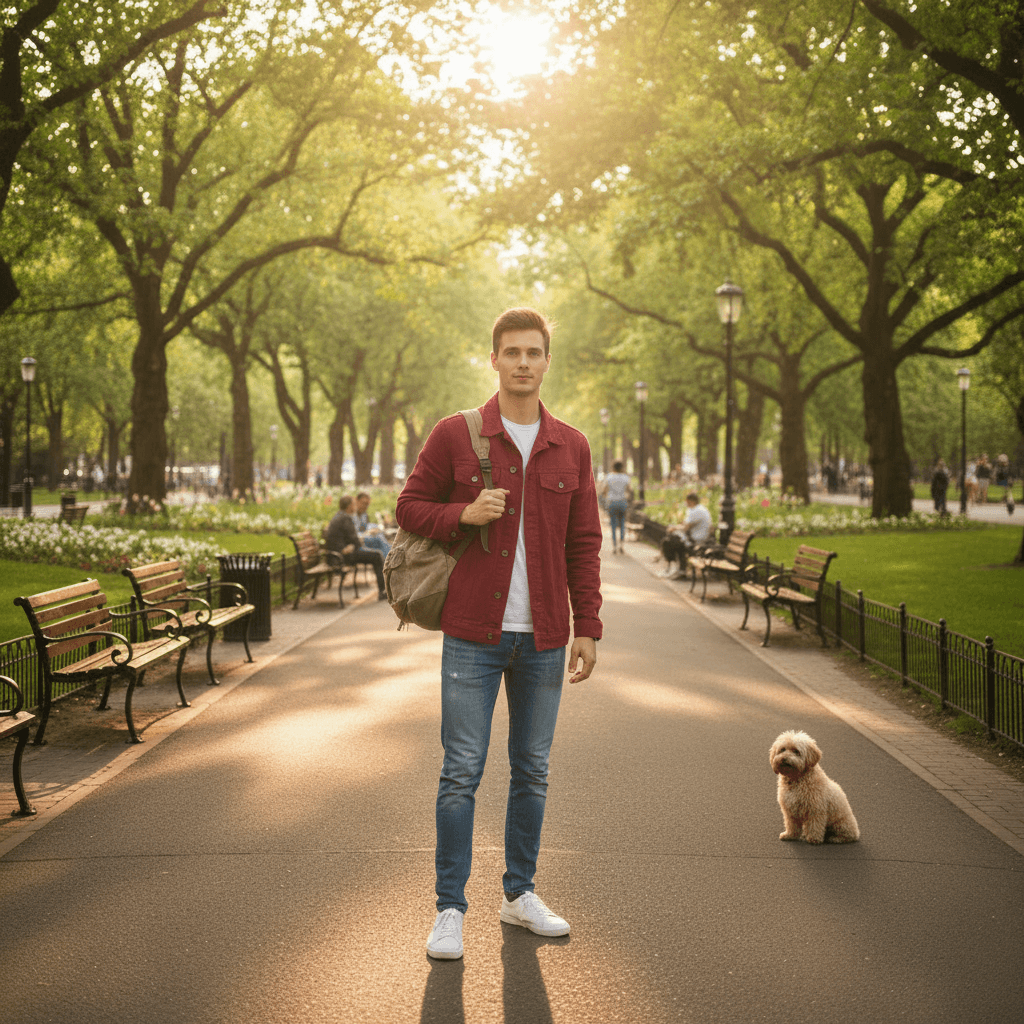
Using plain language text prompts, Remaker AI makes complex image editing accessible to users of all levels, no design skills required. Whether you want to add, remove, or adjust elements in an image, all it takes is a basic command like “change hat color to red” for the AI model to make instant modifications with a professional-grade result.
|
Reference Image |
Prompt |
Output Image |
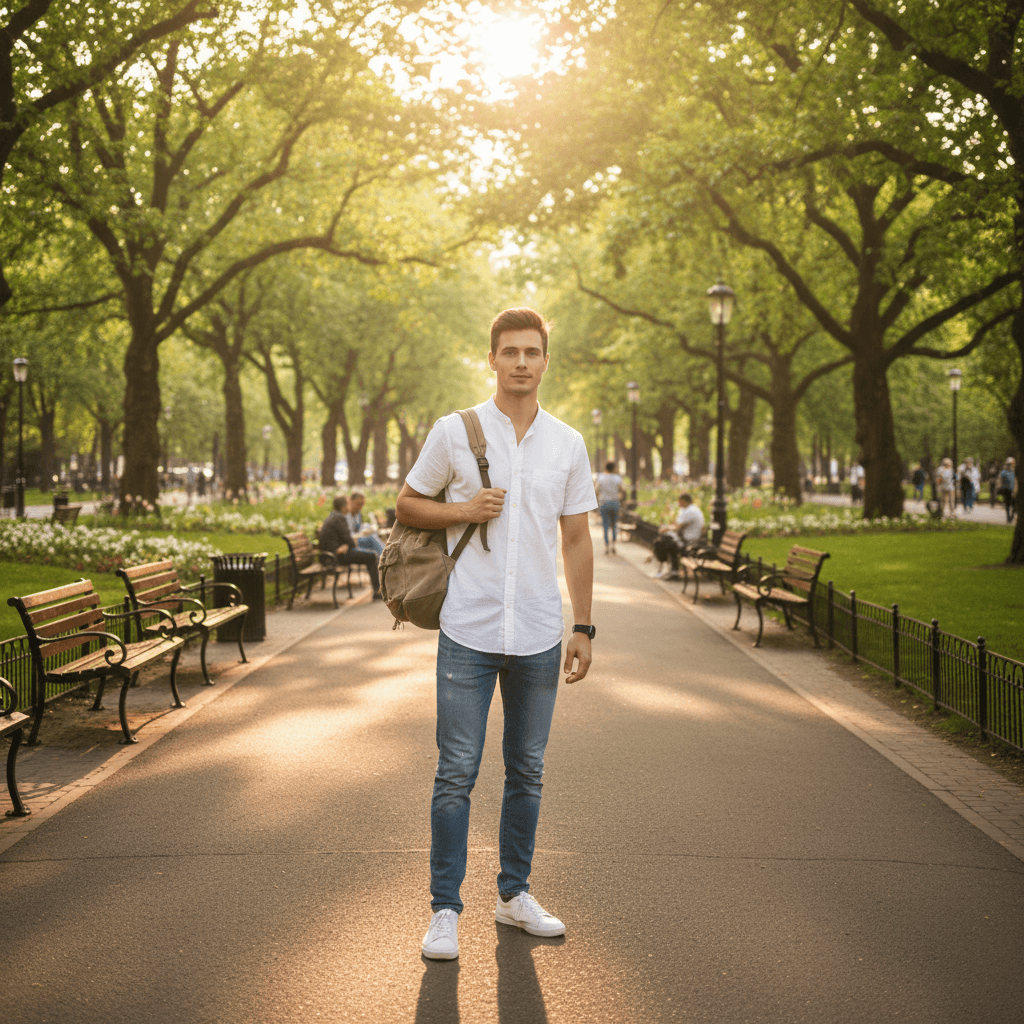 |
Replace the man's white shirt with a red jacket and add a small dog in the background, keeping his pose, backpack, and overall composition unchanged. Natural lighting, realistic style. |
 |
AI Image Restoration & Enhancement
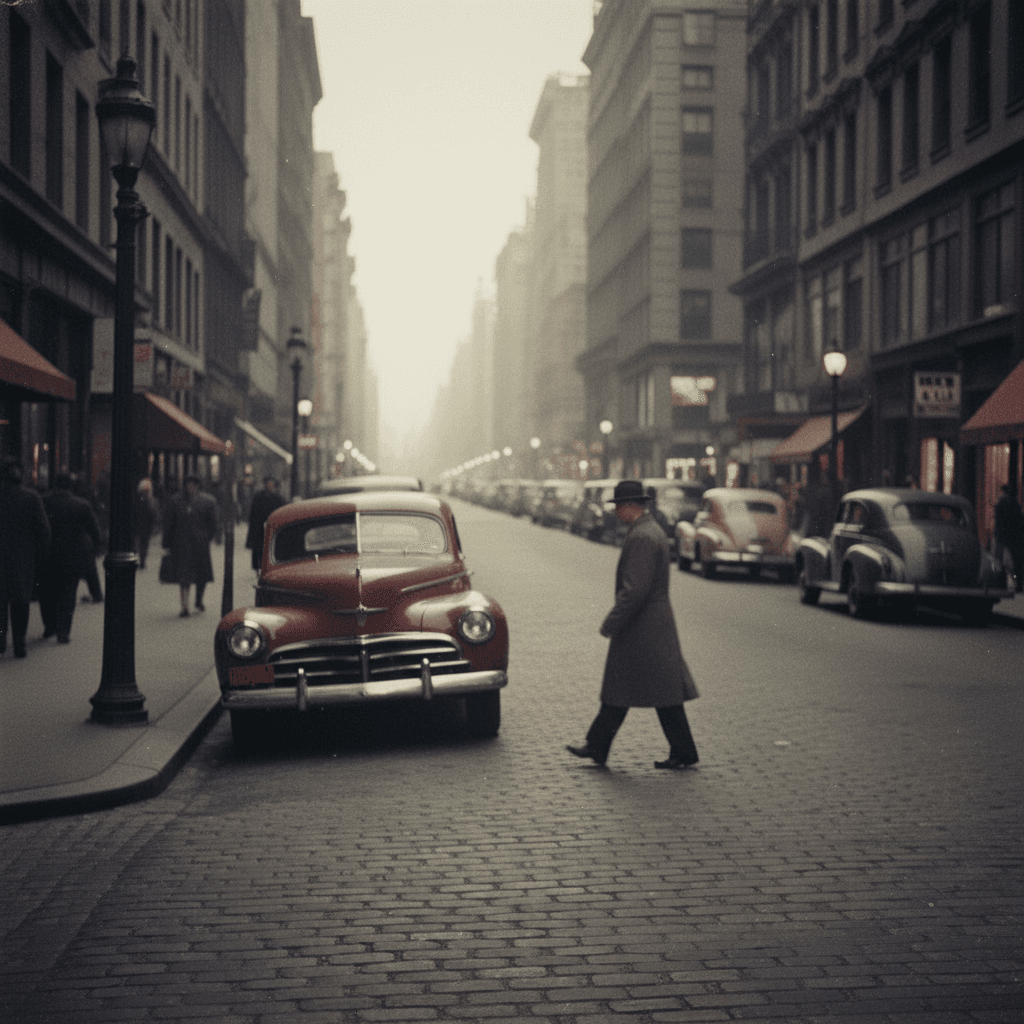
Remaker AI can help users restore old or damaged photos by instantly removing noise, recovering lost details, implementing color sharpening, and more. It can also automatically enhance low-quality imagery, making it possible to transform blurry, pixelated pictures into clear, detailed, high-resolution masterpieces of up to 4096px with one click.
|
Reference Image |
Prompt |
Output Image |
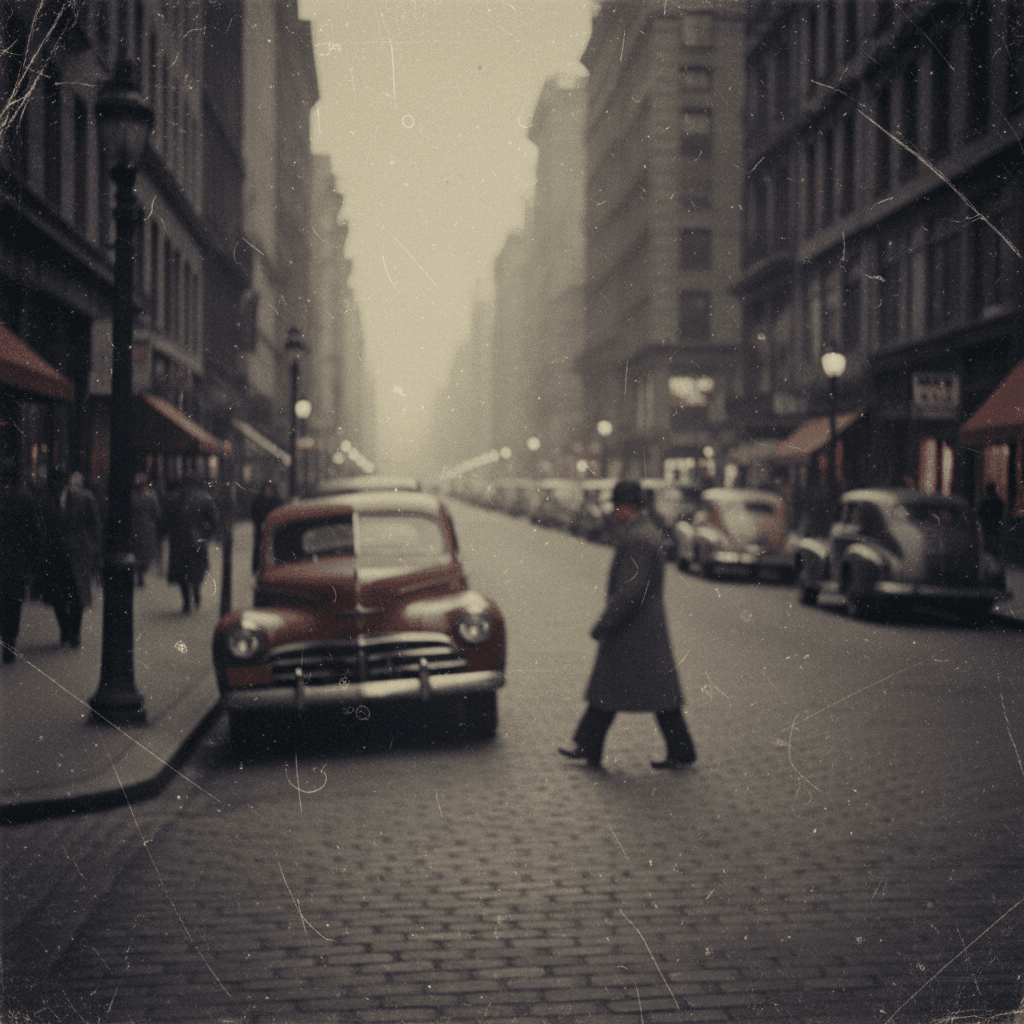 |
Restore this old photo, enhance details and colors. |
 |
AI Image Background/Object Removal
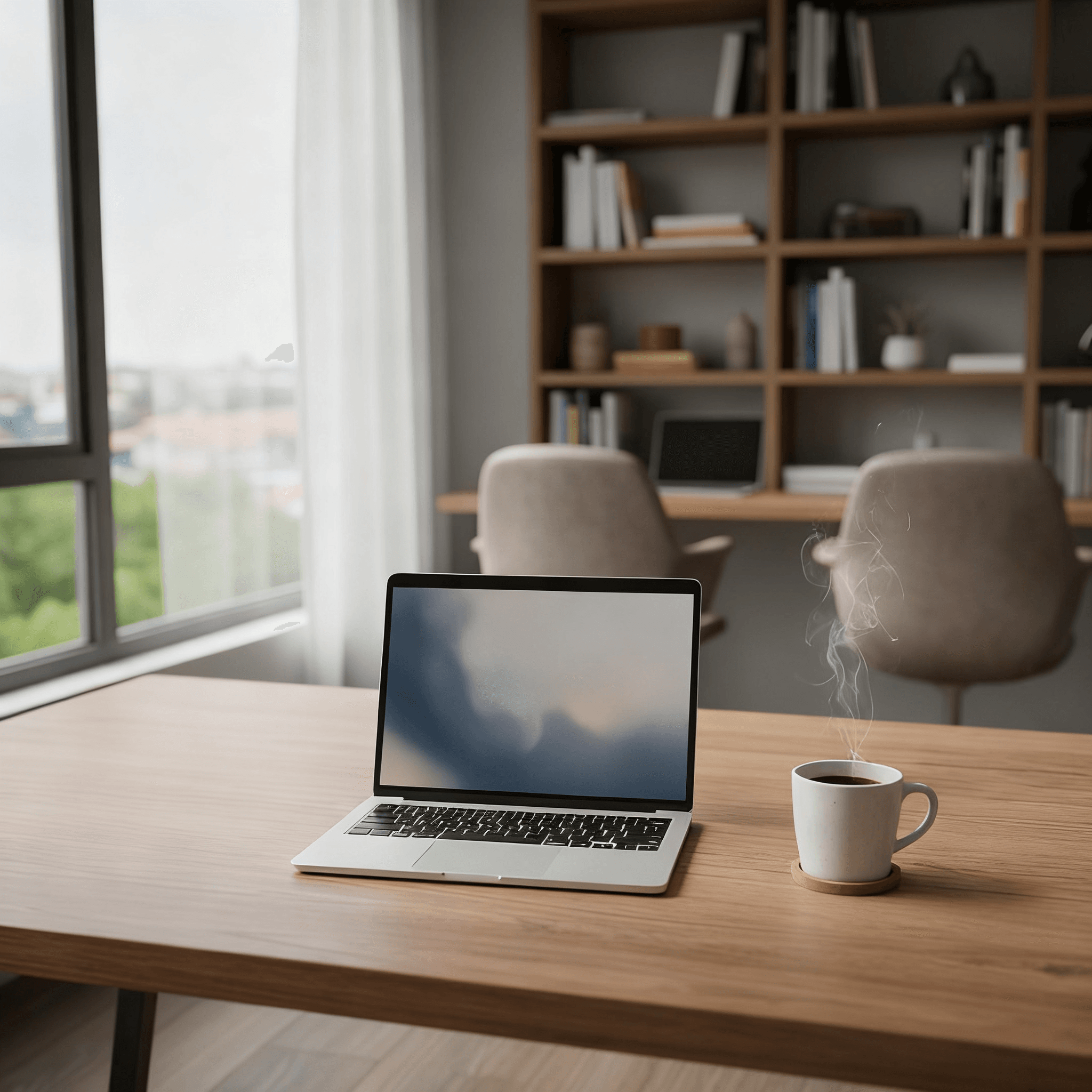
Remaker AI automatically detects subjects and objects in an image, enabling it to meticulously remove the backdrop with studio-level precision and create transparent PNGs. Users can also isolate and erase specific subjects or objects in an image, with the AI model leaving no evident gaps or traces to ensure the original image composition remains pristine.
|
Reference Image |
Prompt |
Output Image |
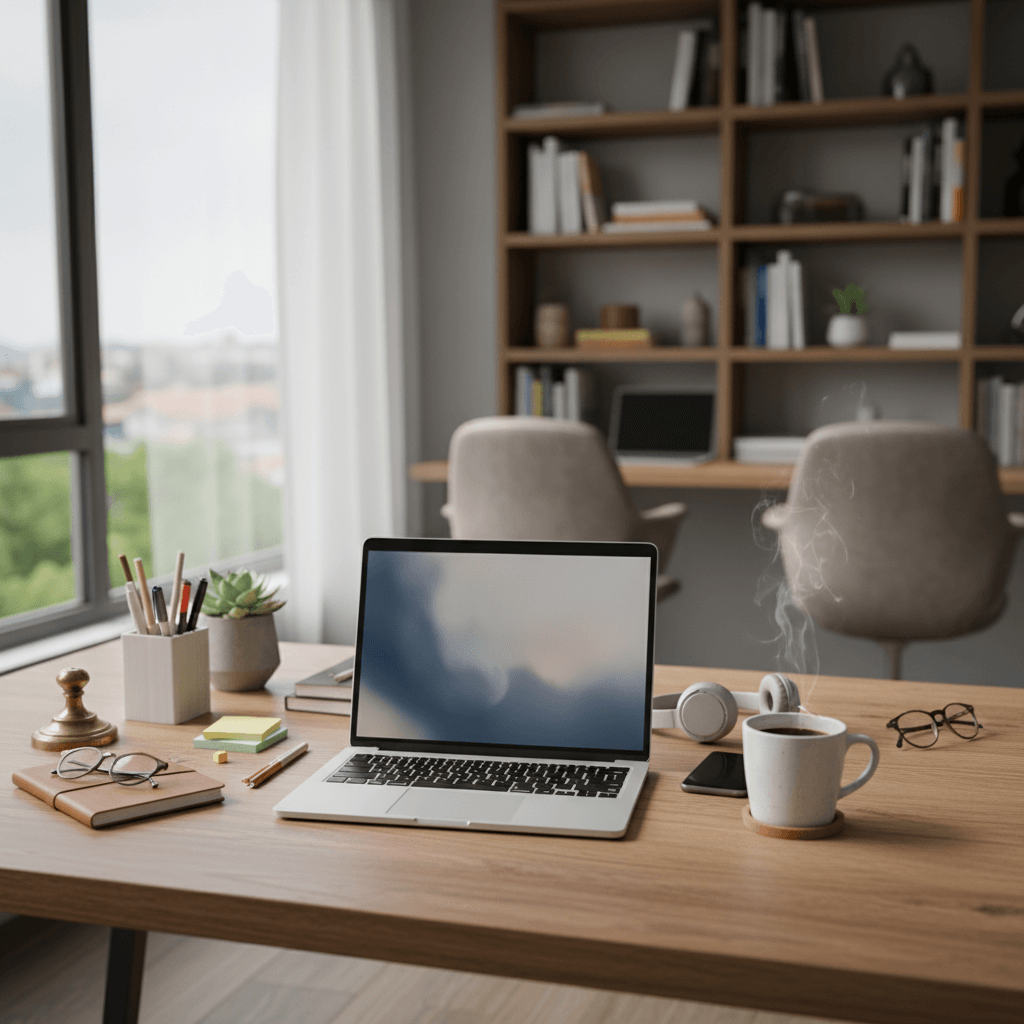 |
Remove stationery and miscellaneous items from the desk, keeping only the laptop and coffee cup on the desk. |
 |
One-Click AI Avatar Templates
Remaker AI can instantly transform subject images into AI avatar pictures that can be customized via text prompts or by selecting a pre-built style template. With access to various aesthetics like Comic, Pixar, Cyberpunk, Chibi, etc, users can create stylized character renders for use on social media, gaming profiles, and more.
|
Reference Image |
Prompt |
Output Image |
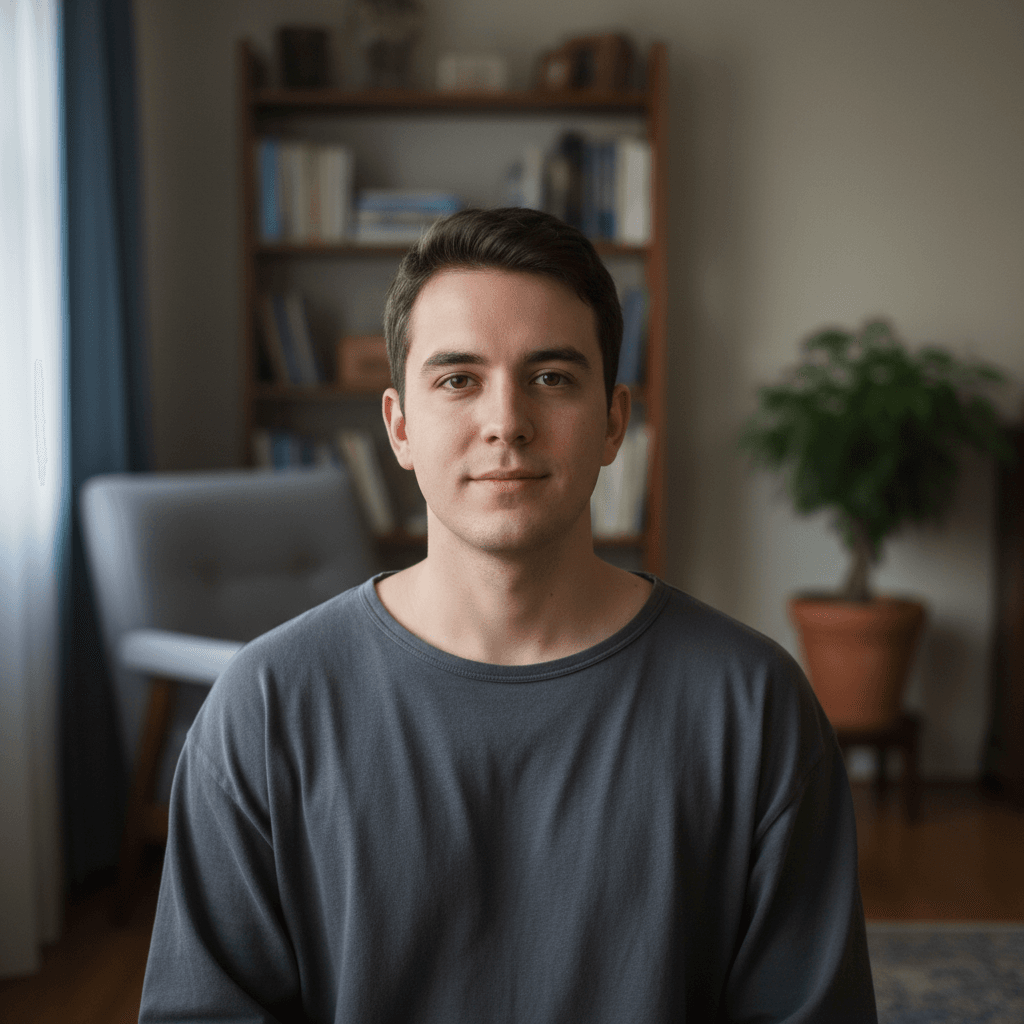 |
Convert the woman’s photo into an anime-style avatar, keeping her facial expression and pose. Background simplified to soft color blocks, overall style cute and bright. |
 |
Instant AI Face Swaps
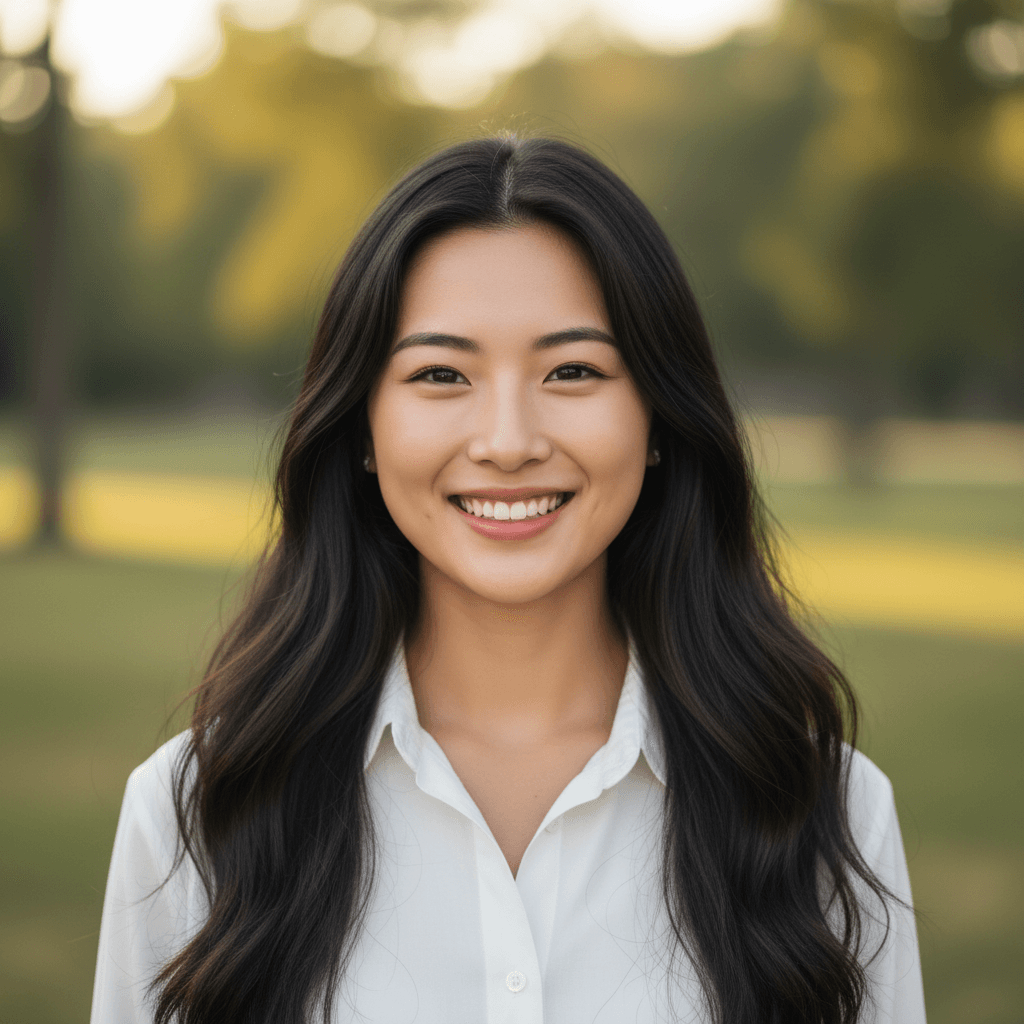
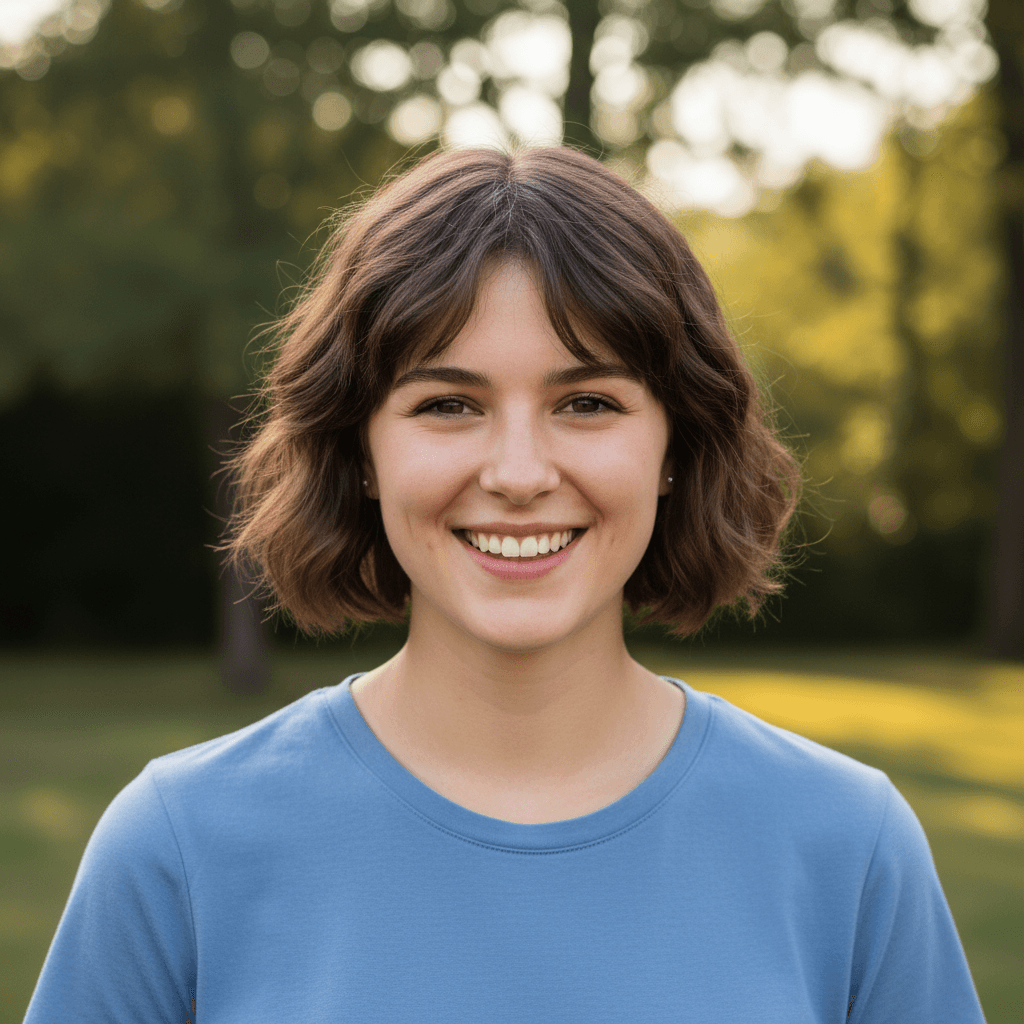
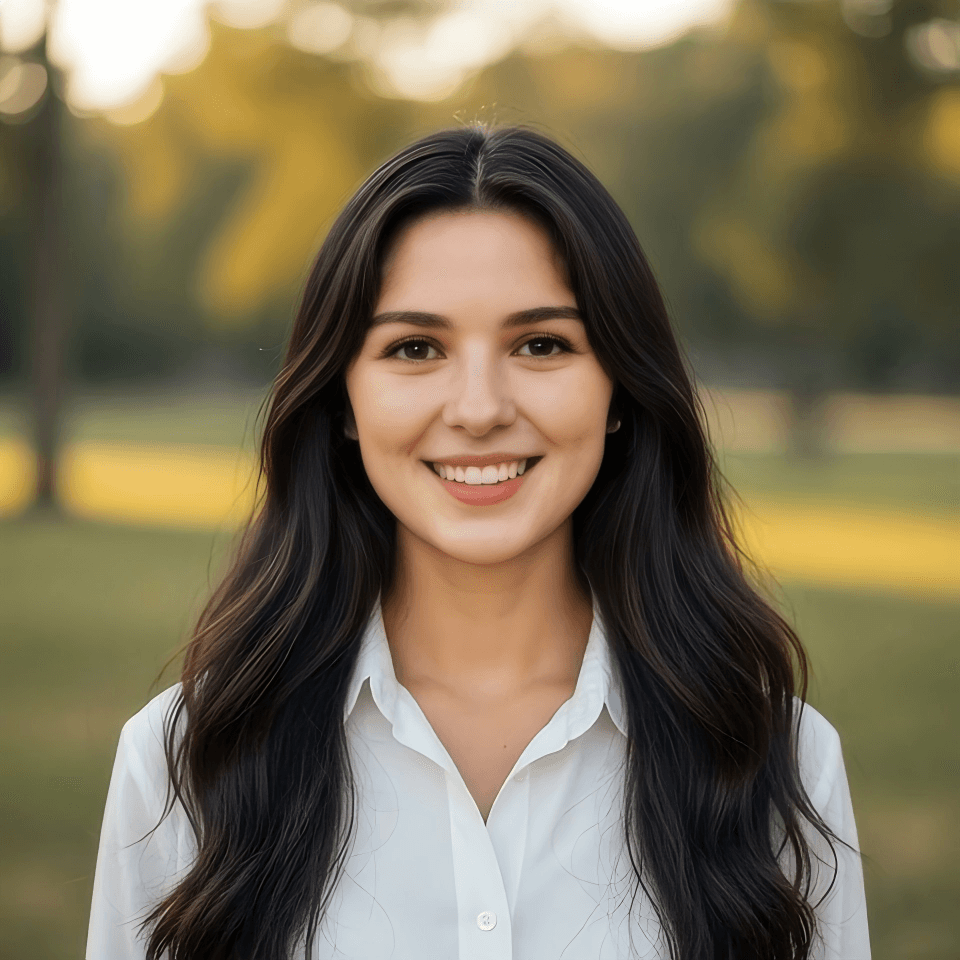
Remaker AI enables users to instantly switch faces with friends, colleagues, celebrities, historical figures, etc, across subject images to create entirely new portraits. You can seamlessly replace heads in single photos or group shots with one click and freely share the images for humorous or creative purposes.
| Reference Image | Output Image |
 |
 |
Real Use Cases of Remaker AI
- Social Media Creators: Create face swaps and stylized images that boost engagement and make posts more shareable.
- E-Commerce Sellers: Generate cleaner product images that improve listing appeal and help shoppers trust products faster.
- Marketing Teams: Create banners and campaign graphics that speed testing and improve creative output.
- Personal Branding Users: Generate polished headshots and profile images that strengthen first impressions and professional presence.
- Content Creators: Create blog graphics and thumbnails that save editing time and support more consistent publishing.
- Meme Communities: Generate funny emojis and image swaps that help content feel timely and spread faster.
- Small Businesses: Create promo images and branded visuals that reduce design costs and support faster marketing launches.
Market Positioning
Remaker AI is best understood as a fast consumer AI image generator. It sells speed first: upload an image, choose a tool, and get a usable visual quickly. It centers on image recreation, prompt editing, upscaling, background removal, magic erasing, and AI image generation.
Its strongest market signal is visibility. Remaker AI appeared in a16z’s Top 50 Gen AI Consumer Web Products list in 2025. That matters because the AI image market is crowded, and many tools disappear quickly.
The product sits between casual face-swap apps and heavier creative platforms. It is more practical than a novelty app, but lighter than Canva or Photoshop-style workflows. This makes it attractive to social creators, small sellers, meme makers, and marketers who need quick images.
In a nutshell, Remaker AI’s market position is clear but narrow. It is a quick, accessible visual tool for simple production. But it is less convincing for teams that need stable workflows, transparent pricing, and deeper creative control.
Real User Feedback
What Users Like
- Wide Tool Coverage: Remaker AI supports both photo and video projects. Users can create anything from simple memes to more professional-looking content.
- All-in-One Editing Workflow: The platform combines face swapping, video generation, photo editing, background removal, and 4K upscaling in one place.
- Flexible Creative Use: Its toolset gives users more freedom to handle casual edits, social content, product visuals, and marketing images.
- Faster Production: These batch tools help users complete large editing tasks faster and with less manual effort.
Areas of Concern
- Occasional Mismatches in Complex Scenes: While generally accurate, the AI may struggle with complex lighting or highly intricate scenes.
- Inconsistent Reliability: Users have reported site downtime, sometimes lasting hours or days, which impacts productivity.
- Intermittent Feature Failures: Specific tools, like the video generator, have been noted to fail occasionally.
- Not Ideal for Agencies/Professionals: Due to reliability issues and lack of robust support, it might not be suitable as a primary tool for professional agencies.
Side-by-Side Comparison: Remaker AI vs Pollo AI vs Canva
| Category | Remaker AI | Pollo AI | Canva |
| Image Generation | Supports text-to-image, image editing, and simple visual remake tools. | Supports text-to-image, image-to-image, photo editing, and style-based workflows. | Offers AI image generation inside a broader design editor. |
| Model Flexibility | Uses several model options in some workflows. | Aggregates leading image and video models in one platform. | Uses Canva AI tools and Leonardo-powered Dream Lab. |
| Workflow Style | Tool-based and credit-driven. | Studio-based, use-case-driven, and built for real creative workflows. | Template-led, design-first, and easy for non-designers. |
| Main Strength | Fast, simple, and accessible for casual creators. | More flexible image creation for marketing, commerce, and creative needs. | Large design ecosystem with strong brand and layout tools. |
| Best For | Fast face swaps, upscaling, and simple visual edits. | Commercial visuals, image generation, editing, and creative production. | Branded designs, social posts, presentations, and campaign layouts. |
Why Should You Use Pollo AI
Commercial Visuals in One Studio
Commerce Studio supports product shots and virtual try-on visuals. You can create design-ready assets without extra shoots or scattered tools.
Multi-Model Image Creation
Pollo AI supports multiple image models such as Nano Banana 2 and GPT Image 2. You can avoid single-tool limits and choose better fits for style, speed, or quality.
More Flexible Photo Editing
Pollo AI’s Photo Editor helps you change styles, remove objects and adjust images with simple prompts. You have better creative control over your results.










 5000+ reviewsTrustscore 4.4
Used by 10M+ Creators and Marketers
Thousands of satisfied users have shared their Pollo AI experiences on Trustpilot, rating us as "Excellent." See what they love about our platform.
Liz Cassidy Dec 15, 2025Richard QuickOct 15, 2025armourdudeNov 19, 2025
 DuduJan 14, 2026
 Ray WarnesDec 30, 2025
 lawless clanNov 22, 2025
Discover Other AI Image Creation Tools on Pollo AI
FAQs
What is Remaker AI?
Remaker AI is an advanced AI image editor that helps users generate and modify images instantly via simple text prompts. With several AI tools and templates that automate the entire image editing process, anyone can professionally enhance, uncrop, restore, restyle, etc, even without any technical expertise.
What makes Remaker AI worth it?
Remaker AI combines image generation and editing across a single interface that can be effortlessly controlled via plain text prompts. Even as a casual user, you can undertake complex image modifications without any manual work to produce creative, studio-quality results in seconds.
Can I format my Remaker AI images for social media?
Absolutely. Remaker AI offers multiple aspect ratios to choose from, allowing you to create images in the format you need to meet different platform requirements. Simply set your image configuration between 1:1, 16:9, 3:2, 2:3, 3:4, 4:3, and 9:16 before generating your image.
Does Remaker AI support multilingual texts?
Yes. You can generate and edit images on Remaker AI across various languages that include English, Chinese, and several others. This means that native users across the world can directly input their prompt instructions to the AI without requiring constant text translations.
Which image projects can Remaker AI help me with?
Remaker AI is a versatile AI suite with several unique image tools that cater to both amateurs and professionals. In this respect, it can be useful in aiding with personal photo editing, character design, meme creation, ad design, product showcasing, and so much more.

Build Better Visuals Faster with Pollo AI for Free!
Generate cleaner, sharper, and more useful images for real creative needs.