




Magnific AI Image Generator
Magnific focuses on hyperrealistic image generation, creative upscaling, and detail-rich visual enhancement. For creators who need more than image polishing, Pollo AI supports high-quality AI image generation, image style exploration, and batch photo editing in one workflow. Try Pollo AI image generator for free!
Key Features of Magnific
Text To Image Creation : Generates original images from written prompts for creative and commercial visuals.Image Editing Tools Suite : Modifies existing images through AI editing tools for cleaner, more flexible visuals.Automatic Background Removal : Removes image backgrounds to isolate subjects for product, portrait, and design use.Conversational Creative Assistant : Uses a chat-based workflow to help create and customize visual designs.Image Variation Generation : Creates new visual versions from an existing image while keeping the core idea intact.Ready-To-Use Creative Templates : Provides preset visual workflows for branding, campaign, and product image creation.Creative API Access : Connects image generation, editing, and stock assets through developer-ready API workflows.
Text To Image Creation
When a project starts with only a rough idea, Magnific can turn text prompts into custom images across different visual styles.
This is practical for campaign moodboards, product photos, editorial visuals, social post concepts, or early-stage brand directions before a team commits to photography or final design.
Image Editing Tools Suite
For teams working from existing assets, Magnific provides image editing for retouching, resizing, restyling, and adjusting visuals after generation.
A marketer could adapt a product image for a landing page, refine a campaign graphic, or clean up small visual issues before passing the asset into paid ads or social posts.
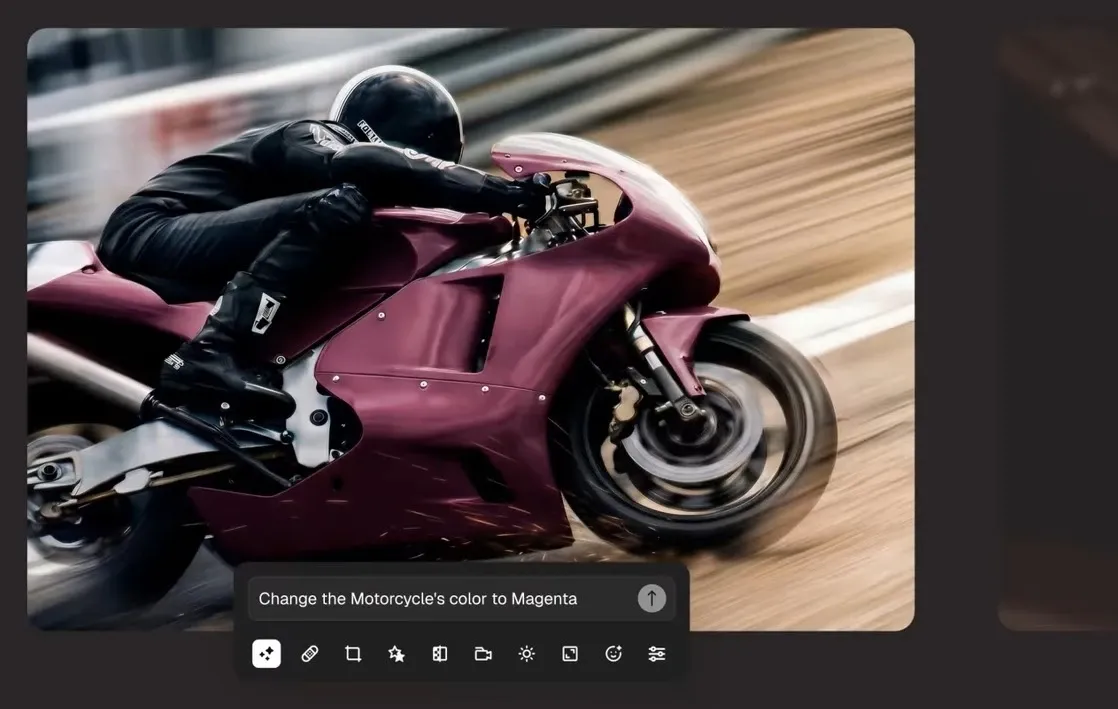
When one product photo needs to become a full set of catalog, ad, and social assets, Pollo AI goes further than single-image touchups.
Its AI photo editor supports prompt-based edits, background removal, object erasing, relighting, style changes, and batch editing for dozens of images at once.
That means e-commerce sellers and marketers can keep backgrounds, lighting, and visual style consistent across product pages, ads, and posts.
Automatic Background Removal
A clean cutout is often the first step in commercial design. Magnific can remove the background from images so products, people, or objects are easier to place into new layouts.
This helps e-commerce teams create marketplace photos, ad creatives, catalog images, website banners, and clean presentation assets faster.
Conversational Creative Assistant
Instead of moving through separate controls for every change, Magnific offers an assistant that responds to creative instructions in a conversational flow.
A small brand team could ask for design variations, layout changes, or visual refinements while preparing social graphics, promotional banners, or campaign drafts for review.
Image Variation Generation
A single approved image can become several creative directions through Magnific variations.
This helps marketers test different styles, compositions, or visual moods for ads, thumbnails, product concepts, and social posts without restarting from a blank prompt each time.
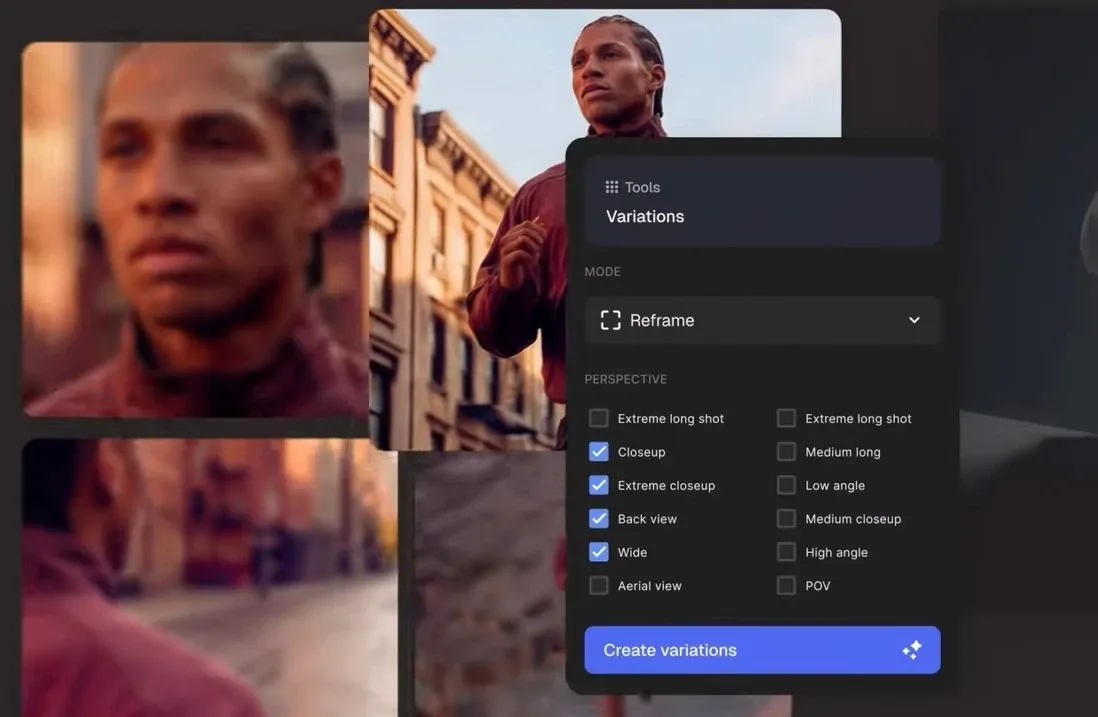
When one image needs to branch into sharper creative directions, broad variations are not always enough.
Pollo AI gives users 50+ stylized image generators for more purpose-built outputs, including AI chibi maker and AI sketch generator. Instead of only adjusting an approved image, creators can quickly explore distinct styles, niche aesthetics, and campaign-ready visual angles.
Ready-To-Use Creative Templates
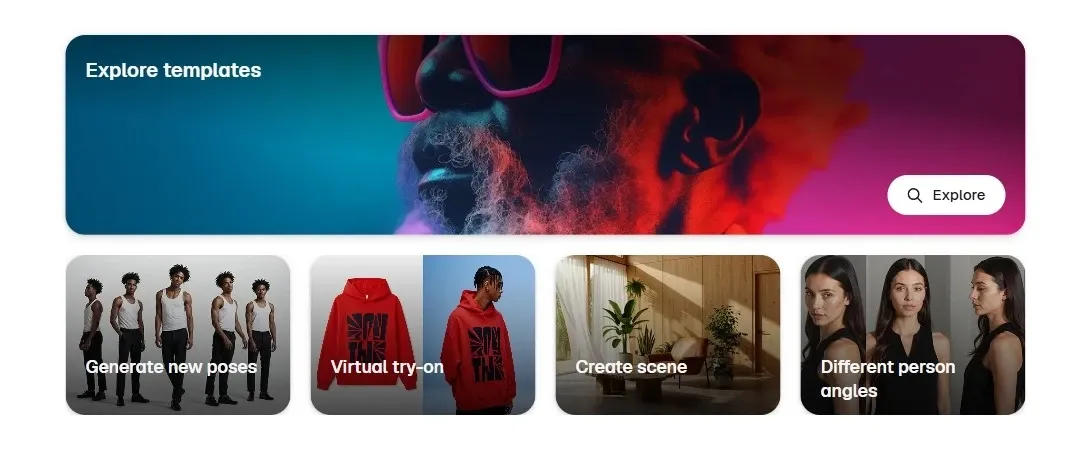
Inside its creation workspace, Magnific includes ready-made templates for tasks such as movie posters, outfit photos, and tech product visuals.
This helps smaller creative teams move faster when building campaign drafts, ad concepts, presentation visuals, or branded social assets without starting every composition from scratch.
Creative API Access
For product teams building creative tools at scale, Magnific provides API access for image generation, image editing, upscaling, and stock content.
This is practical for SaaS platforms, design apps, marketplace tools, or internal brand systems that need automated visual creation without relying on manual asset production.
Who Uses Magnific Best
Brand Marketers
Magnific can help marketers turn rough campaign ideas into polished visuals, from brand moodboards to product-led ad concepts. A small team could build several visual directions for a seasonal launch before choosing what goes into paid ads or landing pages.
E-Commerce Sellers
Product teams can use Magnific to generate product photos, remove backgrounds, and create cleaner listing visuals. This is useful when one product image needs to work across Amazon, Shopify, social ads, and email banners.
Creative Designers
Designers can use Magnific’s image editing tools, variations, and templates to explore layouts faster. A designer might start with a movie poster, editorial fashion photo, or branded packaging concept, then create multiple versions for client review.
Developers and SaaS Teams
Magnific’s API access makes sense for teams building visual creation into apps or internal workflows. A design platform, marketplace tool, or brand automation system could connect image generation, editing, and stock assets directly into its own product.
Magnific vs OpenArt vs Pollo AI
Feature | Magnific | OpenArt | Pollo AI |
| AI Image Generation | Generates images from text prompts or a reference image | Generates images from text or reference images | Generates images from text prompts and images |
| Image Editing | Edits and refines existing images | Offers image-to-image, restoration, and filters | Provides broader image tools and a photo editor for dozens of image adjustments |
| Templates & Inspiration | Visual templates and creation hub | Large feature library and creative examples | 50+ stylized image generators for different usages |
| Model Access | Offers models for image creation | Supports popular image models and style workflows | Integrates leading image models in one place, like GPT Image 2 and Seedream 5.0 Lite |
| Best For | Refined images, branding, product shots | Image exploration, creative filters, art styles | Polished marketing and e-commerce visuals for social posts, website banners, and product listings |
Is Magnific Always Reliable
User feedback around Magnific feels fairly consistent: the platform is praised for adding realism, texture, and extra detail to CGI or AI-generated images, especially in creative workflows that already involve tools like Photoshop.
At the same time, some users report limitations with very large resolutions and occasional grainy results after upscaling, particularly when pushing images beyond certain sizes.
Where Does Magnific Fit
Magnific sits in the premium image creation and enhancement category.
It is not just a casual prompt to image tool, nor only an old-style upscaler. Its value is in making visuals feel more polished, detailed, and commercially usable, especially for branding, product imagery, and creative production.
Still, Magnific may feel less suitable for creators who want more flexible image generation, editing, and style exploration in one broader creative workflow.
Where Does Pollo AI Pull Ahead?
Leading Image Models
Access industry-leading image models like Nano Banana and Seedream for different creative needs.
Edit, enhance, and restyle images with text prompts, from image relight and object erasing to batch style adjustments
50+ AI Image Generators
Use 50+ AI image generators for different visual directions, including tools like AI fantasy art generator.










 5000+ reviewsTrustscore 4.4
Loved by 10M+ Creators and Marketers Globally
Thousands of satisfied users have shared their Pollo AI experiences on Trustpilot, rating us as "Excellent." See what they love about our platform.
Liz Cassidy Dec 15, 2025Richard QuickOct 15, 2025armourdudeNov 19, 2025
 DuduJan 14, 2026
 Ray WarnesDec 30, 2025
 lawless clanNov 22, 2025
Discover Other Powerful AI Image Generators on Pollo AI
FAQs
What is Magnific?
Magnific is an AI creative platform for AI image generation, with a strong focus on polished image creation and editing. Its image features include AI image editing, background removal, image variations, creative templates, and API access for developers.
What is Magnific best used for?
Magnific is best suited for refined visual work, such as brand concepts, product shots, campaign images, editorial-style graphics, and creative assets that need a more polished look. Its Mystic image generation can create photorealistic 1K, 2K, and 4K images for marketing, e-commerce, and creative projects.
Can Magnific remove image backgrounds?
Yes. Magnific’s background remover can remove, replace, blur, or customize image backgrounds. This is useful for product photos, profile images, ad creatives, and clean design layouts where the subject needs to stand apart from the original scene.
Does Magnific offer an API?
Yes. Magnific offers API access for image generation, image upscaling, stock content, and other creative workflows. Its stock content API can search, retrieve, and download images, templates, icons, videos, and music for apps and internal systems.
What is the best Magnific alternative for image creation?
Pollo AI is a strong Magnific alternative for users who want more than polished image enhancement. It offers a broader image workflow with AI image generator supported by leading models, image to image creation, batch photo editing, and style-focused visual exploration.

Create Polished Images with Pollo AI
Generate, restyle, and refine images for a broader creative workflow.