Key Features
- AI Design Agent Workflow: Turn ideas into complete visual systems through guided AI workflows.
- Brand Kit Integration: Maintain visual consistency using logos, fonts, and brand guidelines.
- Touch Edit for Precise Changes: Modify specific elements without regenerating the whole image.
- Editable Text Inside Images: Edit embedded text directly with AI-powered layering.
- Visual Insights & Reference Search: Automatically find relevant design inspiration online.
- Built-in Creative Skills: Access ready-made workflows for specific creative outputs.
- Multi-Format Professional Export: Export images in formats ready for real-world use.
AI Design Agent Workflow
Lovart uses an AI design agent to turn user instructions into a complete visual direction. It can generate related assets such as product staging images, campaign graphics, and brand materials within the same workflow.
Users can enter a product concept or design request, and Lovart creates a set of coordinated visuals, including main images and supporting assets for landing pages, campaigns, and other design projects.
Brand Kit Integration
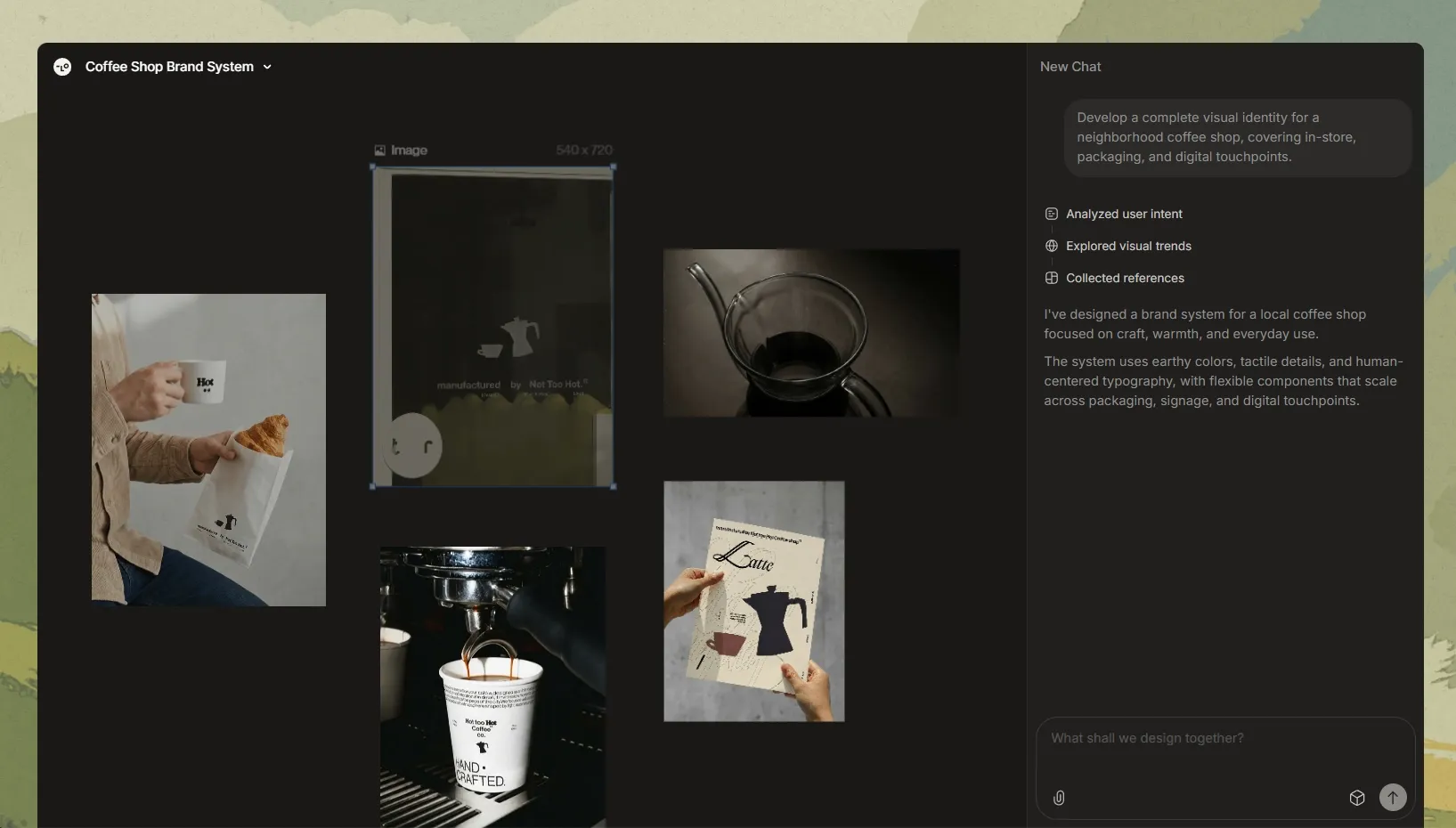
Lovart supports logos, color palettes, fonts, and brand guideline files as references for image generation.
Generated content can then follow the uploaded brand elements across social posts, advertisements, product images, and other visual materials, helping maintain consistency in color, typography, and overall style.
Touch Edit for Precise Changes
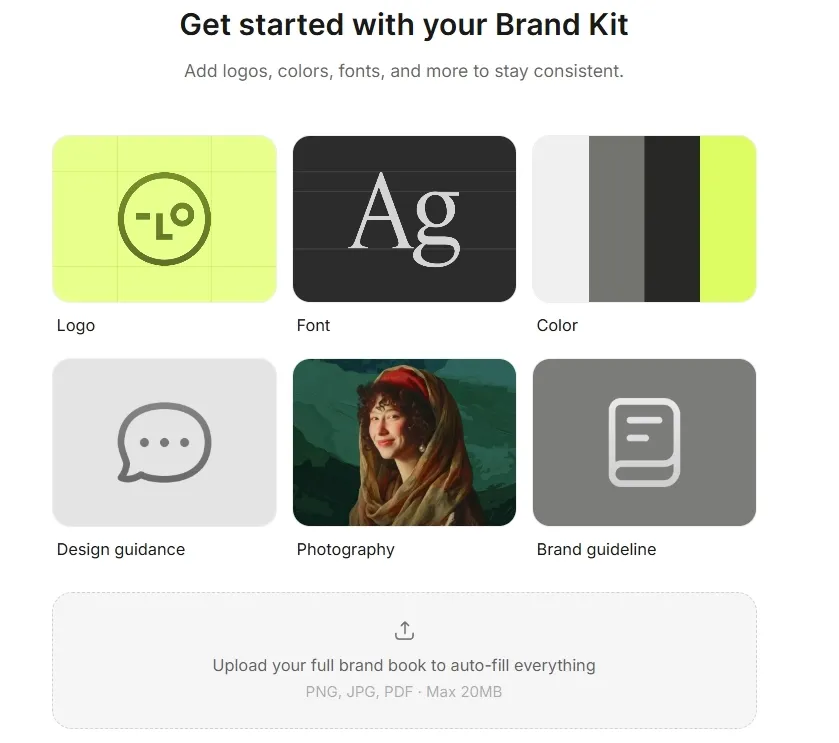
Lovart lets users select individual objects and modify them with text instructions while keeping the rest of the image unchanged.
Users can adjust elements such as backgrounds, colors, or specific objects without regenerating the entire image or changing its overall layout.
Pollo AI image tools extend this further by offering a broader set of editing capabilities, from watermark remover to style transformation tools like cartoon character maker, which can generate custom characters across multiple styles from an uploaded image.
Rather than just refining details, Pollo AI enables users to reshape visuals entirely within one workflow, making iteration faster and more flexible.
Editable Text Inside Images
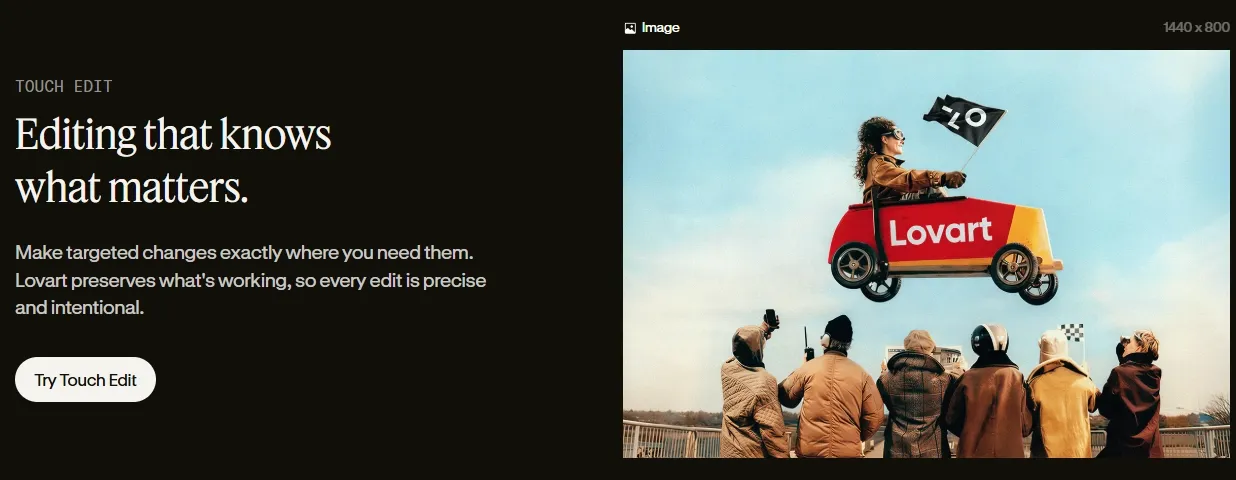
Lovart keeps text elements editable within generated images, including the wording, font, size, and layout.
Users can update headlines, switch languages, revise copy, or adjust typography without recreating the entire design.
Visual Insights & Reference Search
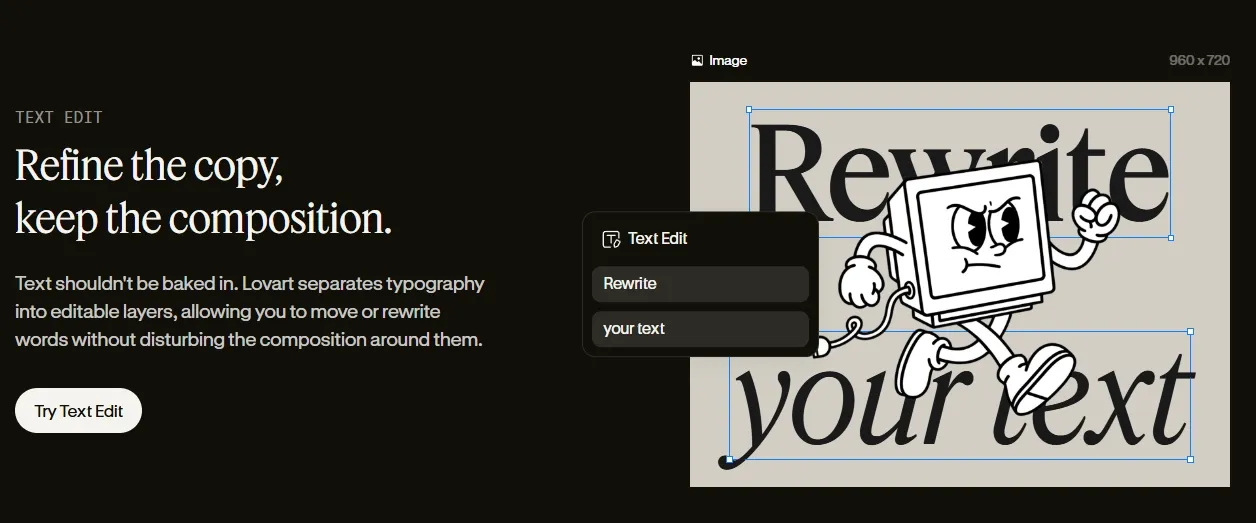
Lovart AI can search and pull high-quality visual references aligned with your idea, helping refine creative direction before generating outputs.
Instead of searching across different sites, relevant references appear directly in the workflow, helping you decide on a visual direction before generating anything.
Built-in Creative Skills
Lovart offers built-in “Skills” for tasks like Instagram posts, logos, UGC content, and product visuals, so you don’t start from scratch. Each skill already understands layout and format, helping you get structured results faster.
If you need something platform-ready fast, it is convenient to choose a predefined skill directly, like Instagram Post, to structure the output, so the result feels designed, not generated.
Multi-Format Professional Export
Lovart AI supports high-resolution outputs and formats of AI images like PNG, JPG, and SVG, making assets usable across marketing, design, and product workflows.
The same asset can move straight from creation to multiple channels, whether it’s a website, presentation, or print material, without reformatting or resizing.
Who Actually Uses Lovart AI in Real Work
E-commerce Product Launch Teams
Instead of organizing a photoshoot, a full product page visual set can be generated in one go, including hero banners, detail shots, and styled scenes ready for listing pages.
Performance Marketing Teams
When testing new campaigns, multiple image ad creatives with different styles and messaging can be produced quickly, making A/B testing faster without relying on designers each time.
Freelance Designers Under Deadline
Early-stage drafts, mood directions, and layout ideas can be generated within minutes, helping speed up client approvals before moving into detailed refinement.
Startup Founders Without Design Teams
Brand identity assets like logos, product visuals, and social graphics can be created together, avoiding the need to juggle multiple tools or hire external designers early on.
Content Creators Scaling Visual Output
Reusable image styles can be maintained across thumbnails, posts, and series content, keeping a consistent look while producing content at a higher volume.
| Feature | Lovart | Leonardo AI | Pollo AI |
| Core Positioning | AI design platform | AI image generator | Multi-model AI image creation platform for creators, marketers, and sellers |
| Image Creation Workflow | Develops coordinated visual assets from a design brief | Generates individual images from prompts and references | Supports AI image creation, editing, and restyling in one workflow |
| Editing Capability | Touch Edit, text editing | Basic editing + canvas | An AI photo editor plus 40+ AI image-enhancing tools |
| Image Consistency | Maintains brand colors, typography, and visual direction | Supports visual references and consistent image generation | Supports consistent characters, products, subjects, and visual styles |
| Image Output Scope | Product visuals, campaign graphics, and brand materials | Illustrations, concept art, marketing images, and creative assets | Product images, image ads, social graphics, portraits, and other image content for marketers, sellers, and creators |
Does Lovart AI Always Deliver
User feedback on Lovart AI is clearly split. Some users highlight its strong creative output, noting the wide range of image options and how useful it is for creating logos, banners, and stream visuals, especially with free daily credits.
Others, however, report inconsistent results, where outputs change unintended details or require repeated fine-tuning to get right.
Overall, Lovart shows clear potential for fast, creative generation, but may fall short when precision and control matter most.
Lovart’s Position in the AI Image Market
Lovart is positioned as an AI design agent for creating and refining image-based content through structured workflows.
Rather than focusing only on individual image generation, it supports the creation of connected visual assets with consistent branding, styles, and design elements. Users can develop product images, campaign graphics, social media content, and other brand materials within the same workflow.
Its main strength lies in combining AI image generation with editing, iteration, and brand control, making it suitable for users who need coordinated visuals rather than isolated image outputs.
Want An Advanced Alternative? Try Pollo AI!
Pollo AI is the ultimate creative suite for creators, marketers, and sellers, combining AI image generation, editing, and commercial visual production in one platform.
For creators, access to multiple advanced image models like Nano Banana means more creative directions from every idea, faster experimentation, and a better final result without moving between different tools.
For marketers and sellers, tools such as the AI product listing image set and AI virtual try-on turn limited product assets into more ad creatives, listing images, and on-model visuals while reducing design work, production costs, and reliance on photoshoots.







 Liz Cassidy


