Descript enables teams to scale AI-powered video production through script-based editing and is expanding into enterprise workflows through partnerships like Kaltura. For teams looking to move beyond structured content into more flexible, visually driven videos, Pollo AI brings together advanced models, avatars, and tools designed for real marketing content. Start building videos with Pollo AI today!
Up to 10 keyframes. Unlimited for 10 days with Ultra.
Pollo Recast
Recreate viral videos. Remix new versions.
Pollo Recast Challenge
One upload in. Your viral video out. Unlimited rewards await.
Pollo Agent x DeepSeek V4.1 FLASH
Faster completion at a much lower cost.
Pollo Agent x Gemini 4 Argon
Smarter reasoning. All through Pollo Agent.
WIN iPHONE DUO
Capture a city in one minute. Join the challenge now.
Pollo MCP
End-to-end content creation. Up to 4 Videos/ 20 Images for FREE.
Key Features of Descript
Text-Based Video Editing: Edit videos by editing text instead of timelines.
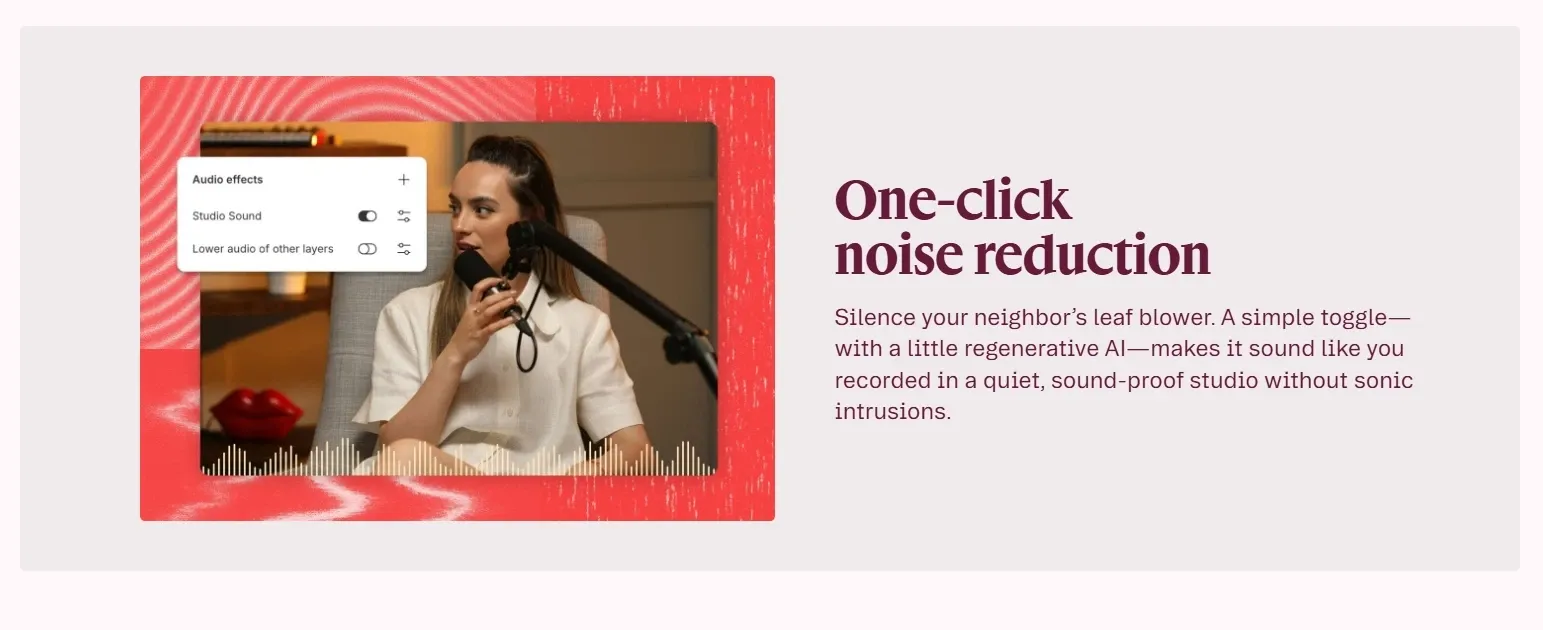
AI Voice Cleanup with Studio Sound: Enhance audio quality instantly without professional equipment.
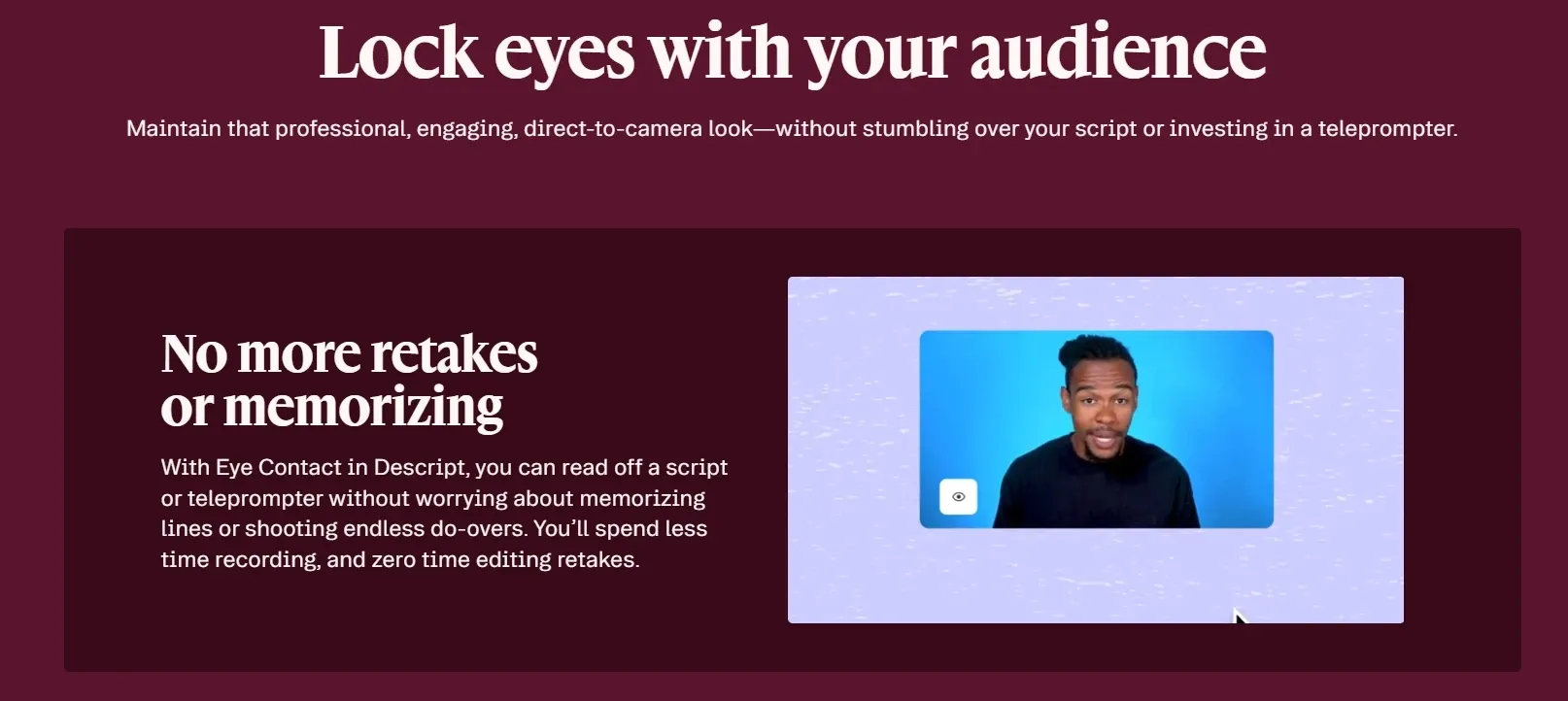
Eye Contact Correction: Make on-screen speakers appear naturally engaged with the camera.
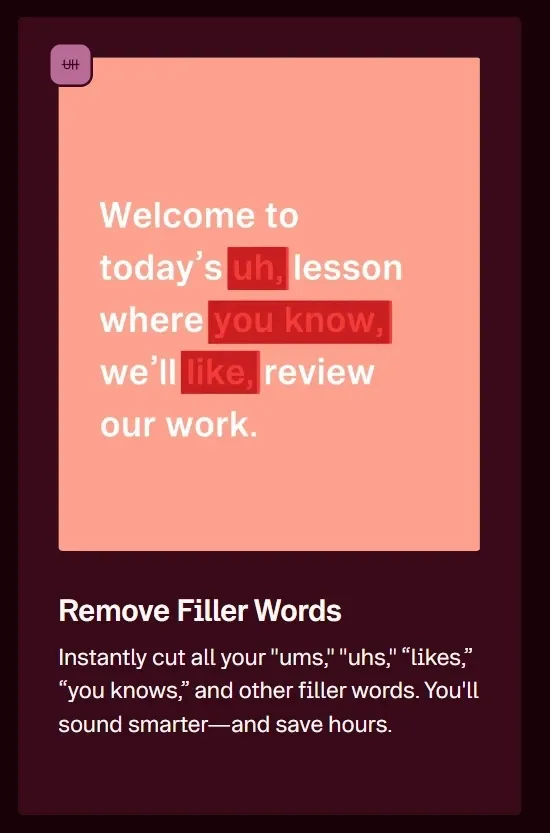
Filler Word Removal: Automatically remove “um,” “uh,” and awkward pauses from speech.
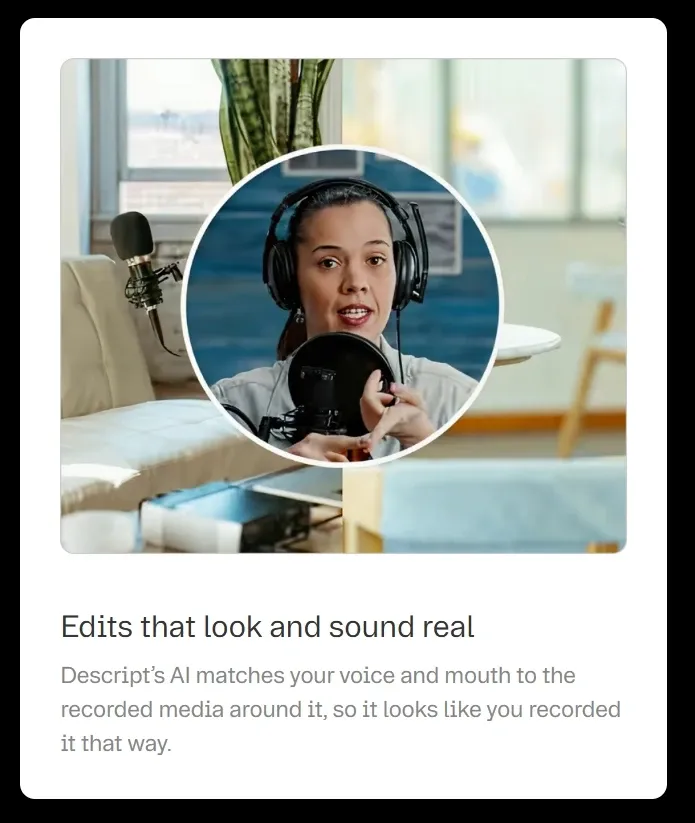
AI Regenerate for Speech Correction: Fix spoken mistakes by editing text without re-recording.
AI Avatar Video Creation: Create talking presenter videos without filming yourself.
Quick Video Layout and B-Roll Generation: Automatically structure videos and add supporting visuals.
Remote Recording with Rooms: Record high-quality remote conversations directly in your browser.
Text-Based Video Editing
With Descript, you can edit your video just by modifying the transcript, deleting sentences to cut clips, or rearranging paragraphs to change the structure.
This removes the need for complex timeline editing and makes video production feel as simple as working in a document. It significantly lowers the learning curve, especially for non-editors creating content regularly like tutorials, internal updates, or talking-head videos.
Descript edits videos through transcript changes, making cuts and structure easy without a timeline. AI video editor of Pollo AI goes further by letting you rewrite the video itself with text prompts, such as changing backgrounds, removing objects, or adding effects.
AI Voice Cleanup with Studio Sound
Descript automatically removes background noise, echo, and uneven audio levels with Studio Sound, turning raw recordings into clean, studio-like output.
This allows creators to produce professional-sounding content without investing in expensive microphones or recording setups, making it ideal for podcast recording, remote interviews, or quick voiceover production.
In comparison, CapCut also offers AI audio cleanup, but it is mainly designed for fast social video editing, where convenience is prioritized, while Descript focuses more on delivering natural and consistent voice quality for spoken content.
Eye Contact Correction for Talking Videos
With Descript’s eye contact correction, speakers appear to maintain direct eye contact, even when reading scripts or looking off-screen.
This improves viewer engagement and makes videos feel more polished and confident. It’s especially useful for sales videos, training content, or YouTube explainers where strong on-camera presence matters.
Filler Word Removal for Clean Speech
Descript detects and removes filler words and unnecessary pauses with just one click, helping content sound more concise and professional.
This is particularly valuable for podcast editing, interview recordings, and educational videos where clarity and pacing directly affect audience retention.
AI Regenerate for Speech Correction
Descript corrects mispronunciations or script errors simply by editing the transcript, and regenerates the audio to match your voice and tone.
This eliminates the need for re-recording and speeds up revisions, making it highly practical for product demos, course videos, or client-facing presentations that require frequent updates.
AI Avatar Video Creation
By using Descript AI avatars that speak on your behalf, you can turn scripts or audio into presenter-style videos. Descript lets you choose a preset avatar or generate your own, then sync it with your voice or AI speech for consistent delivery.
This is especially useful for training videos, product explainers, or internal updates that need to be created frequently and at scale.
Descript generates presenter-style videos by syncing scripts or audio with AI avatars for consistent delivery.
Pollo AI builds its AI avatar further by placing avatars within complete scenes, with natural gestures, product interactions, and pacing that shape a full video, not just a talking head.
As a result, Pollo AI delivers more immersive, production-ready content with expressive motion and real context, rather than simple avatar clips.
Quick Video Layout and B-Roll Generation
You can use the quick design and AI video generation tools of Descript to format your content and insert relevant B-roll clips based on your script.
This helps transform simple recordings into more engaging, visually rich videos without manual editing, especially useful for marketing clips, explainer videos, and social content.
Pollo AI takes a more generative approach. Its AI B-roll generator creates entirely new footage from your script, matching visuals directly to your ideas instead of pulling from pre-existing clips.
This gives you more creative freedom, allowing each scene to feel original and tailored, rather than relying on standard B-roll inserts.
Remote Recording with Rooms
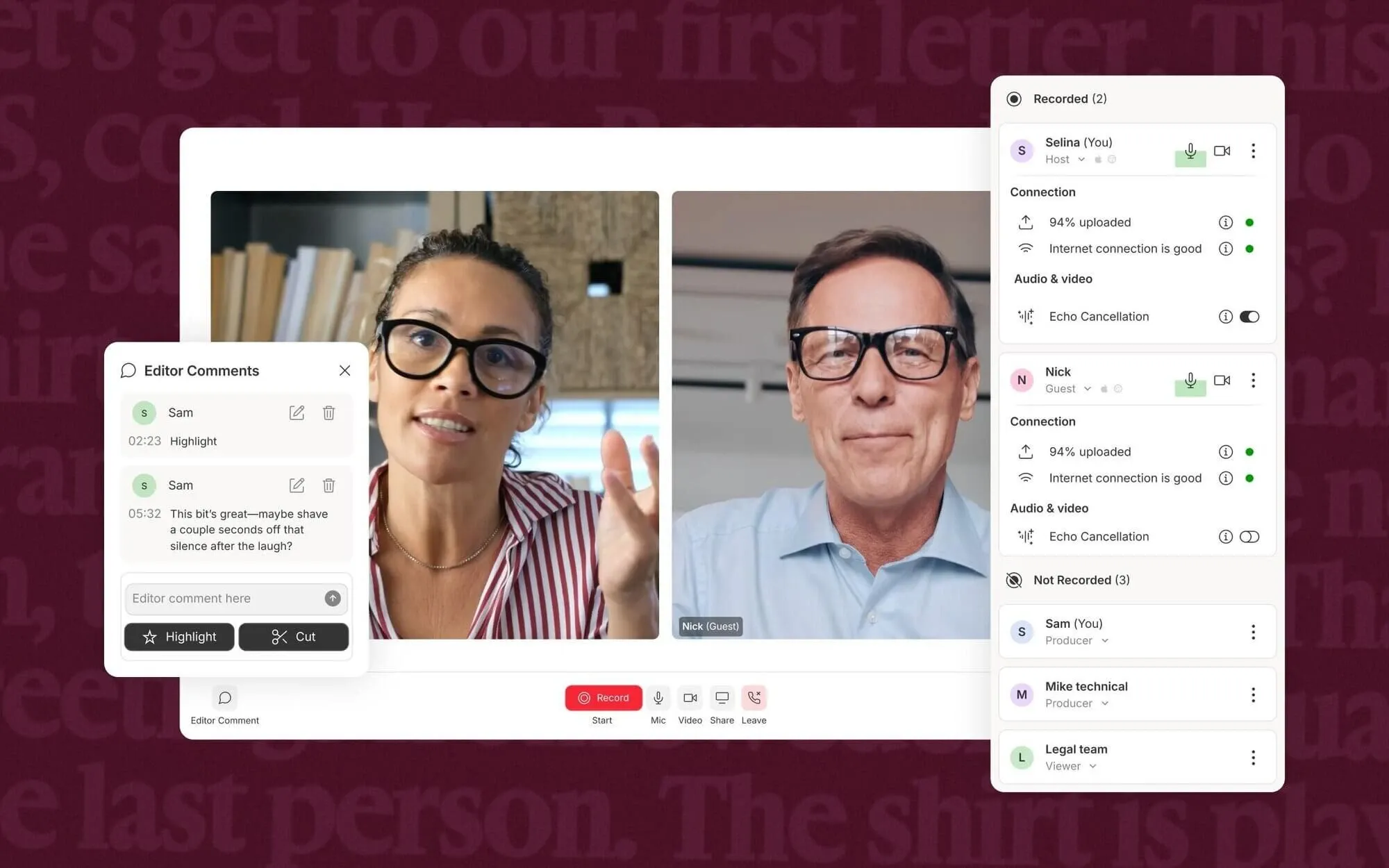
With Descript, it is effortless to invite guests to join a recording session via Rooms and capture each participant’s audio and video locally for better quality.
This makes remote interviews and podcast production more reliable and easier to manage, especially for distributed teams creating regular content without in-person setups.
Where Descript Works Best
Content Creators & YouTubers: Turn raw talking-head recordings into clean videos by editing transcripts, removing filler words, and fixing mistakes without re-recording.
Podcast Hosts & Interview-Based Creators: Clean up interview recordings with Studio Sound and text-based editing, so you can quickly refine episodes and publish without complex audio workflows.
Marketing Teams & Social Media Managers: Convert scripts or rough recordings into polished videos with captions, B-roll, and avatars, making it easier to produce consistent content for campaigns and social channels.
Sales & Customer Success Teams: Create product demos or updates by editing scripts directly, avoiding repeated recordings while keeping messaging clear and consistent.
Learning & Development (L&D) Teams: Turn training materials and internal guides into structured videos with screen recording and voice cleanup, so employees can follow processes without repeated live sessions.
Descript vs CapCut vs Pictory vs Pollo AI: Feature Comparison
Features
Descript
CapCut
Pictory
Pollo AI
Core Focus
Text-based editing
Social video editing
Text-to-video automation
Ready-to-post AI video + image creation
Editing Style
Edit via transcript
Timeline + drag & drop
Fully automated editing
Prompt-based + AI editing
Ease of Use
Very easy (no editing skills)
Easy (visual UI)
Very easy (no editing needed)
Easy (guided workflow)
Recording Capability
Built-in screen & mic recording
Basic screen recording
No recording
No recording focus
Best For
Podcasts, talking videos
TikTok, Reels, short videos
Repurposing content at scale
Ready-to-publish videos
Workflow Type
Edit existing recordings
Create & edit visually
Generate videos from text
Idea to full video flow
Agent
None
None
None
Pollo Agent (simple ideas to ready-to-publish contents)
Descript stands out by combining recording and text-based editing in one workflow, making it easy to capture and refine spoken-content videos. CapCut focuses on visual timeline editing, while Pictory leans toward automated text-to-video generation.
In contrast, Pollo AI centers on turning ideas into complete, ready-to-publish videos through a unified, agent-driven workflow.
Where Descript Is Positioned in the Market
Descript sits between traditional editors and AI tools, with a focus on editing and refining spoken content like podcasts and voice-driven presentations.
It is built around transcripts, making it especially suited for content that starts from speech or text rather than visual storytelling.
It works best as a content editing layer, helping users turn recordings into polished outputs quickly through text-based editing, audio cleanup, and AI-assisted corrections, rather than generating complex visuals from scratch.
Compared to visual-first tools, Descript prioritizes speed, clarity, and workflow efficiency over creative flexibility, making it more practical for communication-driven content than highly stylized video production.
What Users Actually Think of Descript
User feedback on Descript highlights its strong accessibility. Many users praise its amazing functionality for everyday non-video editors, making it easy to create and edit videos without learning complex tools.
At the same time, some users point out workflow limitations. One common issue is not being able to “select multiple items at once,” which can make simple tasks repetitive and slow down editing.
Overall, Descript is widely seen as beginner-friendly and efficient for basic workflows, but it may feel limiting for users who need more advanced editing control.
While tools like Descript are great for editing and refining spoken content, they can feel limited when it comes to generating visually rich videos or handling more creative production needs.
Pollo AI combines advanced video generation and editing in one platform, integrating popular video models like Seedance and Veo to create high-quality videos from text, images, or ideas with greater control and flexibility.
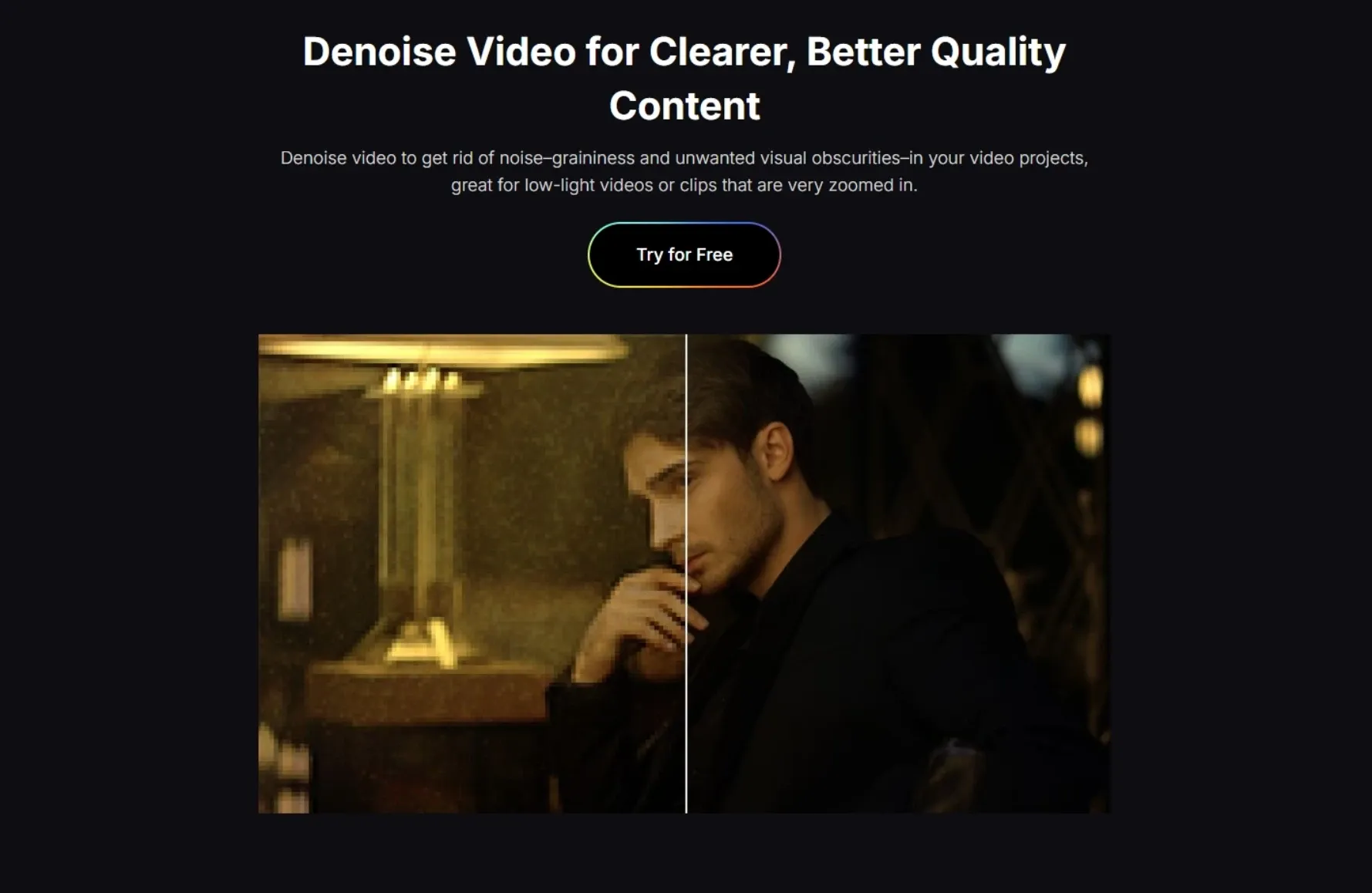
Beyond generation, Pollo AI also provides a wide range of practical video editing tools, including background removal and noise reduction, so you can refine your content without switching between different tools.
On top of that, Pollo Agent helps automate the entire workflow by turning ideas, scripts, or product inputs into post-ready video content without any editing, making it especially powerful for marketers and teams who need to produce consistent, scalable content across platforms.
3 Ways Pollo AI Stands Out
Step 1
Access Multiple Top Video Models
Switch between leading models such as Seedance 2.5 and Happy Horse 1.1 to balance quality, style, and reliability, giving you more flexibility than relying on a single workflow.
Turn ideas, scripts, or product inputs into structured, publish-ready videos, making it easier for teams to produce consistent content for ads and social channels.
I’ve been using Pollo AI mainly for short videos and quick image-to-video tests. The interface is straightforward and it works well even with simple prompts, which is a big plus compared to tools that need long, complicated instructions. The results can be really impressive, and it’s honestly been fun to experiment with. I’d love a bit more consistency on faces when there’s movement, but overall it’s been a solid experience for what I needed.
Awesome website. loads of options and a great way to learn how to work with 'AI' my reasoning for 5 stars is based upon price, versatility and ease of use. Also I would like to add, Pollo AI runs a lot of promos on different AI products as well. I rate their customer service at 5 stars, when I purchased my first subscription my computer crashed the following weekend and I lost all my data and info passwords you name it I lost it, contacted pollo by email they responded quickly and found my info/username and account, and I was able to restore my account.
I have been using Pollo AI for short videos. It is easy to use and works well with simple prompts. Other generators seem to need long drawn out complicated explanations to get even close to what I want.
i tried 220 online img to vid in 2 months, and this is the best online video.I will subscribe for a year; there are many reasons. But freedom is the most important.
Descript is an all-in-one AI video and audio editor that lets you edit content by editing text, making video production feel like working in a document.It combines recording, transcription, editing, and AI tools in one workflow, so you can quickly turn raw recordings into polished videos or podcasts. Features like filler word removal, voice enhancement, and screen recording make it especially useful for spoken-content editing where speed and clarity matter most.
Is Descript good for beginners?
Yes, Descript is widely considered beginner-friendly because it removes the need for traditional timeline editing. Users can simply delete or edit words in the transcript to modify video or audio, which makes it much easier to learn compared to standard editing tools.
What can you use Descript for?
Descript is mainly used for editing podcasts, talking videos, interviews, tutorials, and social media clips. It supports recording, transcription, editing, and publishing in one place, so users don’t need multiple tools to complete a workflow.
How does Descript’s text-based editing work?
Descript automatically transcribes your audio or video into text. You can then edit the content by deleting or modifying words in the transcript, and those changes are applied directly to the media. This removes the need for manual cutting on a timeline.
Is Descript suitable for professional video editing?
Descript works well for content focused on speech and communication, but it may feel limited for advanced visual editing or more creative, production-heavy workflows.For users who need stronger video generation, visual control, and all-in-one production, Pollo AI offers a more flexible solution by combining leading video models, editing tools, and automated workflows in a single platform.
Building Better Videos with Pollo AI
Without manual editing, Pollo AI combines powerful models and Pollo Agent to deliver ready-to-publish videos in one workflow.









 Liz Cassidy


