



Kapwing AI Video Editor
Kapwing is a browser-based AI video editor with 100K customers and $10.4M revenue in 2024. It stands out by offering a collaborative canvas where AI handles grunt work. Built for fast-moving marketing teams, it turns complex production into a simple, ‘drag-and-drop’ reality. But if you want to turn your ideas into videos, use Pollo AI which offers a full workflow. You can switch between leading AI models, or use 100+ workflow video generators for post-ready, edit-free clips. Try Pollo AI for free!
Key Features of Kapwing AI
Smart Cut (Silence Remover) : Automatically identifies and deletes awkward pauses for a snappier edit.AI-Powered Auto-Subtitles : Generate 99% accurate captions and translate them into 70+ languages.Collaborative Cloud Studio : Edit in real-time with your team via a single URL, just like a Google Doc.
Smart Cut (Silence Remover)
Kapwing’s Smart Cut uses AI to scan your audio track and instantly remove all silent gaps. This isn’t a simple trim; it’s a surgical tool that understands natural speech rhythms, allowing you to turn a 10-minute raw recording into a high-energy, professional clip in one click.
AI-Powered Auto-Subtitles
Kapwing AI subtitle engine transcribes audio with incredible precision and allows you to apply ‘viral-style’ presets instantly. You can even translate your content for a global audience, ensuring your message transcends language barriers without the cost of a professional translator.
| Reference Prompt | Output Video |
|
Generate and translate captions into English with a modern sans-serif font. |
Collaborative Cloud Studio
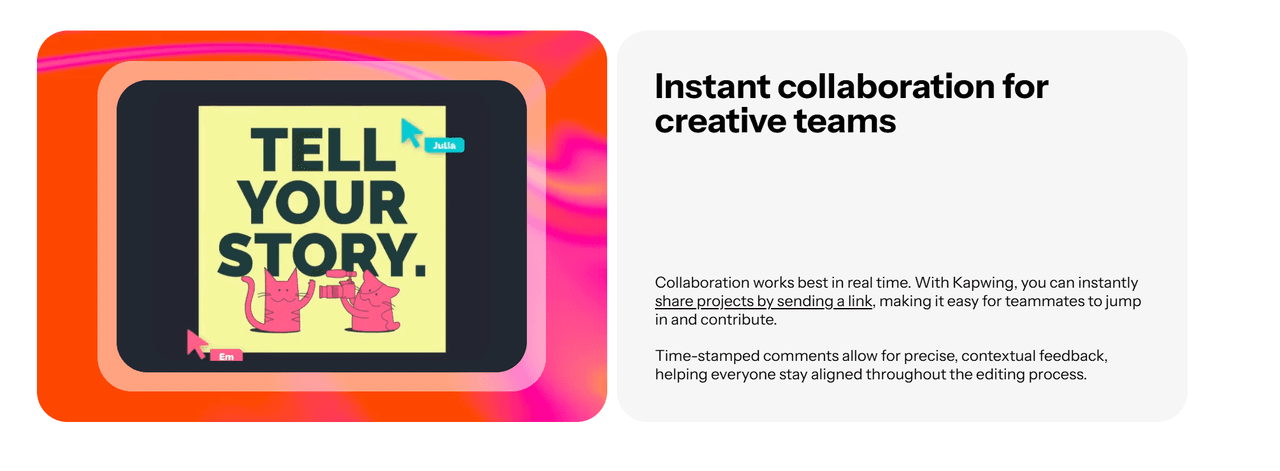
One of the most ‘insightful’ advantages of Kapwing is its ‘Multi-User’ synchronization. Unlike traditional editors where you have to export and email massive files, this AI Video Editor allows your entire team to jump into the same timeline via a single URL. You can see edits happen in real-time, leave comments on specific frames, and finalize a project together, drastically reducing the friction in your creative pipeline.
Why Kapwing Redefines Professional Editing
The reason Kapwing is a staple in modern marketing is simple: it doesn't just 'make' videos—it fixes the broken, time-consuming workflows that usually hold creators back.
The Multi-Track ‘Freedom’ vs. Fixed AI Output
Most AI video generator tools are ‘black boxes’ that give you a single file you can’t change. Kapwing is different because it uses a ‘Non-Linear’ timeline. Every AI-generated subtitle, stock clip, and audio enhancement exists as a separate layer. This means if you don’t like a specific transition or font, you can just click and change it. It’s the precision of professional software like Premiere Pro but optimized for speed and the browser.
AI Clean Audio & Vocal Enhancement
Poor audio is the number one reason viewers skip a video. Kapwing uses neural networks to isolate the human voice and remove background noise, hums, and traffic sounds. Unlike basic filters that make you sound ‘robotic’, this AI reconstructs the vocal frequencies to make a phone recording sound like it was captured in a professional studio. It’s an essential tool for creators recording in ‘less-than-ideal’ environments.
Browser-Based ‘Zero-Latency’ Pipeline
The real kicker is that Kapwing requires zero downloads. Traditional editing software crashes on basic laptops, but because Kapwing is ‘Cloud-Native’, all the heavy rendering happens on their servers. You can start an edit on your office desktop and finish it on your laptop at a coffee shop. This frictionless workflow is why remote marketing teams prefer it over heavy, locally-installed software.
Professional Scenarios for Kapwing AI
Rapid Global Social Media Campaigns
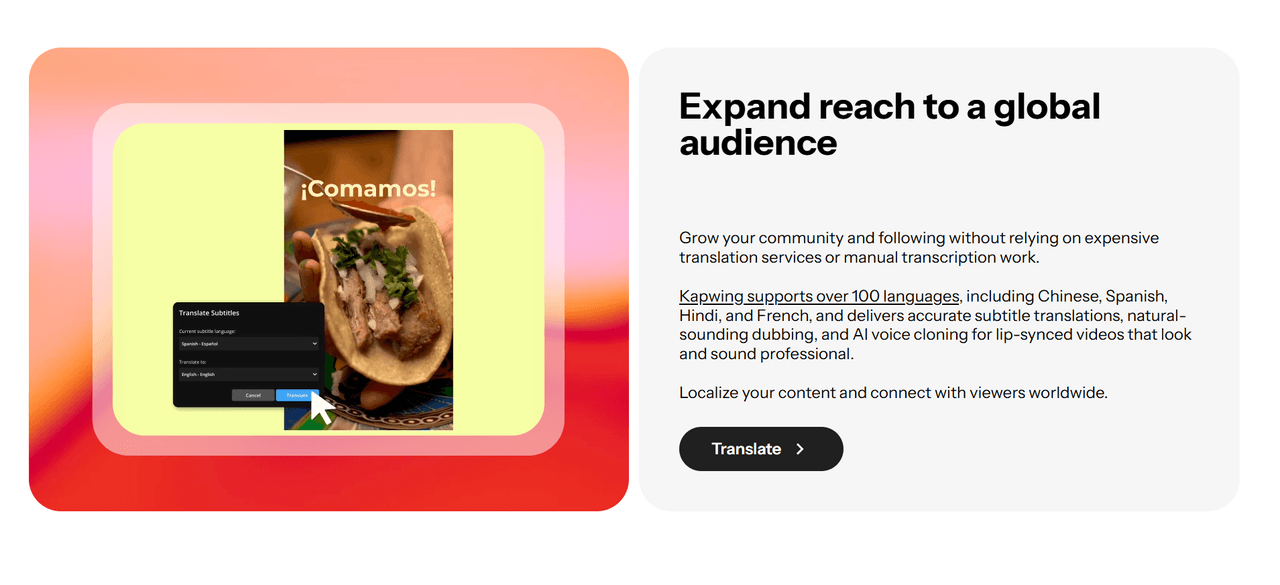
Marketing teams can take a single English video and use AI Auto-Subtitles to localize it for 70+ regions instantly. By collaborating in the cloud, local managers can tweak translations in real-time, ensuring that the brand message is culturally accurate and technically optimized for every global market simultaneously.
Efficient Podcast and Interview Polishing
Podcasters use the Smart Cut feature to instantly purge hours of raw footage of "ums," "ahs," and dead silence. This reduces the editing time of a 60-minute interview by up to 80%. When combined with Clean Audio, the final result is a snappy, high-fidelity production that is ready for YouTube and Spotify in a fraction of the usual time.
Virtual Classroom and Educational Content
Educators and L&D professionals can transform long lectures into Digestible Micro-Learning Modules. By using the text-based video editor, they can edit video as easily as a Word document—deleting a sentence in the transcript automatically deletes the corresponding video segment, making professional editing accessible to non-editors.
What Users Say About Kapwing AI
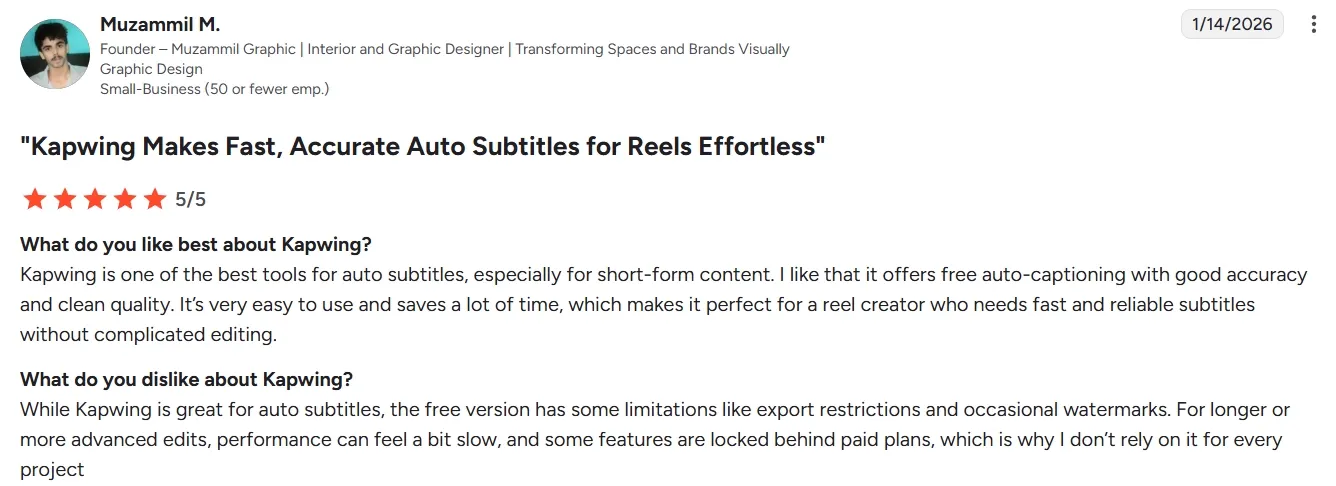
Kapwing earns its strongest praise for making video editing feel accessible. Many users on Capterra say the platform is easy to learn, fast to open, and useful for everyday social content. For non-editors, its templates and simple editing flow are a major part of Kapwing’s appeal.
Users also respond well to Kapwing AI’s subtitle and transcript tools. G2 reviewers frequently mention these features as practical time savers.
Kapwing AI’s browser-based workspace is another clear advantage. Reviewers like being able to edit, save, and share projects without installing desktop software.
Users describe Kapwing AI as a collaborative editor with shared files, templates, stock assets, and cloud-saved projects. That makes it useful for small teams working across social, training, and marketing content.
Still, the criticism is hard to ignore. Users report failed uploads, frozen projects, export errors, lag, and inconsistent support. Some also say they had to split complex projects into shorter parts. These issues become more serious when creators are working on deadlines.
Feature Comparison: Kapwing AI vs. Pollo AI vs. CapCut AI
| Core Capability | Kapwing AI | Pollo AI | CapCut AI |
| Primary Logic | Collaborative Browser Canvas | Ultimate AI Creative Suite for Marketers & Creators | Mobile-First Trend Tool |
| Editing Style | Manual Timeline Editing | Idea for Final Video Automation | Template and Effect Driven |
| Audio Intelligence | Captions and Translation Tools | Talking Avatar and Lip Sync | Auto Captions and Noise Cleanup |
| Workload Edge | Smart Cut and Repurposing | 100+ Workflow Apps, Post-Ready Output | Trend Effects and Music Sync |
| Best For | Teams Editing Social Content | Marketers and Creators Wanting Finished Videos | Short-Form Social Creators |
Why More Users Are Moving to Pollo AI?
Fix Visuals in One Place
You can remove objects, reframe videos, adjust other elements or add effects with Pollo AI’s video editor. No need to switch between separate editing tools.
Speak to Global Audiences
Use expressive AI avatar with natural lip sync, expression and body movement. It supports 100+ languages and accents, helping your brands create localized videos.
Simplify Workflow with Specialized Apps
Pollo AI offers 100+ specialized video generators for various needs. From promo videos to lyric videos, you can find one generator to help save your time and effort.










 5000+ reviewsTrustscore 4.4
Used by 10M+ Creators and Marketers
Thousands of satisfied users have shared their Pollo AI experiences on Trustpilot, rating us as "Excellent." See what they love about our platform.
Liz Cassidy Dec 15, 2025Richard QuickOct 15, 2025armourdudeNov 19, 2025
 DuduJan 14, 2026
 Ray WarnesDec 30, 2025
 lawless clanNov 22, 2025
Discover Other Powerful AI Video Generators on Pollo AI
FAQs
What is Kapwing?
Kapwing is a professional, browser-based AI vdeo editor designed for creators and businesses. It combines traditional timeline editing with advanced AI tools like automatic transcription, silence removal, and smart reframing to speed up the video production cycle.
Who is Kapwing AI best for?
Kapwing AI is best for users who need fast, browser-based video editing without complex software. It works well for marketers creating social clips, educators making lesson videos, and creators editing short-form content. Remote teams can also use Kapwing AI to review, edit, and share projects in one online workspace.
Is Kapwing better for social media than Premiere Pro?
For most social media marketers, yes. Kapwing is built specifically for the speed of the web. It automates tasks that take hours in Premiere, like adding ‘safe zone’ captions for TikTok or removing dead air from an interview.
How does the Kapwing AI handle background noise?
Kapwing’s ‘Clean Audio’ tool uses deep learning to identify and separate speech from environmental noise. It’s highly effective at removing persistent sounds like air conditioners, traffic, or wind without distorting the speaker’s voice.
Does Kapwing support collaboration for remote teams?
Absolutely. It is one of the only AI editors that allows for real-time collaborative editing. Multiple team members can work on the same timeline simultaneously, making it the ‘Google Docs’ of video editing.
