



Kling AI Camera Movement
Kling AI's camera movement feature allows users to incorporate dynamic camera techniques into their videos generated with Kling AI, including various options such as zooming, panning, and tilting. This feature is available in Kling 1.0, Kling 1.5 and Kling 1.6. And now you can try these models in Pollo AI video generator!
Kling 4.0
Up to 10 keyframes. Impressive performance.
Key Features of Kling AI Camera Movement
Extensive Camera Movement Options: Zoom, pan, roll, tilt and more.Flexible Customization: Customize the degree of each camera movement.Cinematic Quality: Get outputs with depth and engagement.
Extensive Camera Movement Options
Kling AI's camera movement allows users to tailor camera movements to match the mood of their content. This customization is crucial for storytelling, as different movements can evoke varying emotional responses from viewers.
It offers the following camera movement options:
| Camera Movement | Videos |
| Horizontal | |
| Vertical | |
| Zoom | |
| Pan | |
| Roll | |
| Tilt | |
| Move Left and Zoom In | |
| Move Right and Zoom In | |
| Move Forward and Zoom Up | |
| Move Down and Zoom Out |
Flexible Customization
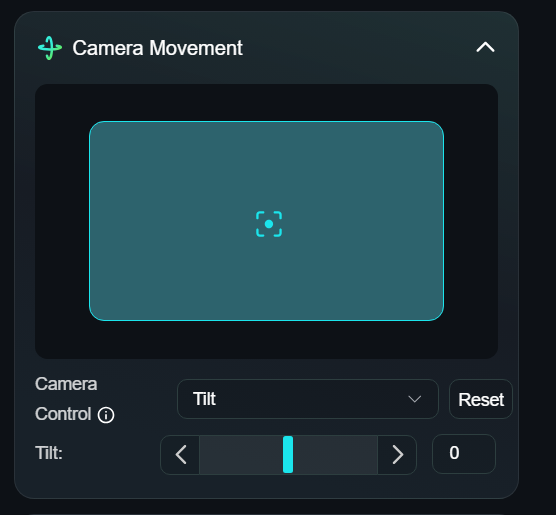
For each camera movement option, you're allowed to customize the degree of each movement. This gives you flexibility to tailor your shots to achieve the desired emotional impact and storytelling effect. This level of control allows you to engage viewers more deeply.
Cinematic Quality
The camera movement of Kling AI creates a sense of depth and engagement, enabling creators to achieve professional-quality video outputs. Users can combine multiple movements and apply them contextually within scenes, which is essential for producing polished content.
A YouTube Video Showing How to Use Kling AI Camera Movement
What Are People Talking About Camera Movement on Reddit
More Reviews on X About Kling AI Camera Movement
#Kling #AI is awesome for creating videos from images 🎥
— Piotr Macai (@piotrmacai) September 26, 2024
With Motion Brush and Camera Movement Control you can create anything you want pic.twitter.com/hcE1HGMXpw
I can't get enough of creating animations with @Kling_ai with my Midjourney/Niji styles.
— OscarAI (@Artedeingenio) January 6, 2025
With my sci-fi style it works really well. Love it.
The subtle camera movement, the move of the shooter on a rooftop at night with the buildings in the background and the gunshot, it's an… pic.twitter.com/XqwaPGAcj2
Young girl shocked by a tiger on her breakfast table. Video created from a single photo using @Hailuo_AI and @Kling_ai
— S (@seenimas) November 4, 2024
Hailuo nails the emotion, Kling does better camera movement pic.twitter.com/KOgtr2lHX4
🚨PromptShare🚨
— Pierrick Chevallier | IA (@CharaspowerAI) November 29, 2024
I’m absolutely loving the smoothness of #kling_ai drone-style shots 🎥🔥. The movements are so immersive—it’s just incredible 🤯🚀. Have you tried it yet?
Hyperspeed FPV shot, camera soars through a dense forest at sunrise, weaving between branches and bursting… pic.twitter.com/s8mDZM4Zo0
Dynamic camera movement via prompt...
— stylezmorales.base.eth (@Koba_1975) December 24, 2024
Been a while since I actually did some text2vid prompts...
Made with @Kling_ai #2.0 #kling_ai #t2v #txt2vid #texttovideo #kling pic.twitter.com/ZHzKPCdBkI

10M+Users
Using Pollo AI to Create and Inspire


Chosen by 10M+ Creators and Marketers Worldwide
- Liz CassidyDec 15, 2025Easy to use, great results for short videosI’ve been using Pollo AI mainly for short videos and quick image-to-video tests. The interface is straightforward and it works well even with simple prompts, which is a big plus compared to tools that need long, complicated instructions. The results can be really impressive, and it’s honestly been fun to experiment with. I’d love a bit more consistency on faces when there’s movement, but overall it’s been a solid experience for what I needed.
- Richard QuickOct 15, 2025Awesome websiteAwesome website. loads of options and a great way to learn how to work with 'AI' my reasoning for 5 stars is based upon price, versatility and ease of use. Also I would like to add, Pollo AI runs a lot of promos on different AI products as well. I rate their customer service at 5 stars, when I purchased my first subscription my computer crashed the following weekend and I lost all my data and info passwords you name it I lost it, contacted pollo by email they responded quickly and found my info/username and account, and I was able to restore my account.
- armourdudeNov 19, 2025I have been using Pollo AI for short…I have been using Pollo AI for short videos. It is easy to use and works well with simple prompts. Other generators seem to need long drawn out complicated explanations to get even close to what I want.
- DuduJan 14, 2026I'm just amazed by the level of quality…I'm just amazed by the level of quality output that Pollo AI can produce from a simple image. The motion, the realism, It's too good!!
- Ray WarnesDec 30, 2025A fabulous journeyI find Pollo easy to use, it gives me great results and I'd recommend it to anyone. It has been a wonderful experience for me.
- lawless clanNov 22, 2025i tried 220 online img to vid in 2…i tried 220 online img to vid in 2 months, and this is the best online video.I will subscribe for a year; there are many reasons. But freedom is the most important.


Useful Articles About Kling AI Camera Movement
FAQs
What is the camera movement feature in Kling AI?
The Camera Movement feature allows users to add dynamic motion to their videos, including options like zooming, panning, and tilting. This enhances the visual appeal and storytelling of the content by creating a sense of depth and movement.
How to use the camera movement feature of Kling AI?
To use camera movements, just choose a camera movement option when you're configuring the customization options for your Kling AI video generation. Learn more about how to use Kling AI camera movements.
Are there other options to control video element movement?
Yes! Kling AI also offers Motion Brush feature to customize the element movements in your generated videos. You can select an element and define its movement path, then Kling AI will generate videos following your customization.
Is Kling AI camera movement free to use?
Yes you can try Kling AI camera movement for free. But there are certain limitations for free users. For example, you're only allowed to use the basic camera movement options. For the advanced one, you'll need to subscribe to a paid plan.
Is there an easier way to generate videos?
Sure! You can create videos in simple steps with Pollo AI. Pollo AI offers text to video AI generator for easy video generation from simple text prompts. You can also try image to video AI to create AI videos based on your uploaded image instantly.
