



NeonLights AI Video Generator
NeonLights AI focuses on multi-model video rendering and template-based effects, turning inputs into short cinematic clips with minimal setup. Looking for more than short-form generation? Pollo AI combines leading models with a video agent to turn ideas into fully structured, ready-to-use videos. Try Pollo AI for free now!
Key Features
Cinematic Video Rendering with Multiple Models : Generate short cinematic videos using a wide selection of advanced AI video models.Flexible Video Settings for Format and Output : Customize aspect ratio, resolution, and duration to match different publishing needs.Video Generation with Start and End Frames : Turn static images into animated videos with controlled visual transitions.Prompt-Based Motion Control for Video Creation : Describe motion and scene behavior directly through text prompts.Template-Based AI Video Effects from Images : Create animated videos instantly using pre-built visual effect templates.Holographic AI Visual Style Generation : Create futuristic, holographic-style visuals for video scenes with a distinct neon aesthetic.
Cinematic Video Rendering with Multiple Models
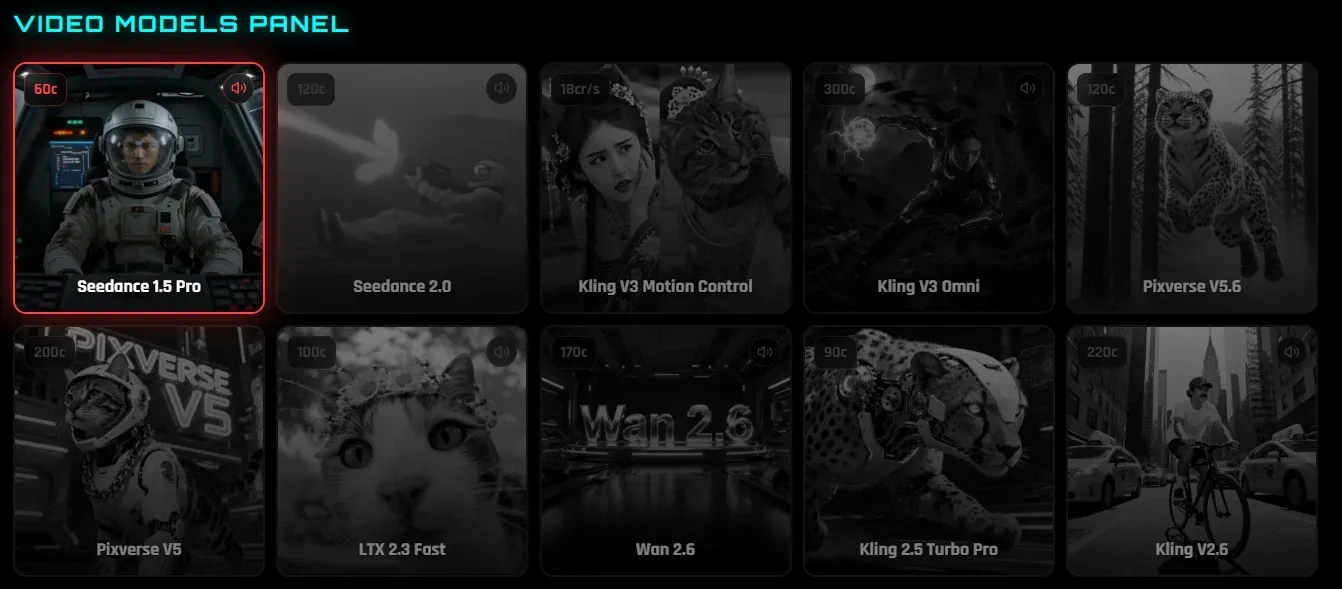
NeonLights AI allows users to choose from multiple video models, such as Veo 3.1 and Kling 3.0, each optimized for different output styles like realism, motion, or speed. This flexibility gives users control over the visual direction without needing deep technical knowledge.
For example, a content creator can test different models to generate variations of the same concept: using Veo for cinematic storytelling and Kling for faster iterations—before selecting the best version for social media posting.
Pollo AI takes this further. Its image to video AI not only supports multiple leading models but also maintains subject consistency and generates smoother, more coherent motion from a single image.
Outputs follow prompts more precisely, making results feel less like variations and more like intentional scenes.
It also generates matching sound and music alongside the visuals, so videos feel more complete. Instead of testing clips across models, you get results that are closer to ready to use content.
Flexible Video Settings for Format and Output
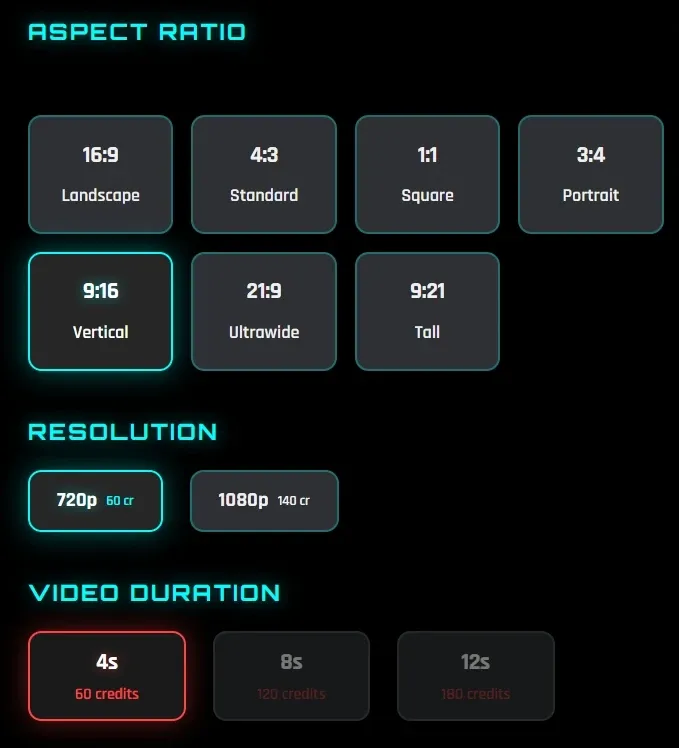
NeonLights AI offers multiple aspect ratio options such as 16:9, 9:16, and 1:1, along with resolutions up to 1080p and flexible durations of 4s, 8s, or 12s. This makes it easy to tailor outputs for different platforms without external editing.
For instance, a marketer can generate a vertical 9:16 video for TikTok and a horizontal 16:9 version for YouTube using the same concept, saving time on resizing and reformatting.
Video Generation with Start and End Frames
NeonLights AI supports uploading start and end frames, allowing the system to generate motion that connects two visual states. This gives more structure compared to basic image animation.
For example, a brand designer can upload a product image as the start frame and a lifestyle scene as the end frame to create a transition-style video for product storytelling.
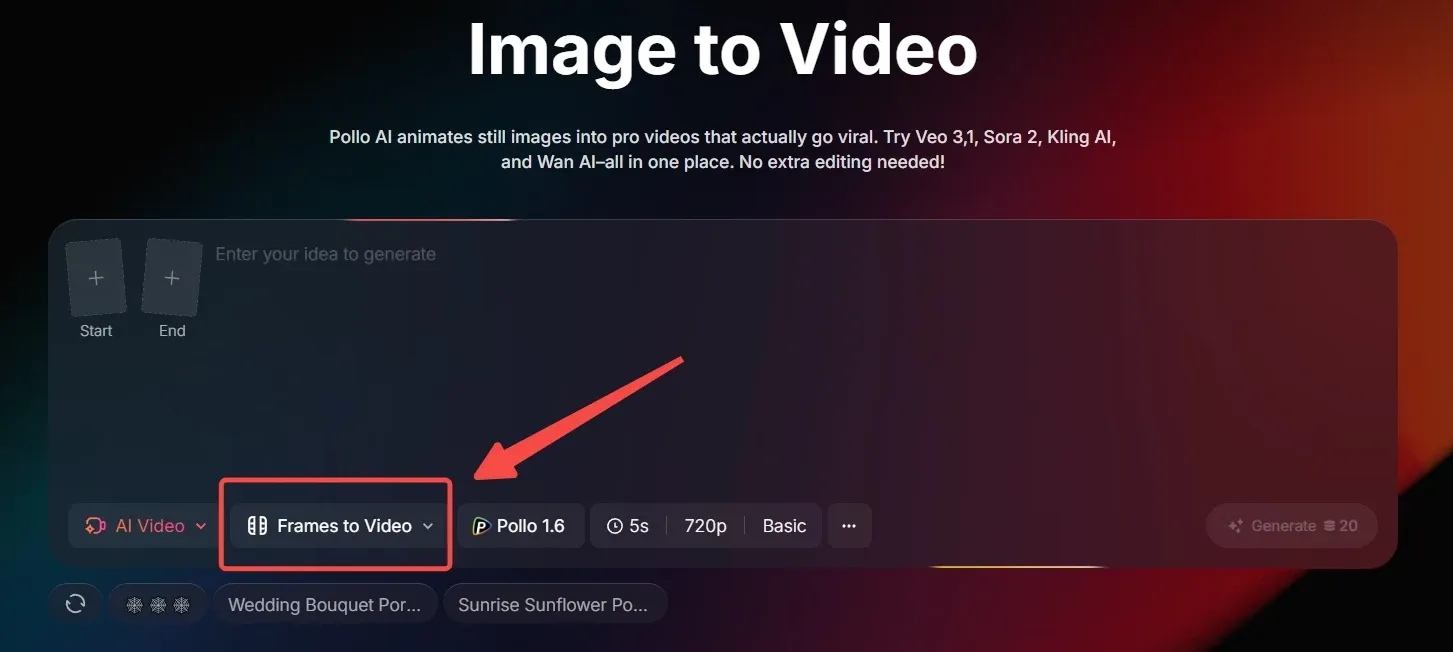
NeonLights AI lets you connect a start and end frame to create simple transition-style motion. Pollo AI’s frame to video goes further by giving you more control over how that motion unfolds.
Instead of just linking two frames, it generates smoother transitions with stronger subject consistency and more natural scene progression. You can guide the result with prompts and refine how the movement evolves, not just the endpoints.
It’s also easy to access within the image to video workflow, so you can move from a single frame or multiple frames into a more coherent, story-like video rather than just a visual transition.
Prompt-Based Motion Control for Video Creation
Users can input detailed prompts (up to 2000 characters) to guide how motion unfolds, including camera movement, subject behavior, and scene dynamics. This enables more precise creative direction compared to simple template-based tools.
For instance, a creator can describe a “slow zoom-in with soft lighting and floating particles” to produce a more atmospheric video for a brand intro or aesthetic post.
Template-Based AI Video Effects from Images
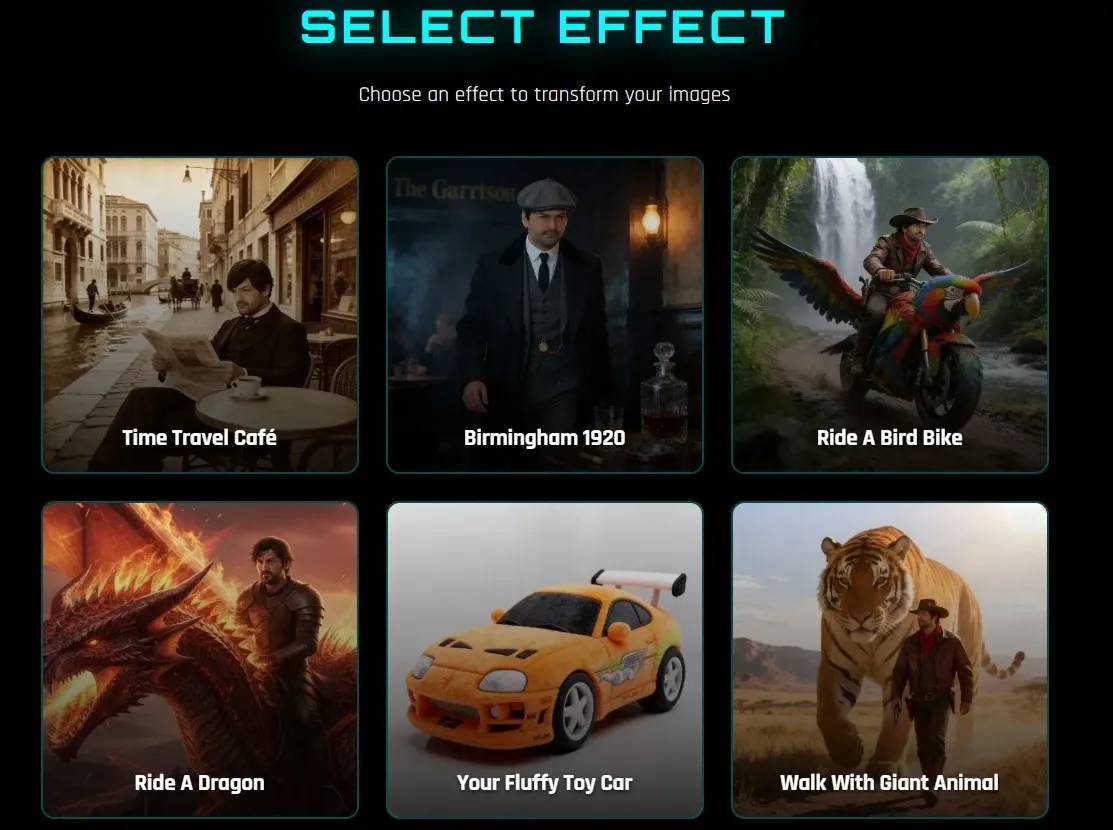
NeonLights AI offers some effect templates like “Ride a Dragon” or “Walk with Giant Animal,” where users simply upload an image and apply an effect without writing prompts or adjusting settings.
For example, a casual user can turn a selfie into a playful animated video riding a fantasy creature, making it easy to create shareable content for TikTok or Instagram without any editing experience.
Pollo AI video effects offers a much broader library, with 150+ effects covering viral trends and creative scenarios. For example, you can use cute mini character to turn a subject into a stylized mini avatar, or cute pet cooking to place your pet in a lively kitchen scene as a chef.
You can explore different styles and content formats with Pollo AI, making it easier to create viral, platform-ready videos instead of repeating similar effects.
Holographic AI Visual Style Generation
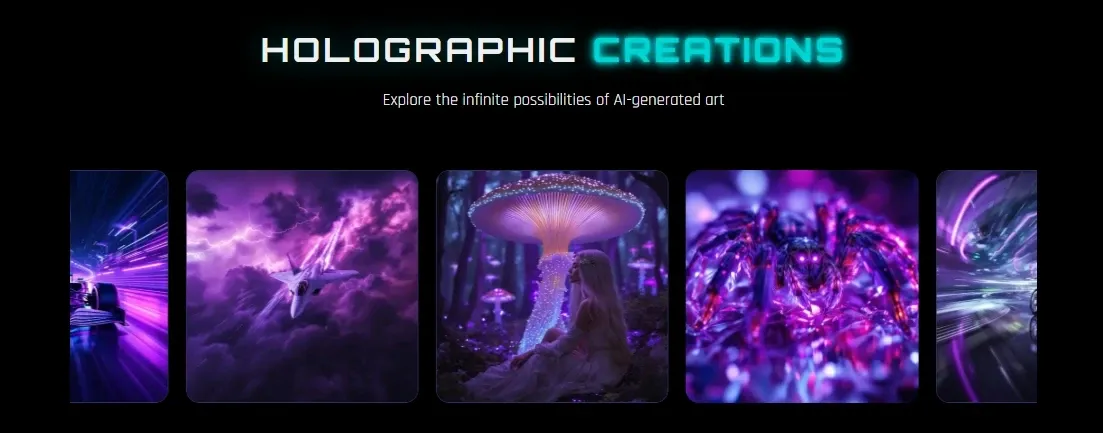
NeonLights AI emphasizes holographic, sci-fi-inspired visuals with glowing colors and high contrast. These styles can be applied to video outputs through image to video or effects, creating visually striking content that stands out from typical realistic clips.
For example, a music creator can generate neon-style loop videos for Spotify Canvas or TikTok, reinforcing a futuristic brand identity while boosting visual appeal.
Who Is NeonLights AI Really For
Social Media Creators:
Social media creators can turn a selfie or concept image into short animated clips or effect-driven videos for TikTok or Instagram.
Digital Artists
Digital artists can use Neon Lights AI to convert static AI-generated art into short motion clips using image-to-video models.
Marketers:
Using Neon Lights AI, marketers generate short product visuals or stylized clips for ads via prompts or reference images.
Product Teams:
A product team can create visual demos of a new feature or concept flow to present internally or validate ideas before development.
NeonLights AI vs Higgsfield AI vs Pollo AI
| Feature | NeonLights AI | Higgsfield AI | Pollo AI |
| Video Creation | Short clips (4–12s) | Cinematic clips with presets | Full structured videos (30s +) |
| Editing Capability | Minimal | Some editing tools | A video editor, 15+ video editing tools |
| Input Types | Prompt + image + frames | Image + presets + prompt | Idea, image, link, script |
| Avatar / Character | Limited | Talking avatars, lip sync | Custom avatars + product avatars for UGC |
| Effects & Templates | some fun visual effects templates | 7000+ cinematic presets | Video effect for viral, real use-cases (ads, UGC, etc.) |
| Agent (Key Difference) | No | No | Pollo Agent: From one idea to complete, ready-to-post content |
NeonLights AI focuses on short-form video generation with multi-model access and fun visual effects, making it suitable for quick creative experiments and stylized content.
Higgsfield AI leans more toward cinematic control, offering preset-driven workflows and advanced camera techniques for more polished visual outputs.
But both tools primarily stop at clip generation. Pollo AI goes further by combining multiple models with a structured workflow and Pollo Agent, turning ideas into complete, ready-to-post videos rather than isolated fragments.
Is NeonLights AI Enough for Real Video Creation
Pros
- Easy Video Creation With Minimal Setup: Turn images or text into short videos quickly without complex tools or editing steps, making it accessible even for beginners.
- Multi-Model Flexibility for Different Styles: Supports various AI video models and styles, allowing users to experiment with cinematic, animated, or stylized outputs in one place.
- Strong Visual Effects and Creative Styles: Offers some AI video effects and neon-style visuals that help create eye-catching content for social media without extra design work.
Cons
- Limited Video Length and Depth: Video outputs are typically short (up to around 12 seconds), making them less suitable for long-form or structured content.
- Lacks Full Workflow and Editing Control: Focuses on generation and effects rather than end-to-end video production, with minimal editing and no structured video workflow.
Where Does NeonLights AI Fit in AI Video Creation
NeonLights AI sits between AI art generation and short-form video creation, positioning itself more as a creative playground than a full production tool.
Its strength lies in combining multiple models with striking visual styles and ready-made effects, making it appealing for users who want fast, aesthetic outputs without a learning curve.
Rather than focusing on structured storytelling or long-form workflows, NeonLights emphasizes experimentation, style exploration, and quick content generation. This places it closer to tools built for inspiration and rapid iteration, rather than end-to-end video production.
In the broader market, it stands as a lightweight, visually driven option—ideal for eye-catching clips, but less suited for creating complete, publish-ready videos at scale.
Want More Than Short Clips? Try Pollo AI!
Pollo AI brings together multiple leading AI models in one place, allowing you to switch based on your goal, such as using Seedance for fluid multi-shot visuals or Veo for cinematic output. This gives you the flexibility to explore different creative directions within a single workflow.
Built on top of these models, Pollo Agent turns ideas, links, or images into complete videos with structure, pacing, and visuals already in place, without manual editing. For example, a marketer can paste a product URL and instantly generate an AI UGC video ad ready to post.
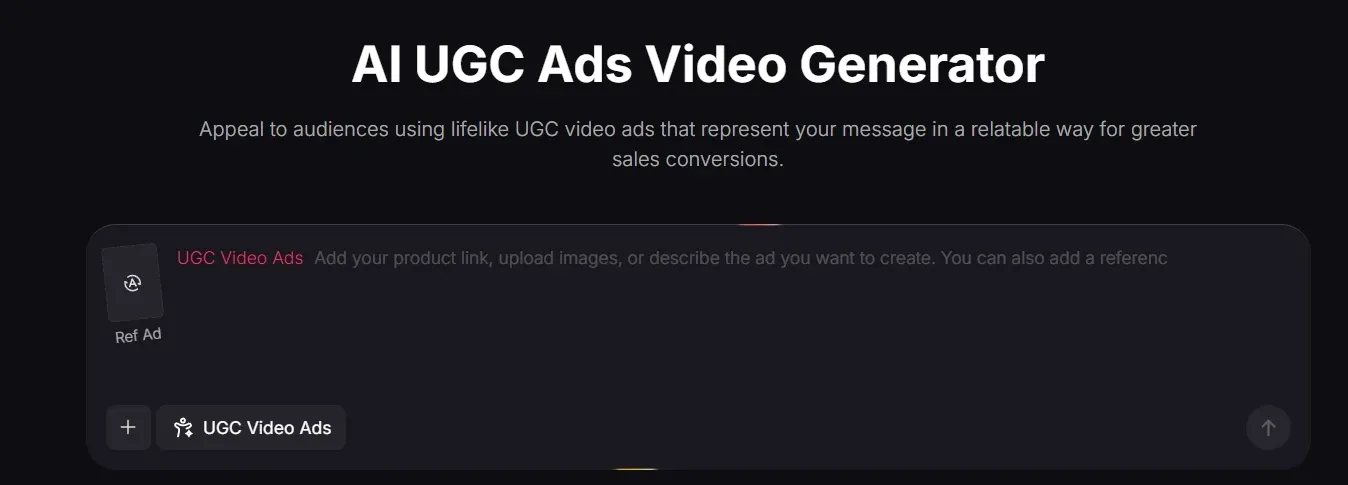
Pollo AI is also designed for real workflows. With scenario-based video use cases, you can create AI video explainer or clone video ads directly, instead of assembling clips yourself.
Instead of stopping at short outputs, Pollo AI helps you produce videos that are ready to use.
What Makes Pollo AI a Stronger Alternative?
Reference to Video for Controlled Generation
Use images or a video as references to guide style, subjects, and scene consistency.
Avatar Videos Up to 2 Minutes
Generate AI avatar videos with lip sync and natural delivery, suitable for real content.
Integrated Editing Tools for Better Quality
Use video enhancer, video extender, and other video tools directly for refining.










 5000+ reviewsTrustscore 4.4
Trusted by 10M+ Creators and Marketers Worldwide
Thousands of satisfied users have shared their Pollo AI experiences on Trustpilot, rating us as "Excellent." See what they love about our platform.
Liz Cassidy Dec 15, 2025Richard QuickOct 15, 2025armourdudeNov 19, 2025
 DuduJan 14, 2026
 Ray WarnesDec 30, 2025
 lawless clanNov 22, 2025
Discover More AI Video Generators on Pollo AI
FAQs
What is NeonLights AI?
NeonLights AI is an AI-powered image and video generator that combines multiple models with cinematic video rendering and template-based effects. It lets users turn prompts or images into short videos, apply stylized visual effects, and experiment with different models like Veo, Kling, or Pixverse in one place. Its main appeal is fast, visually striking content creation without complex setup.
How does Neon Lights AI generate videos?
Neon Lights AI generates videos by combining prompts, images, and optional start or end frames with selected AI models. You describe motion or scene behavior, choose a model, and the system renders a short clip based on those inputs. Different models produce different styles, from cinematic to stylized outputs.
What types of videos can you create with NeonLights AI?
You can create short cinematic clips, stylized animations, and effect-driven videos. These are typically 4 to 12 seconds long and work well for social media content, visual experiments, or creative storytelling snippets rather than full-length videos.
Is NeonLights AI suitable for long or structured videos?
Not really. NeonLights AI works best for short clips and visual effects, so it doesn’t really handle multi-scene storytelling or longer video structure. If you’re trying to make something that actually flows from start to finish, you’ll probably feel the gap. Some tools go a step further here. For instance, Pollo AI can take an idea or even a link and turn it into a full video with scenes and pacing already figured out, so you’re not stuck stitching clips together yourself.
Who should use Neon Lights AI?
Neon Lights AI is best suited for creators, designers, and marketers who want quick, visually engaging clips or fun effect-based videos. It works well for experimenting with styles or producing short content, while users aiming for more complete video production may look for tools that go beyond clip generation.

Create Videos with Pollo AI Instantly
Go beyond NeonLights AI clips with structured videos and consistent multi-scene generation.