Vozo AI focuses on video localization with dubbing, lip sync, subtitles, and on-screen text translation. For multi-model AI video creation beyond localization, try Pollo AI for free now!
Create your own influencer. Then jump into any trend with Recast.
Kling 4.0
Up to 10 keyframes. Unlimited for 10 days with Ultra.
Pollo Recast
Recreate viral videos. Remix new versions.
Pollo Recast Challenge
One upload in. Your viral video out. Unlimited rewards await.
Pollo Agent x DeepSeek V4.1 FLASH
Faster completion at a much lower cost.
Pollo Agent x Gemini 4 Argon
Smarter reasoning. All through Pollo Agent.
WIN iPHONE DUO
Capture a city in one minute. Join the challenge now.
Pollo MCP
End-to-end content creation. Up to 4 Videos/ 20 Images for FREE.
Key Features of Vozo AI
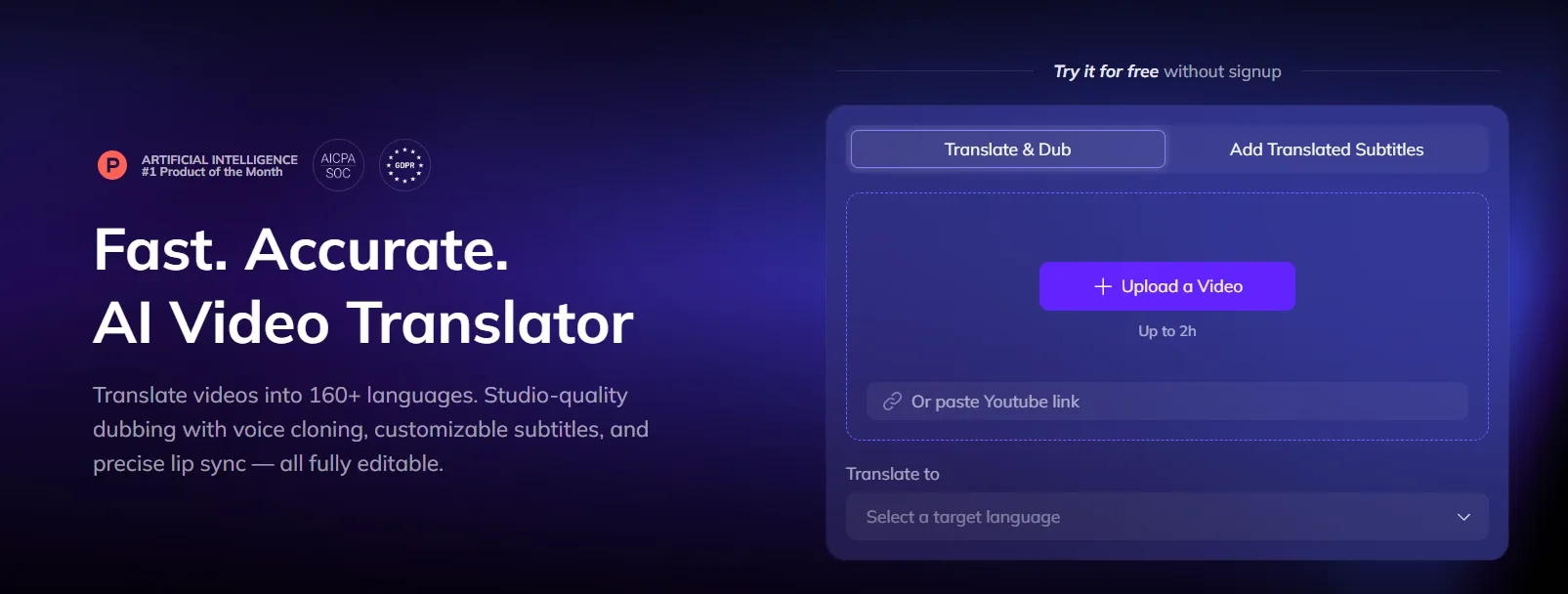
AI Video Translation: Translates videos into 160+ languages with dubbing, subtitles, and lip sync.
AI Dubbing: Rebuilds speech in another language while preserving tone and speaker feel.
Lip Sync Video Editing: Matches mouth movement to translated or replaced audio.
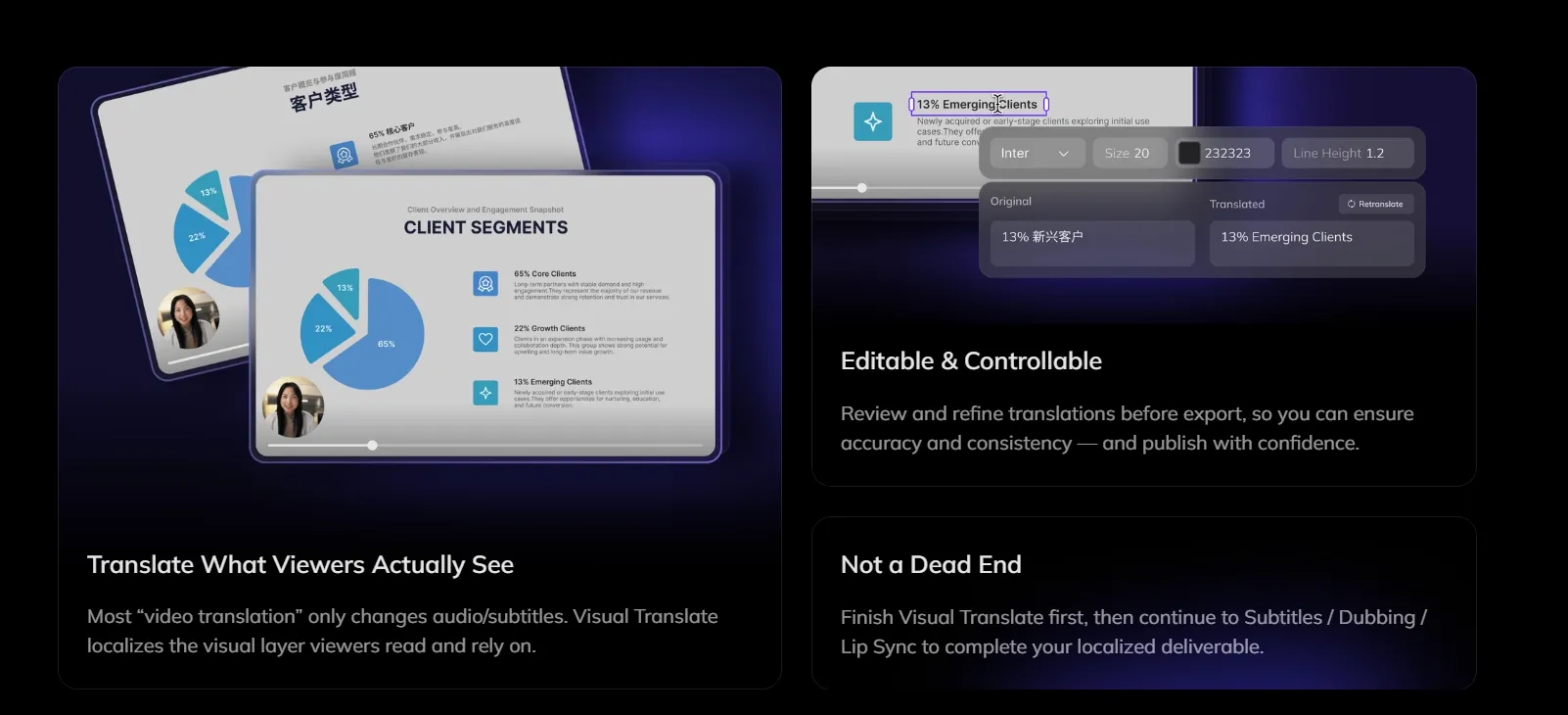
Visual Translation: Detects and translates on-screen text while preserving layout.
Subtitle Translation: Adds translated or bilingual subtitles with styling controls.
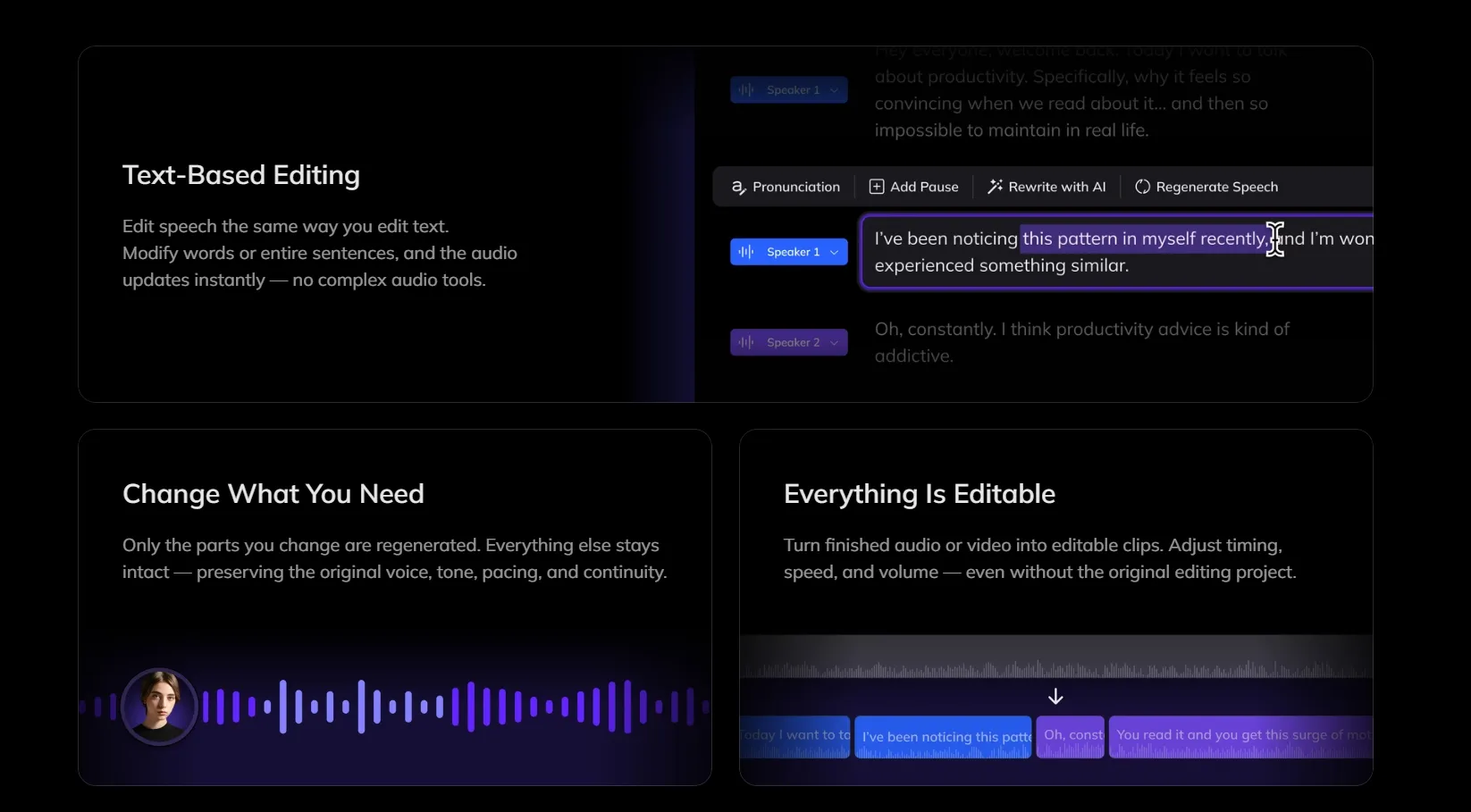
Voice Studio: Lets users rewrite, redub, and polish speech through text editing.
Talking Photo: Turns portrait photos into speaking videos with gestures and lip sync.
Long to Shorts: Converts longer videos into shorter clips with reframing and captions.
AI Video Translation
Vozo AI translates videos into 160+ languages with dubbing, subtitles, and lip sync. It helps creators, educators, and brands turn one source video into multiple localized versions without rebuilding every asset from scratch. This fits YouTube localization, online courses, product demos, webinars, and training videos.
AI Dubbing With Voice Cloning
Vozo AI’s dubbing workflow rebuilds speech in another language while keeping the speaker’s tone and vocal identity. It helps translated videos feel closer to the original, rather than sounding like a detached voiceover. This is useful for founder videos, tutorials, sales explainers, training modules, and creator content.
Lip Sync Video Editing
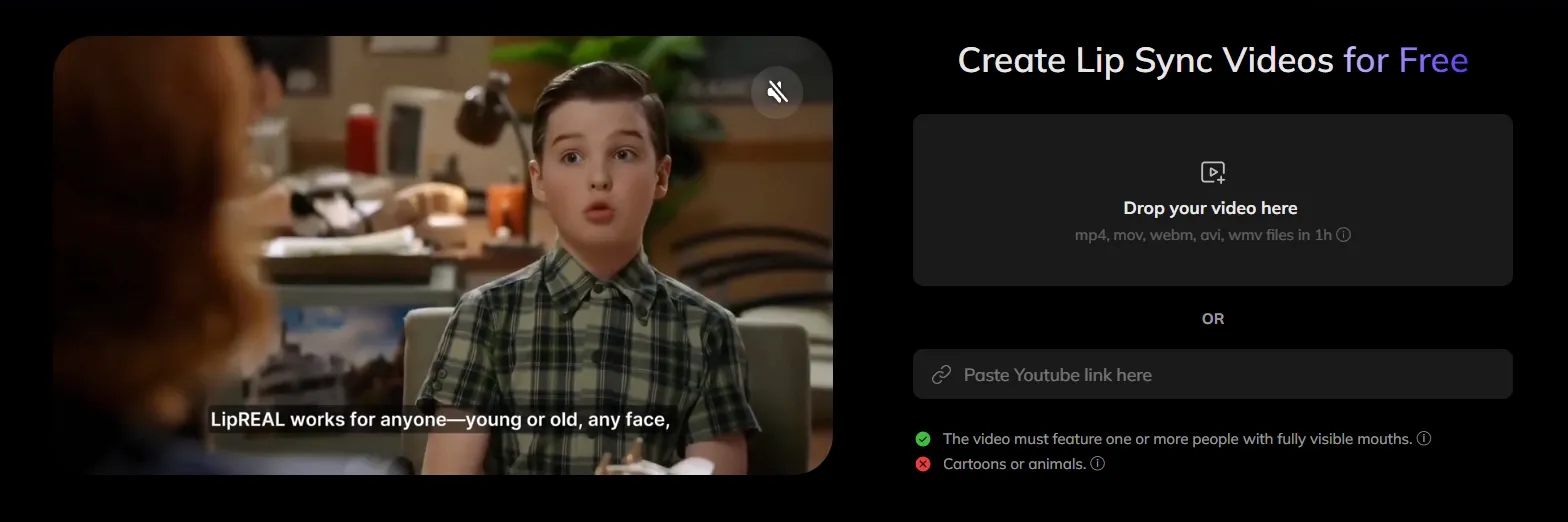
Vozo matches mouth movement with translated or replaced audio, making speech-led videos feel more natural after localization. It is especially useful for talking-head clips, interviews, avatar videos, lessons, and business explainers where viewers can clearly see the speaker’s face.
When lip sync looks right, but the voice still feels limited, the video remains unfinished.
Pollo AI lip sync gives users more room to complete the delivery: text to speech or uploaded audio, diverse voice options, multilingual syncing, and smooth mouth movement across head angles, wrinkles, beards, and piercings.
It moves beyond basic mouth matching, helping demos, lessons, and character videos feel more natural and publish-ready.
Visual Translation
Vozo AI can translate text inside the video frame, then rebuild it while keeping the layout and visual style close to the original. This is valuable for software tutorials, product demos, ecommerce videos, classroom content, and ads where on-screen labels or captions carry important information.
Subtitle Translation
Vozo AI supports translated and bilingual subtitles with styling controls. This helps videos work better across social platforms, online learning, and international marketing campaigns. It is useful when viewers watch without sound, need language support, or prefer reading alongside dubbed audio.
Voice Studio
Vozo’s voice studio lets users rewrite, redub, and polish speech through text-based editing. Instead of recording again, users can adjust the script, change wording, fix narration mistakes, or adapt a message for another audience.
This fits product updates, campaign refreshes, training content, and creator revisions.
Long to Shorts
Vozo can turn long videos into short clips with AI scoring, reframing, and animated subtitles. This helps creators and teams repurpose webinars, podcasts, livestreams, interviews, and tutorials for TikTok, Instagram Reels, YouTube Shorts, and LinkedIn.
Vozo AI is strongest when there is already a long video to repurpose. Pollo AI covers the next step: its AI video editor helps refine clips, pacing, and visuals, while Pollo Agent can create complete post-ready videos from an idea, link, image, or brief when there is no source footage to cut from.
Where Vozo Fits Best
Global YouTube Channel Localization
Creators can translate one video into multiple languages with dubbing, subtitles, and lip sync. This helps existing content reach new regions without reshooting.
Corporate Training Across Regions
Teams can localize onboarding, compliance, and product training videos for global employees while keeping the message consistent.
Product Demo Translation
SaaS and ecommerce teams can adapt product demos with translated voice, subtitles, and on-screen text for different markets.
Social Clip Repurposing
Long webinars, interviews, podcasts, and livestreams can become short vertical clips with captions and reframing for social platforms.
Talking Avatar Messages
Users can turn a portrait into a simple speaking video for greetings, explainers, announcements, or microlearning content.
AI copilot-style support for localization review, not a full video agent
Pollo Agent creates complete videos with structure, pacing, visuals, and no stitching
More template/avatar workflow than a full autonomous video agent
Starting Input
Existing video, audio, text, photo, or long content
Idea, text, image, URL, reference asset, or prompt
Script, avatar, template, or translated video
Best User Fit
Localization teams, educators, creators, global marketers
Marketers, ecommerce teams, agencies, brands
Sales, training, HR, and business communication teams
AI Model Access
Uses localization models for voice, lip sync, and translation, such as VoiceREAL™ and LipREAL™
Offers leading video models, such as Veo, Kling AI, and Seedance, for wider creative output
Uses an avatar-focused model system for presenter videos and digital humans
Do Users Trust Vozo?
User reviews suggest that Vozo AI is easy to start with and genuinely useful for multilingual video creation. One user praised it for reducing extra stress and helping create one video in multiple languages.
The feedback is positive, but not flawless. Users also note that speech can feel a little fast or slightly artificial, which means Vozo works well for fast localization, though final review may still be needed for polished delivery.
Where Does Vozo Stand in Video AI?
Vozo sits in the practical middle of AI video production: not a pure generator, not a traditional editor. Its market role is built around helping existing videos travel further through translation, dubbing, subtitles, lip sync, and visual text adaptation.
That makes it especially relevant for teams with finished footage but unfinished global reach. Instead of creating a video from scratch, Vozo makes it easier to reshape a video for many languages, audiences, and channels.
Why Create Videos with Pollo AI Instead Of Vozo AI?
Pollo AI is an all-in-one AI image and video creation platform built for complete content production.
Its first advantage is multi-model access: users can switch between leading video models for different motion, style, realism, or campaign needs.
With Pollo Agent, ideas, text, images, or URLs can become ready-to-post videos with structure, pacing, visuals, and voice, with no manual editing needed.
Its AI avatar also helps brands create spokesperson videos, product demos, AI UGC videeo ads, and presentations with natural expressions, lifelike motion, and avatar videos up to 2 minutes long.
Where Does Pollo AI Pull Ahead
Step 1
AI Video Editor
Edit, enhance, lip-sync, and refine videos without jumping between separate tools.
I’ve been using Pollo AI mainly for short videos and quick image-to-video tests. The interface is straightforward and it works well even with simple prompts, which is a big plus compared to tools that need long, complicated instructions. The results can be really impressive, and it’s honestly been fun to experiment with. I’d love a bit more consistency on faces when there’s movement, but overall it’s been a solid experience for what I needed.
Awesome website. loads of options and a great way to learn how to work with 'AI' my reasoning for 5 stars is based upon price, versatility and ease of use. Also I would like to add, Pollo AI runs a lot of promos on different AI products as well. I rate their customer service at 5 stars, when I purchased my first subscription my computer crashed the following weekend and I lost all my data and info passwords you name it I lost it, contacted pollo by email they responded quickly and found my info/username and account, and I was able to restore my account.
I have been using Pollo AI for short videos. It is easy to use and works well with simple prompts. Other generators seem to need long drawn out complicated explanations to get even close to what I want.
i tried 220 online img to vid in 2 months, and this is the best online video.I will subscribe for a year; there are many reasons. But freedom is the most important.
Vozo AI is used to translate, dub, subtitle, lip-sync, and edit existing videos. It is best suited for turning one video into multiple localized versions.
Is Vozo better for creating new videos or localizing existing ones?
Vozo is stronger at localizing existing videos. Its main value lies in dubbing, subtitles, lip sync, and visual text translation.
Can Vozo AI make dubbed videos sound natural?
Vozo AI can produce natural-sounding dubbing for clear speech and common languages. Still, users may need to review pacing, emotion, and pronunciation before publishing.
Does Vozo AI replace a human video editor?
Not completely. It can reduce repetitive localization work, but final checks are still useful for timing, tone, and visual accuracy.
Is Vozo useful for marketing teams?
Yes. It helps teams adapt product demos, webinars, ads, and training videos for global audiences. For teams starting from only an idea or URL, Pollo AI can be a better fit for full video creation.
Create Full Videos Faster with Pollo AI
One idea. Full video. Ready to post across campaigns, languages, and channels.








 Liz Cassidy


