



OpusClip AI Video Editor
OpusClip AI video editor combines prompt-based editing, smart reframing, B-roll, and agent-powered video creation. Pollo AI adds richer visual editing and specialized agent workflows for viral videos, UGC ads, stories, and more. Try Pollo AI for free!
Kling 4.0
Up to 10 keyframes. Impressive performance.
Key Features
Edit Videos With Natural Language Prompts : Apply targeted edits by describing what you want to change.Add Animated Captions Automatically : Turn spoken dialogue into dynamic captions automatically.Reframe Videos Around Key Subjects : Resize videos while keeping key subjects in frame.Add Contextual AI B-Roll : Insert relevant supporting footage without sourcing every cutaway manually.Export Clips to Professional Editors : Move OpusClip edits into professional software for more detailed post-production.Create Full Videos With Agent Opus : Build complete story videos from ideas, scripts, audio, and brand assets.
Edit Videos With Natural Language Prompts
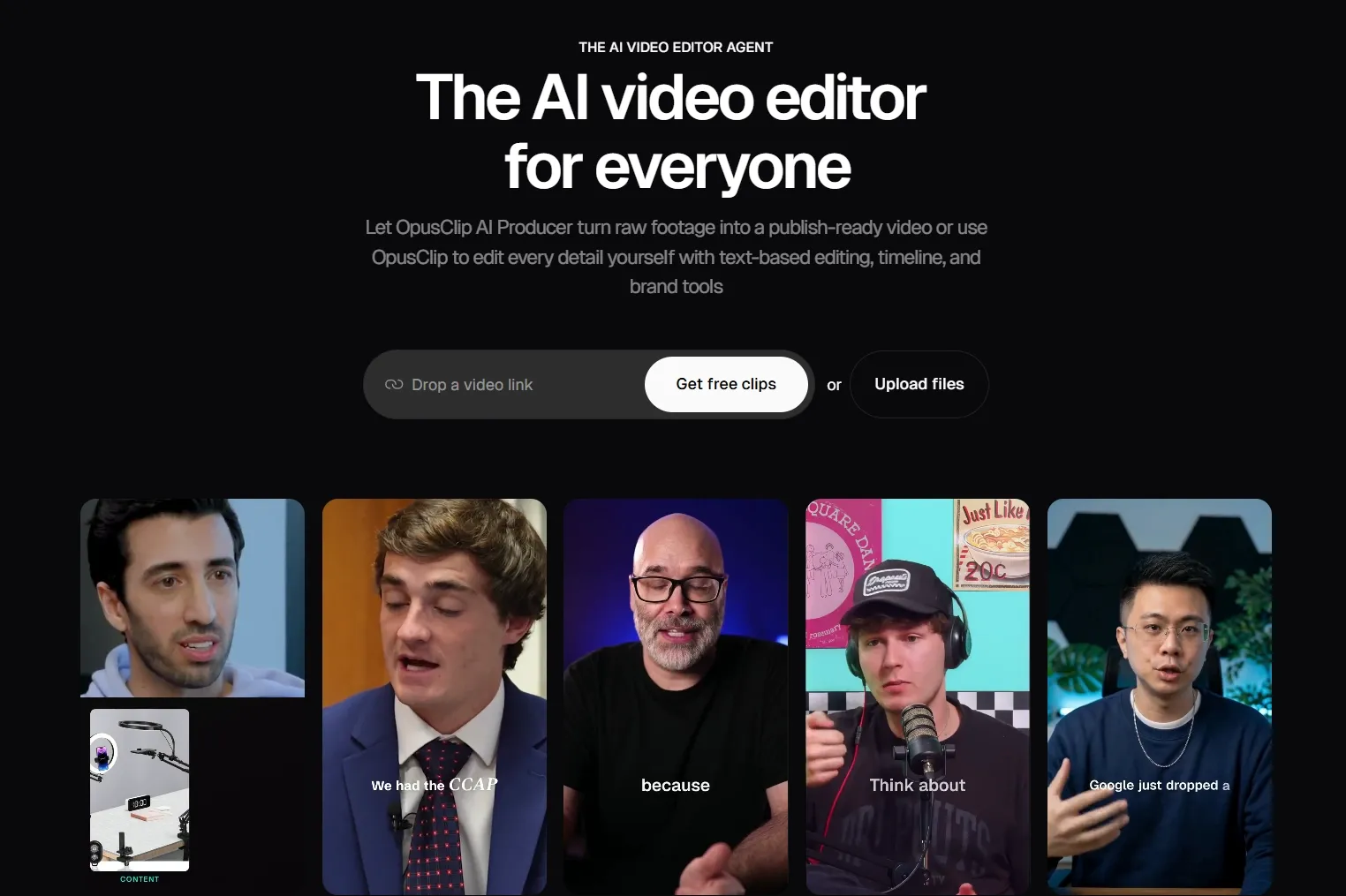
OpusClip AI Producer lets users direct revisions with plain-language instructions, applying changes to the requested part instead of rebuilding the entire video. A creator can tighten a specific section or revise an editing decision in talking-head footage without working through every change on a timeline.
When edits go beyond simple cuts, switching tools for visual changes can slow everything down. Pollo AI video editor keeps more of that work prompt-based.
Describe what you want to remove, restyle, or replace, from objects and backgrounds to weather, effects, subject appearance, and camera angles, all in one text-driven workflow.
Add Animated Captions Automatically
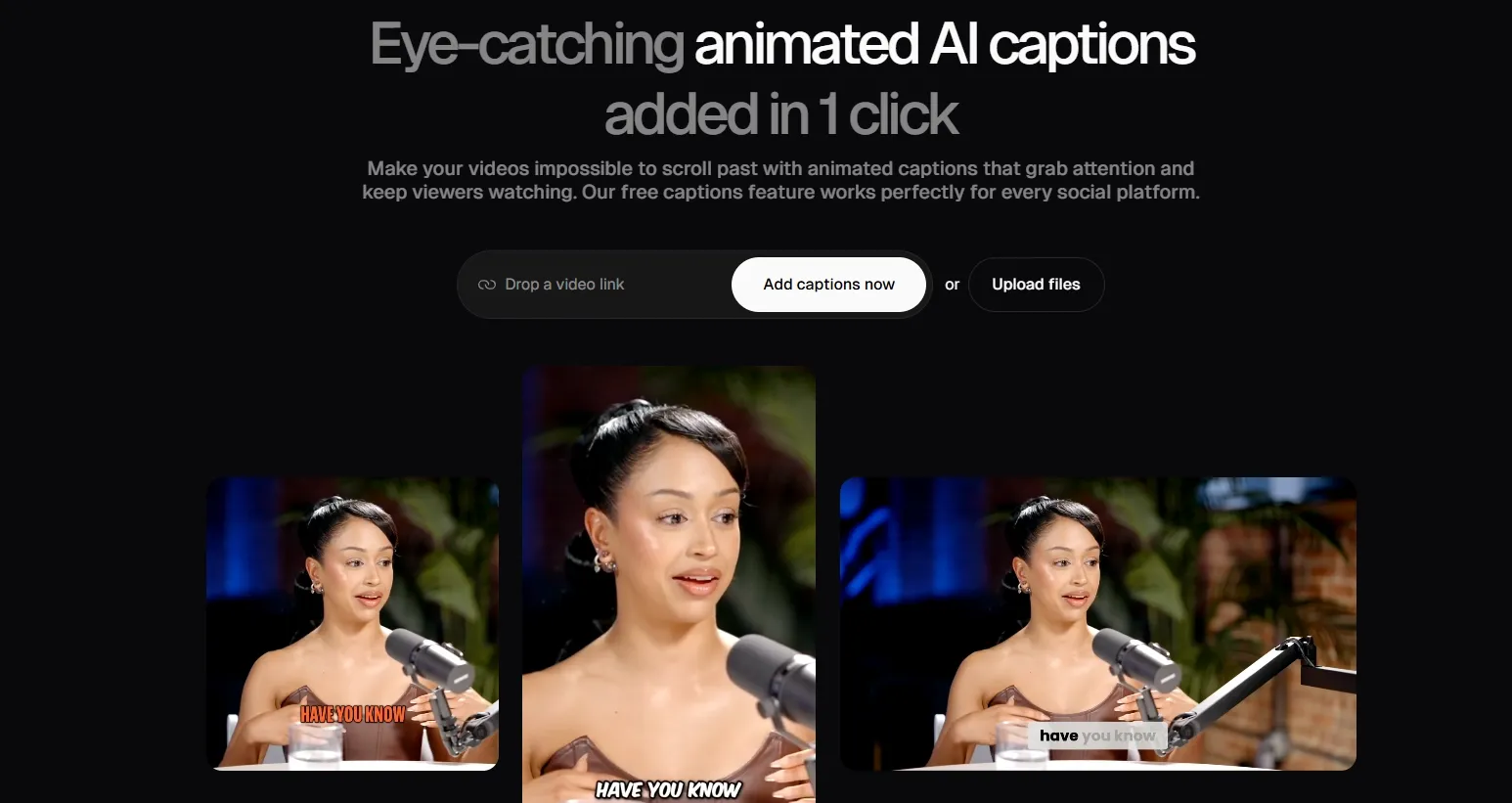
OpusClip generates animated captions directly from the speech in a video and adds them to the edited clip. A podcast producer can caption a guest highlight or interview excerpt to make the conversation easier to follow when audiences watch without sound.
Reframe Videos Around Key Subjects
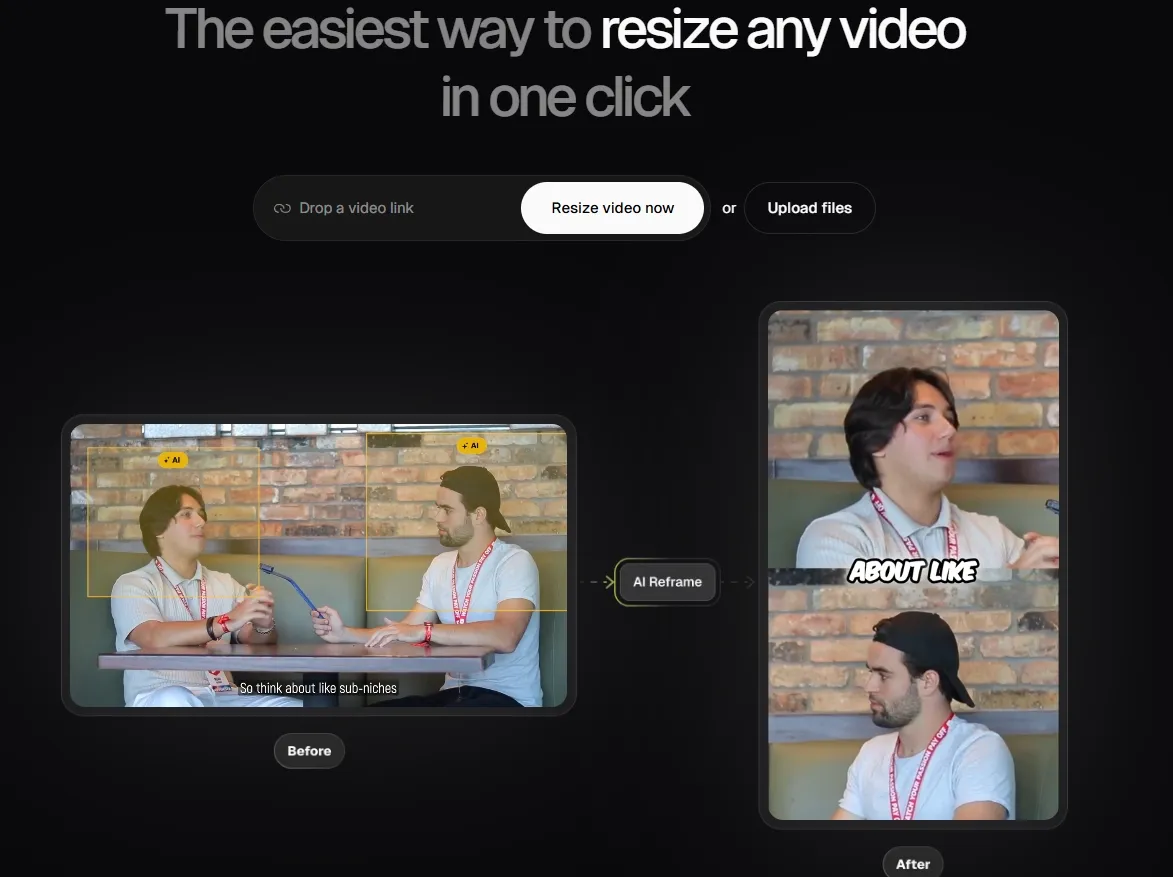
OpusClip's AI reframe tracks moving speakers and objects, then adjusts layouts for formats including 9:16, 1:1, and 16:9. A social team can turn a landscape webinar or product presentation into vertical clips while keeping the main action centered.
Add Contextual AI B-Roll
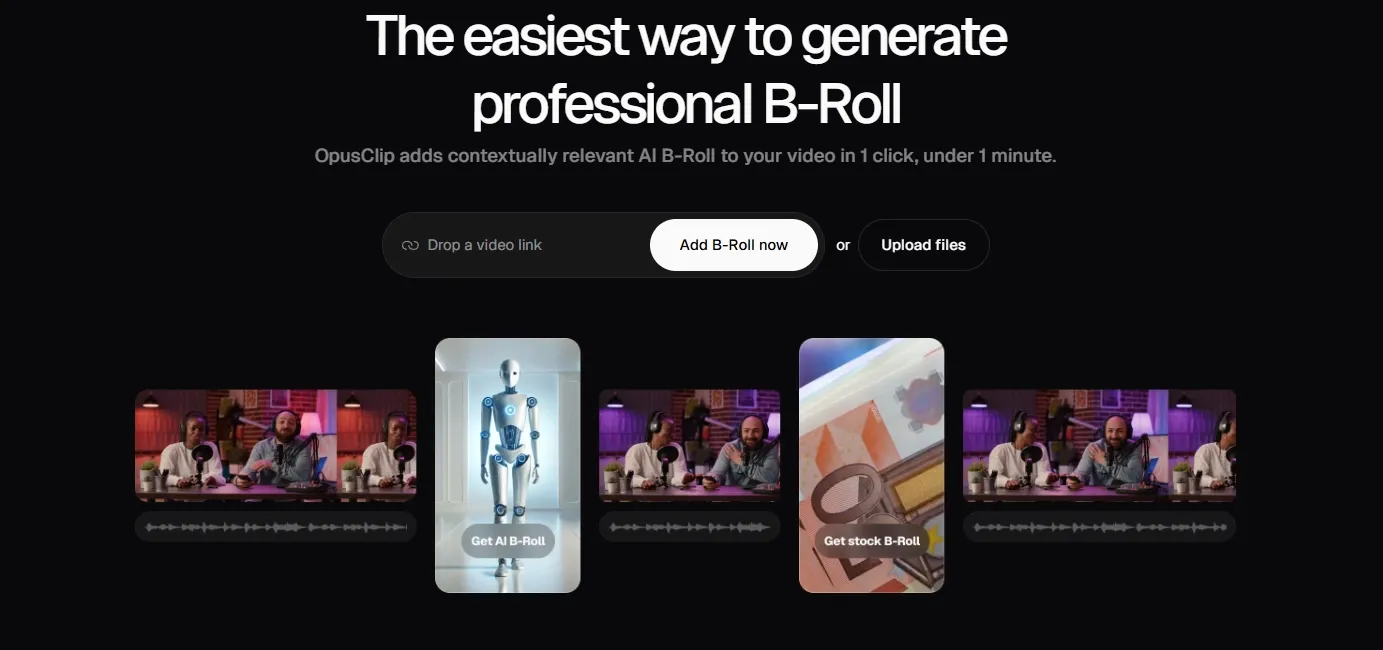
OpusClip analyzes the video's content and adds relevant B-roll from stock footage or AI videos, while also supporting custom uploads. An educator can select a sentence from a talking-head lesson and add supporting imagery or a clip that helps illustrate the point being explained.
When B-roll needs to follow a precise brand look rather than simply illustrate the surrounding dialogue, creative control matters more. Pollo AI’s B-roll generator lets creators define the footage through descriptive prompts and choose styles such as photorealistic, cinematic, 3D, or anime.
For marketers, it can also create product-focused lifestyle footage, giving campaigns more control over how products and brand aesthetics appear on screen.
Export Clips to Professional Editors
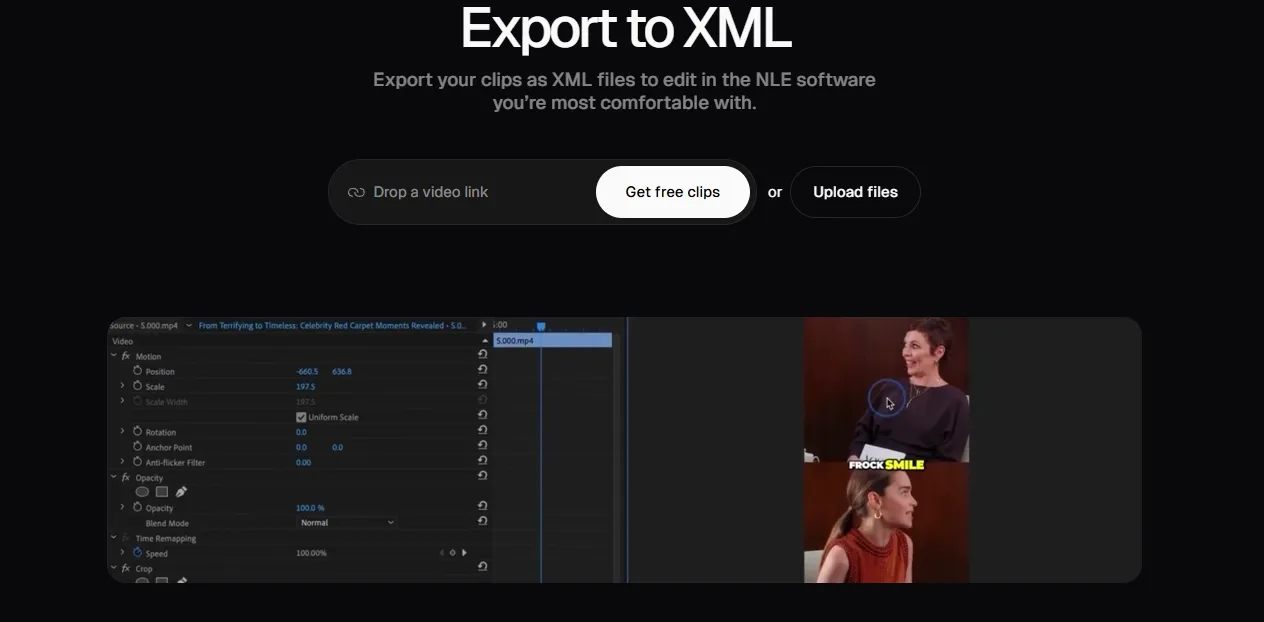
OpusClip exports an XML folder containing the XML file, SRT subtitles, and original video segments for use in Adobe Premiere Pro or DaVinci Resolve. A production team can start with an OpusClip edit, then continue detailed trimming, reframing, and caption styling in its preferred editor.
Create Full Videos With Agent Opus
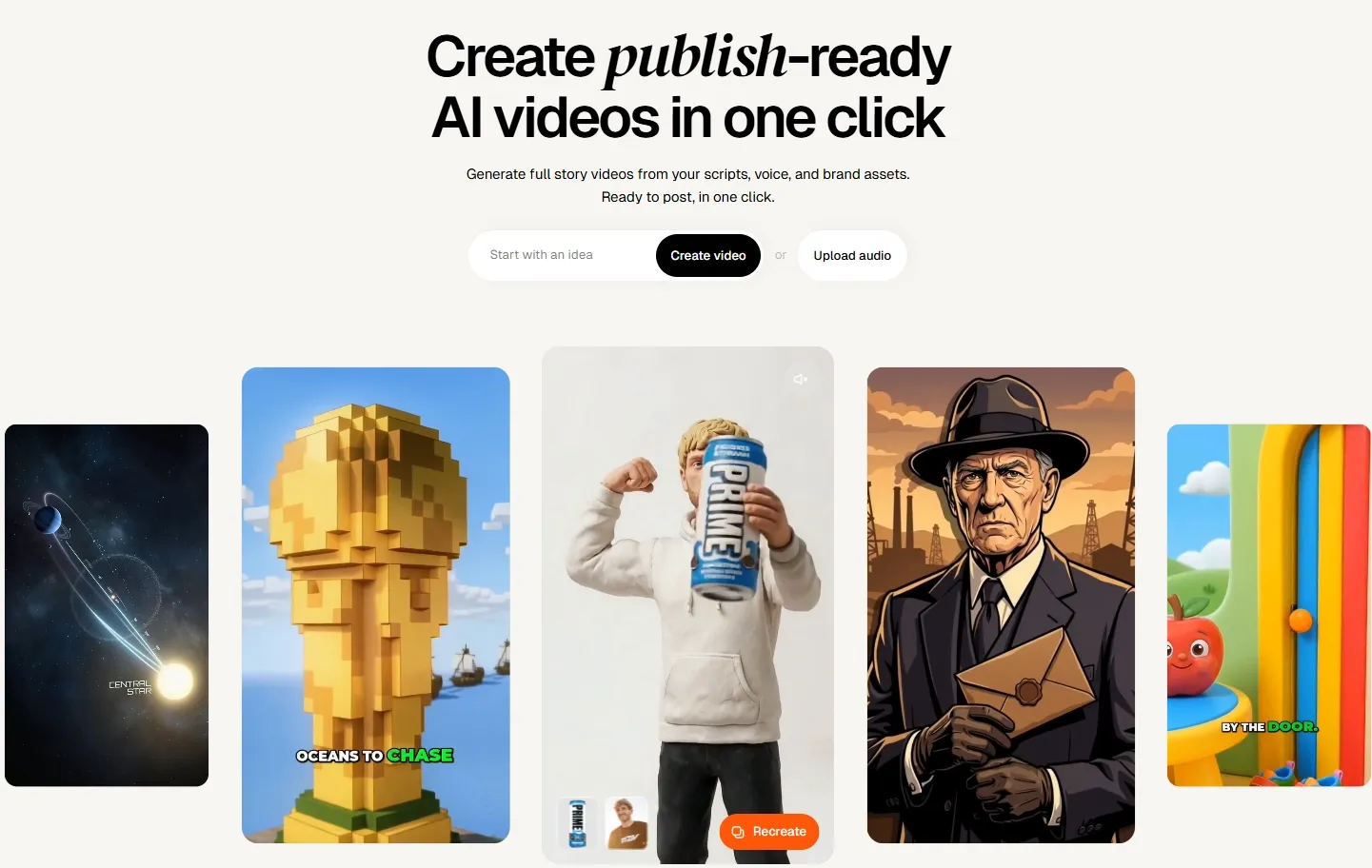
Agent Opus develops source content into full videos and can carry brand assets, voice, and style across the output. Marketing teams can generate new ad variations from existing brand material, while creators can turn scripts or audio into explainers, personal narratives, and other social videos.
When different video goals demand different workflows, rebuilding the creative structure each time quickly adds work. Pollo Agent offers purpose-built modes for viral video cloning, UGC ads, stories, news, music videos, and more.
Creators can also drop in TikTok or YouTube links to recreate proven hooks, rhythm, and flow, then keep refining through chat while Pollo Agent retains key edits, visual direction, and references.
What Can You Use OpusClip For
- Podcast Clips: Podcast creators can pull memorable moments from long conversations and turn them into short clips for ongoing social promotion.
- Interview Highlights: Media teams can extract strong answers, opinions, or quotes from interviews and package them into concise videos for wider distribution.
- Product Marketing: Marketing teams can turn product footage, brand assets, and campaign ideas into promotional videos for launches, offers, and social campaigns.
- Webinar Repurposing: Marketing teams can reuse webinars and virtual events by turning individual insights into standalone clips.
- YouTube Repurposing: YouTubers can break longer videos into shorter pieces for wider distribution across social platforms.
OpusClip’s Marketing Position
OpusClip AI is positioned as a production shortcut for the short-video economy. Rather than compete as a full creative studio, it focuses on one urgent job. It helps creators turn long videos into social clips faster.
That focus has made OpusClip attractive to investors and media buyers. Business Insider reported a $20 million SoftBank-led round and a $215 million valuation. It also reported more than 10 million users and clients including Univision, Billboard, Visa, and LinkedIn.
The product fits a clear market shift. Brands, creators, and publishers need more vertical clips across TikTok, Instagram, YouTube Shorts, and LinkedIn.
Its market edge is not cinematic generation. It is speed, repeatability, and clip selection. OpusClip works best when users already have valuable long-form footage. It then helps them extract more output from that existing content.
The company is also moving beyond basic clipping. It is now building Agent Opus for research, scriptwriting, and broader content creation. Its Agent Opus is said to be ready to post generation with one click.
What Users Say About OpusClip
User feedback on OpusClip AI is broadly positive, but not one-sided. On Trustpilot, many users praise its speed and convenience. They say the tool helps turn long videos into usable social clips quickly.
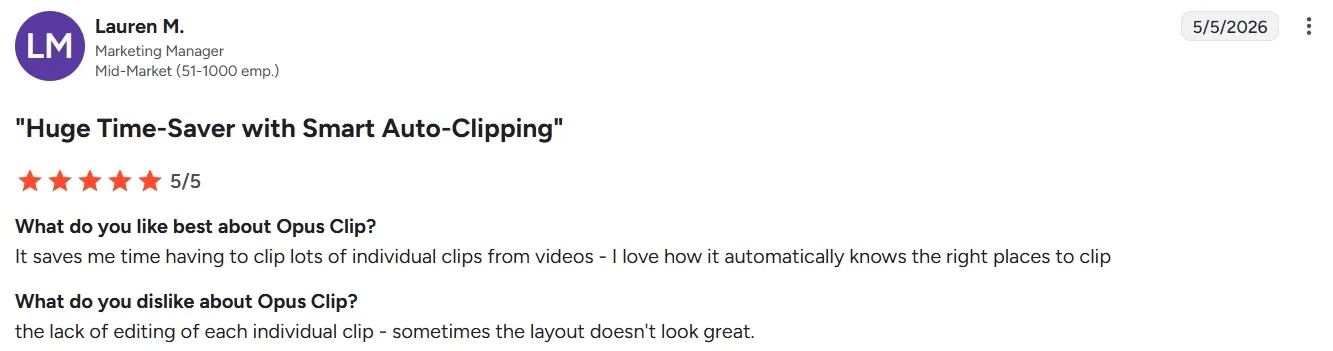
G2 reviewers also focus on saved production time. Several users highlight auto captions, smart clipping, and Virality Score as practical advantages.
Those features are especially useful when users already have webinars, podcasts, interviews, or YouTube videos. It helps them extract more value from content they have already produced.
Some users also like that OpusClip lowers the barrier to short-form video creation. They mention fast setup, cleaner reframing, automatic subtitles, and easier cross-platform publishing.
Still, the complaints are consistent enough to matter. Some users report bugs, freezing, subtitle errors, and unstable editing sessions. These issues can be costly when they need clips ready for publishing.
Other users want more creative control. For instance, some reviewers mention weak layouts, limited customization, and clips that sometimes lose context. This suggests OpusClip works best as a repurposing assistant, not a full creative production platform.
Pricing and usage limits also appear in user complaints. Some reviews mention watermarks, credit limits, daily restrictions, or credits lost during failed generations. These concerns may not stop casual users. But they matter for teams that need predictable production at scale.
Side-by-Side Comparison: OpusClip vs Pollo AI vs VEED AI
| Comparison Dimension | OpusClip AI | Pollo AI | VEED AI |
| Agent Capability | Agent Opus expands into prompt-based video creation. | Pollo Agent creates post-ready videos without manual editing. | VEED offers AI tools, but not a comparable agent-led workflow. |
| Main Creative Starting Point | Text or existing long-form video. | Text, image, video, URL, avatar, or workflow app. | Uploaded footage, recordings, scripts, or AI generation prompts. |
| Creative Depth | Better for repurposing than original story creation. | Broader creative range across ads, avatars, images, and effects. | Stronger for editing control than automated creative ideation. |
| Editing Control | Useful, but users may still need manual cleanup. | Built to reduce editing through production-ready workflows. | Offers the most familiar manual editing environment. |
| Distribution Layer | Built for Shorts, Reels, TikTok, and social publishing. | Built for marketing, social, entertainment, and brand workflows. | Built for multi-channel video editing and publishing. |
Why Pollo AI Is A Better Choice for Creators and Marketers?

Talking Avatar Without Filming
With Pollo AI, you can create AI avatar videos from a single image. No filming and pre-training are needed.
Marketing Workflows in One Studio
Pollo AI offers various AI tools for marketing. From URL to video ads to clone video ads, you can always find one tool to simplify your workflow.

10M+Users
Using Pollo AI to Create and Inspire


Used by 10M+ Creators and Marketers
- Liz CassidyDec 15, 2025Easy to use, great results for short videosI’ve been using Pollo AI mainly for short videos and quick image-to-video tests. The interface is straightforward and it works well even with simple prompts, which is a big plus compared to tools that need long, complicated instructions. The results can be really impressive, and it’s honestly been fun to experiment with. I’d love a bit more consistency on faces when there’s movement, but overall it’s been a solid experience for what I needed.
- Richard QuickOct 15, 2025Awesome websiteAwesome website. loads of options and a great way to learn how to work with 'AI' my reasoning for 5 stars is based upon price, versatility and ease of use. Also I would like to add, Pollo AI runs a lot of promos on different AI products as well. I rate their customer service at 5 stars, when I purchased my first subscription my computer crashed the following weekend and I lost all my data and info passwords you name it I lost it, contacted pollo by email they responded quickly and found my info/username and account, and I was able to restore my account.
- armourdudeNov 19, 2025I have been using Pollo AI for short…I have been using Pollo AI for short videos. It is easy to use and works well with simple prompts. Other generators seem to need long drawn out complicated explanations to get even close to what I want.
- DuduJan 14, 2026I'm just amazed by the level of quality…I'm just amazed by the level of quality output that Pollo AI can produce from a simple image. The motion, the realism, It's too good!!
- Ray WarnesDec 30, 2025A fabulous journeyI find Pollo easy to use, it gives me great results and I'd recommend it to anyone. It has been a wonderful experience for me.
- lawless clanNov 22, 2025i tried 220 online img to vid in 2…i tried 220 online img to vid in 2 months, and this is the best online video.I will subscribe for a year; there are many reasons. But freedom is the most important.


Discover Other Powerful AI Video Editors on Pollo AI
FAQs
What is OpusClip?
OpusClip is an advanced autonomous system that handles the entire video repurposing process. Unlike simple clippers, OpusClip agent can find the best moments, write social-ready captions, and add visual enhancements without requiring step-by-step instructions from the user.
What makes OpusClip different from a normal video editor?
OpusClip uses AI to find highlights, add captions, reframe clips, and suggest viral moments. A normal editor usually requires more manual cutting and formatting.
Does OpusClip support languages other than English?
Absolutely. Opus Pro currently supports over 20 languages, including Spanish, German, French, and Portuguese. The AI is smart enough to detect the language and generate accurate, localized captions and highlights.
How does this AI video editor handle complex backgrounds?
OpusClip uses advanced face and object detection to ensure the subject remains the focus, even in busy or multi-person environments. Its ‘Active Speaker Detection’ ensures the edit always feels natural and professional.
Can I manually edit the AI-generated captions?
Yes. While the AI is highly accurate, you have full control to tweak the text, change the color schemes, or adjust the timing of the subtitles to perfectly match your brand’s voice and style.
