



VEED AI Video Generator
Built for individuals and teams, VEED AI video generator streamlines pro-level video creation and editing with rich media tools and one-click simplicity. Having raised $35 million in 2022 to expand its AI suite, VEED now enables users to produce corporate videos, promotional videos, social media clips, and more. Yet lag and uneven output can slow production. Pollo AI offers a more reliable path with leading models, 100+ workflow apps, Pollo Agent and more for edit-free videos creation. Try Pollo AI for free now!
Key Features of VEED
AI Video Model Aggregator: Comes integrated with several industry-leading AI video modelsOne-Click AI Video Editing: Offers various automated video editing functions with instant resultsCustom AI Talking Avatars: Use dozens of stock avatars or create your own personal digital cloneLarge Stock Media Library: Browse through millions of royalty-free video and audio assetsCollaborative Video Creation: Access smart collaboration tools to work with teams on videos
AI Video Model Aggregator
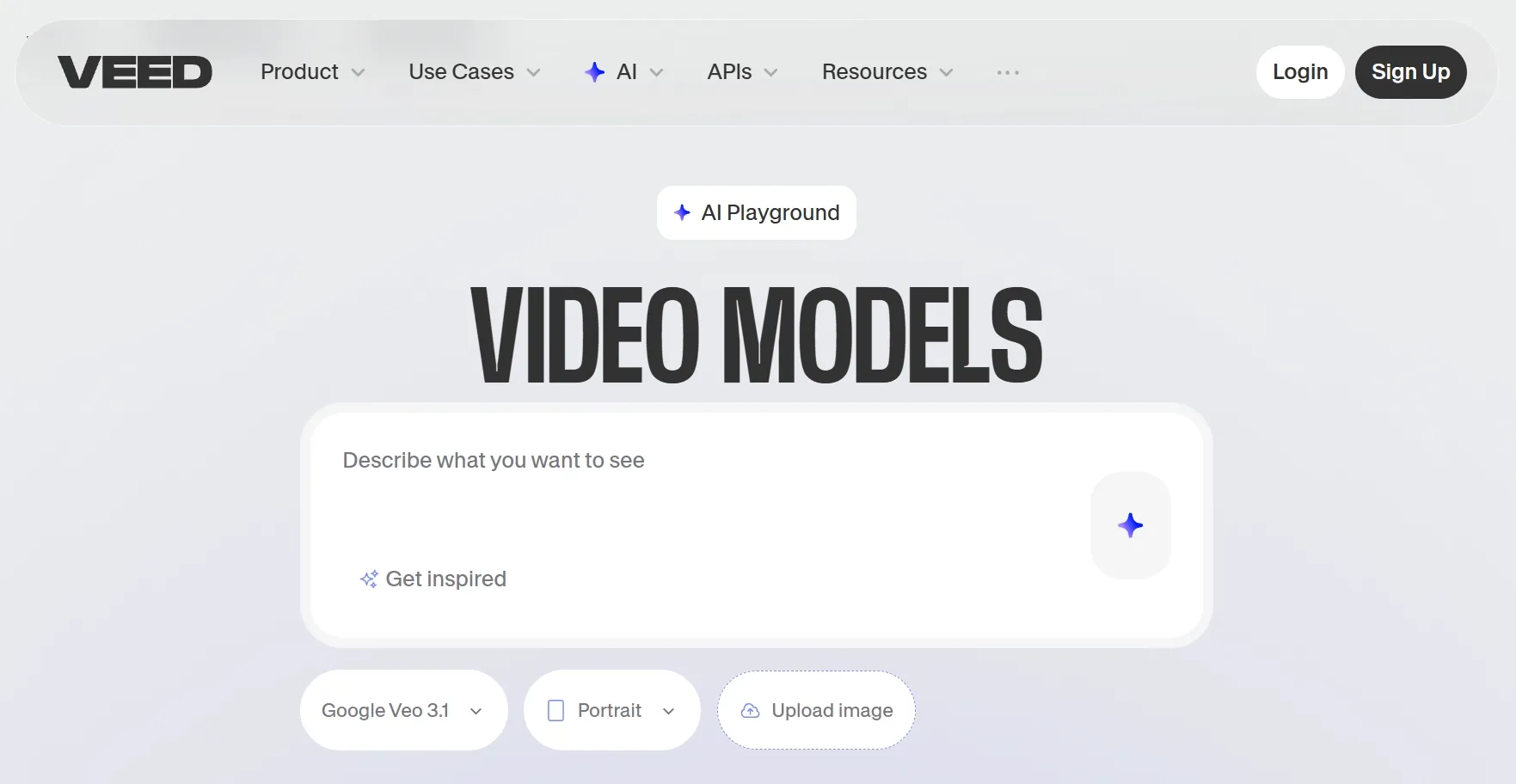
VEED integrates several best-in-class AI video models like Kling AI, Sora 2, and Veo 3, allowing users to precisely tailor their creations for cinematics, real-world motion, native audio, etc. With access to text-to-video, image-to-video, and video-to-video capabilities, you can turn any simple idea into a full visual narrative within minutes.
One-Click AI Video Editing
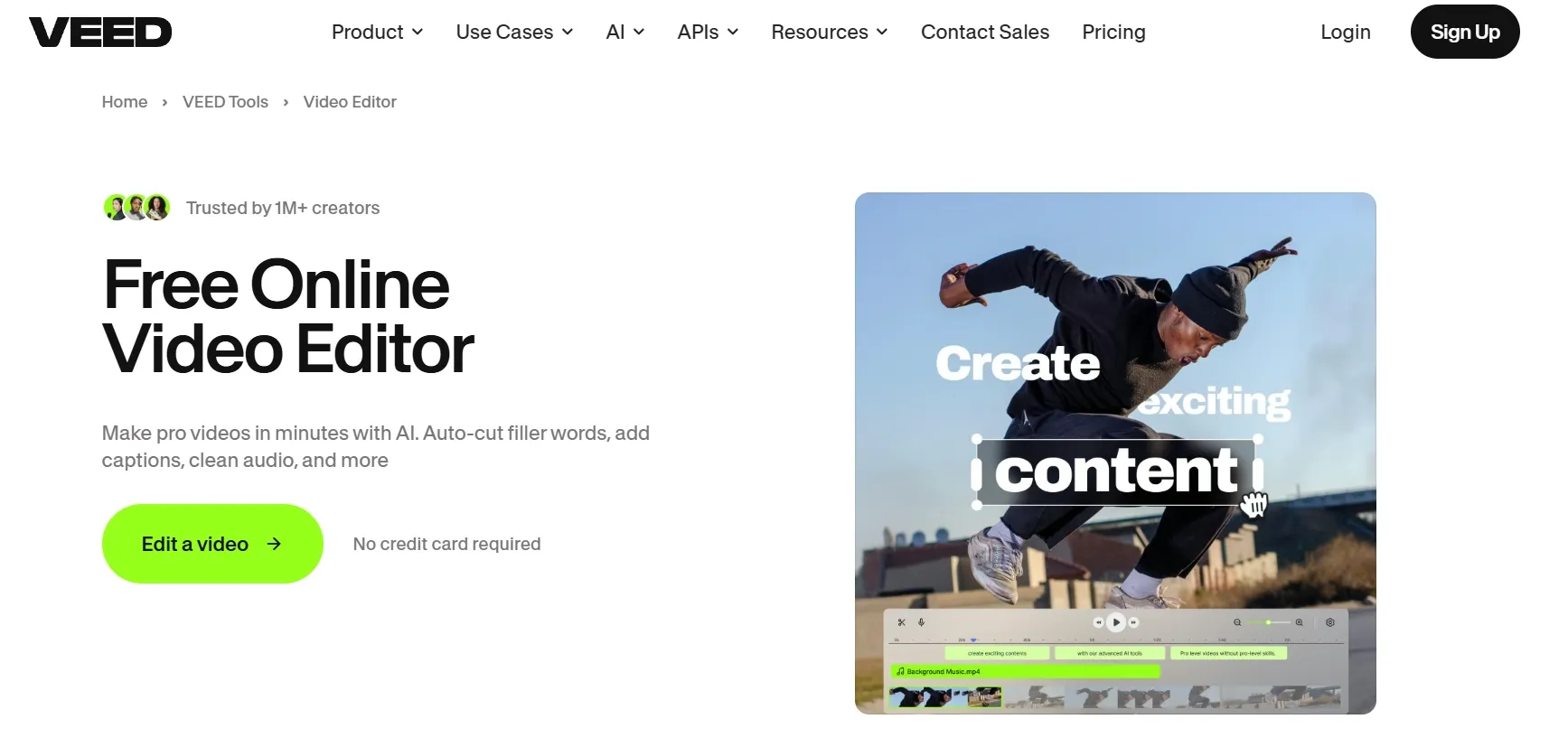
VEED’s core offering lies in its innovative AI video editing suite that supports automated one-click functions for video trimming, cutting, rotating, resizing, and more. Even beginners can effortlessly remove video backgrounds, clean up scruffy audio, as well as add subtitles, animations, logos, background music, etc, with no advanced editing experience needed.
Custom AI Talking Avatars
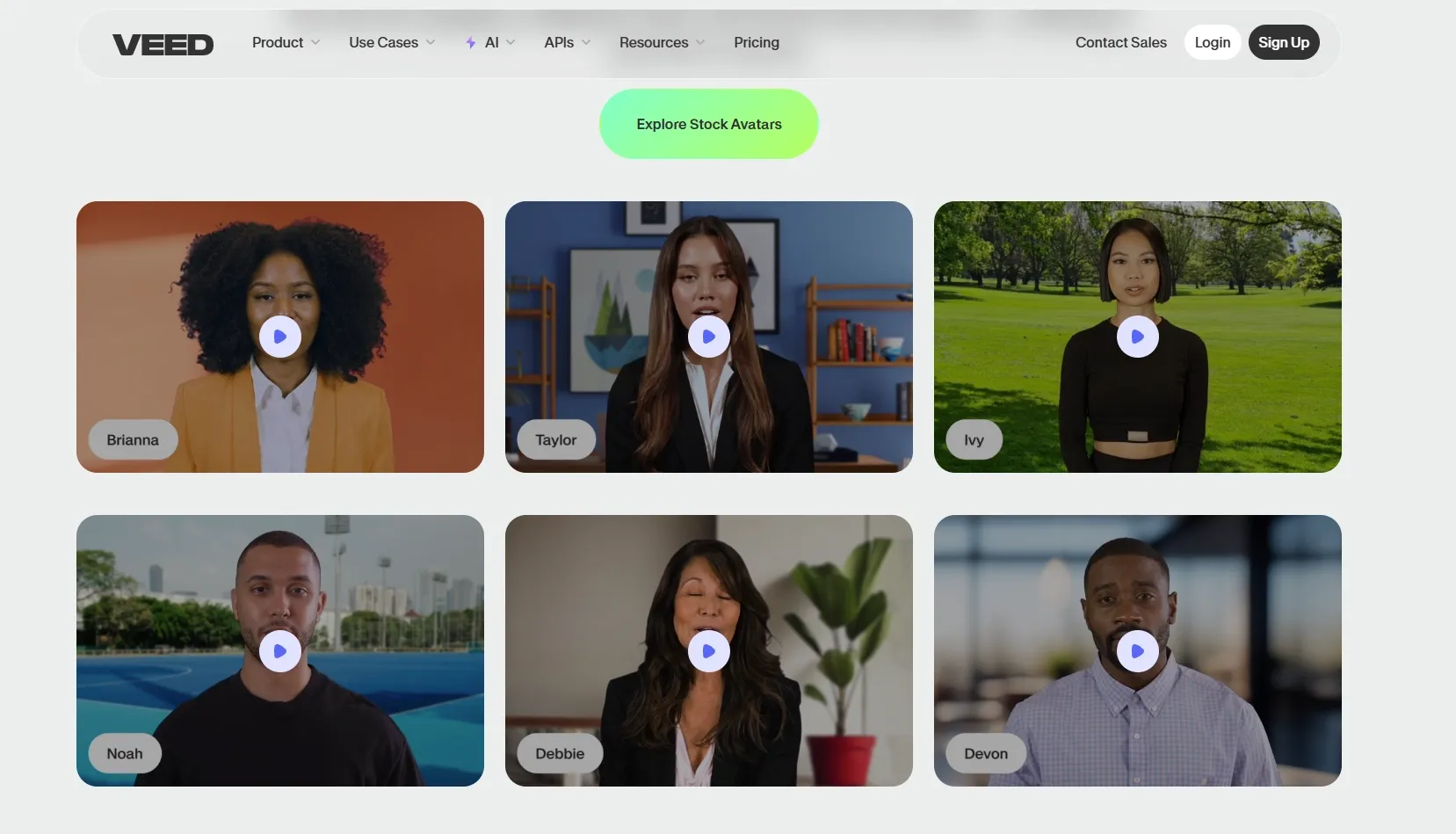
With 60+ diverse pre-built AI avatars to choose from, VEED enables users to produce presenter-style video content without recording themselves on camera. You can also use their Fabric 1.0 model to transform any subject image and audio recording into a lifelike talking video, opening new opportunities for custom digital cloning and branded content creation.
Large Stock Media Library
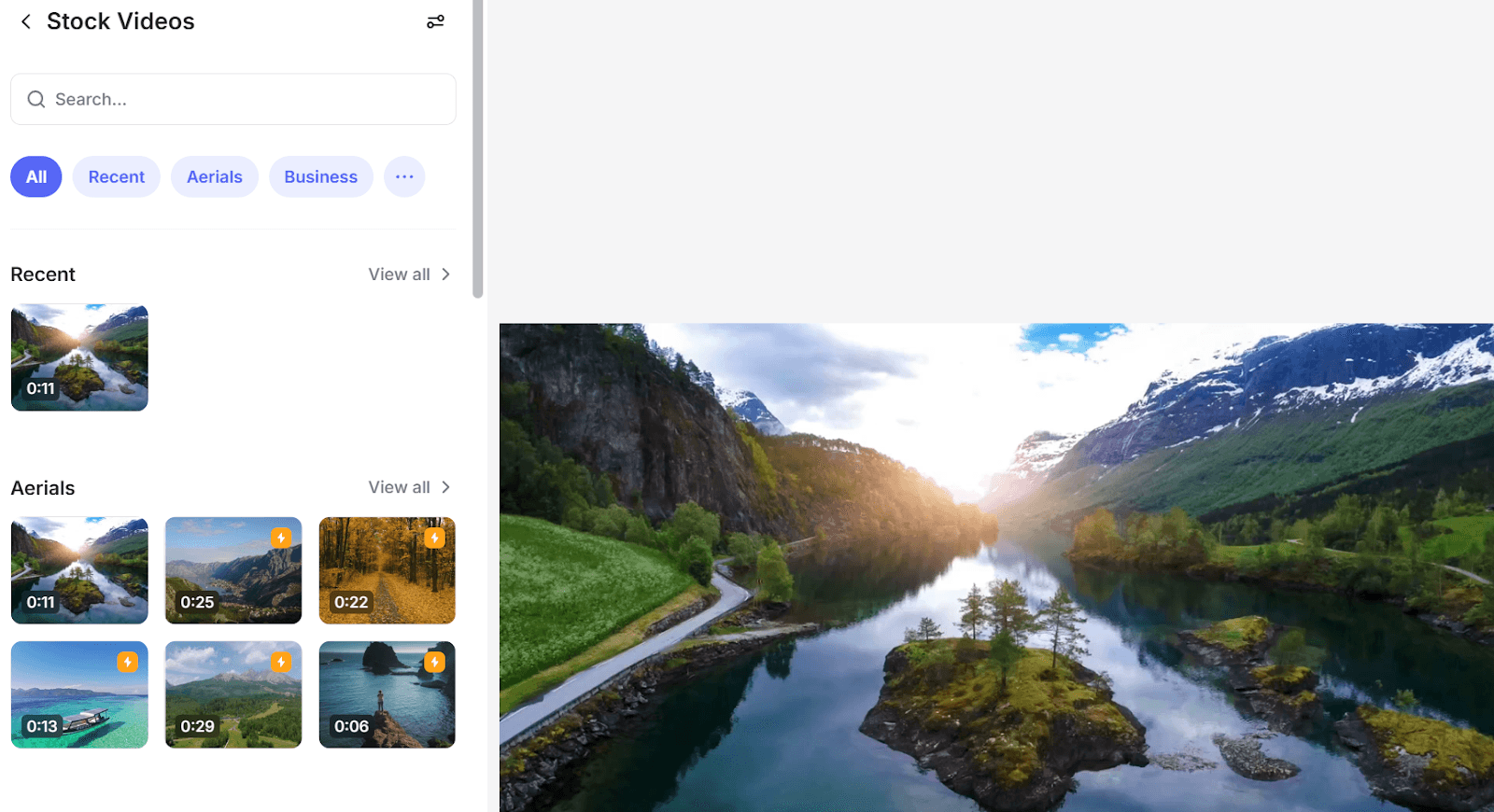
VEED lets users browse and select from over 2M+ stock images, videos, and audio tracks, providing limitless options for creative visual storytelling. With all media assets being 100% royalty-free, you can use them to produce videos for commercial use, making it suitable for crafting explainers, tutorials, promotional ads, trailers, and more.
Collaborative Video Creation
VEED empowers teams by catering to collaborative video editing, allowing multiple users to share feedback and notes with specific timestamps for faster approval processes. It also lets you share assets like custom logos, templates, and images with others using the Brand Kit, making it easier to reproduce them across multiple video projects.
Real User Feedback on VEED.IO
Public reviews on platforms like G2 show that VEED has earned real affection from creators, marketers, and small teams who need to move quickly. Many users praise its fast subtitle tools and practical recording features.
VEED seems strongest when the job is straightforward: trim a clip, add captions, clean up audio, translate a video, or prepare a social post without opening professional editing software. For many non-editors, that ease of use is the point.
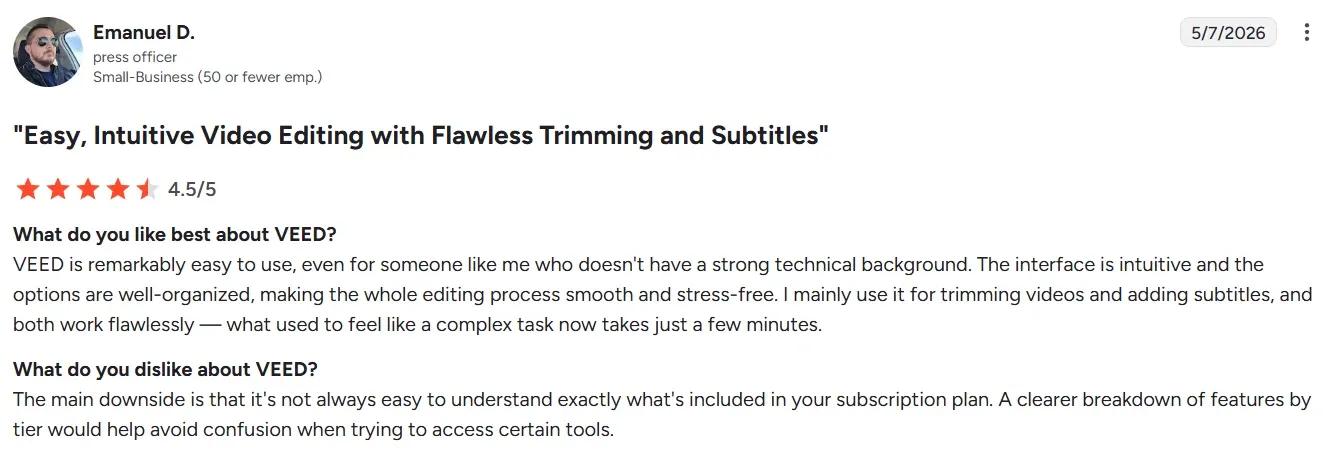
At the same time, the feedback is not uniformly glowing. Some users say the editor can slow down, buffer, or feel unstable when projects get larger. Others mention export delays, uneven playback, or moments when the browser workflow feels less smooth than expected.
Users also raise concerns about its AI quality and control. VEED offers a broad set of AI tools, but some reviewers say the results still need manual cleanup, especially for more polished business content.
What Makes VEED Stand Out Among AI Video Generators
AI Eye Contact Correction for Professional Delivery
VEED’s most famous "black magic" feature is AI Eye Contact Correction. Using advanced gaze-tracking technology, VEED can post-process your video to make it appear as though you are looking directly at the camera, even if you were actually reading a script or looking at a teleprompter.
"Magic Cut" & Intelligent Silent Removal
VEED’s Magic Cut is an automated professional editor. It uses AI to scan your footage for "bad takes," long silences, and verbal fillers.
Instead of you manually hunting for mistakes, the AI highlights these sections and allows you to delete them all in one click. This can turn a raw 15-minute recording into a tight, 3-minute professional video in under 30 seconds.
Dolby-Powered "Clean Audio" Technology
VEED has partnered with Dolby to provide a professional-grade AI Audio Enhancer. Unlike standard noise-reduction filters, this tool reconstructs vocal frequencies and removes complex background interference (like wind or traffic) while maintaining a rich, "studio-quality" tone.
Integrated Browser-Based Studio & Smart Teleprompter
VEED is not just an editor; it is a full Webcam & Screen Recording Studio. Its unique value lies in the Integrated Teleprompter, which scrolls your script at your preferred speed directly on your recording screen.
Once the recording stops, the video is instantly loaded into the editor with no upload delay. This "Capture-to-Edit" workflow is significantly more efficient than using separate recording and editing software.
Want to know the pros and cons of VEED.io? Read the Veed.io insight.
Best Use Cases of Veed.IO
- Marketing Teams: Generate branded ads, sales campaign videos, and social content faster to increase engagement and support conversions.
- Content Creators: Produce YouTube, TikTok, and Instagram videos with captions, voiceovers, and visuals to publish consistently.
- Sales Teams: Create personalized pitches and outreach videos that improve response rates, explain offers clearly, and accelerate follow-ups.
- L&D Teams: Build training and onboarding videos that improve knowledge retention while scaling learning across global teams.
- Course Creators: Create professional online course videos with avatars, subtitles, and animations to explain topics clearly and monetize expertise.
- Small Businesses: Produce polished commercials and promotional videos without costly equipment, helping brands market consistently on tighter budgets.
- Internal Communications Teams: Generate multilingual company updates and explainer videos that keep distributed employees informed, aligned, and engaged.
VEED.IO vs Pollo AI vs Vmaker AI
| Category | VEED.IO | Pollo AI | Vmaker AI |
| Core Positioning | Browser-based AI video editor for creators, marketers, and teams | All-in-one AI image and video creation platform for creators, marketers, and brands | AI video creation and editing platform for text, voice, documents, and raw footage |
| Main strength | Simple editing, subtitles, dubbing, screen recording, and brand assets in one browser workspace | Multi-model creation, Pollo Agent, 100+ workflow apps, image tools, avatars, and effects | AI auto-editing, document-to-video, avatar videos, subtitles, and screen-recording workflows. |
| Production workflow | Generate clips, then refine them in a timeline with captions and branding | Create post-ready videos through Pollo Agent and specialized apps, with no editing required | Generate or edit videos, then customize them in the built-in editor |
| Avatar capability | Talking avatar transforms text to videos with 120+ languages supported | Talking avatar supports 40+ languages with no filming, training, or pre-production | Offers avatar generation, voices, subtitles, and video generation in 120+ languages |
| Best-Fit Users | Social creators, marketers, educators, podcasters, and teams needing quick edits | Creators and marketers needing production-ready videos, images, avatars, and workflow apps | Trainers, educators, teams, and creators needing avatar, screen, and document videos |
Why More Creators Are Moving to Pollo AI
Create Finished Videos Faster
Pollo Agent turns ideas, text, images, or URLs into publication-ready videos. There’s no need to edit the results, saving your time and effort.
Choose the Right Model
Pollo AI gives you access to multiple leading models, including Sora 2 and Seedance 2.5. You can switch between models to get satisfying outputs.
Use Apps to Avoid Workarounds
Pollo AI offers 100+ specialized workflow video generators for different scenarios. From music videos to ad videos, you can always find one that fits your needs.










 5000+ reviewsTrustscore 4.4
Used by 10M+ Creators and Marketers
Thousands of satisfied users have shared their Pollo AI experiences on Trustpilot, rating us as "Excellent." See what they love about our platform.
Liz Cassidy Dec 15, 2025Richard QuickOct 15, 2025armourdudeNov 19, 2025
 DuduJan 14, 2026
 Ray WarnesDec 30, 2025
 lawless clanNov 22, 2025
Explore Other Innovative AI Video Generators on Pollo AI
FAQs
What is VEED?
VEED is an advanced AI video maker and editor that is tailored for fast and lightweight video production. Users can quickly generate full visual narratives from text prompts and access instant video editing controls, making it easy to trim, crop, condense, add subtitles, insert music, and more.
How does VEED AI video generator help with video creation?
VEED combines AI video generation with automated one-click editing for a simple, efficient, and smarter workflow. From marketing videos, tutorials, to social media clips, it can intuitively help create and edit videos like an expert in minutes, cutting down traditional production time and costs significantly.
Can I create AI avatars in any visual style on VEED?
Yes. You can create your own custom presenter by animating stylized character illustrations, drawings or artworks. Simply upload the subject image and a voice recording for VEED to create a lifelike performance with natural lip movement and gestures, all while still preserving the look of the original image.
Is any extra software needed to create with VEED?
Not at all. VEED is an all-in-one AI video maker and editor, which means the entire video creation process is automated and handled natively. You don’t need any third-party tools or software to craft a polished visual narrative, be it for social media, marketing, training, etc.
Can I edit existing videos with VEED?
Absolutely. VEED has several editing controls that can help you refine existing videos by adding animations, effects, transitions, subtitles, etc. You can even condense long videos into shorter clips instantly; just upload the original video, and in a few clicks, you can reimagine it with professional-grade results.

Create Polished Videos Faster with Pollo AI!
Skip manual cleanup and scattered tools. Generate post-ready videos without editing on Pollo AI.