



Beeble AI Video Editor
Beeble AI turns footage into editable VFX assets. SwitchLight extracts relightable PBR passes, while SwitchX preserves performances as backgrounds, lighting, and props change. However, for those seeking a more comprehensive generation and editing solution, Pollo AI is the premier alternative. Try Pollo AI for free now!
Kling 4.0
Up to 10 keyframes. Impressive performance.
Key Features of Beeble AI Video Editor
Canvas : Connects generation, compositing, masking, enhancement, and export through reusable node graphs.SwitchX : Changes environments, lighting, clothing, or props while preserving selected source pixels.Background Remover : Extracts foreground mattes from regular footage, green screens, images, or image sequences.VFX Pass Generator : Converts footage into PBR, alpha, and depth passes for professional compositing.3D Relight : Applies HDRI environments and point lights to footage through a real-time 3D workspace.SDR to HDR : Reconstructs standard footage as 16-bit HDR material for grading and finishing.Upscaler : Enlarges video up to 4K using selectable Topaz processing modes.Video Generator : Produces supporting shots from text, frames, images, and reference media.
Canvas
Canvas is Beeble's node-based production workspace. It connects SwitchX, SwitchLight, Video Matte, Video Generator, VFX passes, enhancement tools, and traditional compositing controls inside one editable graph. Artists can branch into multiple creative directions, compare results, batch-process shots, and reuse successful pipelines.
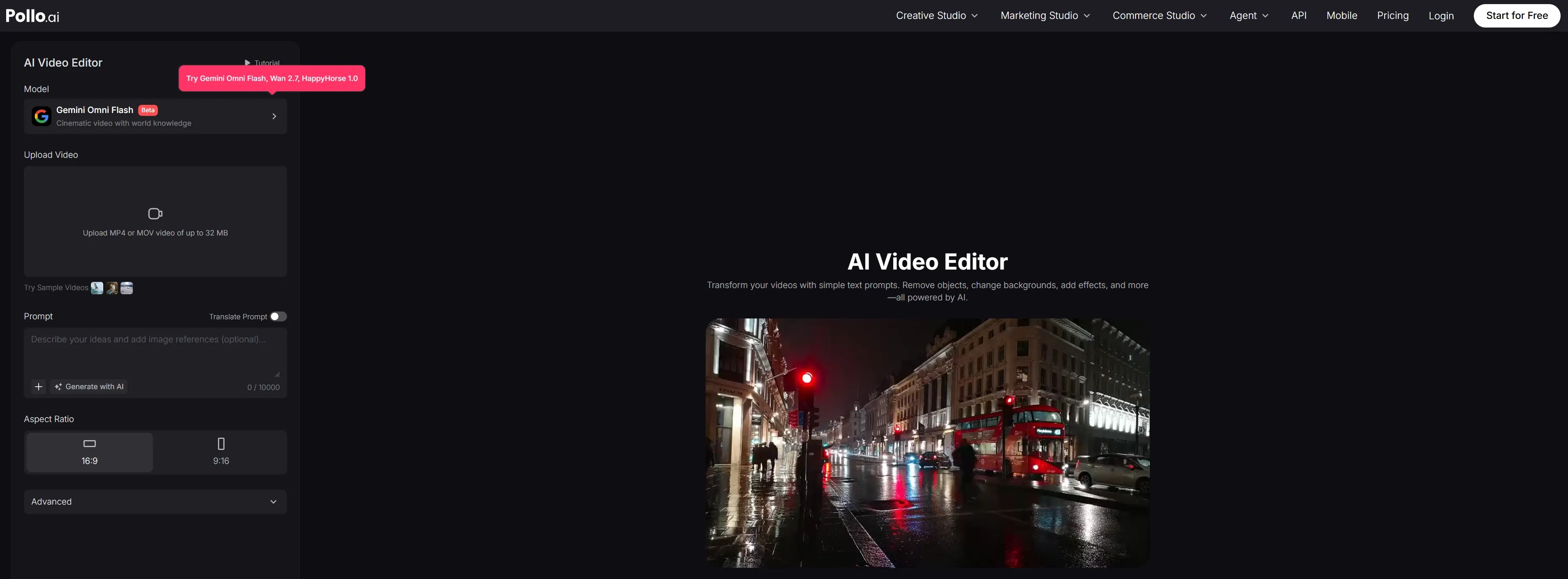
While Beeble's Canvas is designed for node-based VFX pipelines, Pollo AI's AI video editor offers a more direct path for creators who do not need compositing graphs. Simple text instructions can remove objects, replace backgrounds, change weather or clothing, add effects, and adjust camera angles, helping turn rough footage into publish-ready social, product, or marketing content.
SwitchX
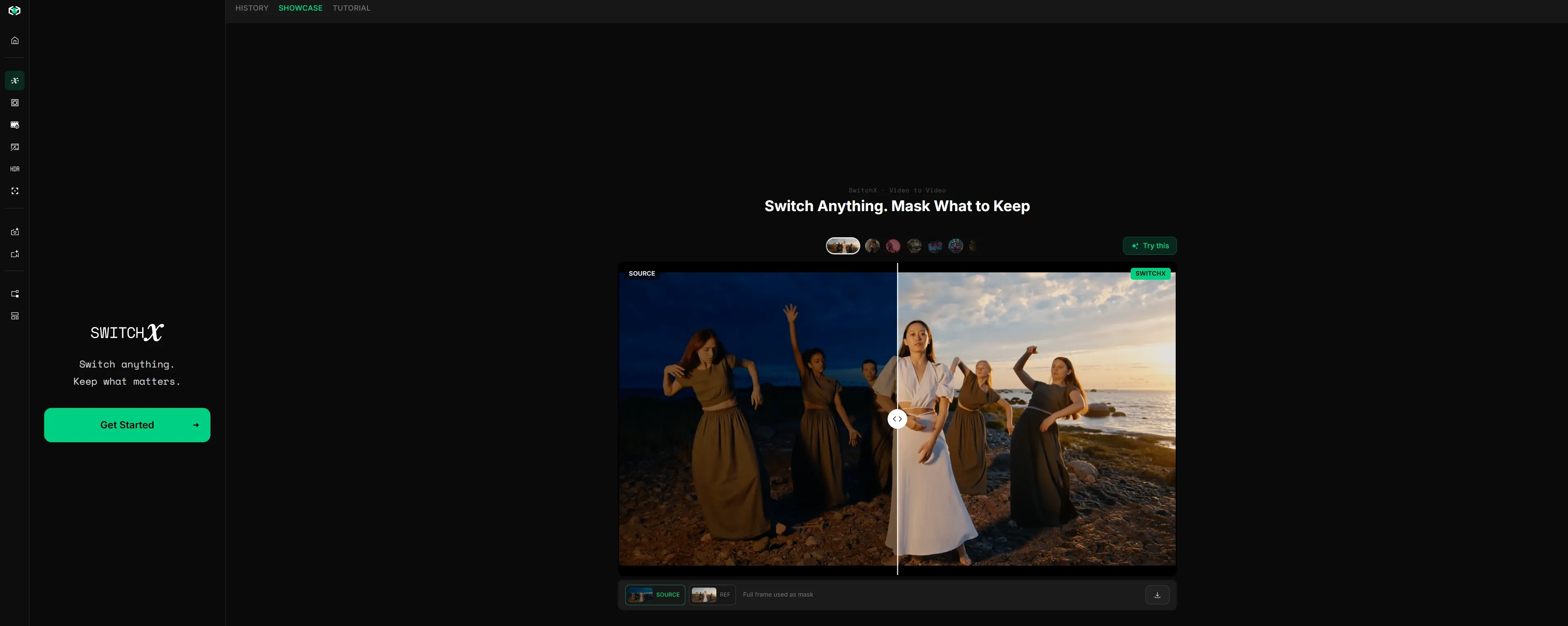
SwitchX is Beeble's defining video-to-video model. Instead of regenerating the complete frame, it uses original footage as a control signal. An alpha mask determines what changes, while a reference image guides the environment, lighting, grade, and wardrobe. Auto, Select, Fill, and Upload masking modes support everything from automatic background replacement to custom mattes created in Nuke or After Effects.
Background Remover
Background Remover creates clean alpha mattes without manual frame-by-frame rotoscoping. MatAnyone handles general footage, while CorridorKey is optimized for green-screen material and spill removal. A preview-first workflow lets artists inspect and refine a sample frame before processing the full clip. Results can be exported as alpha-embedded MOV files, PNG sequences, or grayscale mattes for After Effects, DaVinci Resolve, Final Cut Pro, and other compositors.
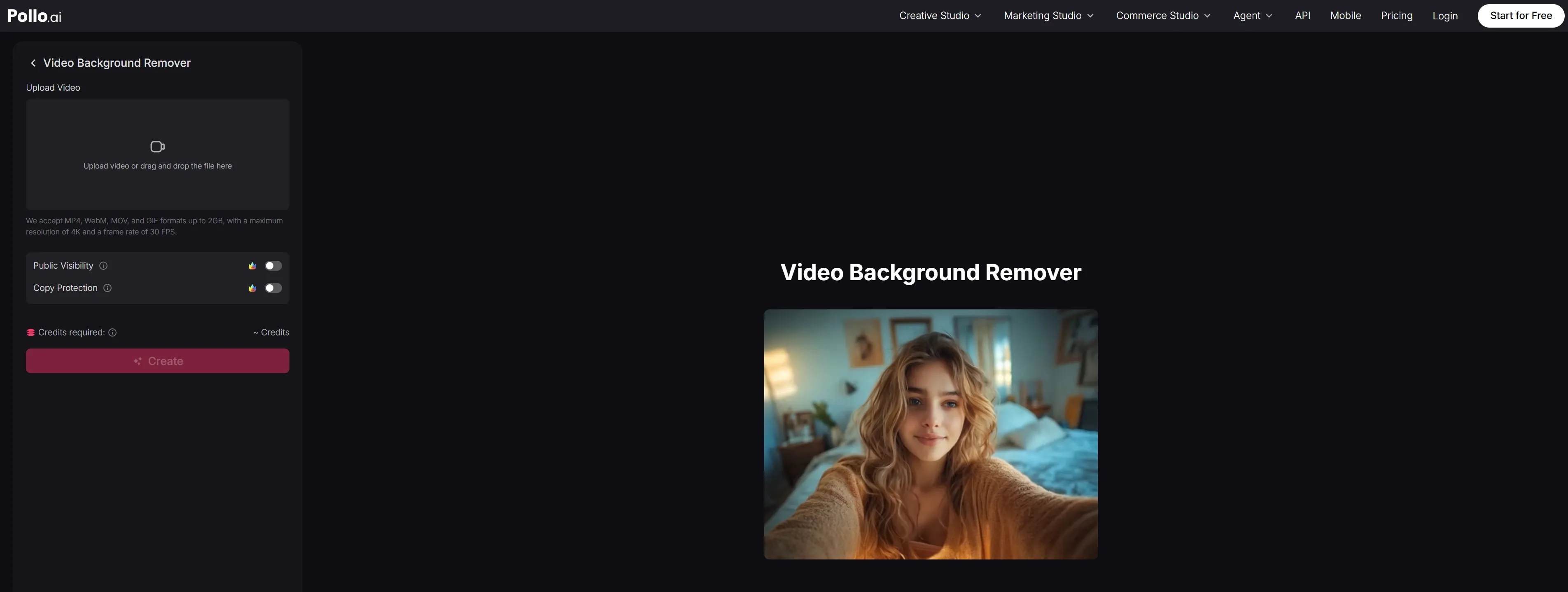
While Beeble prepares alpha mattes for professional compositing, Pollo AI’s video background remover gives everyday creators a faster route to reusable footage. It removes backgrounds from MP4 or MOV videos in a few steps, producing clean, transparent clips for UGC ads, product demos, tutorials, and social content without requiring matte refinement or external compositing software.
VFX Pass Generator
Powered by SwitchLight 3.0, VFX Pass Generator separates footage into normal, base color, metallic, roughness, specular, alpha, and depth passes. These outputs turn filmed subjects into relightable 2.5D assets that can move into Nuke, Blender, Unreal Engine, or Beeble's own relighting environment.
3D Relight
3D Relight uses the generated PBR passes to rebuild lighting after filming. Artists can introduce HDRI environments, place point lights, adjust material response, and preview changes immediately. This gives independent filmmakers a virtual-production workflow without requiring an LED wall or a complete 3D reconstruction. The browser version requires Chrome or Edge with graphics acceleration and performs best when a dedicated GPU is available.
SDR to HDR
SDR to HDR uses Beeble's SwitchHDR model to reconstruct 8-bit SDR footage as 16-bit HDR EXR sequences. It targets lost highlight and shadow information rather than applying a simple display-oriented tone map. Highlight and shadow masks control which regions are reconstructed, while optional prompts describe missing details.
Upscaler
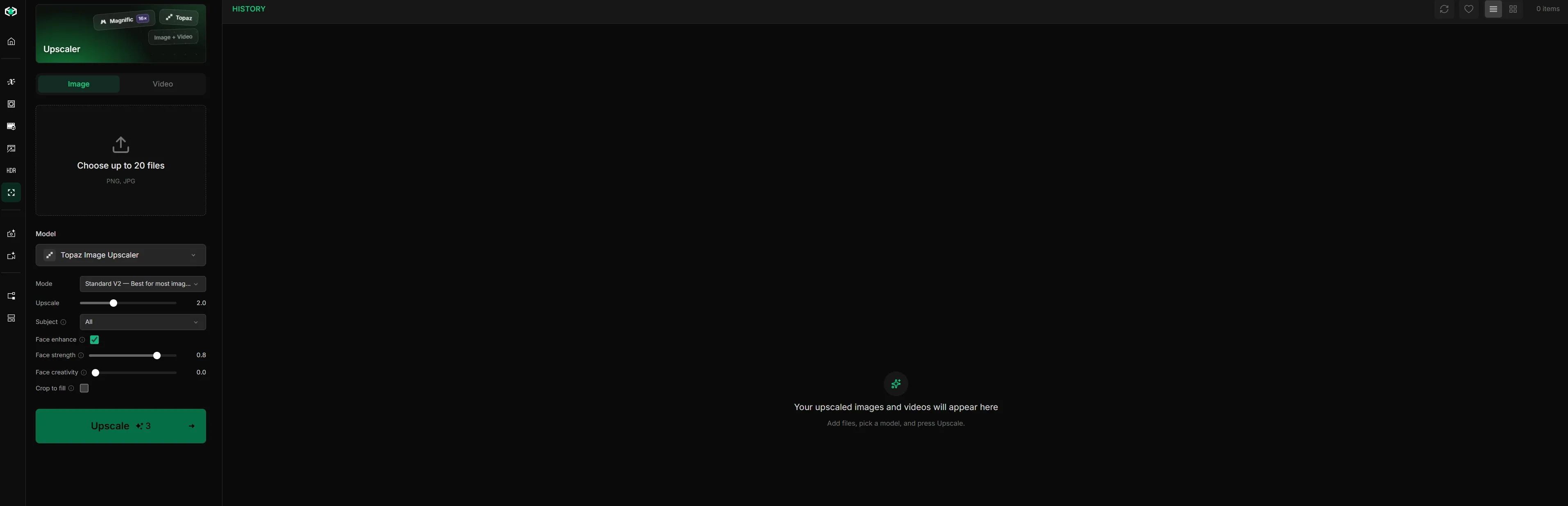
The video upscaler enlarges footage from 1x to 4x, with output up to 4K. It provides Topaz modes such as Proteus, Artemis MQ, Nyx, Gaia HQ, and Starlight HQ for different source conditions. Codec settings and frame interpolation are available under advanced controls. Inside Canvas, upscaling can sit at the end of a larger pipeline instead of requiring a separate export and re-upload.
Video Generator
Beeble's Video Generator is a supporting production node rather than the platform's central identity. It connects external video models to Canvas for text-to-video, image-to-video, and reference-to-video generation.
Artists can define start and end frames or provide up to three image references and two video references. Generated shots can flow directly into masking, SwitchX transformation, compositing, grading, and upscaling without leaving the graph.
Beeble AI Product Positioning and Background
Beeble AI emerged in 2022, founded by a team of AI researchers and machine learning experts who previously worked at the South Korean game publisher Krafton. Recognizing a massive gap in virtual lighting technology, they launched the company to democratize high-end visual effects. In July 2024, Beeble secured a $4.75 million seed funding round led by Basis Set Ventures and Fika Ventures, reaching a valuation of $25 million.
Its primary market positioning is strictly as an "AI VFX tool for filmmakers." Unlike platforms focused on text-to-video generation for social media, Beeble AI operates on a "fix it in post" philosophy. Their target audience consists heavily of VFX artists, indie filmmakers, and commercial studios who require pixel-perfect control, local processing capabilities (via Beeble Studio), and professional export formats like 16-bit EXRs.
This unique technical architecture positions Beeble not as a replacement for the camera, but as a revolutionary upgrade to the post-production compositing pipeline.
Who Uses Beeble AI in Real Production?
Independent filmmakers and VFX artists: They convert affordable live-action footage into relightable assets, replace locations, and build day-for-night or virtual-production shots for short films, concept scenes, and cinematic sequences.
Commercial and brand teams: They preserve a product or performance while changing campaign backgrounds, lighting, wardrobe, and visual direction for TVC-style ad videos and brand story videos without reshooting.
Post-production and animation studios: They generate mattes, PBR passes, depth maps, and HDR material for integration with Nuke, Blender, Unreal Engine, or custom pipelines, especially when preparing assets for animated film and hybrid live-action workflows.
Node-Based Workflow Automation: Studios build reusable Canvas node graphs that can be applied as batch pipelines across entire B-roll sequences, ensuring visual consistency across dozens of shots while dramatically reducing per-shot processing time.
Secure On-Premises Processing: For studios handling confidential pre-release footage, Beeble Studio's local desktop application processes everything on the studio's own GPU hardware, ensuring sensitive material never leaves the facility's network.
Beeble AI: Pros and Cons
| Pros | Cons |
| Pixel-preserving video transformation: SwitchX changes backgrounds, lighting, clothing, and props while retaining the original performance. | Short cloud-processing limit: SwitchX supports up to 240 frames per generation and remains limited to 720p or 1080p. |
| Production-ready VFX passes: SwitchLight generates PBR, alpha, and depth maps for relighting and professional compositing. | Requires VFX knowledge: Masks, PBR passes, HDRIs, node graphs, and external compositors create a steeper learning curve. |
| Flexible node-based workflow: Canvas connects generation, masking, relighting, compositing, enhancement, and export in reusable graphs. | Results depend heavily on source footage: Motion blur, poor exposure, unstable cameras, and weak subject separation can reduce accuracy. |
| Private local processing: Beeble Studio supports local 4K rendering, 16-bit EXR output, and footage up to one hour. | Split cloud and desktop experience: SwitchX and Background Remover are cloud-only, while projects do not sync with Beeble Studio. |
| Professional pipeline integration: Outputs work with Nuke, Blender, Unreal Engine, After Effects, and DaVinci Resolve. | Manual finishing may remain necessary: Skin, hair, localized lighting, and complex reflections can still require traditional compositing. |
How Pollo AI Turns Edited Shots Into Complete Videos
Beeble specializes in technical shot transformation, while Pollo AI combines Agent-led production, multi-model generation, editing, avatars, voiceovers, and sound in one workflow. Creators can turn a prompt, script, URL, or source asset into a full-length, post-ready video without exporting passes or manually assembling the narrative across separate tools.
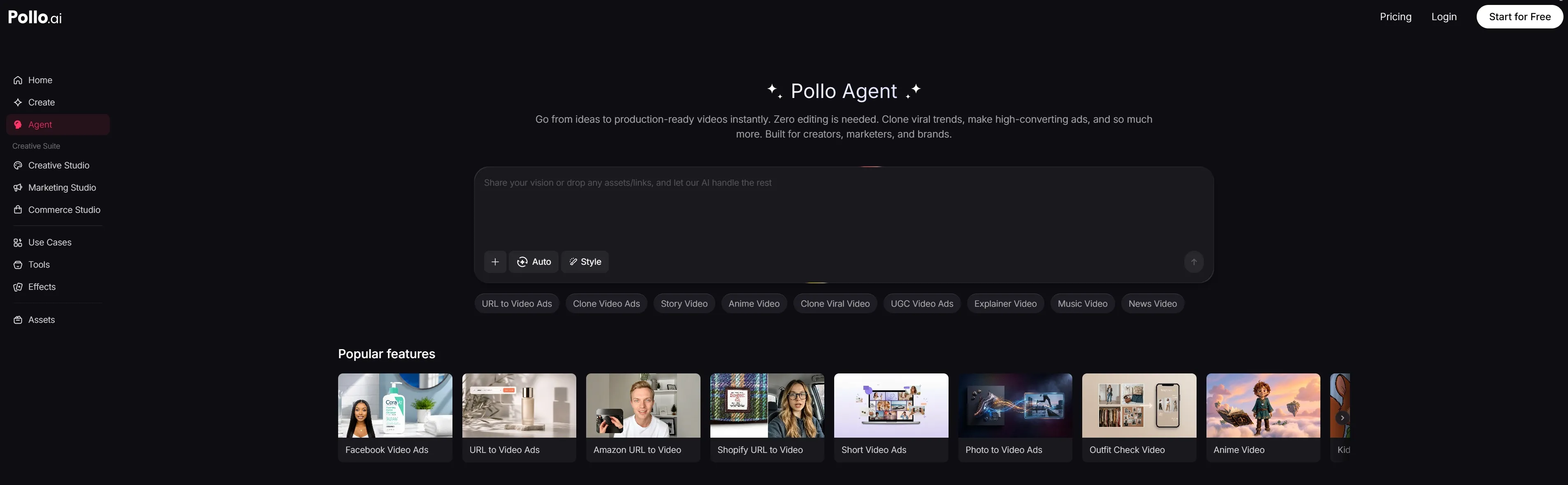
Feature Comparison: Beeble AI vs Pollo AI
| Comparison Factor | Beeble AI | Pollo AI |
| Primary Logic | Converts footage into editable VFX passes and transformed shots | Converts ideas and assets into complete, post-ready videos |
| Primary Input | Footage, alpha masks, references, images, and prompts | Prompts, scripts, URLs, images, videos, and references |
| Core Output | PBR passes, mattes, HDR masters, relit footage, and composites | Structured videos with scenes, characters, voiceovers, and sound |
| Generative Video | Supporting models inside Canvas | Multi-model text, image, reference, and video-to-video generation |
| Editing Control | Node graphs, masks, PBR relighting, video transformation, and compositing | Integrated editing, lip sync, enhancement, motion, and visual transformation |
| Agent Capability | No project-level video agent | Pollo Agent creates full-length, publication-ready videos without manual assembly |
| Local Processing | Beeble Studio runs SwitchLight locally; SwitchX remains cloud-based | Cloud-based creative production |
| Best For | Relighting, virtual production, compositing, and shot reuse | Social, marketing, commercial, educational, and narrative video production |
| Effort Required | Medium to high; VFX knowledge improves results | Low; Agent manages structure, generation, audio, and final assembly |
Why Creators Are Switching to Pollo AI

200+ Specialized Video Apps
From high-converting UGC ads to news clips, use 200+ workflow apps designed for real-world marketing tasks that ensure high-impact results every time.
Creative Studio
Creative Studio, specifically built for creators to create videos, images, avatars, and audios in just one place.
Elite AI Access
Use Seedance 2.5 and Gemini Omni Flash on one platform to stay ahead without managing multiple subscriptions.

10M+Users
Using Pollo AI to Create and Inspire


Loved by 10M+ Creators and Marketers Globally
- Liz CassidyDec 15, 2025Easy to use, great results for short videosI’ve been using Pollo AI mainly for short videos and quick image-to-video tests. The interface is straightforward and it works well even with simple prompts, which is a big plus compared to tools that need long, complicated instructions. The results can be really impressive, and it’s honestly been fun to experiment with. I’d love a bit more consistency on faces when there’s movement, but overall it’s been a solid experience for what I needed.
- Richard QuickOct 15, 2025Awesome websiteAwesome website. loads of options and a great way to learn how to work with 'AI' my reasoning for 5 stars is based upon price, versatility and ease of use. Also I would like to add, Pollo AI runs a lot of promos on different AI products as well. I rate their customer service at 5 stars, when I purchased my first subscription my computer crashed the following weekend and I lost all my data and info passwords you name it I lost it, contacted pollo by email they responded quickly and found my info/username and account, and I was able to restore my account.
- armourdudeNov 19, 2025I have been using Pollo AI for short…I have been using Pollo AI for short videos. It is easy to use and works well with simple prompts. Other generators seem to need long drawn out complicated explanations to get even close to what I want.
- DuduJan 14, 2026I'm just amazed by the level of quality…I'm just amazed by the level of quality output that Pollo AI can produce from a simple image. The motion, the realism, It's too good!!
- Ray WarnesDec 30, 2025A fabulous journeyI find Pollo easy to use, it gives me great results and I'd recommend it to anyone. It has been a wonderful experience for me.
- lawless clanNov 22, 2025i tried 220 online img to vid in 2…i tried 220 online img to vid in 2 months, and this is the best online video.I will subscribe for a year; there are many reasons. But freedom is the most important.


Discover More AI Video Editors on Pollo AI
FAQs
What is Beeble AI used for?
Beeble AI is used to transform filmed footage into VFX-ready material. It generates PBR passes, removes backgrounds, changes environments, reconstructs HDR information, relights subjects, and prepares assets for professional compositing.
Is Beeble AI a video editor or a video generator?
Beeble is primarily an AI video editor and VFX platform. It includes third-party video generation inside Canvas, but its distinctive products focus on modifying, relighting, masking, and compositing existing footage.
What is Beeble SwitchX?
SwitchX is a video-to-video model that preserves selected source pixels while changing masked areas. Alpha masks control what changes, while reference images determine the environment, lighting, grade, wardrobe, or visual style.
What is SwitchLight 3.0?
SwitchLight 3.0 is Beeble's temporal video-to-PBR model. It processes multiple frames together and generates normal, base color, metallic, roughness, specular, alpha, and depth passes for relighting and compositing.
Can Beeble AI remove video backgrounds?
Yes. Background Remover supports regular footage, green-screen video, images, and image sequences. Users can preview and refine a matte before exporting an RGBA video, PNG sequence, or separate alpha mask.
Does Beeble AI support 4K video?
Beeble Studio supports native 4K processing, 16-bit EXR output, and videos up to one hour. The cloud platform generally supports up to 2K, while SwitchX currently exports at 720p or 1080p.
Can Beeble AI run locally?
Beeble Studio processes SwitchLight footage on a local NVIDIA GPU, keeping project files off the cloud. It requires an RTX 30-series or newer GPU with at least 12GB of VRAM. SwitchX remains cloud-only.

Move Beyond Shot-Level VFX with Pollo AI
Stop refining shots one by one. Create a complete, post-ready video with Pollo Agent.