

What Is MCP? A Plain-English Guide to AI Agent Workflows
AI apps like ChatGPT and Claude can handle many tasks, but they’re still limited to some extent. So, how can I expand those capabilities? This is where something like Pollo MCP comes in. Like a bridge connecting two points, MCP provides a standard path that links AI apps to compatible third-party systems, allowing me to use their tools. Read on to learn more about this!
TL;DR
MCP stands for Model Context Protocol, which is an open-source standard that gives AI apps a consistent way to access external databases and tools. In other words, it’s like a USB-C that I can use to plug in AI apps to other systems. For example, I can connect Pollo MCP to a compatible AI app like Claude or ChatGPT to generate AI videos directly in my chat workflow.
An Introduction to MCP: What You Need to Know
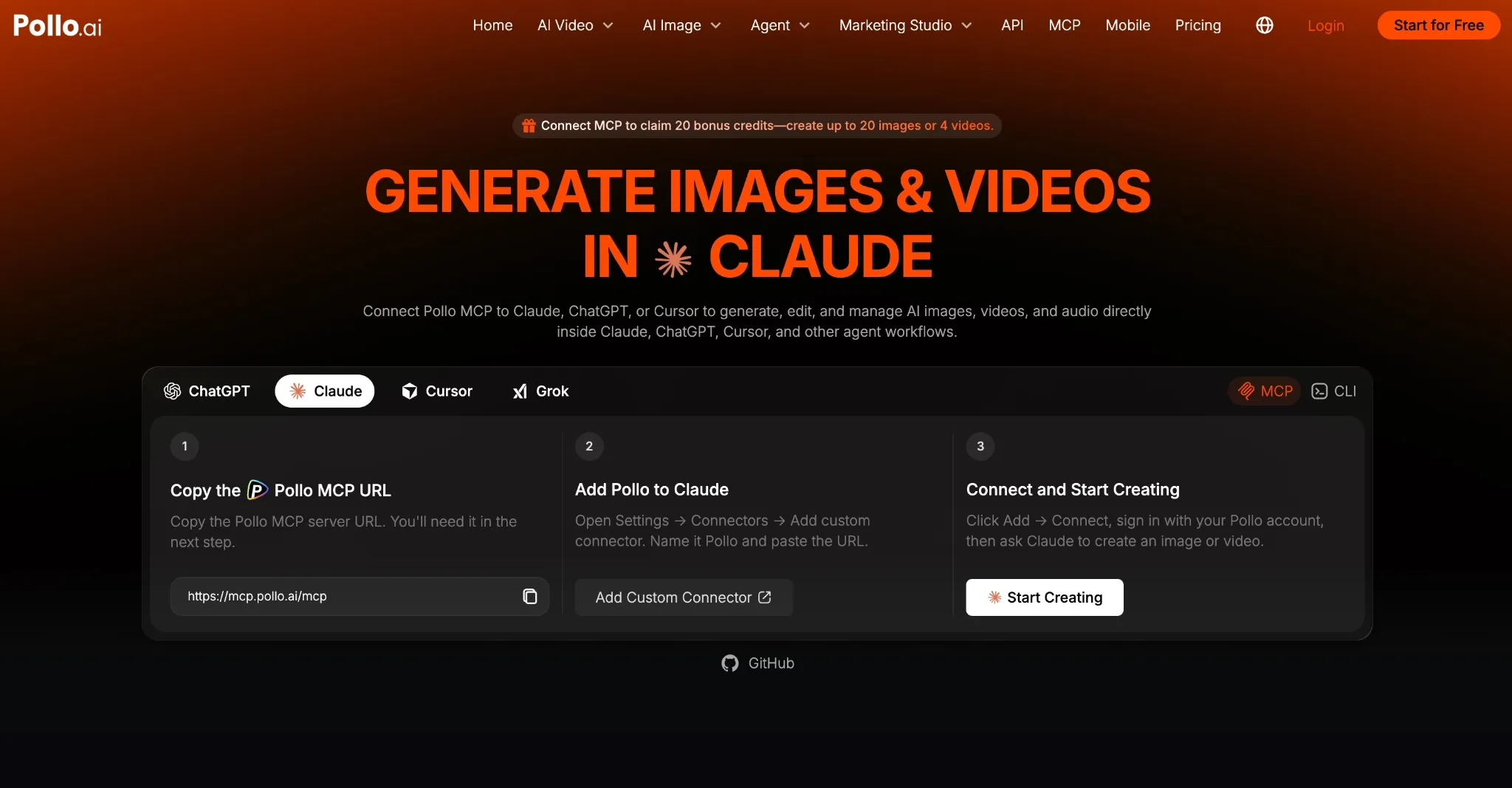
Simply put, Model Context Protocol, or MCP, is an open-source standard that offers AI applications a reliable way to connect to external tools, databases, and systems. I often say that it’s like having a USB-C that lets you plug AI models into different systems.
After all, AI apps and agents may be powerful, but they can’t necessarily operate every service on the internet. But MCP can act like a shared language for these connections, allowing me to connect ChatGPT, for example, to other compatible systems and access their tools.
In the past, we needed separate integrations for each AI app and service, which I must say has always been too slow and fragile to work practically. So, as long as an AI app understands MCP, the integrations don’t have to be built from scratch.
In this respect, any MCP workflow is made of 3 aspects: the host, the client, and the server.
- Host: This is the AI application that I’m interacting with, and it is what typically coordinates the conversation, be it Claude, ChatGPT, Grok, etc.
- Client: This is the software component/layer inside the host that connects it to the MCP server, passing requests and results between them.
- Server: This is the program that provides access to the external database, service, or system like Pollo MCP, which connects a compatible AI app to the Pollo AI creative suite.
What I find most interesting about MCP servers is that they can provide access to three main things: tools, resources, or prompts. So, there are several ways they can be put to good use.
Connect AI to Creative Tools with Pollo MCP
Turn conversational AI into an action-ready workspace for generating videos, images, and more with Pollo AI.
Explore Pollo MCP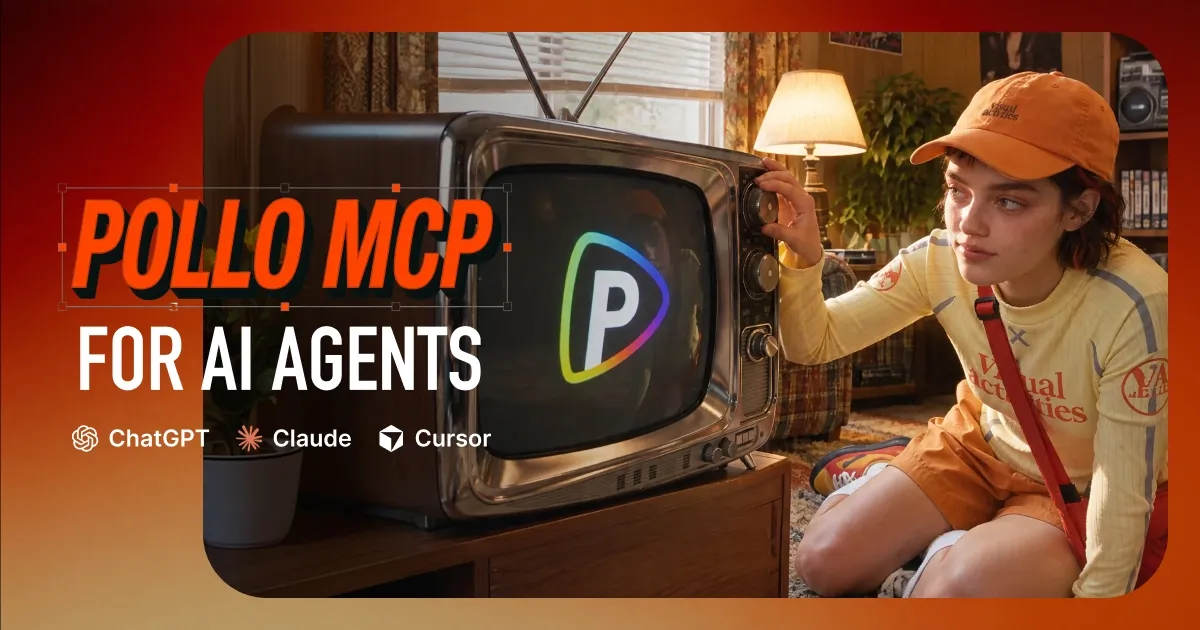
Tools are actions that the AI app can perform, like searching a database or creating a calendar event. Resources are information sources the AI app can read, like files, database records, etc. Prompts are pre-written instructions for the AI to perform a task, like an example, a format, etc.
Introducing Pollo MCP: A Powerful Case Example
Pollo MCP is a strong example of an MCP server that connects compatible AI apps like ChatGPT and Claude to Pollo AI’s video-generation services. With this, you can expand your conversational workflows to include generating and editing AI videos directly in your chats.
For example, once the Pollo MCP plugin is installed on ChatGPT, I can make a generative request like “Create a short cinematic video of a sailboat cutting through choppy waters on a windy sunset evening off the coast of France.”
ChatGPT will recognize that my request requires an external tool. As long as I have Pollo MCP connected, it can use Pollo AI’s text-to-video tool, select a model, and send my request to the Pollo AI service. From there, it returns the result, which I can save locally.
Best part? The Pollo MCP setup process is quite simple and only takes a few minutes. So, let me break it down for those of you who may be interested in generating and editing AI videos directly in your AI agent workflows:
Connect Pollo MCP to ChatGPT:
- Open this page and click Install plugin to be redirected to Pollo AI.
- Log in to your Pollo account and click ‘Connect’ to authorize the plugin.
Connect Pollo MCP to Claude:
- Copy the Pollo MCP server URL: https://mcp.pollo.ai/mcp
- Click this link, then select Add → Add custom connectors.
- Name it Pollo, paste the URL, and click Continue.
- Log in to your Pollo account and click Connect.
Connect Pollo MCP to Grok
- Copy the Pollo MCP server URL: https://mcp.pollo.ai/mcp
- Go to this link and select New Connector → Custom.
- Name it Pollo, paste the URL, and click Add Connector.
- Log in to Pollo AI to authorize the connection.
Connect Pollo MCP to Cursor:
- Log in to Cursor and head to Settings. Select MCP & Integrations → New MCP Server
In the mcp.json configuration file, paste this and save the file.
  {
    "mcpServers": {
      "pollo": {
        "url": "https://mcp.pollo.ai/mcp"
      }
    }
}- Click Needs login next to Pollo and approve.
What To Consider Before Connecting an MCP Server?
MCP servers can be quite useful, but it’s not just a harmless plug-in. In other words, don’t assume it’s the same as installing a simple browser extension. Remember that an MCP can potentially access your files, use your credentials, perform actions on your behalf, etc.
If the server is compromised or operated by an untrusted provider, then your private information may be at risk, or it may execute an action you didn’t want. Before installing an MCP, I strongly suggest verifying who created it, where your data is going, and the permissions it wants.
All in all, this doesn’t mean MCPs aren’t safe. At the end of the day, you’ll be granting another program a connection to your AI applications. So, I always advocate for ensuring that you don’t carelessly give another program meaningful access to your data or online accounts.
Conclusion
Now that you know what an MCP server is and what it can do, I’m confident you have a clearer insight into how you can put it to good use. In fact, if you’re already considering connecting one, then I recommend Pollo MCP to bring video generation to your AI agent workflows today!