PromeAI is an AI image generator focused on sketch rendering, style control, and AI image editing for design-led creation. For richer image and video creation in one place, Pollo AI goes further. Try Pollo AI for free now!
Text to Image
Image to Image
Kling 4.0
Up to 10 keyframes. Unlimited for 10 days with Ultra.
Pollo Recast
Recreate viral videos. Remix new versions.
Pollo Recast Challenge
One upload in. Your viral video out. Unlimited rewards await.
Pollo Agent x DeepSeek V4.1 FLASH
Faster completion at a much lower cost.
Pollo Agent x Gemini 4 Argon
Smarter reasoning. All through Pollo Agent.
WIN iPHONE DUO
Capture a city in one minute. Join the challenge now.
Pollo MCP
End-to-end content creation. Up to 4 Videos/ 20 Images for FREE.
Key Features
AI Image Generator: Turn text prompts into styled images for art, design, marketing, and visual exploration.
Sketch Rendering: Transform sketches, photos, or 3D models into realistic, presentation-ready renders.
AI Erase and Replace Editing: Remove, repair, replace, retouch, or recolor selected parts of an image.
AI Image Outpainting Expansion: Expand an image beyond its original frame while keeping the style coherent.
HD Image Upscaling and Enhancement: Improve image clarity, resolution, and detail for cleaner final visuals.
AI Background Generation and Replacement: Generate or replace image backgrounds for products, portraits, buildings, and more.
AI Supermodel for Fashion Display: Turn clothing and product photos into on-model images with customizable AI models.
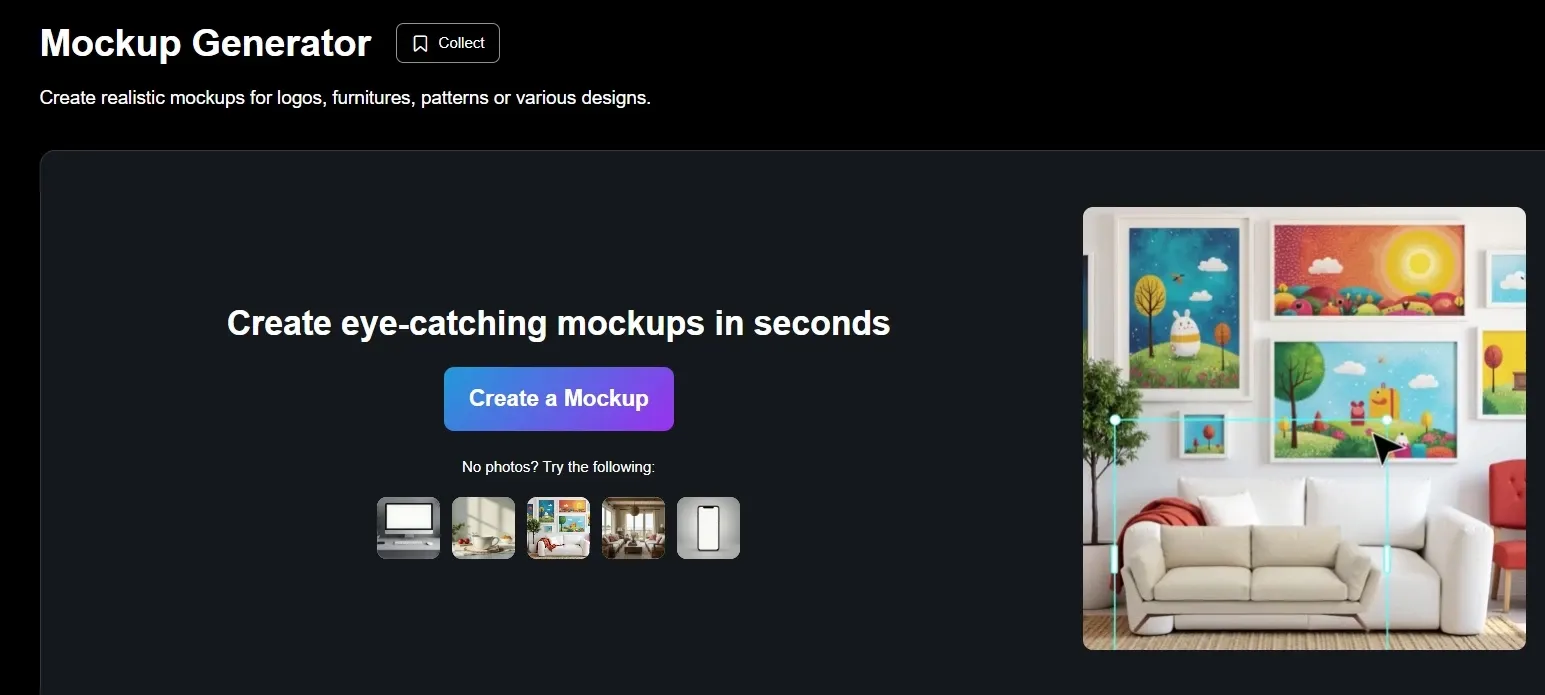
AI Product Mockup Generator: Create realistic mockups for logos, furniture, patterns, and product designs in seconds.
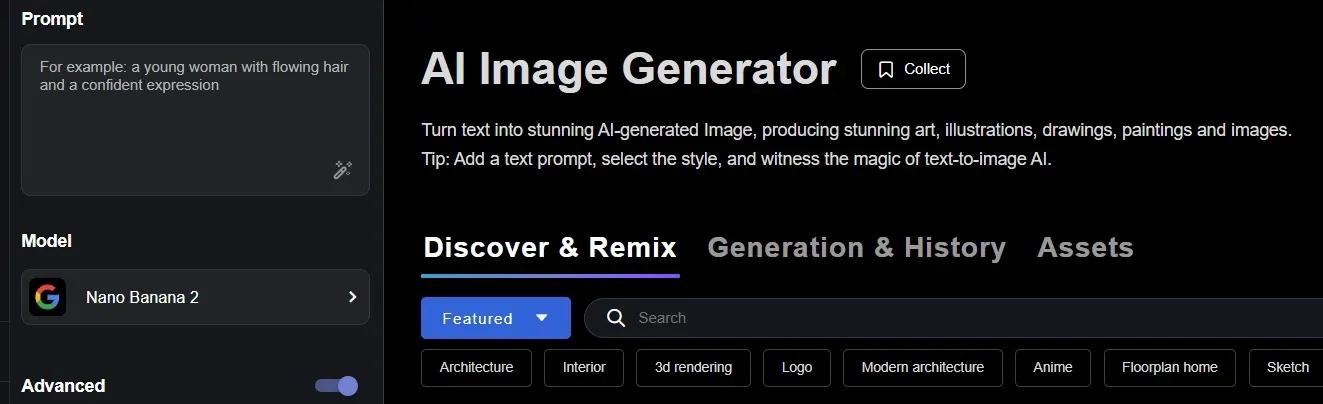
AI Image Generator
PromeAI’s AI image generator lets users enter a prompt, choose a style, and create images such as art, illustrations, drawings, and paintings. It is useful for fast concept testing when a team needs several visual directions before committing to production.
A marketer, for example, could draft poster concepts for a product launch, while a designer could quickly explore different moods for a campaign key visual.
PromeAI works well for fast visual ideation: prompts become styled art, illustrations, drawings, or campaign concepts. Pollo AI gives creators more room to move.
Pollo AI’s image generator brings leading models such as GPT Image 2, FLUX, and Stable Diffusion into one platform, with 2,000+ LoRAs and image to image AI. It is better when one idea needs multiple styles, edits, and production-ready variations.
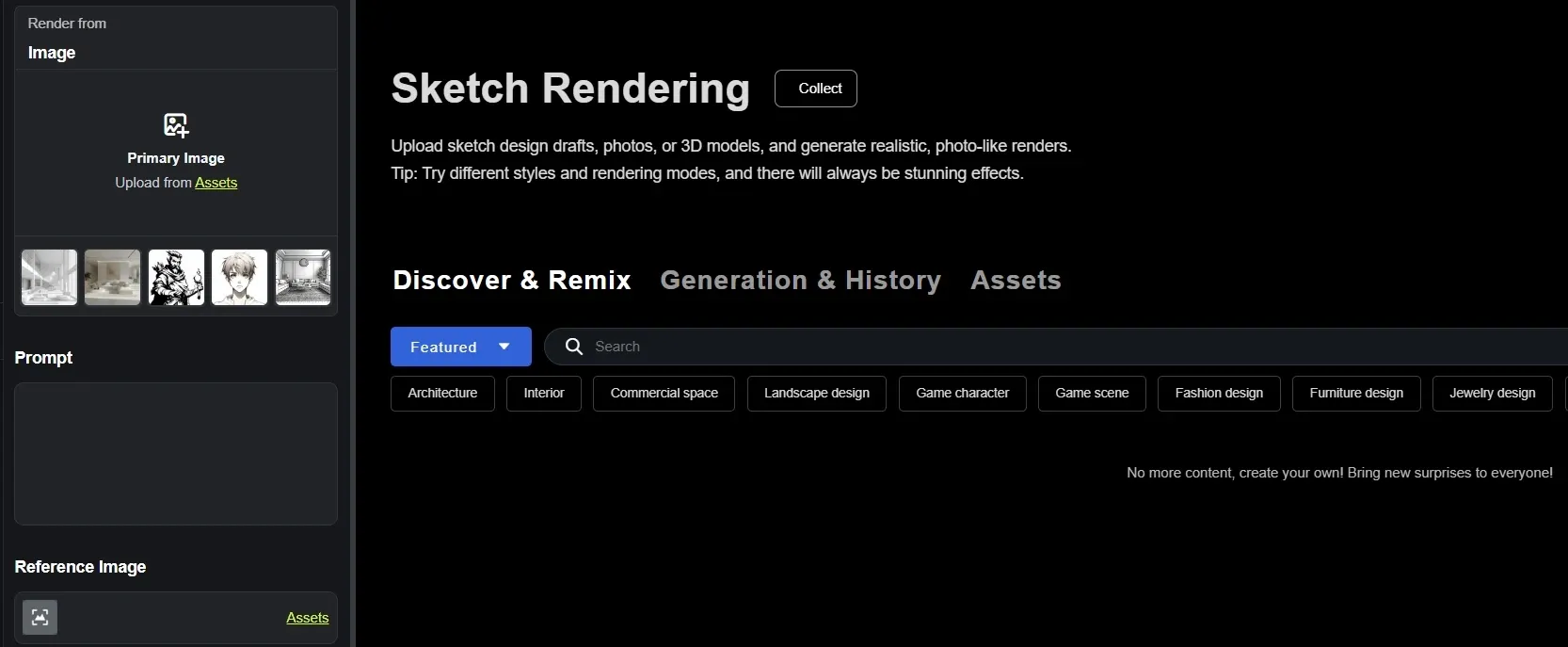
Sketch Rendering
Sketch rendering is one of PromeAI’s most design-focused tools. Users can upload rough sketches, photos, or 3D models and turn them into realistic, photo-like renders with different styles and rendering modes.
This is practical for architects, interior designers, and product designers who need to show early ideas more clearly. A furniture designer could turn a pencil sketch into a polished product render for a client proposal.
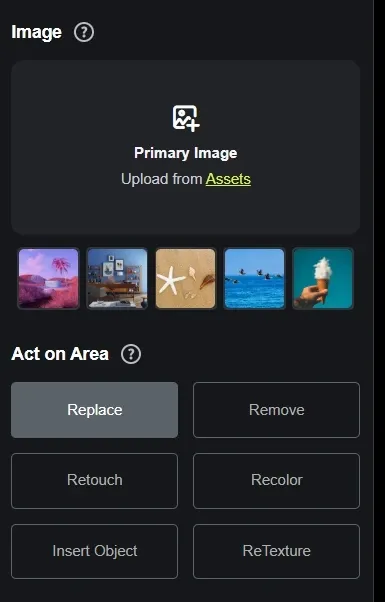
AI Erase and Replace Editing
PromeAI’s erase & replace gives users a simple way to fix or change specific parts of an image without rebuilding the whole visual. It can be used to remove unwanted details, repair flawed areas, replace objects, or recolor selected regions.
An e-commerce seller could clean up a product photo by removing a distracting prop, adjusting a color, or replacing a background element while keeping the main product intact.
If you need precise removal, use the magic eraser of Pollo AI. It removes people, text, logos, watermarks, background objects, visual clutter, and small imperfections, then fills the erased area so the image still looks natural.
For product photos, social posts, travel shots, or marketing visuals, it gives you cleaner images without heavy manual retouching.
AI Image Outpainting Expansion
PromeAI’s outpainting helps users extend an image past its original borders using text prompts, while maintaining the image’s existing style and colors. It is especially useful when one visual needs to fit several formats.
A social media manager could turn a square campaign image into a wider website banner or a vertical story asset without cropping important details or starting from scratch.
HD Image Upscaling and Enhancement
HD upscaler of PromeAI is built to enhance low-resolution or blurry images while keeping original details. It can help restore old visuals, improve stills, or prepare images for a more polished presentation.
A real estate team could sharpen older property photos for a refreshed listing, while a designer could upscale concept art before adding it to a portfolio, pitch deck, or client-facing mood board.
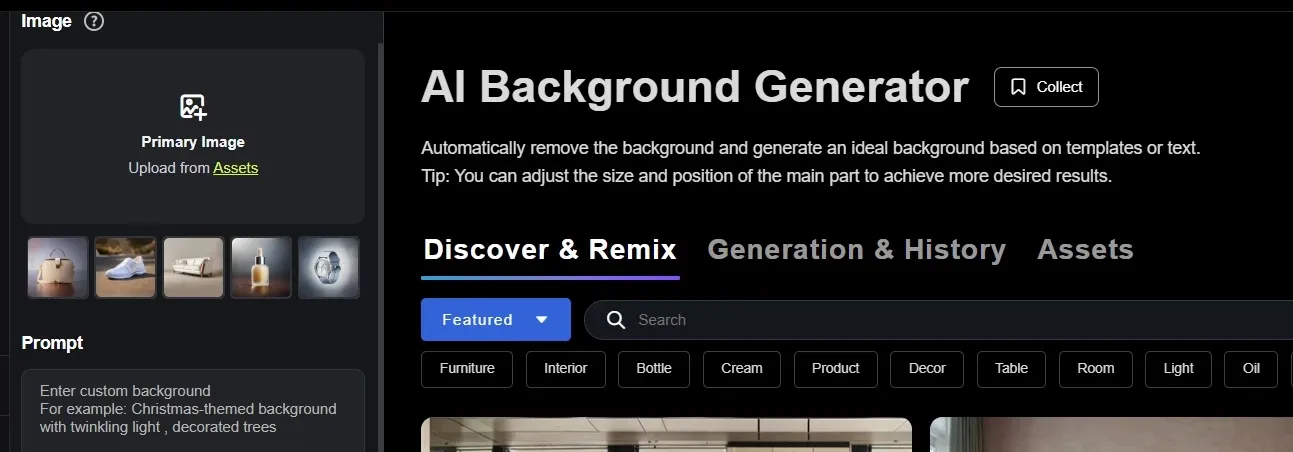
AI Background Generation and Replacement
AI background generator, one of PromeAI’s tools, lets users replace or create backgrounds through templates, text descriptions, or uploaded images. It supports different image types, including portraits, small goods, and buildings, making it useful for commercial visuals.
A marketplace seller could use one product cutout to create clean studio shots, lifestyle scenes, and seasonal campaign images for Amazon, ads, and social content
If you need to replace a background for a real publishing task, Pollo AI is more direct. Upload an image to the AI background changer, describe the new scene you want through a prompt, and get a refreshed result in seconds.
It fits practical needs like LinkedIn headshots, travel photos, e-commerce product shots, and social posts, with mobile access and support for popular image formats such as JPG and PNG.
AI Supermodel for Fashion Display
PromeAI’s AI supermodel is built for fashion and e-commerce sellers who need product photos on real-looking models without arranging a studio shoot.
Users can change the model by age, ethnicity, gender, facial expression, body type, skin tone, and more, then use the images across product pages, emails, ads, and social posts.
This is practical for a clothing brand that wants to show the same jacket on different model types, helping shoppers see the product in a more relevant context while reducing shoot time and cost.
AI Product Mockup Generator
PromeAI’s mockup generator lets users turn uploaded objects or designs into realistic product displays.
It supports placement mode, where users upload a background and adjust the object position, and generation mode, where users describe a scene or choose a template.
The tool is built for graphic designers, furniture designers, marketers, business owners, and other users who need quick visual validation. A brand team could place a new logo on packaging, a mug, or a showroom-style scene before sending the design into production.
Who Actually Uses PromeAI
Architects and Interior Designers
Architects can turn sketches, floor plans, or 3D model screenshots into realistic renders for client pitches, renovation previews, facade studies, and early concept approval.
E-Commerce Sellers
E-commerce sellers replace product backgrounds to create marketplace shots, lifestyle ads, seasonal campaign images, and cleaner visuals from one original product photo.
Fashion Brands and Online Stores
It is easier for fashion brands to display clothing on customizable AI models, helping shoppers see fit and styling across different model types without arranging repeated studio shoots.
Brand and Product Designers
Designers can create realistic mockups for logos, packaging, furniture, patterns, or product concepts before client review, production approval, or campaign testing.
Image and video creation, good for marketing materials & UGC content
Sketch rendering
Strong, core feature
Not a main focus
Not rendering-first, directly from idea to full content
Image editing
Erase, replace, upscale, background
Photo edits, effects, templates
Image tools plus video tools
Templates and presets
More design-tool oriented
Strong template library
More image & video effects and scenario-based use cases, like AI news video & AI story video
Image to video
Available, less central
Available in AI tools
Strong, model-rich workflow
Agent
Design assistant, not a real agent
No
Pollo Agent creates finished videos without editing
PromeAI is strongest when image creation starts from a design need. Its sketch rendering, image editing, background tools, and design-oriented presets make it useful for creators who want polished visual concepts, mockups, or presentation-ready images.
Picsart AI leans more toward quick social visuals and templates. Pollo AI goes further when static images need to become finished content, with image and video tools, richer effects, scenario-based use cases, and Pollo Agent for creating videos without editing.
What Do Users Complain About PromeAI
Some users say PromeAI used to be a strong tool, with a wide range of creative possibilities and impressive first outputs. But recent reviews suggest the experience has declined.
Users now complain about slow loading, disconnections, failed uploads, failed image generation, long queues, and coins being deducted even when results fail. Others point to stricter content filters, lower image quality, blurry faces, incorrect body parts, and ordinary prompts being blocked.
In short, the concern is not that PromeAI never worked, but that it may no longer feel as reliable as it once did.
Where Does PromeAI Stand
PromeAI occupies a practical middle ground in AI image creation.
It is more specialized than a casual prompt-to-image tool, yet less expansive than a full creative platform built around video, agents, and publishing workflows. Its strength lies in design-led production: sketches, mockups, fashion visuals, backgrounds, and polished image edits.
That makes PromeAI useful for users who need controlled visual development, not just quick inspiration. Still, its market role remains image-first, with less emphasis on turning ideas into complete campaign assets.
Why Choose Pollo AI
Pollo AI is an all-in-one AI image and video creation platform built for the full path from idea to ready-to-publish output. PromeAI is useful for design-led images, but Pollo AI is stronger when those images need to become real content.
With Pollo Agent, you can turn text, images, or URLs into structured videos with pacing, visuals, and voice, no manual editing required. Pollo AI’s scenario-based use cases are powered by Pollo Agent, so teams can create UGC AI videos and AI story videos for product launch and real campaigns.
Pollo AI also provides AI avatar that turns one photo into a lifelike talking video up to 2 minutes long, with natural lip-sync, gestures, expressions, and product-in-hand demos for marketing or sales.
Where Does Pollo AI Pull Ahead
Step 1
Flexible Model Access
Choose models by task, from Seedream for images to Veo for high-end video generation.
Step 2
Pollo Agent Workflow
Turn ideas, photos, or links into post-ready videos, with no prompt engineering or editing.
Step 3
Prompt-Based Photo Editing
Use AI photo editor to modify any selected image area with a single prompt.
I’ve been using Pollo AI mainly for short videos and quick image-to-video tests. The interface is straightforward and it works well even with simple prompts, which is a big plus compared to tools that need long, complicated instructions. The results can be really impressive, and it’s honestly been fun to experiment with. I’d love a bit more consistency on faces when there’s movement, but overall it’s been a solid experience for what I needed.
Awesome website. loads of options and a great way to learn how to work with 'AI' my reasoning for 5 stars is based upon price, versatility and ease of use. Also I would like to add, Pollo AI runs a lot of promos on different AI products as well. I rate their customer service at 5 stars, when I purchased my first subscription my computer crashed the following weekend and I lost all my data and info passwords you name it I lost it, contacted pollo by email they responded quickly and found my info/username and account, and I was able to restore my account.
I have been using Pollo AI for short videos. It is easy to use and works well with simple prompts. Other generators seem to need long drawn out complicated explanations to get even close to what I want.
i tried 220 online img to vid in 2 months, and this is the best online video.I will subscribe for a year; there are many reasons. But freedom is the most important.
PromeAI is an AI image generator and design platform built for visual production, not just quick prompt experiments. It can create images from text, turn sketches into realistic renders, edit image details, expand image borders, upscale low-resolution visuals, replace backgrounds, create fashion model images, and generate product mockups.
What is PromeAI best for?
PromeAI is best for users who start with a design need. It works well for architecture previews, interior concepts, product mockups, fashion display images, background changes, and polished campaign visuals that need more control than a basic text-to-image tool.
Can PromeAI turn sketches into realistic renders?
Yes. PromeAI supports sketch rendering, which lets users upload sketch drafts, photos, or 3D models and turn them into realistic, photo-like renders. This is especially useful for architects, interior designers, and product designers preparing early ideas for client review.
Is PromeAI useful for e-commerce?
Yes. PromeAI can help e-commerce teams create cleaner product visuals, replace backgrounds, generate product mockups, and display clothing on AI models. A seller can use one product photo to create marketplace images, social ad visuals, and seasonal campaign assets.
What are PromeAI’s limitations?
PromeAI is strongest in image-first design work, but it is less suited to users who want to move from image creation into finished videos, ads, or campaign assets in one flow. For that kind of workflow, Pollo AI is a better fit because it combines image and video generation, multiple leading models, and Pollo Agent, which can turn ideas, images, or links into ready-to-post videos with far less manual editing.
Create Images with Pollo AI Now
Beyond PromeAI’s images: richer models, video workflows, agent creation.









 Liz Cassidy


