




Reve AI Image Generator
Reve focuses on image remixing, precise visual edits, and strong text rendering for cleaner creative control. Pollo AI gives creators more paths to polished visuals with leading models, 50+ image generators, and AI photo editing tools. Try Pollo AI image generator now!
Kling 4.0
Up to 10 keyframes. Impressive performance.
Aesthetic Image Generation
Beyond basic image creation, Reve is positioned around high visual quality, with attention to aesthetics, detail, and clean composition. That makes it practical for fashion editorials, cinematic concept art, product-style images, and polished social campaign drafts.
Creative teams can use it to explore visual directions before committing budget to photography, 3D work, or final production.
When polished images are not enough, Pollo AI gives creators a wider, more advanced image workflow. Its AI image generator brings multiple top-tier models into one platform, including GPT Image 2, plus 2,000+ custom commercial-ready LoRA models.
For marketers and designers, that means more styles, stronger prompt alignment, and detailed visuals for ads, product concepts, portraits, banners, and brand-ready campaign assets.
Sketch-Guided Image Creation
When an idea is easier to draw than explain, Reve lets users add simple sketches that guide the final image.
A product marketer could mark where flowers, fruit, props, or background shapes should appear around a drink can, then turn that loose layout into a cleaner campaign visual without building the scene manually.
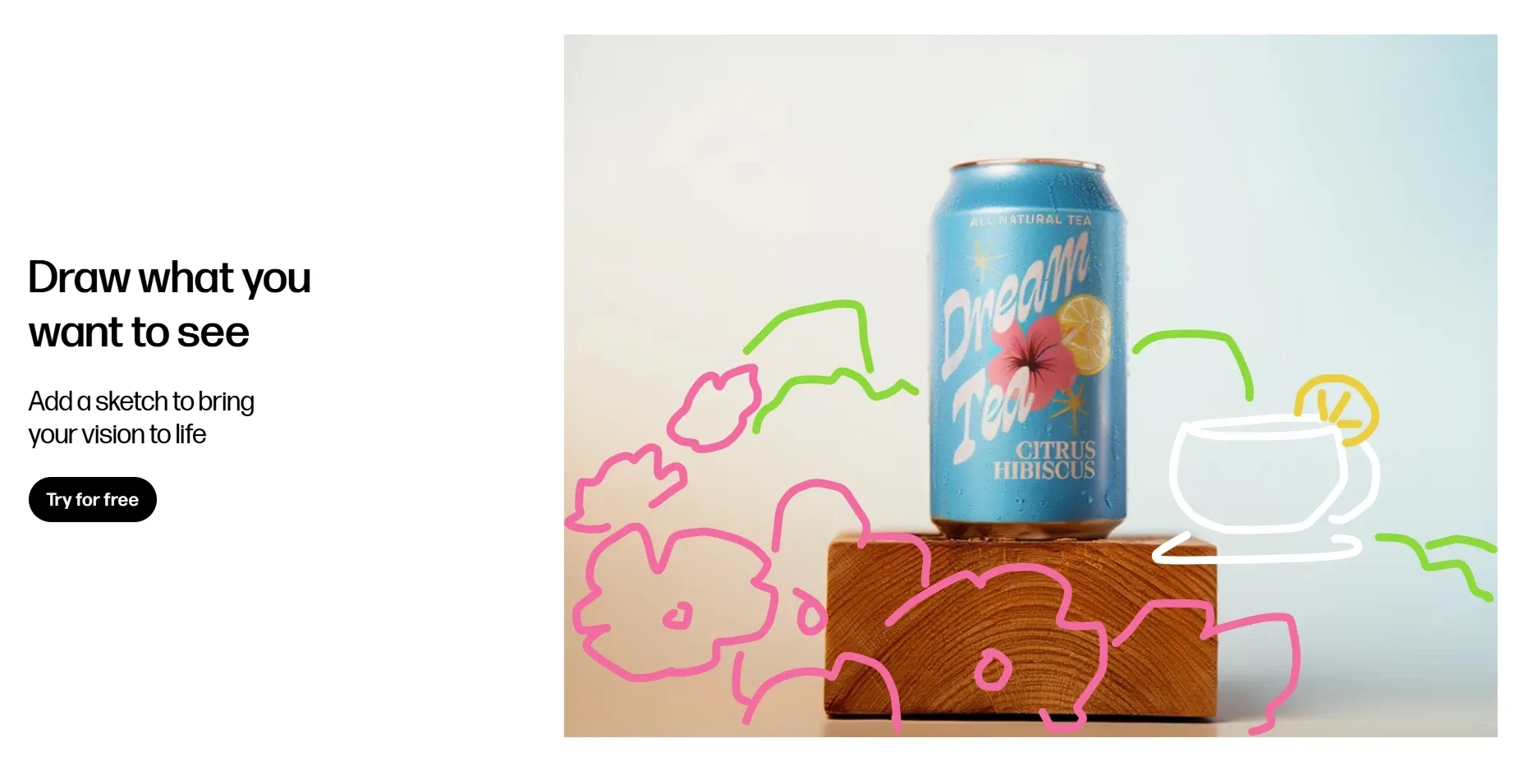
Image Remixing from References
When a campaign needs product, setting, pose, and style to come from different sources, Reve AI can remix separate images into a single composed result.
This is useful for e-commerce teams testing a product on new models, marketers building seasonal hero visuals, or designers merging a character, background, and color direction without manually compositing each layer.
Natural-Language Image Editing
For fast creative revisions, Reve AI supports editing generated or uploaded images with natural-language prompts. A user can ask for a lighting change, object replacement, or visual refinement while keeping the broader image direction intact.
This works well for ad mockups, product images, social visuals, and presentation assets that need quick, specific changes.
When one edit becomes an entire asset set, Pollo AI goes further than single-image fixes. Its AI photo editor can edit any image or entire batches with prompts, remove backgrounds, erase distractions, sharpen, relight, refine, and transform styles 10x faster.
For e-commerce sellers or marketers, that means one folder of product shots can become clean, consistent, catalog-ready visuals without repeating the same edits one by one.
Strong Text Rendering Quality
For visuals where typography matters, Reve AI emphasizes text rendering as a core model strength. This makes it more useful for posters, announcement graphics, event visuals, and branded mockups where misspelled or distorted words can ruin the asset.
A marketer could test headline-led ad concepts before sending final directions to a design team.
Drag & Drop Visual Control
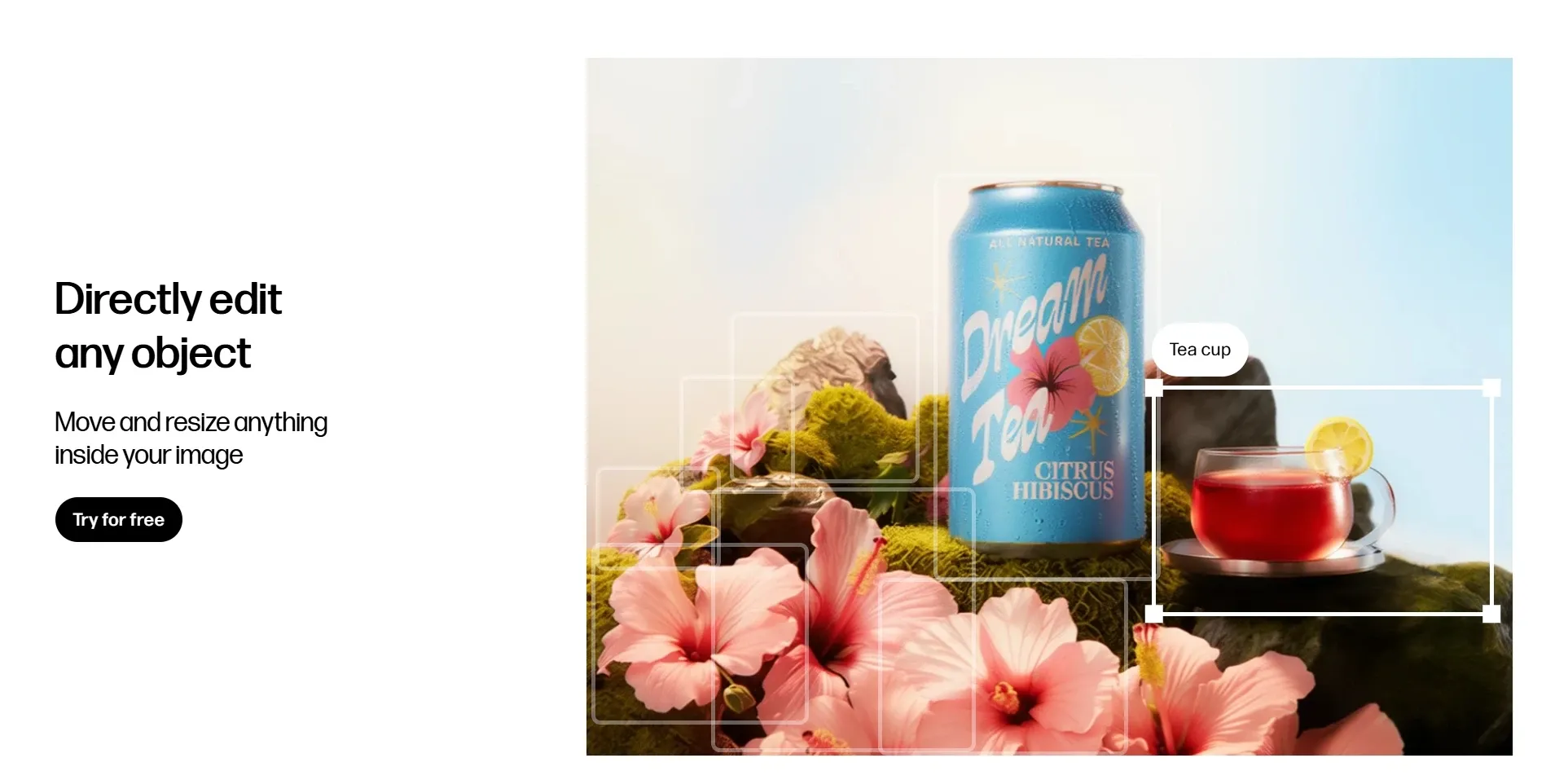
Instead of relying only on prompt rewrites, Reve includes a drag and drop editor for object-level manipulation. Users can click, move, resize, and refine visual elements with more hands-on control.
For a designer preparing a poster, product banner, or thumbnail, this makes layout correction more practical when one object is slightly misplaced or poorly scaled.
Template-Based Visual Effects
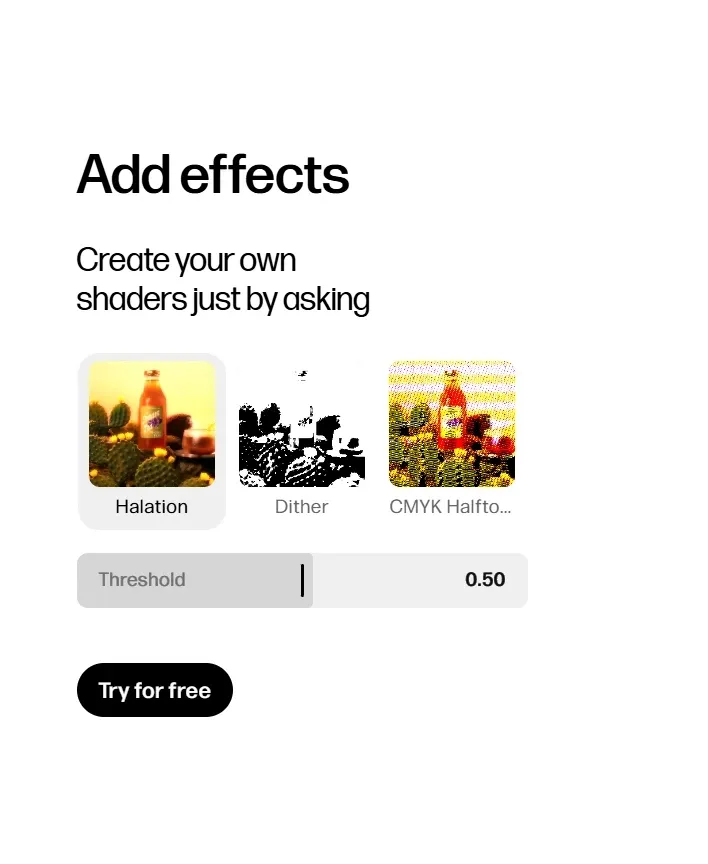
For teams that need a stronger visual mood, Reve AI offers selectable effect templates such as halation, dither, and CMYK halftone-style looks.
A branding team could quickly test a warm cinematic glow, retro print texture, or graphic screen-printed finish for seasonal ads before choosing the strongest direction for production.
Creative Assistant Workflow
For early-stage ideation, Reve offers a creative assistant that can search the web, collect inspiration, and help translate ideas into visual artifacts. This suits teams at the moodboard or concept stage, where the brief is still loose.
A brand designer could explore references, shape a campaign look, and move from an abstract direction to a clearer image concept faster.
Who Uses Reve AI Best
Marketing Teams
Reve can help marketers build campaign visuals, product mockups, seasonal ad concepts, and headline-led graphics with cleaner composition and readable in-image text.
E-commerce Brands
Product teams can remix reference images, test new backgrounds, add supporting props, and create lifestyle-style product scenes before arranging a full photoshoot.
Brand Designers
Designers can use Reve for moodboards, poster drafts, packaging concepts, and early visual directions, especially when typography, layout, and visual polish matter.
Students & Educators
Students can use Reve AI for portfolios, presentations, storyboards, club identities, branding briefs, and concept art, making abstract project ideas easier to show.
Creative Studios
Studios can move from rough sketches or web inspiration to polished concept visuals, then refine scenes with natural-language edits, drag-and-drop control, and preset effects.
Reve vs Picsart AI vs Pollo AI: Features Comparison
| Feature | Reve | Picsart AI | Pollo AI |
| Image generation | Polished image creator | 30+ AI models | AI Image generation with leading models like Flux & Seedream |
| Image remixing | Combines multiple images | Template and asset editing | Reference-based creative workflows |
| Image editing | Natural-language edits | 200+ photo editing features | Dedicated image tools & AI photo editing for batch editing |
| Visual control | Drag & drop editor | Standard editor controls | Prompt and tool-based editing |
| Templates and effects | Preset visual effects | 80K+ templates and filters |
Image effects & 50+ AI image generators, such as AI outfit generator, to create various practical visual content |
Is Reve AI Worth Using
Pros
- Strong image quality with polished lighting, composition, and aesthetic consistency.
- Natural-language editing and drag & drop controls make visual refinement more flexible.
- Image remixing and sketch-guided workflows help turn rough concepts into structured visuals faster.
Cons
- Advanced editing controls and creative workflows may feel less beginner-friendly than simpler template-first tools.
Where Does Reve Fit
Reve’s position in the market is a more controlled, design-minded image generator. It is not only chasing fast output, but also cleaner composition, readable text, remixing, and hands-on editing.
That gives it a sharper position than broad template tools and a more practical feel than pure prompt engines. Its strength is visual precision: helping users move from loose ideas to polished image assets with fewer random results.
Why Move From Reve AI to Pollo AI
Pollo AI is an all-in-one AI image creation platform built for polished visuals, from first idea to marketing-ready image assets.
For users who value polished image creation, Pollo AI goes further with design-ready visuals, consistent subjects, and text-friendly image generation through leading models such as Nano Banana.
Pollo AI also offers 50+ AI image generators for more specific creative needs. Users can create movie posters, portraits, character art, and other style-driven visuals without relying on one generic image tool.
Its dedicated generators, such as AI movie poster maker and AI banner generator, make it easier to produce targeted visuals for ads, branded campaigns, social posts, and product concepts.
Where Does Pollo AI Pull Ahead

Multiple Leading Image Models
Switch across image models like Seedream 5.0 Lite for different creative tasks.
AI Photo Editor
Edit image batches, remove backgrounds, and keep campaign visuals visually consistent.
Image to Image AI
Transform existing images into new styles and variations with prompts, leading models, and 2,000+ LoRAs.

10M+Users
Using Pollo AI to Create and Inspire


Loved by 10M+ Creators and Marketers Globally
- Liz CassidyDec 15, 2025Easy to use, great results for short videosI’ve been using Pollo AI mainly for short videos and quick image-to-video tests. The interface is straightforward and it works well even with simple prompts, which is a big plus compared to tools that need long, complicated instructions. The results can be really impressive, and it’s honestly been fun to experiment with. I’d love a bit more consistency on faces when there’s movement, but overall it’s been a solid experience for what I needed.
- Richard QuickOct 15, 2025Awesome websiteAwesome website. loads of options and a great way to learn how to work with 'AI' my reasoning for 5 stars is based upon price, versatility and ease of use. Also I would like to add, Pollo AI runs a lot of promos on different AI products as well. I rate their customer service at 5 stars, when I purchased my first subscription my computer crashed the following weekend and I lost all my data and info passwords you name it I lost it, contacted pollo by email they responded quickly and found my info/username and account, and I was able to restore my account.
- armourdudeNov 19, 2025I have been using Pollo AI for short…I have been using Pollo AI for short videos. It is easy to use and works well with simple prompts. Other generators seem to need long drawn out complicated explanations to get even close to what I want.
- DuduJan 14, 2026I'm just amazed by the level of quality…I'm just amazed by the level of quality output that Pollo AI can produce from a simple image. The motion, the realism, It's too good!!
- Ray WarnesDec 30, 2025A fabulous journeyI find Pollo easy to use, it gives me great results and I'd recommend it to anyone. It has been a wonderful experience for me.
- lawless clanNov 22, 2025i tried 220 online img to vid in 2…i tried 220 online img to vid in 2 months, and this is the best online video.I will subscribe for a year; there are many reasons. But freedom is the most important.


Explore Other AI Image Generators
FAQs
What is Reve?
Reve is an AI image generator and creative tool for creating, editing, and remixing images. Its stronger points include polished aesthetics, readable in‑image text, natural‑language edits, image remixing, and a beta drag‑and‑drop editor for more direct visual control.
Is Reve AI good for images with text?
Yes. Reve AI is known for stronger text rendering than many general image models, making it useful for posters, product mockups, book covers, social graphics, and ad concepts where readable words matter.
What is Reve’s image remixing used for?
Reve’s remixing workflow lets users combine elements from multiple reference images into one new visual. It is practical for testing product scenes, character concepts, campaign directions, or style references before moving into final design work.
Is Reve better for designers or casual users?
Reve is more compelling for users who care about composition, typography, references, and controlled edits. Casual users can still create images, but its real value appears when a visual needs refinement, not just quick generation.
What are Reve’s main limitations?
Reve is mainly focused on image creation and editing, so it may feel limited for users who need complete video workflows, avatar content, or ready‑to‑post marketing videos. In that case, Pollo AI fits more naturally because it connects image generation with video creation, scenario‑based use cases, and Pollo Agent for structured, publish‑ready outputs.
Can Reve AI be used for commercial creative work?
Reve AI can support early commercial workflows such as ad concepts, packaging drafts, branded visuals, and product mockups. For final use, teams should still review image rights, brand accuracy, and any platform‑specific usage terms before publishing.

Create Immersive Visuals with Pollo AI
One platform. More models. Complete creative output.