Medeo AI video generator automates content repurposing from multiple sources. Whether converting blogs, URLs, or presentation slides, it streamlines production with gaming content overlays and automatic B-roll generation for engaging visual narratives. But if you want more control over your results, switch to Pollo AI where you can use between 70+ AI models, Pollo Agent, talking avatar and more tools for better quality and post-ready outcomes. Try Pollo AI for free!
Create your own influencer. Then jump into any trend with Recast.
Kling 4.0
Up to 10 keyframes. Unlimited for 10 days with Ultra.
Pollo Recast Challenge
One upload in. Your viral video out. Unlimited rewards await.
Pollo Agent x DeepSeek V4.1 FLASH
Faster completion at a much lower cost.
Pollo Agent x Gemini 4 Argon
Smarter reasoning. All through Pollo Agent.
Pollo MCP
End-to-end content creation. Up to 4 Videos/ 20 Images for FREE.
Key Features of Medeo
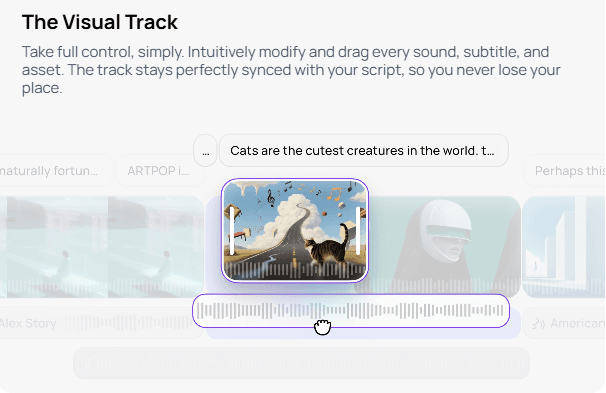
The Visual Track: Intuitive timeline with perfect synchronization between script, audio, and visual elements
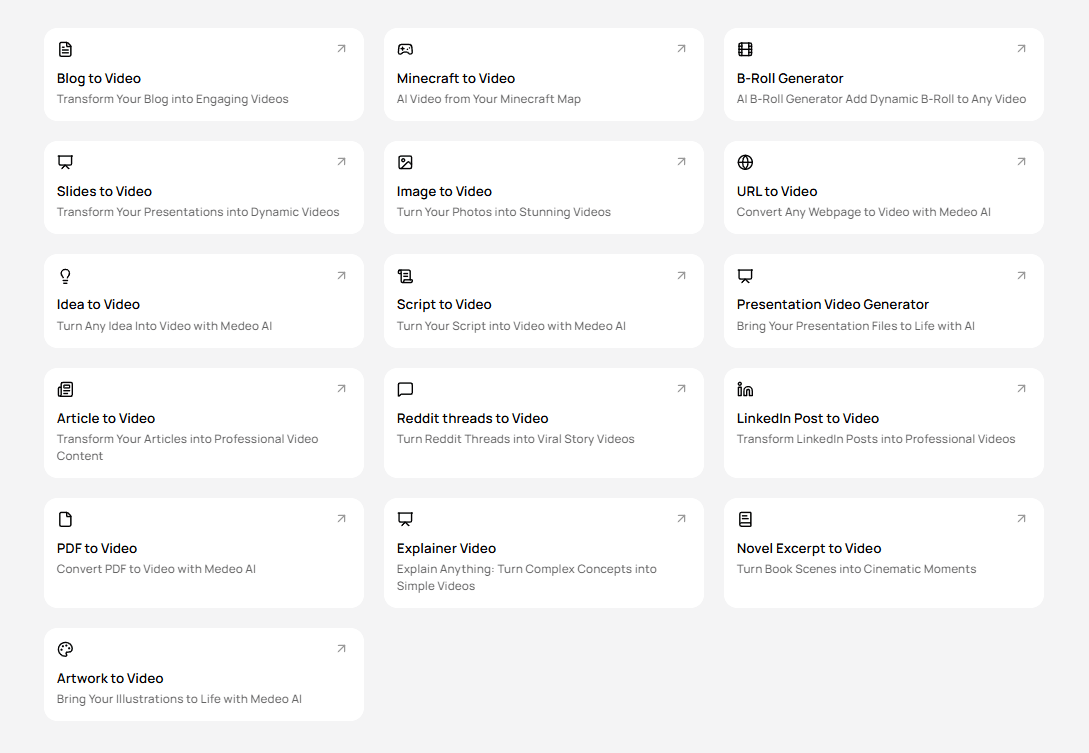
Content-to-Video Converter: Transform blogs, presentations, and web pages into engaging videos automatically
Gaming Content Integration: Create videos with Minecraft or Subway Surfers gameplay backgrounds
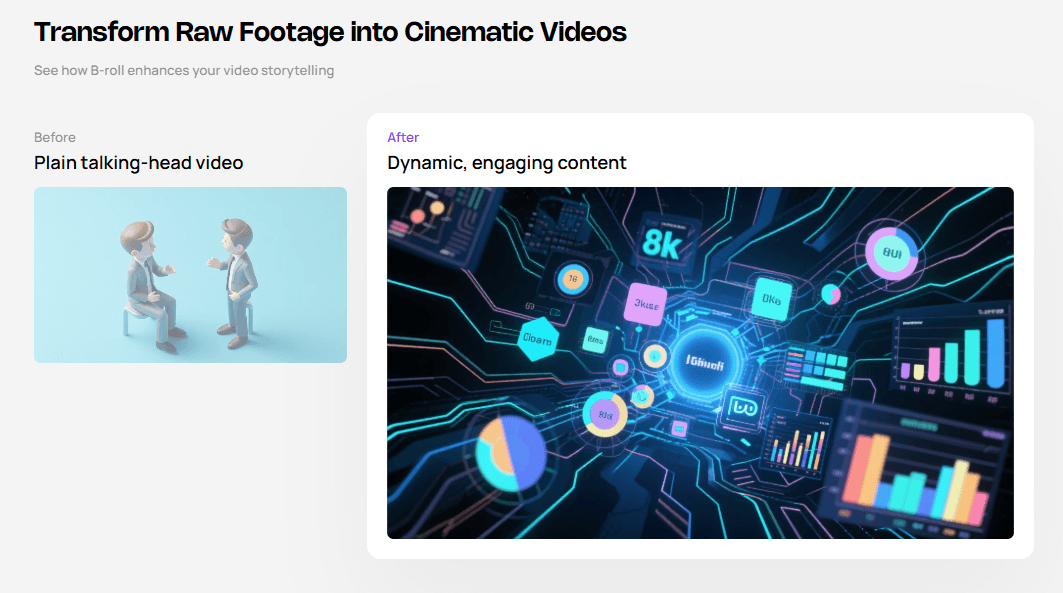
AI B-Roll Generator: Automatically produce relevant supplementary footage for your videos
The Visual Track
Medeo's revolutionary Visual Track interface provides creators with unprecedented control combined with simplicity. The visual timeline displays your script, audio waveforms, subtitles, and all visual assets in perfect synchronization.
Content-to-Video Converter
Medeo goes far beyond standard text-to-video and image-to-video generation. Whether you need Blog to Video, Slides to Video, URL to Video, or Idea to Video, our engine automatically transforms your existing materials into ready-to-use, professional videos.
Gaming Content Integration
Medeo offers unique Gaming Content Integration, allowing creators to effortlessly build videos around popular games like Minecraft or Subway Surfers. This feature can generate background footage or integrate gameplay clips directly, providing a vibrant and recognizable backdrop for content creators, streamers, or educators
Prompt
Output Video
Generate a scene where a character is exploring. The character proceeds forward and discovers a cave. Once inside, they find that the cave has its own unique features, including a lake, flowers, and trees. The character's health and stamina are both sufficient.
AI B-Roll Generator
Enhance your videos with relevant and high-quality supplementary footage using Medeo's AI B-Roll Generator. Based on your script or content, the AI automatically suggests and generates appropriate b-roll clips—from serene nature scenes to bustling cityscapes, abstract graphics, or industry-specific visuals.
Ideal Use Scenarios of Medeo AI
Content Repurposing: Convert existing blogs, product descriptions, or landing pages into video content. Multiply content value without re-writing or re-producing from scratch.
Educational Content: Automates script-to-video conversion with natural narration, visual aids, and subtitles.
Social Media Content: Create short-form videos for Instagram, TikTok, YouTube Shorts, or LinkedIn. Maintain consistent posting schedules.
Campaign Testing: Generate multiple variations of promotional videos quickly to A/B test messaging and visuals.
User Reviews of Medeo AI
Medeo AI appears to deliver average performance based on user reviews.
Many users value its simplicity and speed, while others highlight issues such as inconsistency and other technical issues.
Many users praise Medeo AI for how quickly it can turn ideas into finished videos. Its intuitive, chat-based interface is also frequently highlighted as a major advantage.
Another standout feature is the quality of its AI voiceovers, which many users describe as natural, expressive, and more polished than they expected.
Besides, users appreciate how the platform can automatically bring together scripts, visuals, and background music into one streamlined workflow. For many creators, this makes Medeo AI especially useful for repurposing written content into engaging videos with minimal effort.
User Concerns and Drawbacks
But some users feel there is still room for improvement in several areas.
One of the most common concerns is the lack of precise manual control, especially for those who want to fine-tune video editing and production details more closely.
Some also report visual inconsistencies or awkward transitions in the generated results, which can make the final output feel less cohesive than expected.
In addition, technical issues, including export failures and other glitches, are another recurring frustration.
Ultimately, Medeo AI appears to appeal most to users who proiritize speed and ease of use over detailed customization.
For some, that trade-off may be perfectly acceptable, while for others, it may be a reason to explore alternatives.
I’ve been using Pollo AI mainly for short videos and quick image-to-video tests. The interface is straightforward and it works well even with simple prompts, which is a big plus compared to tools that need long, complicated instructions. The results can be really impressive, and it’s honestly been fun to experiment with. I’d love a bit more consistency on faces when there’s movement, but overall it’s been a solid experience for what I needed.
Awesome website. loads of options and a great way to learn how to work with 'AI' my reasoning for 5 stars is based upon price, versatility and ease of use. Also I would like to add, Pollo AI runs a lot of promos on different AI products as well. I rate their customer service at 5 stars, when I purchased my first subscription my computer crashed the following weekend and I lost all my data and info passwords you name it I lost it, contacted pollo by email they responded quickly and found my info/username and account, and I was able to restore my account.
I have been using Pollo AI for short videos. It is easy to use and works well with simple prompts. Other generators seem to need long drawn out complicated explanations to get even close to what I want.
i tried 220 online img to vid in 2 months, and this is the best online video.I will subscribe for a year; there are many reasons. But freedom is the most important.
Discover Other Powerful AI Video Generators on Pollo AI
Medeo is optimized for creators making short-form content for TikTok, Instagram Reels, and YouTube Shorts. Its ability to add viral gameplay backgrounds makes it unique for specific niches like storytelling and commentary.
Can I edit the video after generation?
Yes, this is Medeo's main strength. The "Visual Track" interface allows for granular editing, so you aren't stuck with whatever the AI produces initially. You can change images, adjust subtitles, and retime audio.
Does Medeo support long-form video?
While it can handle longer scripts, it is primarily designed for short-form, fast-paced content that performs well on social media algorithms.
Can I upload my own B-roll?
Yes, you can mix AI-generated stock footage with your own uploads within the Visual Track to create a truly custom video.
What types of content can Medeo convert into video?
Medeo is exceptionally versatile. Beyond traditional text-to-video, it can convert blog posts, PowerPoint/Google Slides presentations, any URL (web page/article), abstract ideas, and even integrate themes from games like Minecraft or Subway Surfers into video formats.
How does Medeo maintain audio-visual synchronization?
Medeo's "Visual Track" innovation connects all visuals, subtitles, and narration directly to your script on one timeline. When you edit the script or move a visual, it automatically resynchronizes all related elements, keeping audio and visuals aligned without manual adjustments.
Build More Stunning Videos in Pollo AI for Free!
Move from scripts, images or URLs to polished output with fewer retries and less manual fixing.








 Liz Cassidy


