




Pletor AI Image Generator
Pletor is an AI image-workflow platform offering a visual canvas, multi-model orchestration, brand memory, and reusable pipelines for marketing teams. For faster self-serve image creation, task-specific generators, and direct image editing, Pollo AI is the ideal alternative. Try Pollo AI for free now!
Kling 4.0
Up to 10 keyframes. Impressive performance.
Infinite Image Canvas
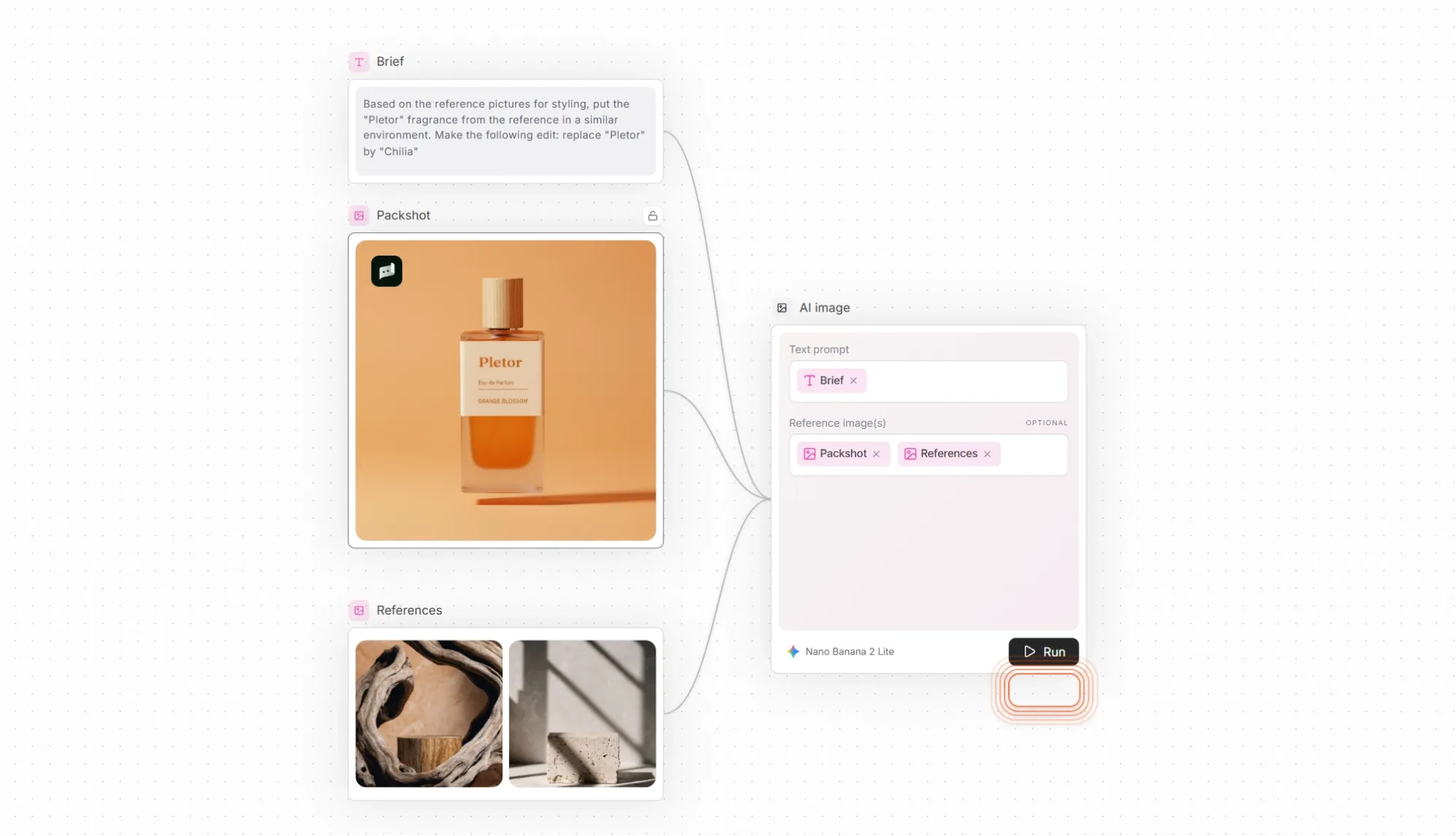
Pletor's canvas gives teams a shared place to explore image directions without treating every generation as an isolated prompt. References and outputs can remain visible while users compare models and refine a campaign concept.
The canvas is most valuable for multi-step image work; simple one-off generation may not need the added structure.
Multi-Model Image Orchestration
Pletor is designed around model choice and orchestration rather than one fixed generator. Teams can compare outputs and assign different models to ideation, product imagery, or production variations.
Model availability, credit cost, and output behavior should be reviewed before standardizing a reusable workflow.
Brand Memory for Images
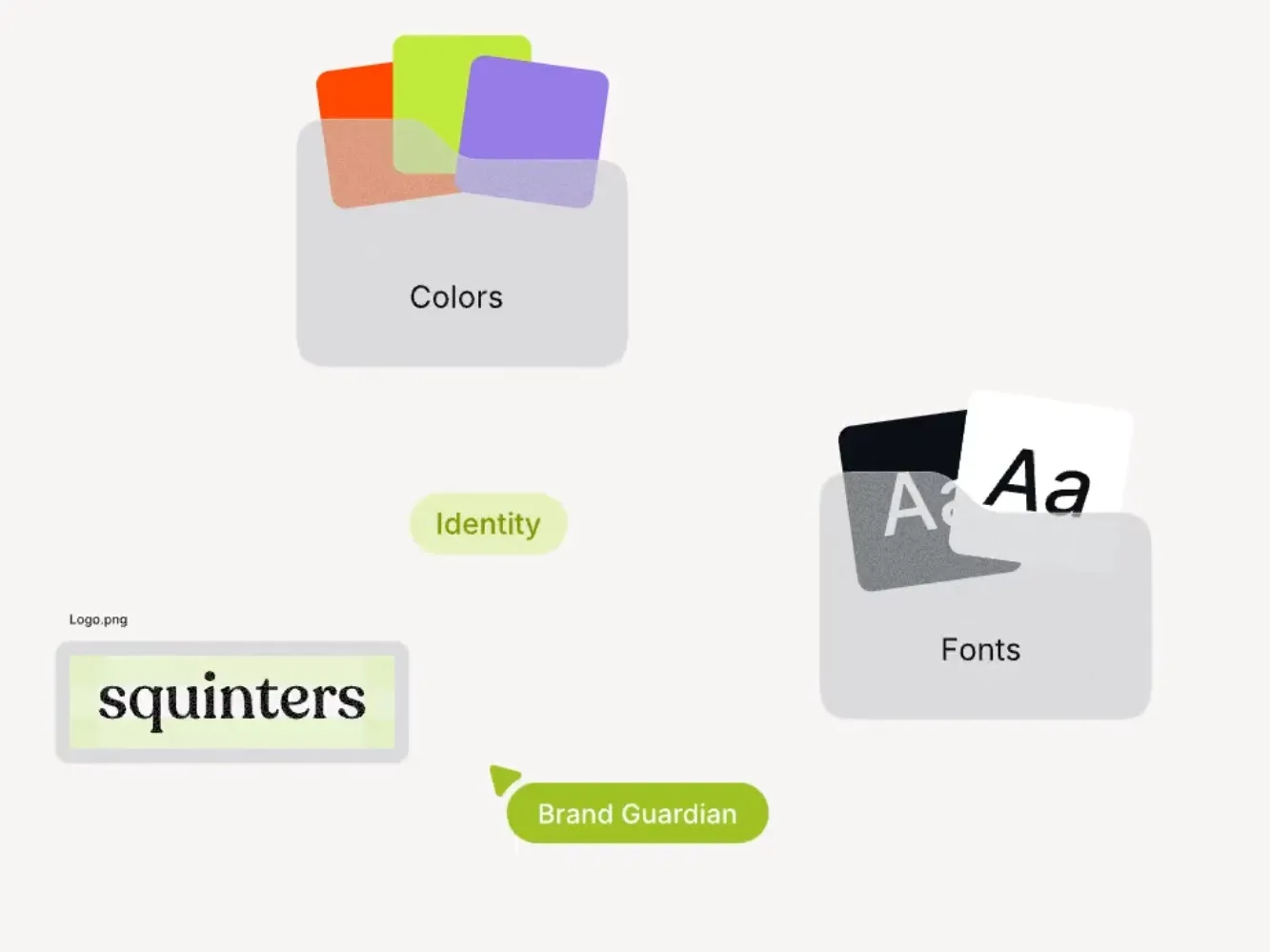
Pletor's brand-memory layer helps teams carry approved visual context into later generations instead of rebuilding the same instructions for every campaign.
Brand memory can improve consistency, but logos, product details, colors, and typography still require final human review.
Reusable Image Production Pipelines
Pletor supports repeatable pipelines for teams producing families of campaign assets. A defined process can reduce setup when the same inputs, brand rules, and output types recur.
Pipelines need maintenance when models, formats, or brand requirements change.
Product Imagery and Ad Variations
Pletor can organize product references, campaign instructions, and model outputs into a repeatable system for image variants. This is useful when a team needs many visual directions around one product or offer.
Text accuracy, product fidelity, and compliance should be checked before the assets move into paid media.
Image Workflow API and Agent Access
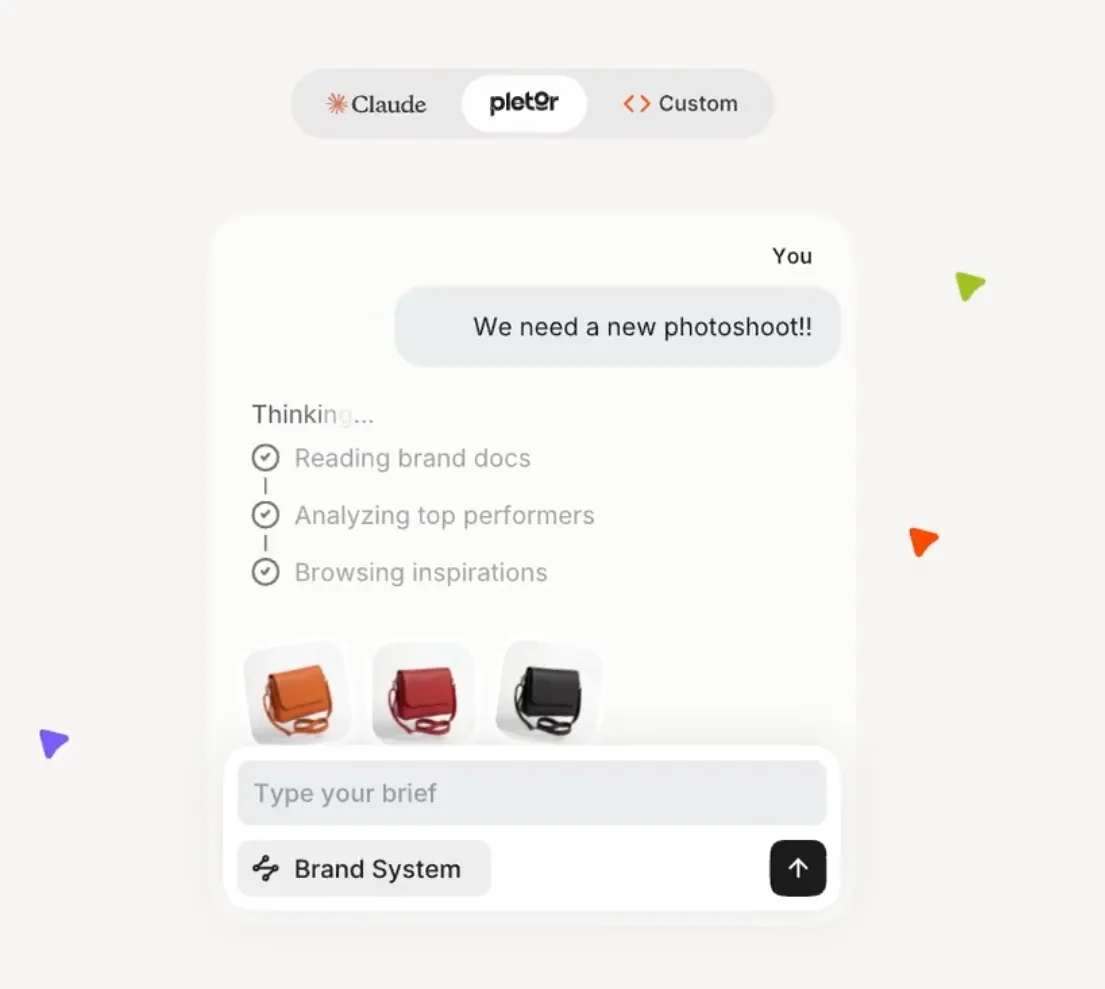
Pletor extends beyond the visual canvas through API and agent-oriented access. This supports organizations that want image generation embedded in a larger marketing operation.
Technical setup and governance make this more relevant to structured teams than to casual one-off creators.
Use Cases of Pletor AI Image Workflow Platform
- For creative operations teams: Standardize repeated image-production steps across campaigns and brands.
- For performance marketers: Generate controlled ad-image variations around approved products, offers, and visual references.
- For ecommerce teams: Build reusable AI product images for listings and seasonal campaigns.
- For developers and automation teams: Connect model selection and image pipelines to internal production systems.
Pletor Market Positioning
Pletor is positioned as image-production infrastructure rather than a single prompt box. Its differentiator is the combination of a visual canvas, multi-model routing, brand memory, reusable pipelines, and programmatic access.
This makes Pletor most relevant to marketing and creative-operations teams that need repeatable image systems across products, campaigns, or brands.
Its distinctive appeal is orchestration: organizing models, references, rules, and repeated image tasks inside one production layer.
Pletor Pros and Cons
| Pros | Cons |
| Visual canvas for multi-step image work | More structure than a simple one-off generator |
| Multi-model orchestration | Model choice and credit use require governance |
| Brand memory and reusable pipelines | Consistency still needs human review |
| API and agent access | Technical setup is less relevant to casual creators |
Feature Comparison: Pletor vs PixelDojo vs Pollo AI
| Feature | Pletor | PixelDojo | Pollo AI |
| Best For | Structured image-production systems | Model-led image creation and reference workflows | Fast image production for specific use cases |
| Workflow | Canvas, pipelines, and orchestration | Model selection, references, and character consistency | Prompt or reference to finished visuals |
| Model Access | Multiple routed image models | Model-based image generation | Multi-model image generation |
| Brand Control | Brand memory and reusable rules | Reference-led visual creation | References and repeatable source assets |
| Image Editing | Pipeline-based refinement | Editing, upscaling, and resizing | Clean up and polish with AI photo editing |
| Main Tradeoff | Operational setup and governance | More model and configuration decisions | Less custom orchestration and governance |
Pletor is strongest when a team needs a reusable image-production system, while PixelDojo is more directly oriented toward accessible creator workflows.
Pollo AI fits users who want to generate and refine practical images quickly without setting up a larger orchestration layer.
Why Is Pollo AI a Strong Pletor Alternative?

Faster Self-Serve Creation
Move directly from a prompt or reference to an AI-generated image without first designing a production pipeline.
Task-Specific Product Images
Use an AI product image generator when the goal is a finished listing or campaign asset.
Practical Image Editing
Clean up and adapt generated results through an AI photo editor in a direct workflow.

10M+Users
Using Pollo AI to Create and Inspire


Loved by 10M+ Creators and Marketers Globally
- Liz CassidyDec 15, 2025Easy to use, great results for short videosI’ve been using Pollo AI mainly for short videos and quick image-to-video tests. The interface is straightforward and it works well even with simple prompts, which is a big plus compared to tools that need long, complicated instructions. The results can be really impressive, and it’s honestly been fun to experiment with. I’d love a bit more consistency on faces when there’s movement, but overall it’s been a solid experience for what I needed.
- Richard QuickOct 15, 2025Awesome websiteAwesome website. loads of options and a great way to learn how to work with 'AI' my reasoning for 5 stars is based upon price, versatility and ease of use. Also I would like to add, Pollo AI runs a lot of promos on different AI products as well. I rate their customer service at 5 stars, when I purchased my first subscription my computer crashed the following weekend and I lost all my data and info passwords you name it I lost it, contacted pollo by email they responded quickly and found my info/username and account, and I was able to restore my account.
- armourdudeNov 19, 2025I have been using Pollo AI for short…I have been using Pollo AI for short videos. It is easy to use and works well with simple prompts. Other generators seem to need long drawn out complicated explanations to get even close to what I want.
- DuduJan 14, 2026I'm just amazed by the level of quality…I'm just amazed by the level of quality output that Pollo AI can produce from a simple image. The motion, the realism, It's too good!!
- Ray WarnesDec 30, 2025A fabulous journeyI find Pollo easy to use, it gives me great results and I'd recommend it to anyone. It has been a wonderful experience for me.
- lawless clanNov 22, 2025i tried 220 online img to vid in 2…i tried 220 online img to vid in 2 months, and this is the best online video.I will subscribe for a year; there are many reasons. But freedom is the most important.


Explore Other AI Image Generators Besides Pletor
FAQs
What is Pletor used for?
Pletor is used to organize image models, references, brand instructions, and reusable production steps inside a visual workflow.
Is Pletor mainly an image generator?
Pletor is broader than one generator, but its strongest competitor-page position is image-production orchestration through a canvas, model routing, brand memory, and pipelines.
What is Pletor brand memory?
Brand memory stores approved context and instructions so repeated image tasks can begin from a more consistent visual direction.
Can Pletor connect to other systems?
Yes. Pletor provides API and agent-oriented access for teams integrating image workflows into a larger production operation.
Is Pletor free?
Pletor advertises free starter credits. Ongoing model use, pipeline volume, and advanced access depend on current credit and plan terms.

Move from Image Systems to Finished Visuals with Pollo AI
Create product images, campaign variations, and edited assets through direct task-specific image workflows.