




AIGAZOU AI Image Generator
AIGAZOU supports multi-model generation, reference images, natural-language editing, prompt capsules, and flexible downloads, while Pollo AI offers wider model access, a full AI photo editor, 50+ specialized image generators, and commerce image tools. Try Pollo AI image generator for free now!
Kling 4.0
Up to 10 keyframes. Impressive performance.
Key Features
Multiple AI Image Models : Access different models for realistic, illustrated, and text-based image creation.Text and Reference Image Inputs : Supports prompt-based generation and reference images for more guided visual results.Natural Language Image Editing : Change backgrounds, expand images and restyling through text instructions.Reusable Prompt Capsules : Packages complex prompts into adjustable templates for repeated image generation.Specialized Image Generators : Provides dedicated tools for stylized portraits and themed social visuals.Resolution and File Format Options : Offers selected resolution settings with WebP, PNG, and JPG downloads.
Multiple AI Image Models
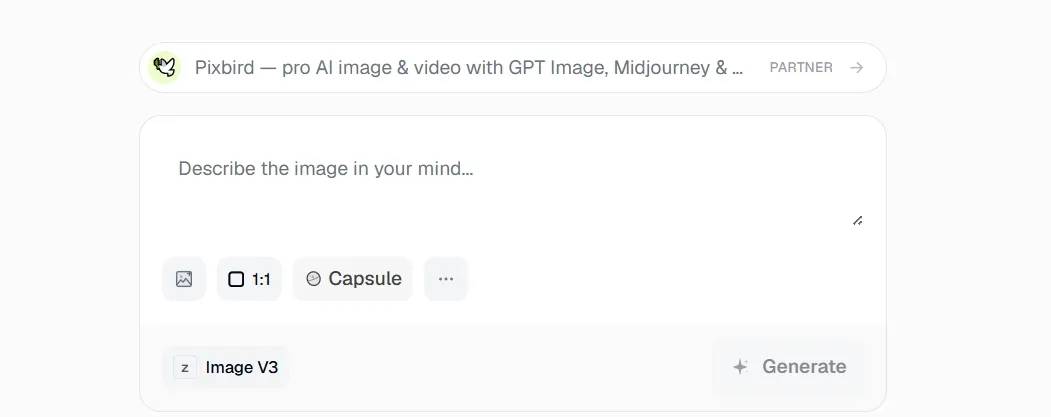
AIGAZOU provides models such as Image V3, SDXL, Seedream Pro, and GPT Image 2 Pro. Its model selection supports realistic portraits, digital illustrations, concept art, social graphics, and images containing text.
Text and Reference Image Inputs
AIGAZOU accepts both written prompts and uploaded reference images for image generation. This input flexibility supports character variations, product image adaptations, composition references, and visuals based on an existing creative direction.
Natural Language Image Editing
AIGAZOU includes an image editor that follows plain-language instructions. Its editing functions cover background removal, object removal, canvas expansion, style transfer, and image enhancement for product photos, portraits, landscapes, and social visuals.
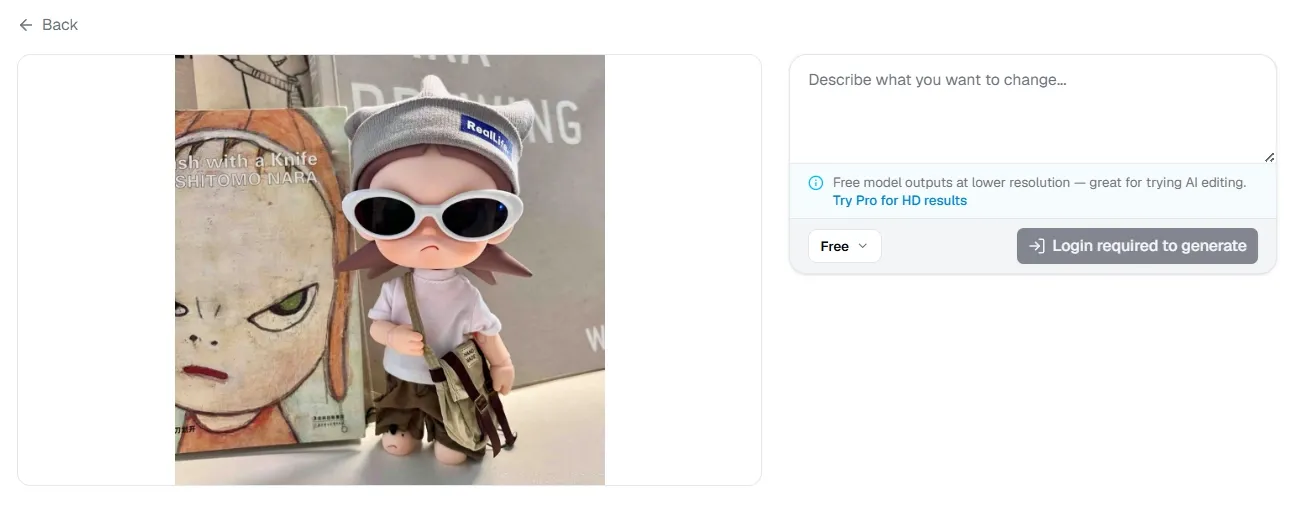
When a single correction has to stretch across a full catalog or campaign, one-by-one editing quickly becomes the real bottleneck.
Pollo AI photo editor handles entire batches through text prompts, applying consistent relighting, color adjustments, style changes, or enhancements across dozens of images. This gives product listings, social posts, and ad creatives a more unified visual finish.
Reusable Prompt Capsules
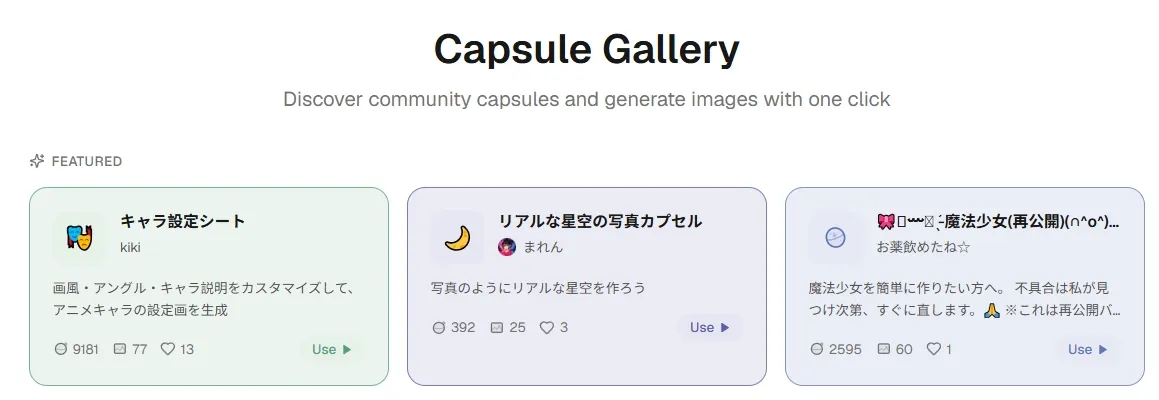
AIGAZOU Prompt capsules package detailed prompts into interactive templates with text fields, preset options, sliders, and randomized parameters. They are useful for recurring characters, repeated content formats, style experiments, and shared generation workflows.
Specialized Image Generators
AIGAZOU offers dedicated generators for Ghibli-inspired art, Bikkuriman-style stickers, and realistic mirror selfies. These tools cover stylized portraits, fan artwork, sticker graphics, profile pictures, and themed social media content.
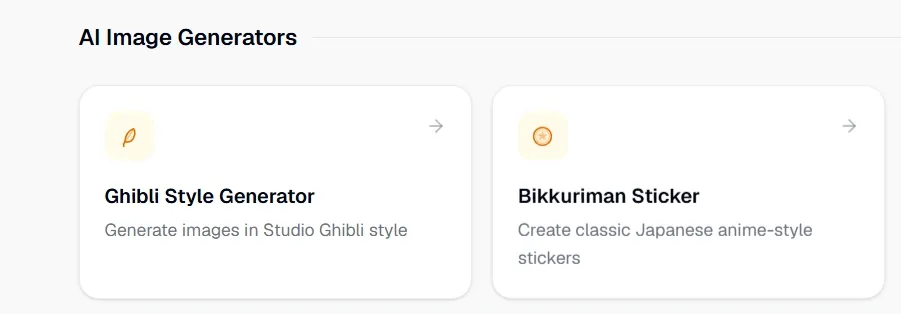
When a handful of niche generators cannot cover every brief, creative work quickly becomes fragmented.
Pollo AI offers 50+ task-specific image generators. Users can create chibi art, sketches, movie posters, pixel art, banners, and more in one place. That wider range makes it easier to move from personal content to practical design work without switching platforms.
Resolution and File Format Options
AIGAZOU supports 768px and 1024px output of AI images on selected models, with downloads available in WebP, PNG, and JPG. These options suit website graphics, social posts, transparent assets, and images intended for further editing.
Practical Uses for AIGAZOU
- Anime Character Posts: Generate original characters and themed illustrations for social posts, fan communities, and personal projects.
- Ecommerce Product Photos: Remove backgrounds, clear distracting objects, and extend product images for listings or promotional banners.
- Profile Picture Creation: Produce stylized portraits, mirror selfies, and themed avatars for social media accounts and online profiles.
- Custom Sticker Designs: Create Bikkuriman-style stickers for messaging apps, fan collections, event giveaways, or small merchandise runs.
- Blog and Social Graphics: Generate illustrations and resize or extend them for article covers, thumbnails, banners, and social posts.
- Recurring Character Content: Reuse Prompt capsules to maintain similar character setups across comic posts, story visuals, or content series.
AIGAZOU vs NightCafe vs Pollo AI
| Feature | AIGAZOU | NightCafe | Pollo AI |
| AI Image Models | Multiple models, including SDXL and Seedream | Broad selection of art models | Industry-leading models, including GPT Image 2 and Nano Banana 2 |
| Text and Image Inputs | Text prompts and reference images | Text prompts and image-guided generation | Supports Text-to-image and image-to-image |
| AI Image Editing | Background removal, object removal, expansion, and enhancement | Prompt-based editing with supported models | Full AI photo editor with generative editing and enhancement |
| Specialized Generators | Tools for stickers, portraits, and selected art styles | Art styles and community presets | 50+ generators for portraits, sketches, outfits, designs, and more |
| Commerce Image Tools | General image editing | Mainly focused on AI art | Product photos, marketplace assets, ad visuals, and sales-ready images |
Where Does AIGAZOU Fit
AIGAZOU positions itself as an accessible, browser-based image platform built around model choice, practical editing, and community-driven prompt reuse. Rather than competing only on raw image quality, it combines multiple generation models with reference inputs, specialized style tools, and Prompt capsules.
This gives AIGAZOU a distinct place between simple free image generators and larger professional creative suites, appealing most to casual creators, hobbyists, and users who value experimentation without a complex workflow.
AIGAZOU Pros and Cons
Pros
- Multiple Model Options: AIGAZOU supports several image models for different visual styles and generation needs.
- Practical Image Editing: Natural-language tools cover background removal, object removal, image expansion, and enhancement.
- Reusable Prompt Workflows: Prompt capsules simplify repeated generations and allow users to share interactive prompt templates.
Cons
- Limited Professional Workflows: Batch editing and advanced commerce image tools are not prominently supported.
- Uneven Output Controls: Resolution options vary by model, which may limit consistency across generations.
Create More With Pollo AI
Pollo AI is an all-in-one creative platform for generating, editing, and preparing images for real creative and commercial work.
Its AI image generator offers leading image models such as Seedream 5.0 pro and Imagen 4, letting users match portraits, posters, product shots, or text-heavy graphics with the right model.
Its AI photo editor supports object removal, relighting, angle changes, style transfer, and batch edits, making it easier to refresh campaigns or standardize an entire product catalog.
For selling online, Pollo AI can turn one product photo into listing image sets, lifestyle scenes, and virtual try-on visuals for storefronts, ads, and launches.
Why Does Pollo AI Stand Out

Multiple Leading Models
Access industry-leading models like Seedream 5.0 pro for portraits, posters, products, and text-heavy designs.
50+ AI Image Generators
Create banners, movie posters, and themed visuals for different creative needs with 50+ task-specific generators.
Commerce Image Tools
Turn one product shot into listing images, virtual try-on visuals, and campaign variations for different sales channels.

10M+Users
Using Pollo AI to Create and Inspire


Loved by 10M+ Creators and Marketers Globally
- Liz CassidyDec 15, 2025Easy to use, great results for short videosI’ve been using Pollo AI mainly for short videos and quick image-to-video tests. The interface is straightforward and it works well even with simple prompts, which is a big plus compared to tools that need long, complicated instructions. The results can be really impressive, and it’s honestly been fun to experiment with. I’d love a bit more consistency on faces when there’s movement, but overall it’s been a solid experience for what I needed.
- Richard QuickOct 15, 2025Awesome websiteAwesome website. loads of options and a great way to learn how to work with 'AI' my reasoning for 5 stars is based upon price, versatility and ease of use. Also I would like to add, Pollo AI runs a lot of promos on different AI products as well. I rate their customer service at 5 stars, when I purchased my first subscription my computer crashed the following weekend and I lost all my data and info passwords you name it I lost it, contacted pollo by email they responded quickly and found my info/username and account, and I was able to restore my account.
- armourdudeNov 19, 2025I have been using Pollo AI for short…I have been using Pollo AI for short videos. It is easy to use and works well with simple prompts. Other generators seem to need long drawn out complicated explanations to get even close to what I want.
- DuduJan 14, 2026I'm just amazed by the level of quality…I'm just amazed by the level of quality output that Pollo AI can produce from a simple image. The motion, the realism, It's too good!!
- Ray WarnesDec 30, 2025A fabulous journeyI find Pollo easy to use, it gives me great results and I'd recommend it to anyone. It has been a wonderful experience for me.
- lawless clanNov 22, 2025i tried 220 online img to vid in 2…i tried 220 online img to vid in 2 months, and this is the best online video.I will subscribe for a year; there are many reasons. But freedom is the most important.


Explore More AI Image Generators Now
FAQs
What is AIGAZOU?
AIGAZOU is a browser-based AI image generator with multiple models, reference-image inputs, natural-language editing, reusable Prompt capsules, and specialized style tools. It also supports direct, watermark-free downloads.
Can AIGAZOU generate from reference images?
Yes. AIGAZOU supports reference-image generation, including image cropping and output sizing based on the selected dimensions.
What can the AIGAZOU image editor do?
AIGAZOU’s editor can remove backgrounds or objects, transfer visual styles, expand the canvas, and enhance image quality through written instructions. JPG, PNG, and WebP uploads up to 10MB are supported.
What are AIGAZOU Prompt capsules?
Prompt capsules turn detailed prompts into reusable templates with text inputs, preset selections, sliders, and randomized variables. Users can build their own capsules or use templates shared by the community.
Which download formats and resolutions are available in AIGAZOU?
Images can be downloaded as WebP, PNG, or JPG. Image V3 and Image V2 also support 768px or 1024px output, although resolution controls are not available across every model.
Is AIGAZOU suitable for e-commerce images?
AIGAZOU works for generating and editing individual product visuals, but dedicated listing-set and marketplace workflows are not a central part of its current offering. Sellers needing more complete production may find Pollo AI a natural next step, since it can turn one product photo into multiple listing images, studio angles, lifestyle scenes, and channel-ready formats.

Create Better Images With Pollo AI
Access leading models, personalized image generators, and commerce tools for every visual workflow.