



AnimeGenius AI Video Generator
AnimeGenius creates short anime videos with preset motions and consistent characters. Pollo AI offers more leading video models, powerful editing tools, and 200+ video apps. Try Pollo AI video generator for free!
Kling 4.0
Up to 10 keyframes. Impressive performance.
Key Features of AnimeGenius
Text Prompts Into Anime Scenes : Generate anime videos from prompts describing characters, actions, and scenes.Animate Existing Anime Artwork : Add natural movement to static anime characters and illustrations.Guide Videos With References : Use reference images to guide character appearance and visual style.Turn Existing Videos Into Anime : Transform uploaded footage into anime while retaining its original motion.Choose Preset Motion Scenes : Apply preset scenes like Chibi, Hug, Kiss, Mermaid, and Christmas.Keep Anime Characters Consistent : Preserve recognizable faces, hairstyles, outfits, and character details across frames.
Text Prompts Into Anime Scenes
Anime Genius uses written prompts to generate short anime-style scenes, with users describing the character, setting, action, and mood. It can help visualize a fantasy encounter, dramatic transformation, or simple character moment before committing to a longer animation project.
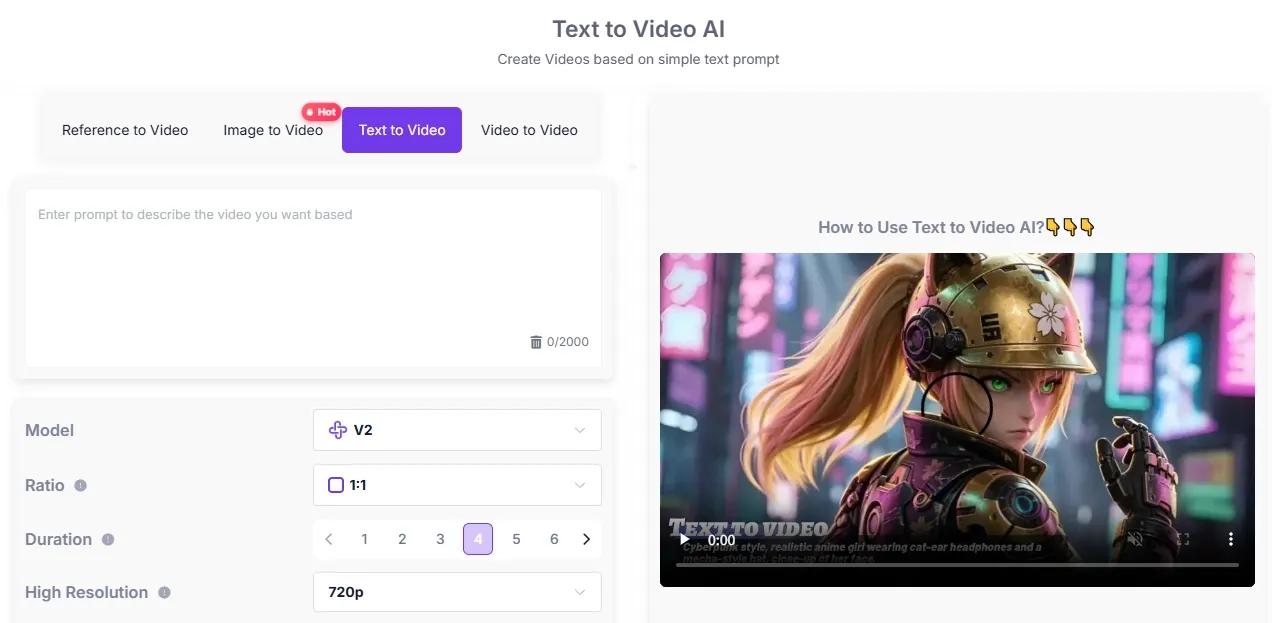
Animate Existing Anime Artwork
AnimeGenius’s image to video adds movement to a static illustration while retaining its original character design and composition. Creators can use it to animate an original character portrait, add motion to a manga-style scene, or create a looping social clip from existing artwork.
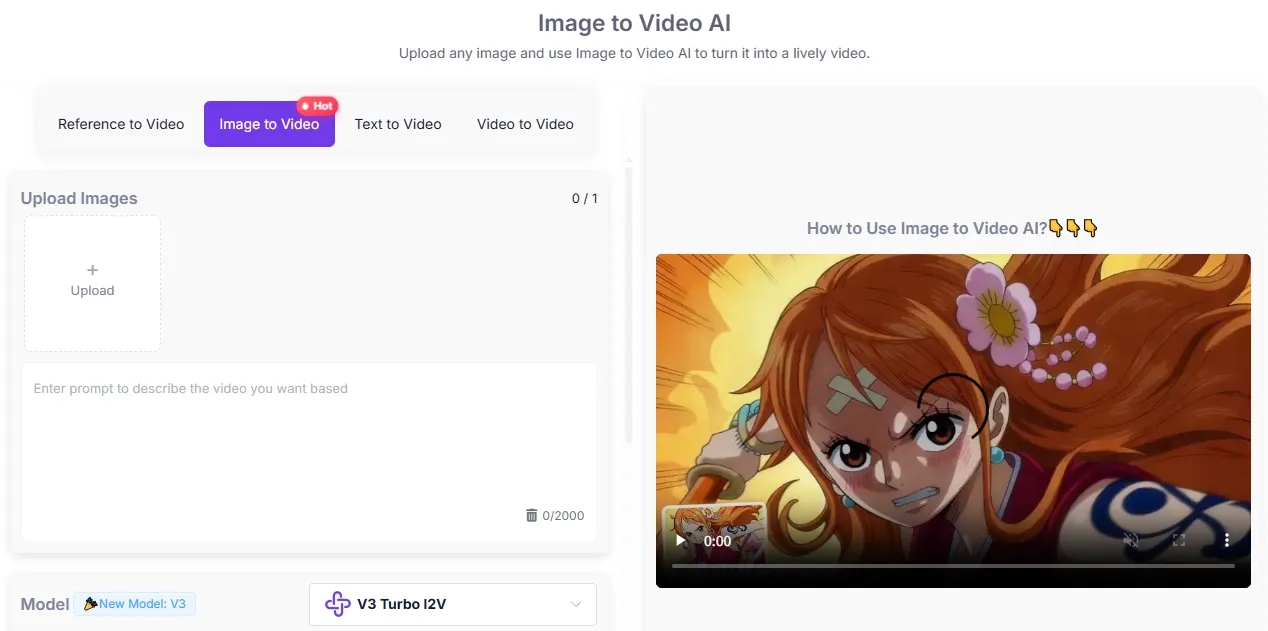
When one image needs to become more than a simple loop, model choice and motion control matter. Pollo AI image to video brings 50+ video models, including Kling AI, Hailuo AI, and Runway, into one workflow.
Users can guide movement with prompts, preserve character and visual details, and generate matched audio, making it easier to turn character art, product photos, or social images into smoother, more production-ready videos.
Guide Videos With References
Reference material gives Anime Genius a clearer visual direction for the character, colors, clothing, and overall style. This is useful when an AI-generated video needs to follow an established character design rather than rely entirely on a text description.
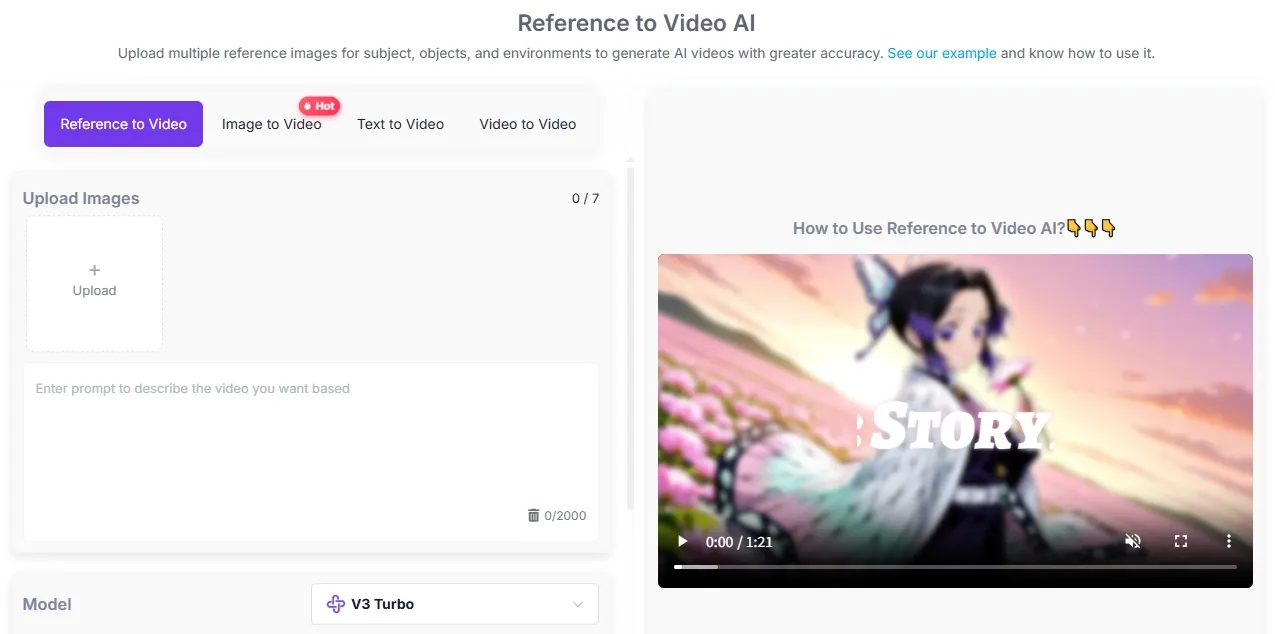
Turn Existing Videos Into Anime
AnimeGenius offers video to video to restyle uploaded footage while drawing on its original movement, timing, and scene structure. A dance clip, cosplay recording, or short live-action performance can therefore be reworked into an anime-inspired sequence.
Choose Preset Motion Scenes
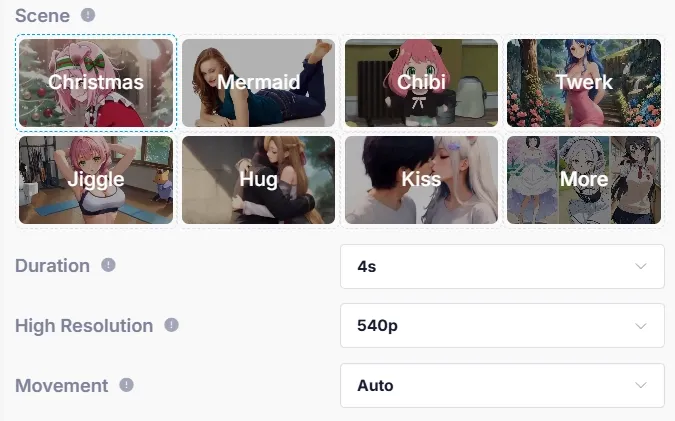
Anime Genius includes preset scenes such as Christmas, chibi, hug, and kiss. These options let users apply a recognizable action or theme to an uploaded image without describing every movement through a detailed prompt.
Keep Anime Characters Consistent
Anime Genius aims to preserve key character details, including facial features, hairstyle, clothing, and visual style, across consecutive frames. This matters when producing dialogue shots, character introductions, or short story scenes where sudden appearance changes would break continuity.
What Can You Create With AnimeGenius
- Original Character Introductions: Animate an original character portrait for profile reveals, lore posts, or short introductory clips.
- Anime Social Content: Produce short character motions for YouTube Shorts and anime loops for TikTok.
- Manga Scene Previews: Add movement to illustrated panels to test how a dramatic moment could work as animation.
- Cosplay Video Restyling: Convert recorded cosplay performances or poses into anime-inspired video sequences.
- Fan-Made Music Edits: Build short animated character shots for lyric edits, music clips, and tribute videos.
- Story Concept Development: Visualize characters, actions, and settings before creating a longer animation or storyboard.
AnimeGenius vs Animaker vs Pollo AI
| Video Feature | AnimeGenius | Animaker | Pollo AI |
| Model access | Anime-focused generation | Animaker’s built-in AI | Multiple leading video models like Seedance 2.5 |
| Generation inputs | Text, image, reference, video | Text prompts and uploaded assets | Text, images, references, video |
| Character consistency | Anime character continuity | Reusable custom 2D characters | Multi-reference character consistency |
| Video to video | Anime-style conversion | No dedicated tool listed | Converts videos into 70 styles |
| Video refinement | Basic generation controls | Timeline and asset editing | AI editing tools including upscale and extension |
| AI video agent | Not available | Not available | Ideas or assets to full videos without manual editing |
What Are AnimeGenius’s Strengths and Limits
Pros
- Anime-first video workflow: Text, images, references, and existing clips can all guide anime-style video generation, making the platform easier to use for character-driven content than a general video tool.
- Quick preset animations: Ready-made motion scenes let users animate a character portrait without writing detailed movement prompts, which is useful for short social clips and fan edits.
- Character-focused generation: Reference guidance and consistency controls help preserve recognizable faces, hairstyles, clothing, and visual style across short sequences.
Cons
- Limited full-video production: AnimeGenius is better suited to individual short clips than complete multi-scene videos, so editing, narration, subtitles, and scene assembly may require another tool.
- Retries can consume credits: Character details, accessories, or clothing may still change between generations. Users also report generation limits and premium-only options, making repeated testing more expensive.
What Do Users Think of Anime Genius
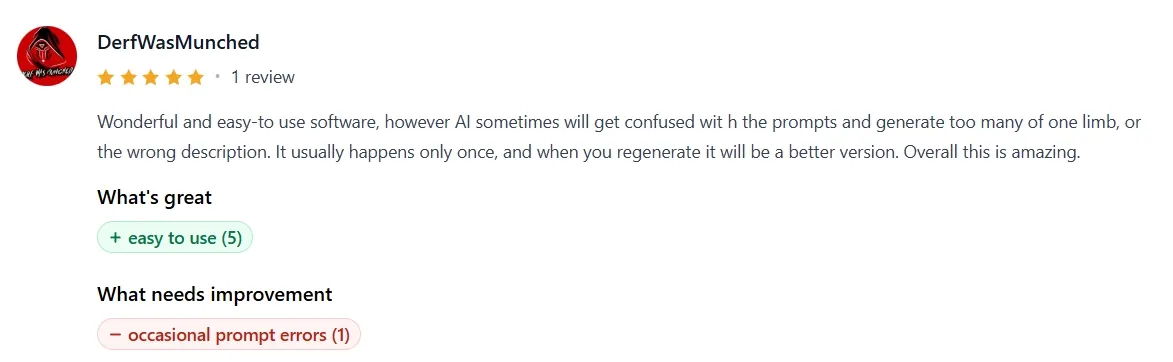
Feedback describes Anime Genius as easy to use, even for people without animation experience. Its straightforward workflow and generally appealing results make it accessible for creating anime-style content quickly.
The main weakness is occasional prompt confusion. Anime Genius may duplicate body parts, such as arms or hands, or produce details that do not match the description. These errors often improve after regenerating the result.
Where Does AnimeGenius Stand
Anime Genius fills the gap between static anime art tools and full-scale AI video platforms. Its narrow focus on anime, preset motion, and character continuity gives it a clear appeal for users who want short animated clips without learning traditional animation software.
The trade-off is range: it handles stylized character videos well, but offers less depth for complex editing, long-form storytelling, or multi-scene production.
Why Does Pollo AI Go Further
Pollo AI is a creative suite for creators, marketers, and sellers. Its industry-leading video models like Veo 3.1 and Happy Horse 1.1 let creators choose the right engine for anime scenes, cinematic stories, or realistic product footage instead of relying on one visual approach.
Its video to video restyling can reshape dance footage, cosplay clips, or character performances into anime, clay, Pixar-style, and illustrated videos while preserving the original movement.
For larger projects, Pollo Agent develops prompts, links, or existing assets into structured, platform-ready videos, helping creators build multi-scene stories and marketers produce full ads without assembling every shot manually.
What Gives Pollo AI the Edge

Leading Video Models
Use models like Seedance 2.5 and Kling 3.0 for anime scenes, cinematic stories, or realistic product videos.
AI Avatar Videos
Turn one photo and a script into expressive avatar videos up to 2 mins for explainers, product demos, or creator content.
Campaign-Ready Marketing Studio
Create UGC ads, product demos, and platform-ready campaign videos from URLs, photos, or scripts in one workflow.

10M+Users
Using Pollo AI to Create and Inspire


Loved by 10M+ Creators and Marketers Globally
- Liz CassidyDec 15, 2025Easy to use, great results for short videosI’ve been using Pollo AI mainly for short videos and quick image-to-video tests. The interface is straightforward and it works well even with simple prompts, which is a big plus compared to tools that need long, complicated instructions. The results can be really impressive, and it’s honestly been fun to experiment with. I’d love a bit more consistency on faces when there’s movement, but overall it’s been a solid experience for what I needed.
- Richard QuickOct 15, 2025Awesome websiteAwesome website. loads of options and a great way to learn how to work with 'AI' my reasoning for 5 stars is based upon price, versatility and ease of use. Also I would like to add, Pollo AI runs a lot of promos on different AI products as well. I rate their customer service at 5 stars, when I purchased my first subscription my computer crashed the following weekend and I lost all my data and info passwords you name it I lost it, contacted pollo by email they responded quickly and found my info/username and account, and I was able to restore my account.
- armourdudeNov 19, 2025I have been using Pollo AI for short…I have been using Pollo AI for short videos. It is easy to use and works well with simple prompts. Other generators seem to need long drawn out complicated explanations to get even close to what I want.
- DuduJan 14, 2026I'm just amazed by the level of quality…I'm just amazed by the level of quality output that Pollo AI can produce from a simple image. The motion, the realism, It's too good!!
- Ray WarnesDec 30, 2025A fabulous journeyI find Pollo easy to use, it gives me great results and I'd recommend it to anyone. It has been a wonderful experience for me.
- lawless clanNov 22, 2025i tried 220 online img to vid in 2…i tried 220 online img to vid in 2 months, and this is the best online video.I will subscribe for a year; there are many reasons. But freedom is the most important.


Discover More AI Video Generators on Pollo AI
FAQs
What is AnimeGenius?
AnimeGenius is an anime-focused AI creation platform for generating short animated clips from prompts, images, references, and existing footage. Its main strengths include preset motion scenes, anime video restyling, accessible controls, and an emphasis on keeping character details recognizable throughout a clip.
Can Anime Genius be used for free?
Anime Genius provides free access or complimentary credits for testing its generation tools. However, generation limits and premium-only options can restrict repeated experimentation, particularly when users need several attempts to correct prompt or anatomy issues.
Can AnimeGenius convert real footage into anime?
Its video to video mode uses an uploaded clip as the basis for an anime-style reinterpretation. This makes it useful for restyling cosplay recordings, dance performances, character acting, and other footage where the original movement should remain recognizable.
What are AnimeGenius preset motion scenes?
Preset scenes apply ready-made actions or themes without requiring users to describe every movement manually. Options such as Chibi, Mermaid, Hug, Kiss, and Christmas provide a faster route to simple character animations, though they offer less control than a detailed custom prompt.
Is AnimeGenius suitable for complete video production?
AnimeGenius is better suited to short anime clips than complete, multi-scene productions involving broader styles, structured narratives, or extensive post-generation work. For projects that grow beyond individual animations, Pollo AI offers a video agent, supported by leading models like Veo 3.1, to develop ideas, links, or assets into finished videos without manual editing.

Create Beyond Anime With Pollo AI
Explore leading video models, lifelike avatars, and campaign-ready video creation in one creative suite.