Klap automates short-form video editing for social media posts. Go further with Pollo AI to change backgrounds, restyle subjects, remove or add objects with prompts. Try Pollo AI for free!
POLLO AI INFLUENCER
Create your own influencer. Then jump into any trend with Recast.
Kling 4.0
Up to 10 keyframes. Unlimited for 10 days with Ultra.
Pollo Recast
Recreate viral videos. Remix new versions.
Pollo Recast Challenge
One upload in. Your viral video out. Unlimited rewards await.
Pollo Agent x DeepSeek V4.1 FLASH
Faster completion at a much lower cost.
Pollo Agent x Gemini 4 Argon
Smarter reasoning. All through Pollo Agent.
WIN iPHONE DUO
Capture a city in one minute. Join the challenge now.
Pollo MCP
End-to-end content creation. Up to 4 Videos/ 20 Images for FREE.
Key Features:
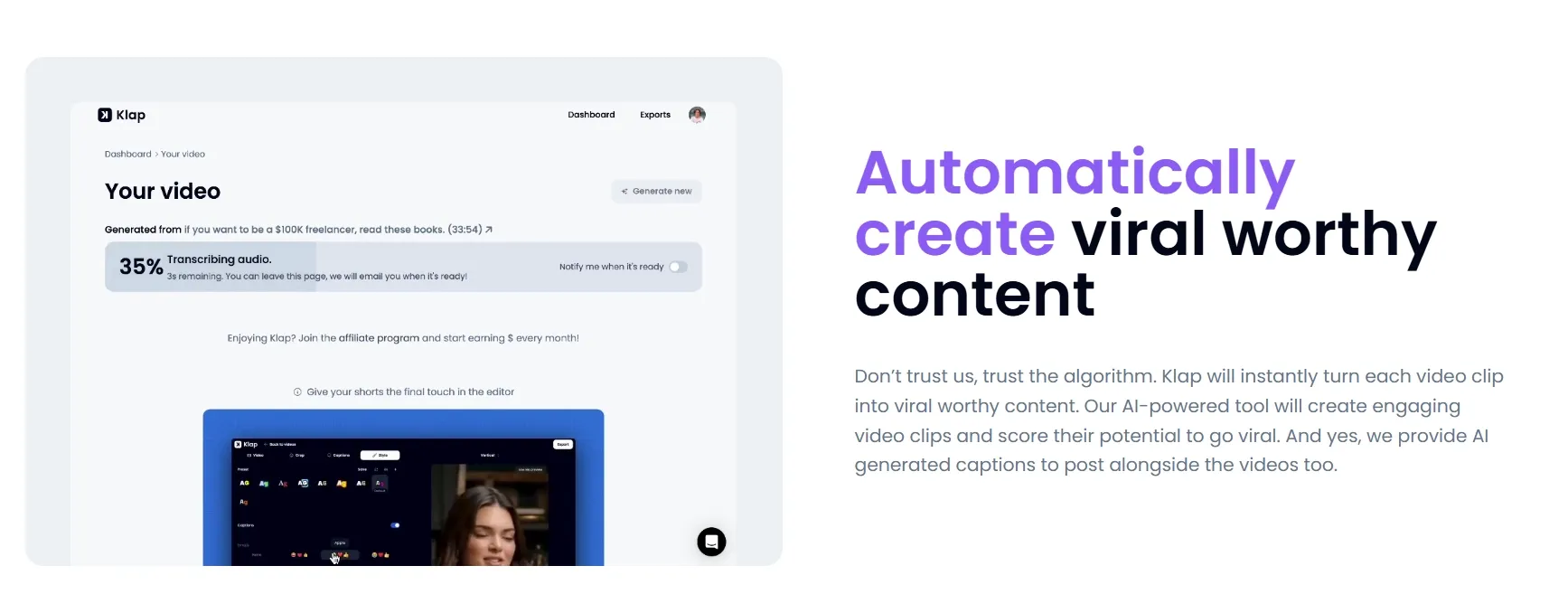
Find Highlights in Long Videos: Extract standalone moments from longer recordings and rank the resulting clips for review.
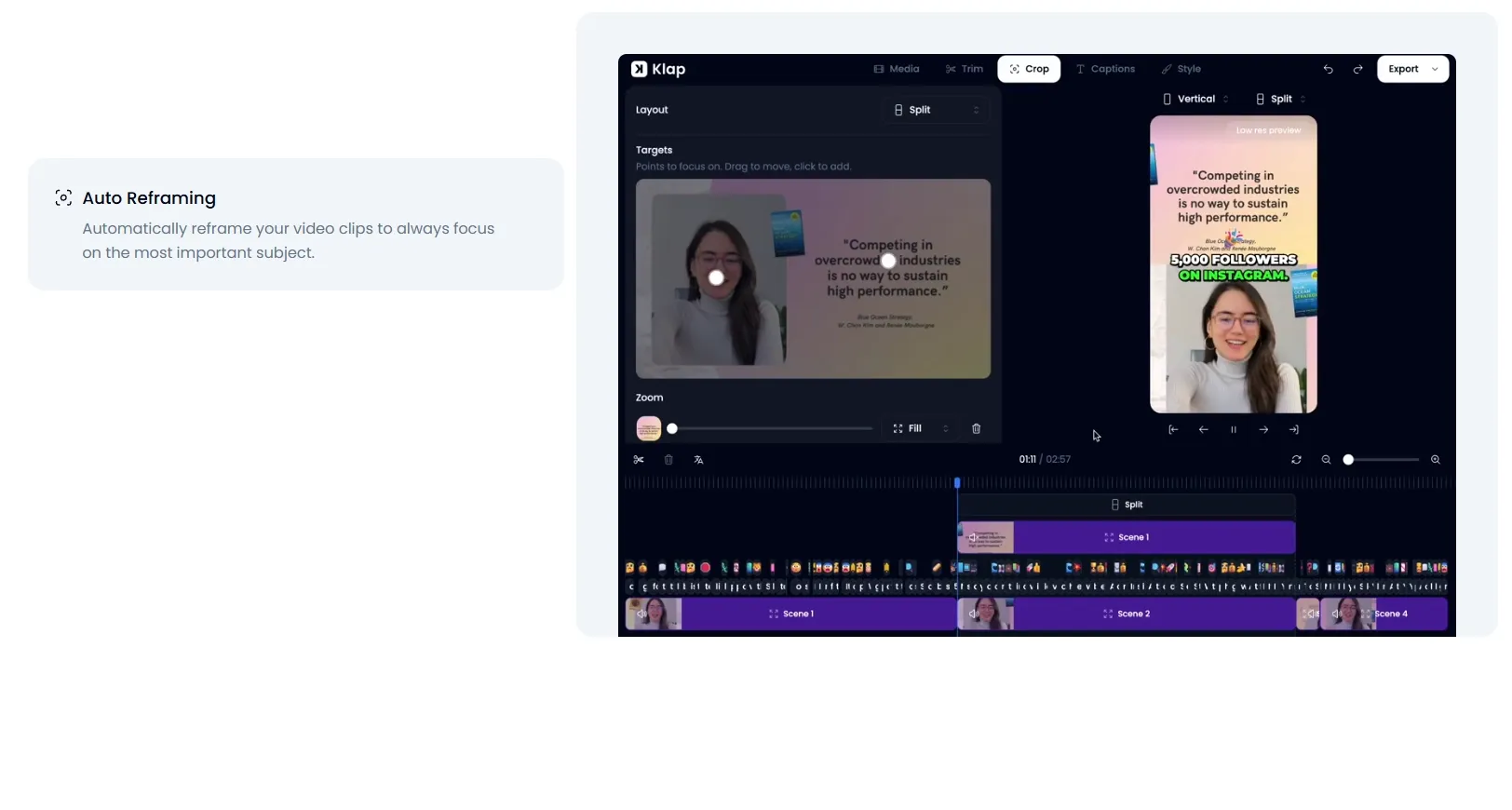
Reframe Footage Around the Action: Adapt wide footage to vertical layouts while keeping speakers and relevant visuals in view.
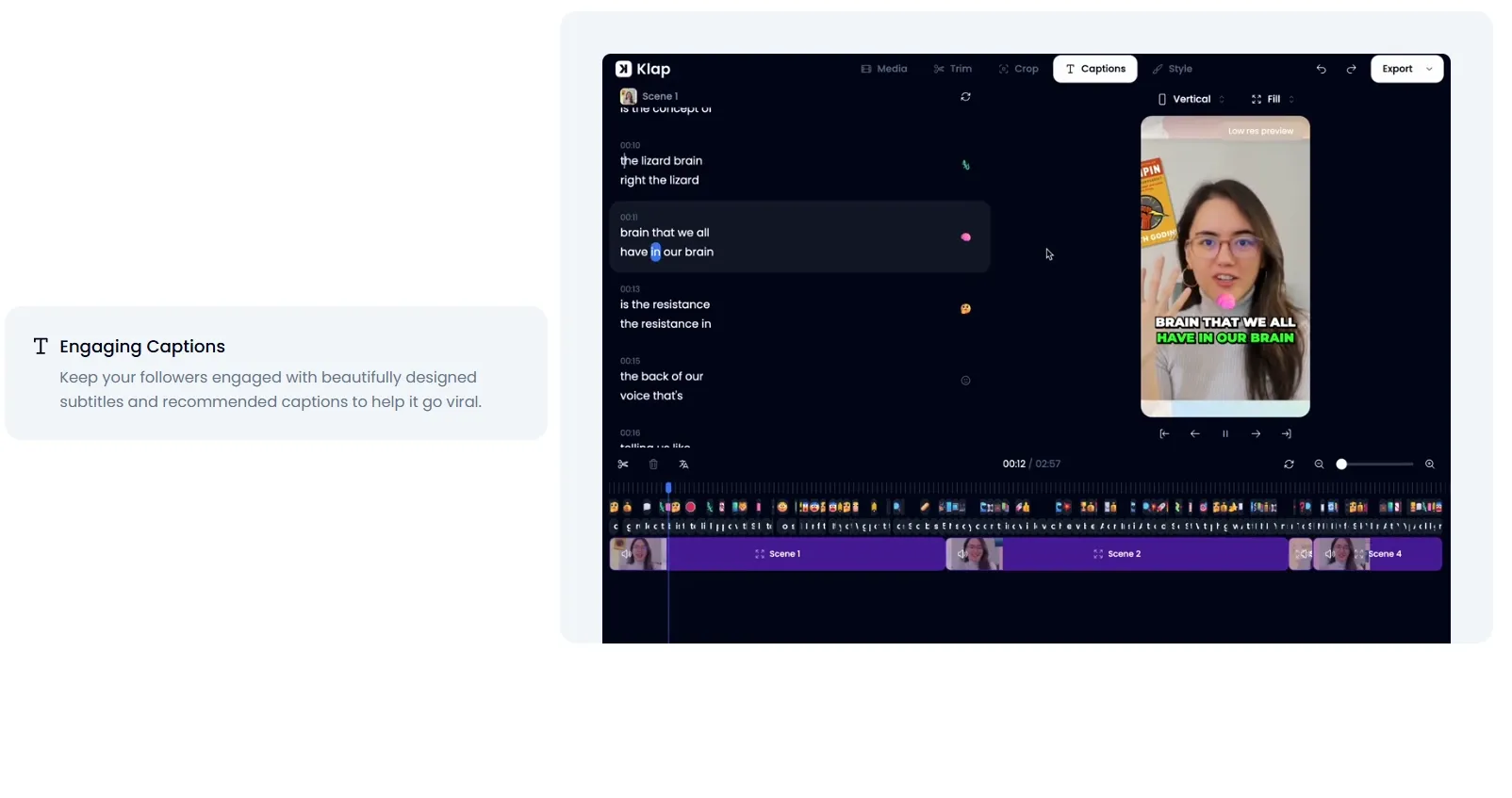
Generate Captions From Spoken Audio: Turn speech into timed on-screen text that viewers can follow with the sound off.
Apply Brand Styling Across Clips: Give clips a consistent identity with reusable logos, fonts, colors, and caption styles.
Translate Clips for New Audiences: Adapt existing videos for viewers who speak another language through translated subtitles and AI dubbing.
Find Highlights in Long Videos
Klap scans uploaded footage or linked videos for promising segments, cuts them into shorts, and assigns virality scores. Users can also describe the moments they want to extract.
A podcast producer can pull a guest’s strongest answers from an episode without manually searching the entire recording.
Reframe Footage Around the Action
Klap uses AI Reframe 2 to identify speakers and content areas, then adjusts the layout for interviews, screen recordings, or gameplay.
For a SaaS demo video, it can arrange the presenter and screen content for a smaller frame, reducing the need to rebuild the composition manually.
Generate Captions From Spoken Audio
Klap transcribes a video’s audio and aligns subtitles with the dialogue. Users can review the wording before exporting the captioned video.
An educator repurposing a recorded lesson can make a short explanation easier to follow in a muted feed, without typing and timing each line manually.
Apply Brand Styling Across Clips
Klap applies a brand kit across generated clips, helping teams maintain a recognizable look across multiple recordings. Separate workspace kits support different client identities.
Agencies that handle several interview series can keep each client’s clips visually consistent without restyling every export.
Translate Clips for New Audiences
Klap translates subtitles and dubs spoken audio into other languages, helping creators produce multilingual video content from existing clips without re-recording.
This is useful for course creators translating lesson clips for international audiences while keeping the original footage.
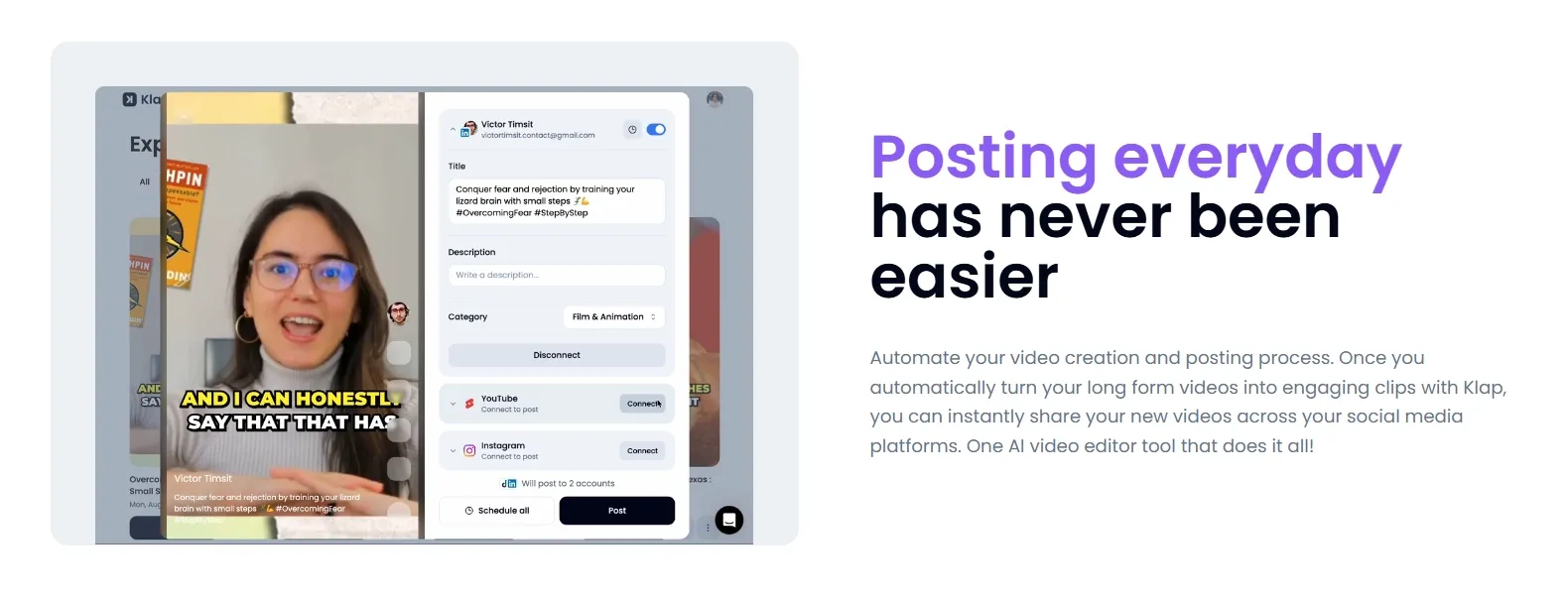
Publish Clips on a Schedule
Klap connects to TikTok, YouTube, Instagram, and LinkedIn so users can publish finished clips immediately or schedule them for later.
A small content team can prepare a week of interview excerpts together and distribute them across the calendar instead of returning for each post.
Who Uses Klap in Practice?
Podcast promotion: Producers turn guest interviews into short excerpts that introduce an episode’s strongest topics.
Webinar follow-ups: B2B teams repurpose recorded answers into focused clips for prospects who missed the live session.
Course marketing: Educators share useful lesson excerpts to demonstrate their teaching style before an online course launch.
Klap is an AI video editor focused on short-form repurposing. It automates a defined set of editing tasks: selecting excerpts, adjusting framing, adding captions, applying brand styles, and preparing clips for distribution.
Its value lies in reducing the repetitive work between a long recording and a set of publishable shorts. Batch processing and agent integrations extend that workflow to teams, while the core editing approach remains centered on existing footage.
What Do Users Say About Klap?
Klap wins users over by making video clipping feel approachable, even without much technical experience. Its language support adds to that appeal for creators working with multilingual content.
That ease can fade when a clip needs fine-tuning. Some users find captions difficult to align and edits slow or unreliable, leaving them with more manual work than they expected.
I’ve been using Pollo AI mainly for short videos and quick image-to-video tests. The interface is straightforward and it works well even with simple prompts, which is a big plus compared to tools that need long, complicated instructions. The results can be really impressive, and it’s honestly been fun to experiment with. I’d love a bit more consistency on faces when there’s movement, but overall it’s been a solid experience for what I needed.
Awesome website. loads of options and a great way to learn how to work with 'AI' my reasoning for 5 stars is based upon price, versatility and ease of use. Also I would like to add, Pollo AI runs a lot of promos on different AI products as well. I rate their customer service at 5 stars, when I purchased my first subscription my computer crashed the following weekend and I lost all my data and info passwords you name it I lost it, contacted pollo by email they responded quickly and found my info/username and account, and I was able to restore my account.
I have been using Pollo AI for short videos. It is easy to use and works well with simple prompts. Other generators seem to need long drawn out complicated explanations to get even close to what I want.
i tried 220 online img to vid in 2 months, and this is the best online video.I will subscribe for a year; there are many reasons. But freedom is the most important.
Klap is an AI video editor designed to turn long recordings into short social clips. It automates highlight selection, reframing, and captions, with additional tools for brand styling, translation, and publishing.
How Does Klap Choose Video Highlights?
Klap identifies promising moments in the source video and turns them into short clips. Its virality scores help rank the results, and prompts can guide selection toward a particular topic or moment.
Can I Edit Klap’s Automatic Captions?
Yes. Klap AI allows users to review and change generated subtitles, then adjust their appearance with options such as fonts, sizes, and colors.
How Do Klap and OpusClip Compare?
Both turn long videos into social clips. Klap works best with speech-led content, while OpusClip’s ClipAnything also uses visual and audio cues to find moments in videos with little dialogue.
Is Pollo AI a Stronger Alternative to Klap?
Yes, especially when you want to change what appears in your footage or create new content. Pollo AI supports prompt-based changes to backgrounds, subjects, and effects, alongside full video creation through Pollo Agent and campaign asset production in Marketing Studio.
Edit Videos for Every Use Case With Pollo AI Now
Change backgrounds, restyle subjects, and add striking effects in seconds with prompts.









 Liz Cassidy


