Morphed is an AI video platform offering an editable multi-scene composer, directed ad recipes, and 100+ models for creators and marketers. For fast single-clip generation, ready-made effects, and output-specific video makers, Pollo AI is the ideal alternative. Try Pollo AI for free now!
POLLO AI INFLUENCER
Create your own influencer. Then jump into any trend with Recast.
Kling 4.0
Up to 10 keyframes. Impressive performance.
Pollo Recast
Recreate viral videos. Remix new versions.
Pollo Recast Challenge
One upload in. Your viral video out. Unlimited rewards await.
Pollo Agent x DeepSeek V4.1 FLASH
Faster completion at a much lower cost.
Pollo Agent x Gemini 4 Argon
Smarter reasoning. All through Pollo Agent.
Pollo MCP
End-to-end content creation. Up to 4 Videos/ 20 Images for FREE.
Key Features of Morphed AI Video Generator
100+ Model Subscription: Morphed routes current image and video models through one shared subscription and credit balance.
Editable Multi-Scene Composer: Morphed turns a prompt or template into an editable scene structure with trimming, duplication, reordering, and full-sequence preview.
Reference Motion Control: Morphed transfers movement and camera behavior from a source video to a still image while aiming to preserve subject identity.
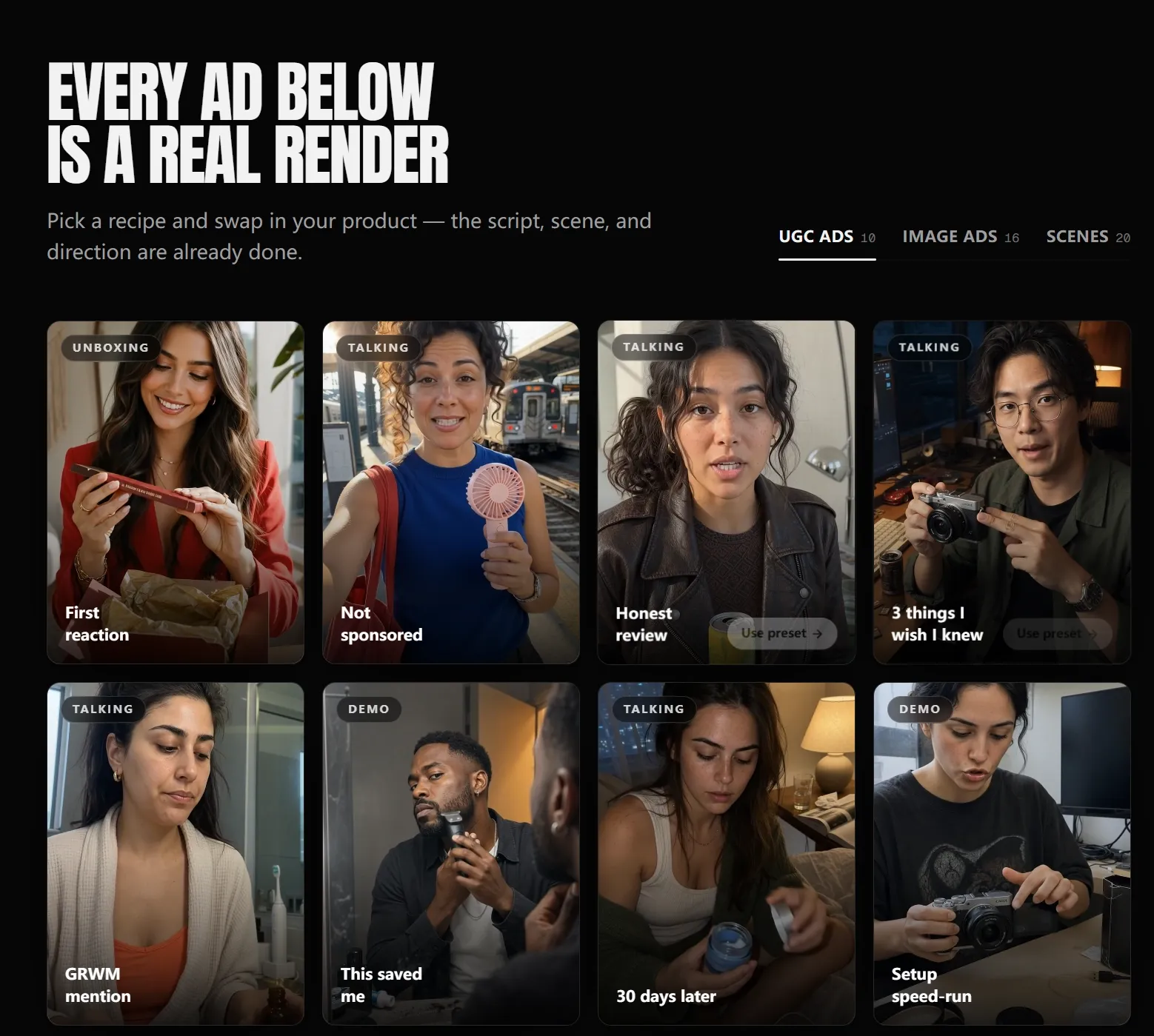
Directed AI Ad Studio: Morphed turns a prompt, product photo, or product URL into directed UGC ads, product films, and image campaigns.
Scene-Level Generation Controls: Morphed can generate or replace visuals inside each scene with model, duration, resolution, and reference controls in context.
Camera, Voice, and Transition Direction: Morphed adds camera moves, narration, music, ducking, fades, text systems, and transitions before the complete sequence is rendered.
100+ Model Subscription
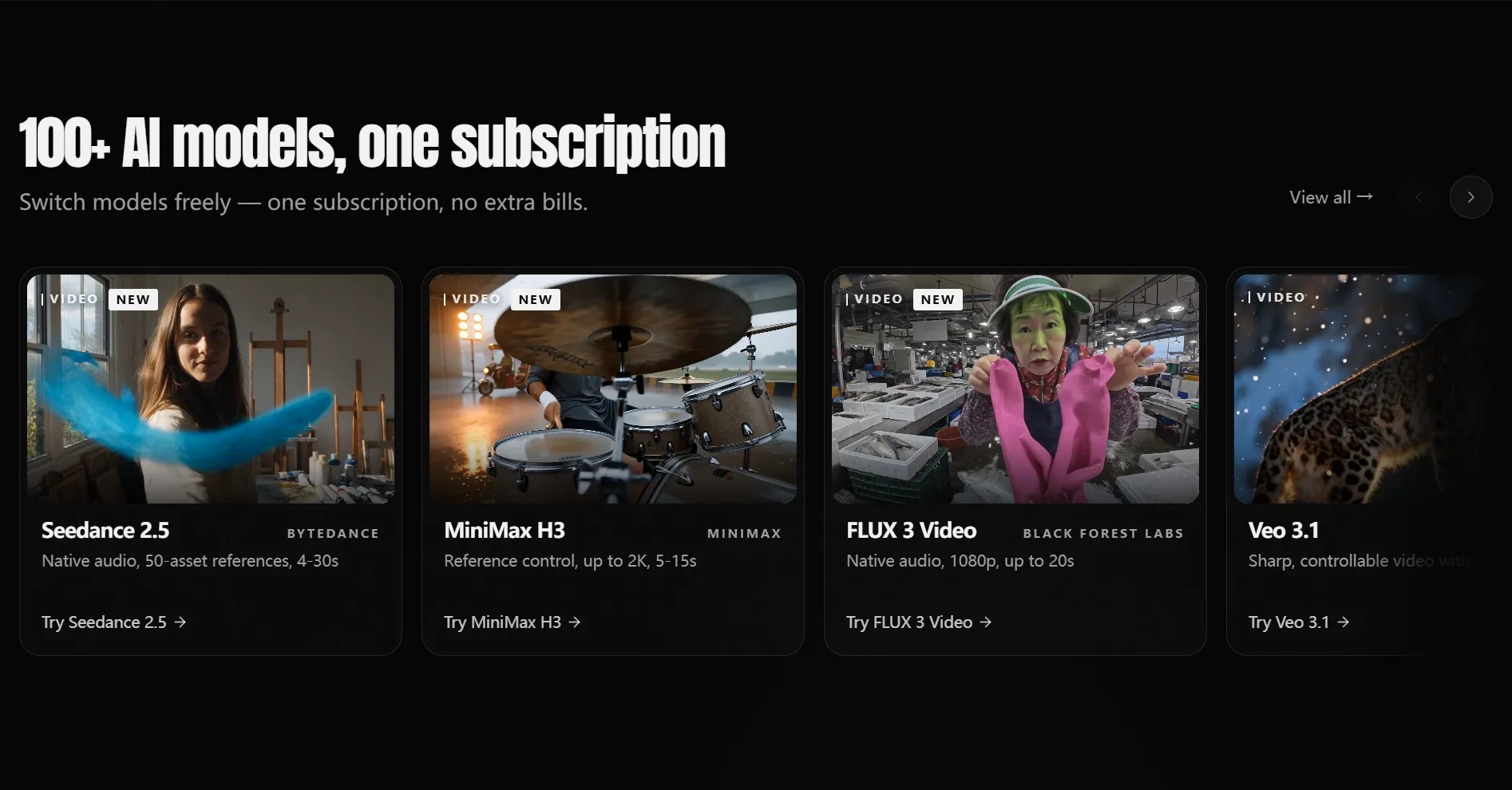
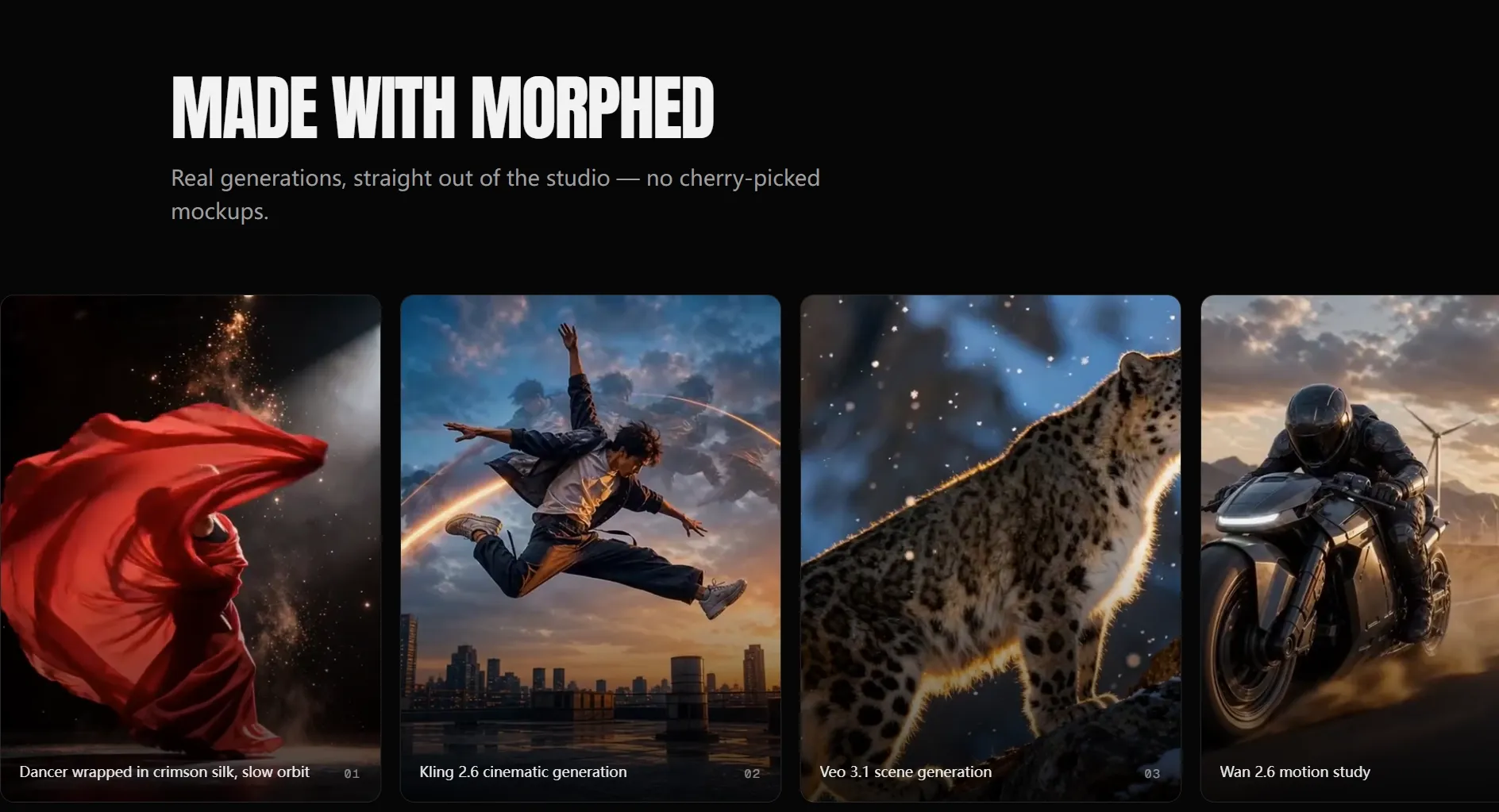
Morphed places more than 100 image and video models under one subscription. Its current video roster highlights Seedance 2.5, MiniMax H3, FLUX 3 Video, Veo 3.1, Sora 2 Pro, Kling 2.6, WAN 2.6, and Hailuo 2.3.
The shared account reduces subscription switching, but model cost, reference support, audio, duration, and resolution still differ. The value is broad access rather than identical controls across every engine.
Editable Multi-Scene Composer
Morphed's Video Composer can build an editable scene structure from a prompt or template, or begin from a blank sequence. Users can arrange, duplicate, trim, and reorder scenes without rebuilding the entire video when the story changes.
The composer keeps the sequence editable after the first AI-generated cut. This makes Morphed more relevant to multi-scene storytelling and revision-heavy client work than a one-shot clip generator.
Reference Motion Control
Morphed's motion workflow accepts one image and one reference video. It uses the source clip to guide timing, body movement, rhythm, and camera direction in the generated result.
The workflow is comparable to motion control for dance, character animation, product movement, and short social loops. Strong identity preservation still depends on a clear source image and compatible motion.
Directed AI Ad Studio
Morphed's AI Ad Studio can pull product details from a URL or uploaded image, then apply a directed recipe with a hook, script, scene, camera move, and aspect ratio. Current presets cover UGC creator ads, cinematic product videos, and studio photography.
Users can render several variants and common feed, story, or marketplace ratios from one selected format. Product accuracy, claims, on-screen text, and brand details still require review before publication.
Scene-Level Generation Controls
Inside the composer, Morphed can create or replace the image or clip for an individual scene while keeping it inside the surrounding sequence. Model, duration, resolution, and reference settings are chosen in context rather than in a separate disconnected generator.
This scene-level route is useful when one shot needs revision but the rest of the cut is approved. Availability and behavior still depend on the model selected for that scene.
Camera, Voice, and Transition Direction
Morphed lets users preview 12 camera motions, including handheld, pan, tilt, orbit, follow, zoom, and dolly behavior. The composer also supports per-scene narration, background music, volume control, ducking, fades, transitions, captions, and text placement.
These controls turn generation into a directed sequence rather than a stack of unrelated clips. The final deliverable can be previewed as one complete cut before export.
Use Cases of Morphed AI Video Generator
For directors and storytellers: Build an editable multi-scene sequence, revise individual shots, and control camera behavior without regenerating the whole cut.
For social media teams: Turn a prompt or template into a paced vertical sequence with scene-level text, narration, music, and transitions.
For ecommerce marketers: Paste a product URL, choose a directed hook and format, and render several UGC or cinematic ad variants.
For agencies and freelancers: Keep client projects editable, replace one scene after feedback, and rerender without rebuilding the complete video.
Morphed Market Positioning
Morphed is positioned as an AI video production layer built over broad model access, not simply as a generator menu. Its current center of gravity is the editable Video Composer, which connects generated scenes to timing, camera direction, text, voice, music, transitions, and final sequence export.
The second differentiator is directed production. The Ad Studio packages hooks, scripts, scenes, and camera moves into reusable recipes, while motion control transfers a reference performance to a still image. These layers make the product more structured than an open prompt box.
Plans currently start at $9 per month, with credits shared across more than 100 image and video models. Output volume still varies by model, scene count, duration, resolution, and the directed workflow selected.
Morphed Pros and Cons
Pros
Cons
Editable multi-scene composer
More setup than a one-shot generator
Scene-level model and reference controls
Model behavior and credit use vary by scene
Directed ad recipes with hooks and camera moves
Preset claims and product details still need review
Voice, music, text, transitions, and motion control
Complex sequences require active direction
Feature Comparison: Morphed vs Edimakor vs Pollo AI
Morphed is strongest for AI-generated multi-scene composition, while Edimakor is more deeply rooted in desktop timeline editing, subtitles, translation, and stock-assisted production.
Pollo AI fits users who want to move directly from a known input to a specific generated output or focused video tool without first building a full multi-scene composition.
Why Is Pollo AI a Strong Morphed Alternative?
Step 1
Direct Single-Clip Generation
Choose text, image, or reference input and generate one clip directly. Use image to video when a still frame already defines the subject and composition.
Step 2
Ready-Made Effects
Apply a ready-made transformation when the desired result is a recognizable effect or short visual beat, avoiding scene-by-scene direction for a simple clip experiment.
Step 3
Output-Specific Makers
Open a dedicatedstory video maker or another format-specific app when the required deliverable is already clear and does not need a manually directed timeline.
I’ve been using Pollo AI mainly for short videos and quick image-to-video tests. The interface is straightforward and it works well even with simple prompts, which is a big plus compared to tools that need long, complicated instructions. The results can be really impressive, and it’s honestly been fun to experiment with. I’d love a bit more consistency on faces when there’s movement, but overall it’s been a solid experience for what I needed.
Awesome website. loads of options and a great way to learn how to work with 'AI' my reasoning for 5 stars is based upon price, versatility and ease of use. Also I would like to add, Pollo AI runs a lot of promos on different AI products as well. I rate their customer service at 5 stars, when I purchased my first subscription my computer crashed the following weekend and I lost all my data and info passwords you name it I lost it, contacted pollo by email they responded quickly and found my info/username and account, and I was able to restore my account.
I have been using Pollo AI for short videos. It is easy to use and works well with simple prompts. Other generators seem to need long drawn out complicated explanations to get even close to what I want.
i tried 220 online img to vid in 2 months, and this is the best online video.I will subscribe for a year; there are many reasons. But freedom is the most important.
What makes Morphed different from a basic AI video generator?
Morphed combines broad model access with an editable multi-scene composer, directed product-ad recipes, reference motion control, scene-level generation, voice, music, text, camera moves, and final-sequence export.
Can Morphed edit individual scenes after generation?
Yes. The Video Composer can replace or regenerate visuals inside one scene, then trim, duplicate, reorder, or retime scenes without rebuilding the complete sequence.
Which current video models are available on Morphed?
The current official site highlights Seedance 2.5, MiniMax H3, FLUX 3 Video, Veo 3.1, Sora 2 Pro, Kling 2.6, WAN 2.6, and Hailuo 2.3. Availability and versions can change.
Is Morphed free?
Morphed advertises free starting access and paid plans from $9 per month. Paid plans use a shared credit balance, and each model consumes a different number of credits.
Can Morphed build an ad from a product URL?
Yes. Its AI Ad Studio can extract product information from a URL, apply a directed hook, script, scene, and camera recipe, and render variants in common campaign ratios.
Take the Direct Route to a Finished Video with Pollo AI
Choose the source and target format first, generate through the matching model or app, and refine the selected clip without building a multi-scene composition when the project does not need one.