



Riverside AI Video Editor
Riverside enables chat-based video editing through simple prompts, built around fast, recording-first workflows. Pollo AI goes beyond editing with the latest video models and Pollo Agent for post-ready videos. Try Pollo AI for free!
Key Features of Riverside
Edit Videos Through AI Transcription: Control your video by editing the transcript instead of the timeline.Generate Short Clips from Long Recordings: Instantly extract highlights and turn them into social-ready clips.Clean and Balance Audio Automatically: Upgrade audio quality with one click for a more polished final output.Turn Recordings into Structured Content Assets: Automatically generate summaries, chapters, and publish-ready text.Record Without Scheduling with Async Mode: Let guests record on their own time without joining a live session.Translate and Dub Content into Multiple Languages: Convert recordings into multilingual versions with AI dubbing.AI Agent for Multi-Channel Content Creation: Edit and generate multi-platform content through simple prompts.Analyze and Improve Podcast Performance: Track how your content performs and refine your strategy.Record and Create Content on Mobile Devices: Capture high-quality video and audio directly from your phone.
Edit Videos Through AI Transcription
Riverside turns your recording into a synced transcript and edits it directly, whether removing filler words, tightening sentences, or restructuring sections. Every change updates the video instantly, making editing feel like working in a document.
This removes the need for manual timeline editing and lowers the barrier for regular content production. A podcast team can quickly clean up an interview, refine the flow, and export subtitles or a blog version without switching tools.
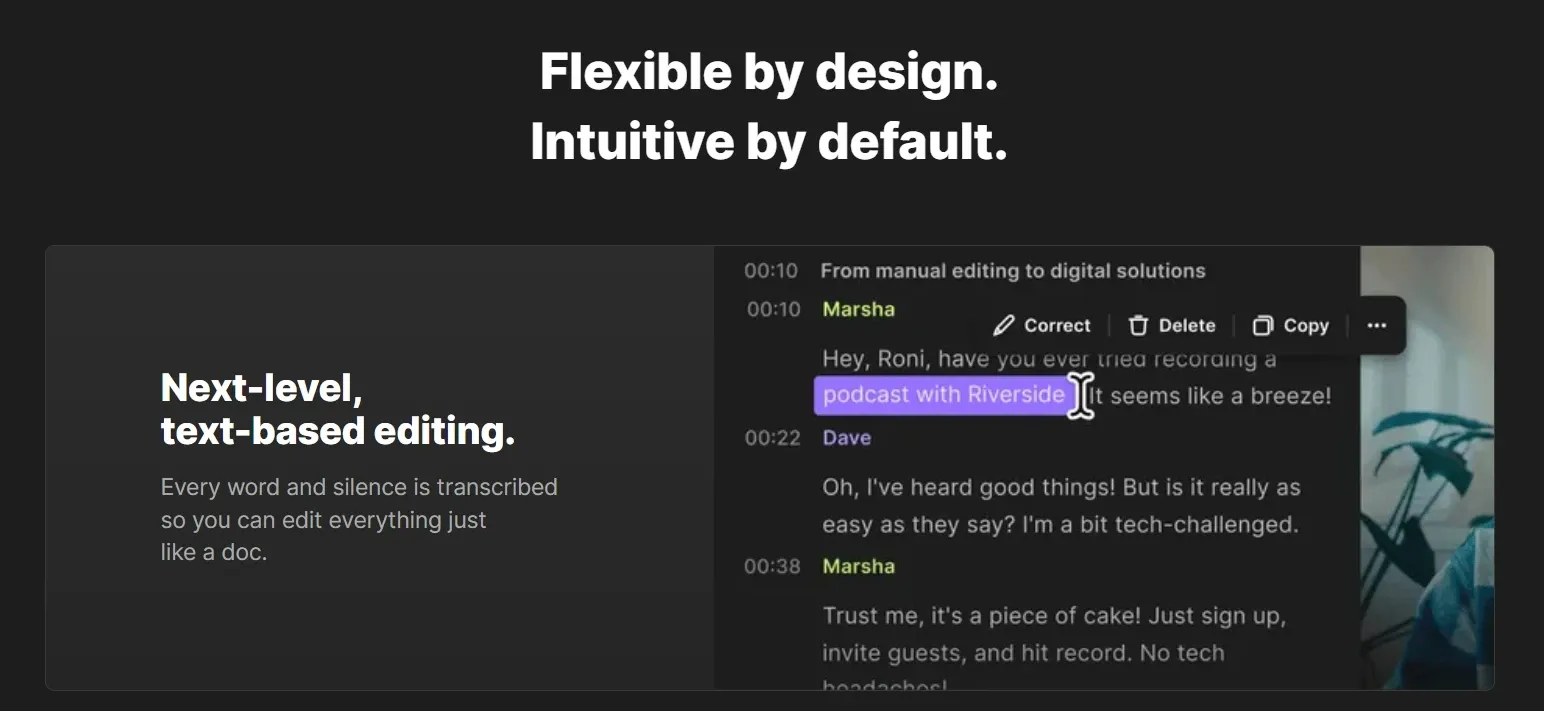
Pollo AI extends this feature by AI video editor, letting you edit the video itself with simple prompts, from changing backgrounds to removing objects or adding effects.
Instead of just refining structure, Pollo AI reshapes visuals directly, making edits faster and more flexible without manual steps.
Generate Short Clips from Long Recordings
Riverside scans full-length recordings and identifies key moments, then converts them into short clips formatted for TikTok, Reels, or YouTube Shorts. Instead of reviewing footage manually, you get ready-to-use snippets focused on the most engaging parts.
This speeds up content distribution and supports consistent posting. A creator can turn a 30-minute webinar into multiple vertical clips, ready to publish the same day without extra editing.
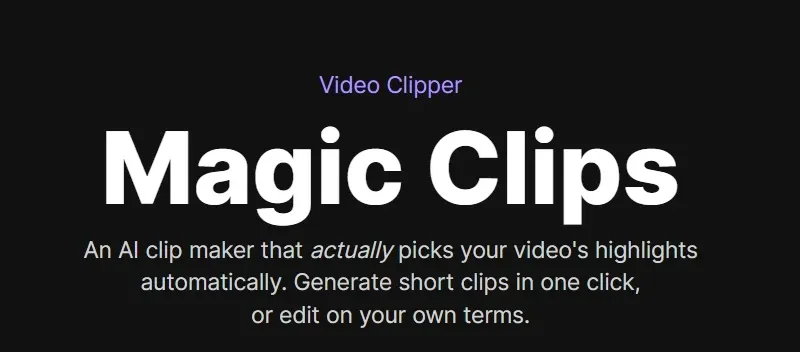
Compared to Riverside, AI clip maker of Pollo AI goes further by generating structured clips with consistent visuals, pacing, audio, and captions, not just trimmed segments.
This makes each clip feel more complete, multi-version ready, and platform-ready, rather than simple cutdowns from longer videos.
Clean and Balance Audio Automatically
With Riverside, recordings can be improved by removing background noise, balancing speaker levels, and enhancing clarity across tracks. The system smooths out inconsistencies so conversations sound clean and professional, even when recorded in different environments.
This reduces reliance on external tools and shortens post-production time. A remote interview with mixed audio quality can be quickly refined into a studio-like result before publishing.
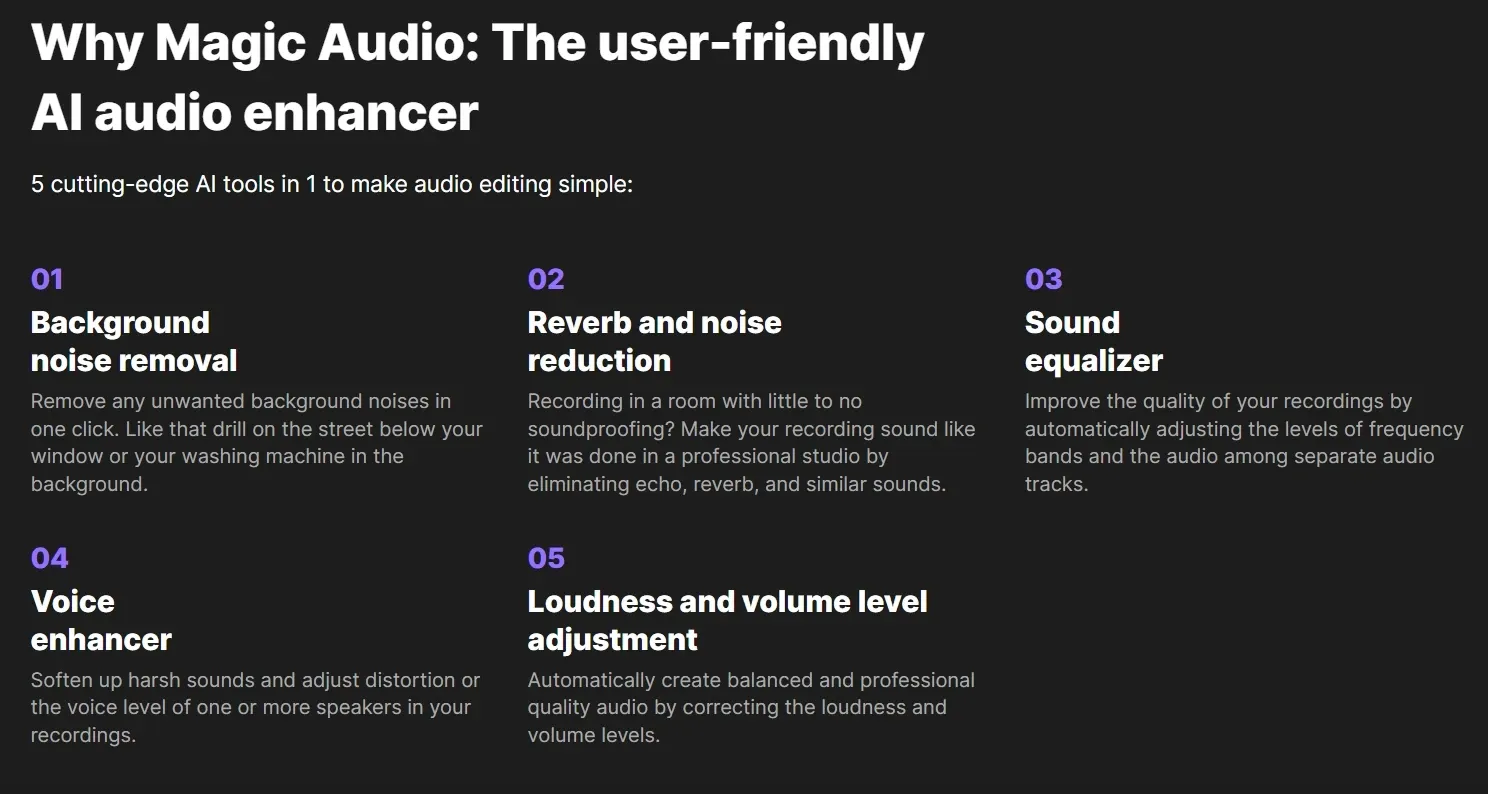
While both Riverside and CapCut offer AI audio cleanup, CapCut focuses on flexible editing with adjustable controls, while Riverside emphasizes fast, one-click enhancement for spoken content.
Turn Recordings into Structured Content Assets
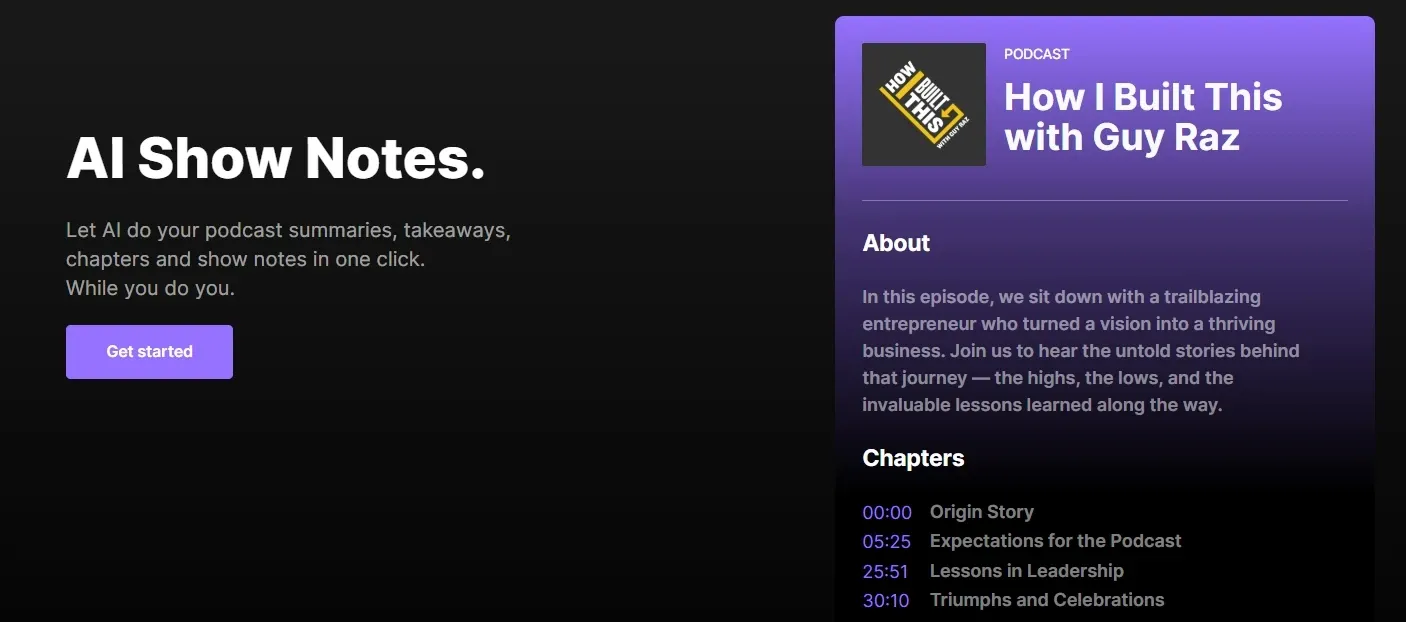
Riverside is capable of converting recordings into structured content, including show notes, key takeaways, and timestamped chapters that make long videos easier to navigate. The output can also be reused for descriptions, blog posts, or newsletters.
This extends the value of each recording beyond video. A marketing team can turn a webinar into a YouTube description, email recap, and SEO-friendly article, all aligned and ready to use.
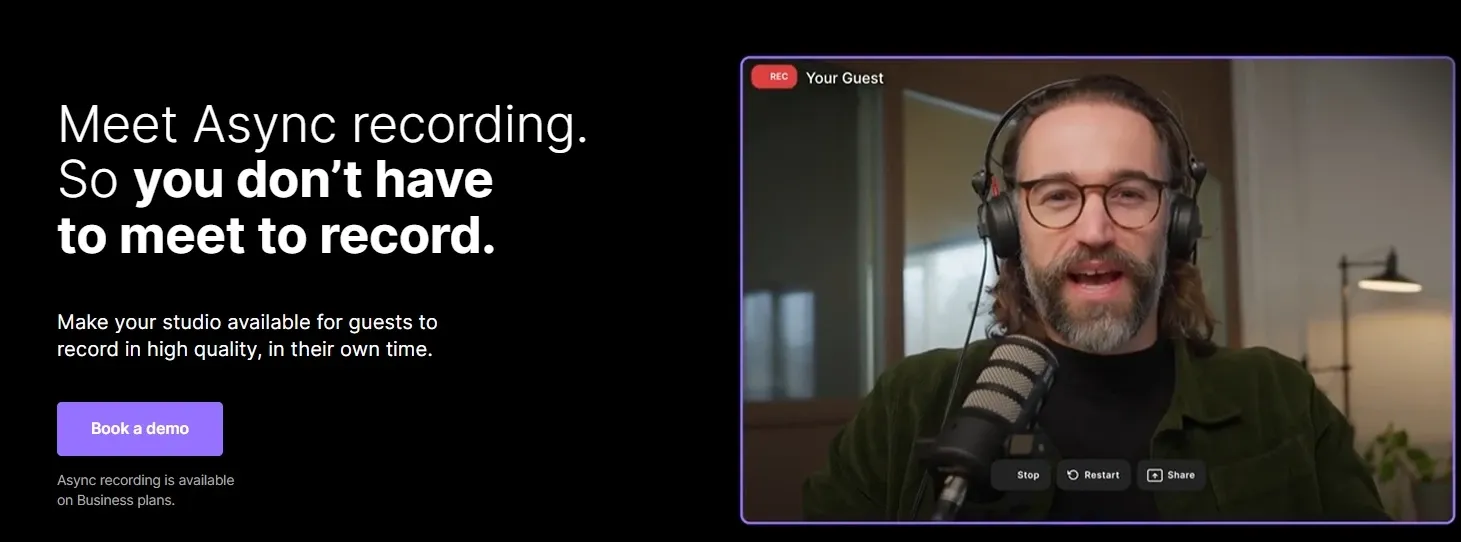
Record Without Scheduling with Async Mode
Through Riverside, you can easily invite guests to record video or audio independently without scheduling a live session. Each participant records locally in high quality, and files are uploaded automatically once finished, ensuring stable results regardless of time zones or connection issues.
This removes scheduling friction and simplifies collaboration across regions. A podcast host can collect guest recordings from different time zones and combine them into one episode without coordinating a live call.
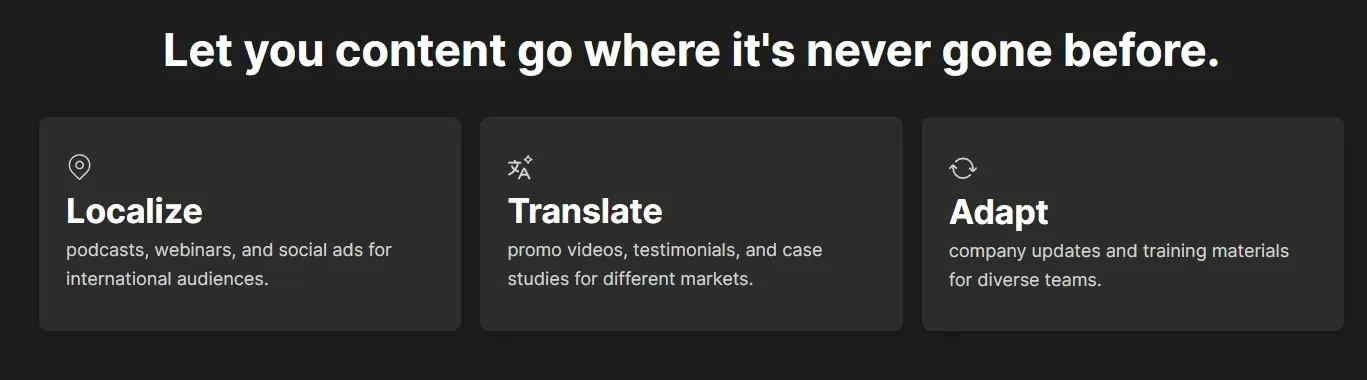
Translate and Dub Content into Multiple Languages
With AI translation and voice dubbing of Riverside, you might turn your content into multiple languages, creating localized versions that go beyond subtitles. Riverside allows you to reach new audiences without re-recording or additional production.
This makes global distribution more scalable. A marketing team can take one webinar and generate multiple language versions for different regions, ready for localized campaigns.
AI Agent for Multi-Channel Content Creation
Riverside’s chat-based interface lets users interact with their recording by asking its AI agent to make edits, generate clips, or refine content without manually adjusting timelines.
Instead of editing the video directly, you guide the process with prompts, making it easier to shape content and apply changes quickly.
At the same time, the AI agent can generate outputs for different platforms, such as social posts, titles, or clip ideas. This brings editing and distribution into one flow, allowing a creator to refine a podcast and produce LinkedIn posts or short video ideas in the same workflow.
Different from Riverside’s chat-based agent that refines existing recordings, Pollo Agent builds videos from the ground up, turning a simple idea, link, or image into complete outputs with structured scenes, visuals, and flow.
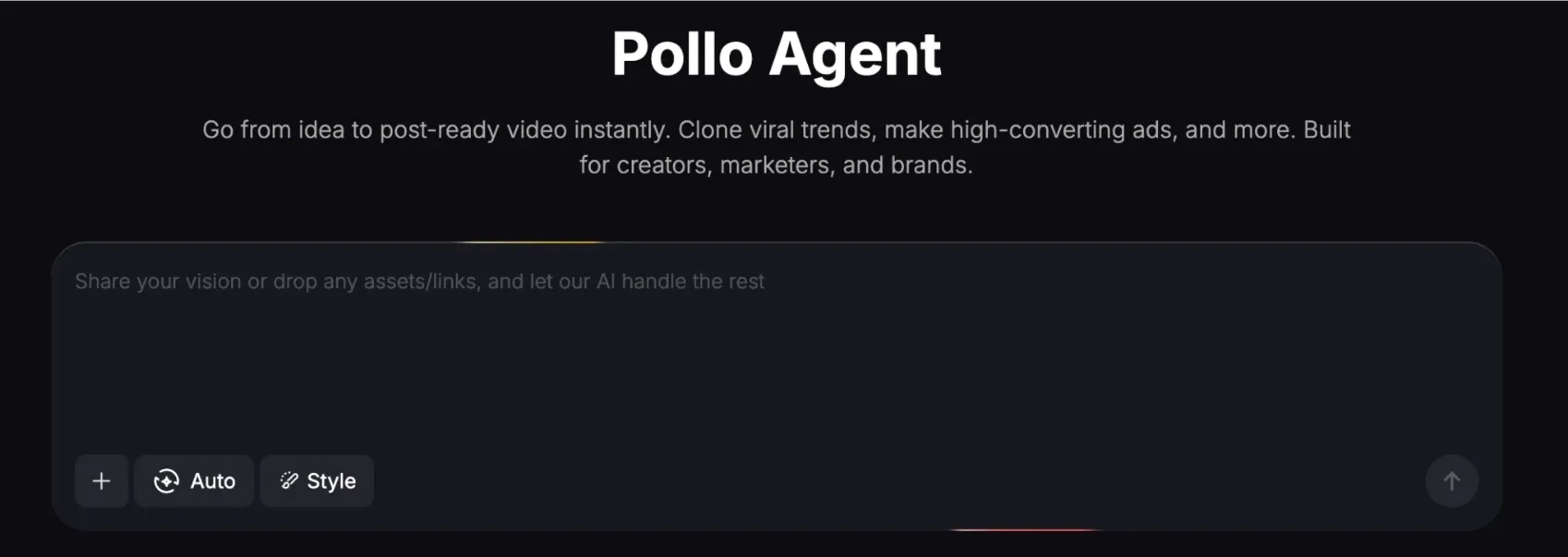
Pollo Agent delivers ready-to-use content with no editing required, continuously refining ideas and replicating proven viral formats, rather than just improving what’s already there.
Analyze and Improve Podcast Performance
Riverside includes podcast analytics for tracking listens, engagement, and audience behavior across published content. This helps users understand which topics or formats perform best, rather than relying on guesswork.
A marketer can quickly identify high-performing episodes or segments, then double down on similar content, repurpose winning clips, and refine distribution based on real data.
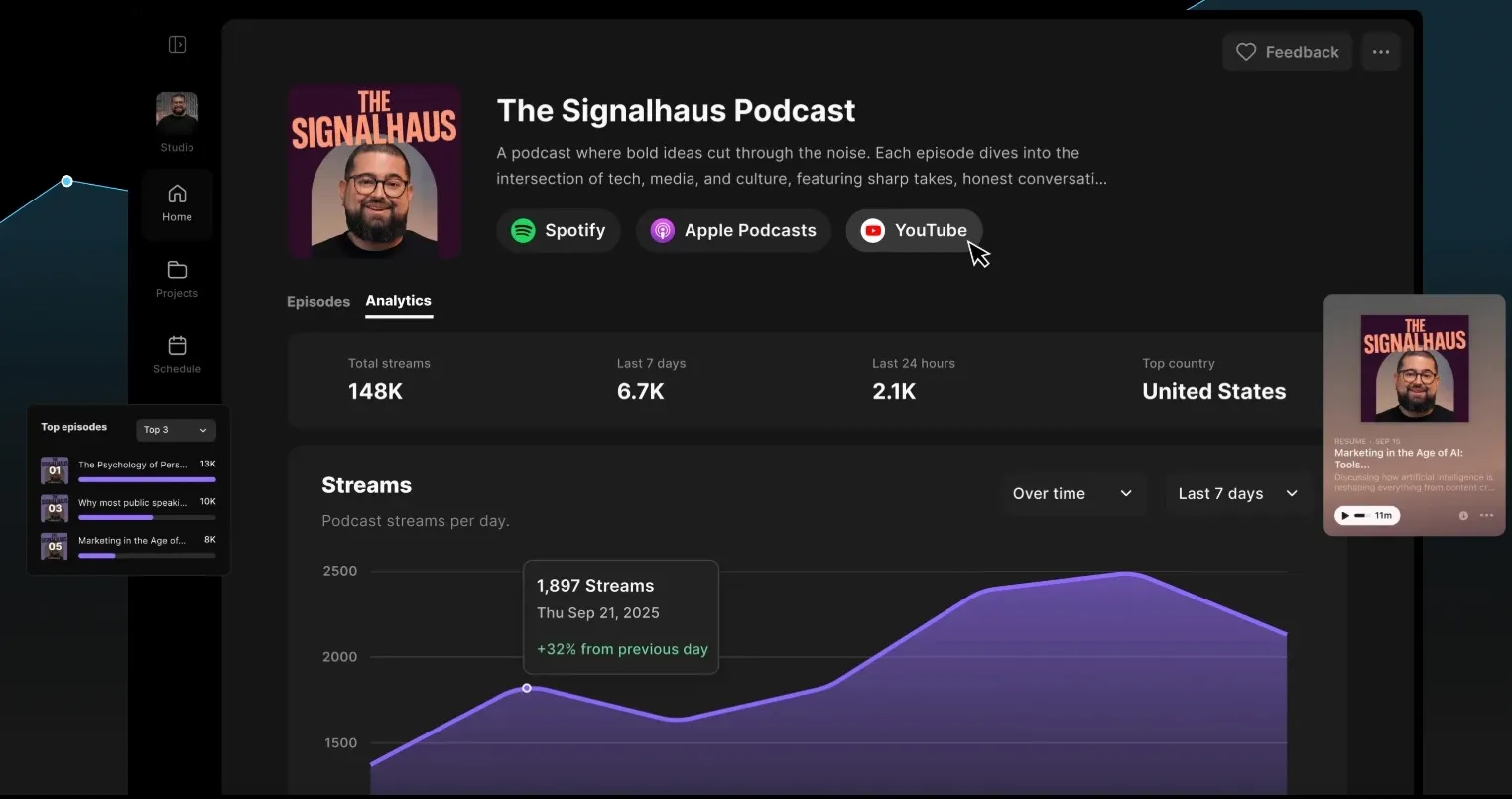
Compared with VEED.io, Riverside focuses more on podcast-specific insights like listens and audience engagement. VEED.io, on the other hand, is geared toward general video performance tracking.
Record and Create Content on Mobile Devices
Riverside’s mobile app supports on-the-go recording, turning a phone into a portable setup for video and audio capture. This makes it easier to record content without relying on a desktop or studio environment.
This adds flexibility to content creation and removes location limits. A creator can record interviews or quick updates while traveling and continue editing or publishing within the same workflow.
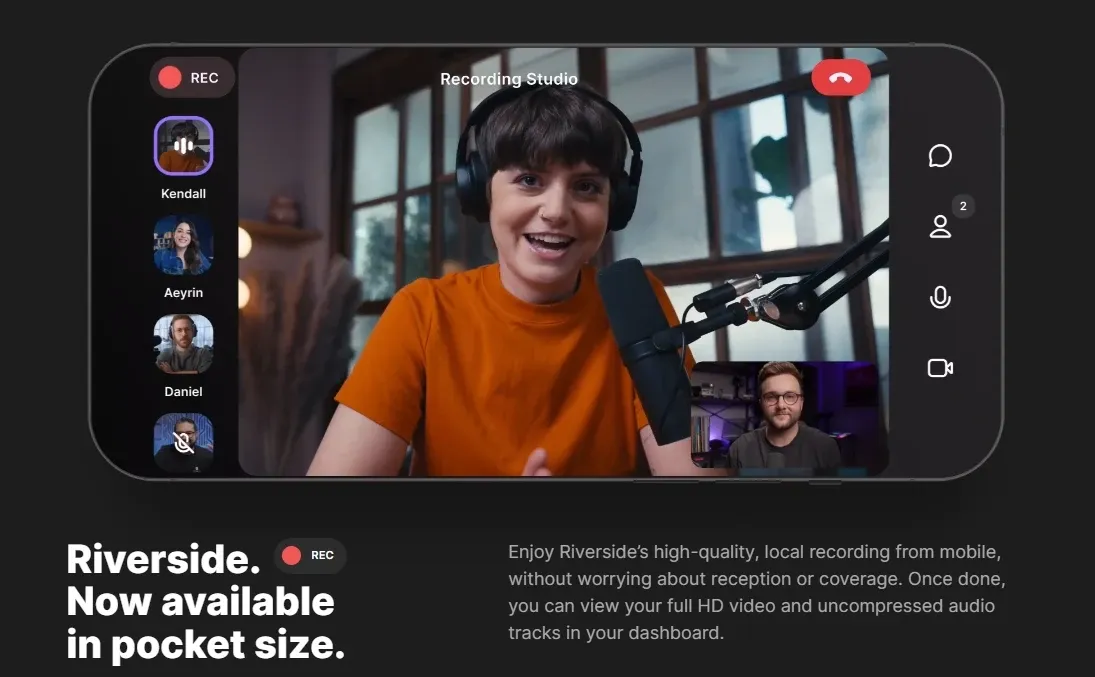
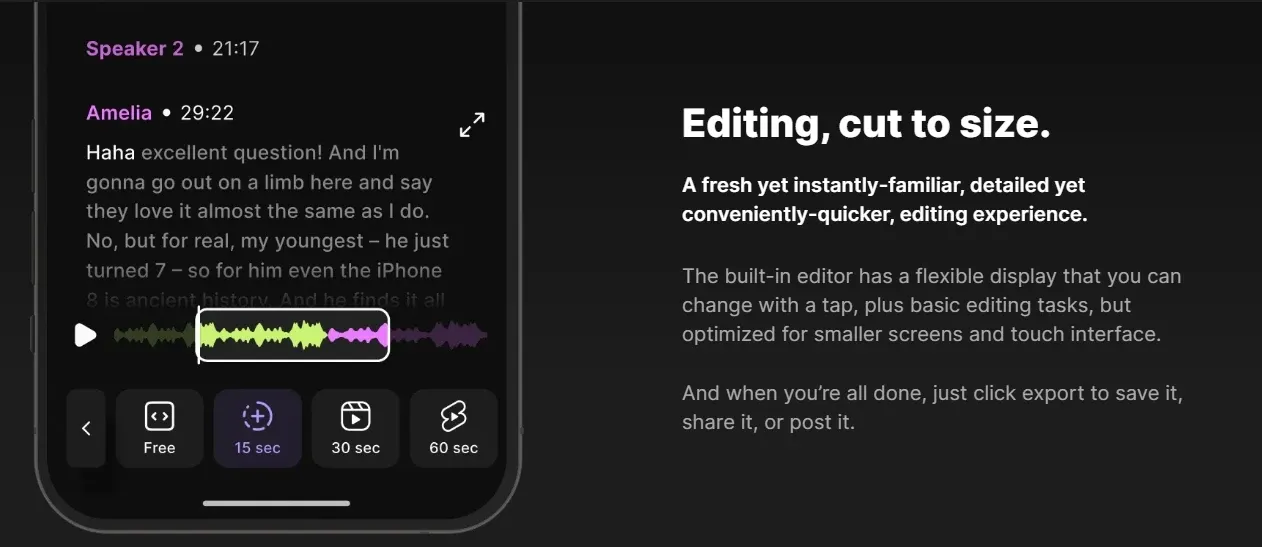
Compared with FlexClip, Riverside is designed for high-quality recording, especially for interviews and podcasts.
FlexClip supports screen and webcam recording, but is primarily focused on editing and template-based video creation rather than long-form content capture.
Who Is Riverside Really For?
- Podcasters & Interview Hosts: Record remote interviews in studio quality, clean up conversations with text-based editing, and turn each episode into clips, transcripts, and show notes ready for publishing.
- Content Creators & Social Media Teams: Capture long-form videos, then quickly generate short clips, captions, and post-ready assets to stay consistent across TikTok, YouTube, and LinkedIn.
- Marketing & Growth Teams: Produce webinars, product explainers, or testimonial videos, then track performance and repurpose top-performing content into campaigns and social posts.
- Educators & Internal Communication Teams: Create training videos, tutorials, or company updates, and structure them with summaries, chapters, and transcripts for easier access and reuse.
- Remote Teams & Business Professionals: Record async video messages, meetings, or presentations without scheduling conflicts, and share polished content across distributed teams.
Riverside vs CapCut vs Descript vs Pollo AI
| Features | Riverside | CapCut | Descript | Pollo AI |
| Ease of Use | Very simple, recording-first | Beginner-friendly, intuitive | Easy for basics, deeper tools take time | Idea to video, no editing |
| Core Strength | Recording + podcast workflow | Visual editing & templates | Text-based editing for speech | Full video generation + agent workflow |
| Recording Quality | Strong (4K local recording) | Basic | Not a core strength | Not focused |
| Editing Style | Text + light timeline | Visual timeline + effects | Fully transcript-based | No manual editing needed |
| AI Features | Clips, audio cleanup, summaries | Effects, captions, templates | Overdub, transcription, AI edits | Full video generation, multi-model AI |
| Agent | Agent only for editing | None | Limited | Pollo Agent (idea to finished video) |
| Best For | Podcasts, interviews, webinars | TikTok, Reels, short videos | Podcasts, tutorials, voice content | UGC ads, marketing, scalable content |
Riverside stands out as a recording-first video tool built for podcasts, interviews, and webinars, with strong local recording quality and streamlined post-production.
Compared to CapCut’s visual editing and Descript’s text-based workflows, it’s best for capturing and refining spoken content, while platforms like Pollo AI focus on generating complete, ready-to-use videos without manual editing.
Riverside’s Position in the Market
Riverside positions itself as a recording-first content platform, sitting between video conferencing tools and full video editors. It focuses on capturing studio-quality audio and video remotely, then simplifying editing and publishing with built-in AI tools.
Unlike editing-heavy platforms, Riverside starts at the moment of capture, ensuring high-quality raw content through local recording and multi-track outputs. It then adds lightweight editing, repurposing, and distribution in one workflow.
Overall, Riverside fits as an end-to-end solution for spoken content production, especially for podcasts, interviews, and webinars, rather than a full editing or generative AI platform.
What Users Think About Riverside
Many users value Riverside for its straightforward setup and strong recording quality, especially for remote podcasts and interviews. It’s often seen as a reliable way to produce clean, professional content without a complex workflow.
That said, not all experiences are smooth. Some users report issues with bugs, slow editing performance, or occasional problems with saved files, which can be frustrating during longer sessions.
Overall, Riverside is appreciated for making high-quality recordings accessible, but its editing stability does not always match its recording strengths.
Looking for More Than Recording? Try Pollo AI
If your needs go beyond recording and basic editing, Pollo AI offers a more advanced approach to content creation.
Instead of starting with captured footage, Pollo AI lets you generate videos from ideas using multiple models, such as Kling AI and Veo, making it easier to create blog-style videos, marketing content, and social assets without filming.
With Pollo Agent, you can go even further by turning a single idea into multiple ready-to-use outputs, from short-form videos to platform-specific variations, without any editing steps.
This makes Pollo AI a strong alternative for creators and marketers who want to move faster from concept to publish, not just from recording to editing.
Pollo AI also offers many apps that create complete videos in one click, like clone video ads built for marketers and AI UGC video generator built for digital content creators.
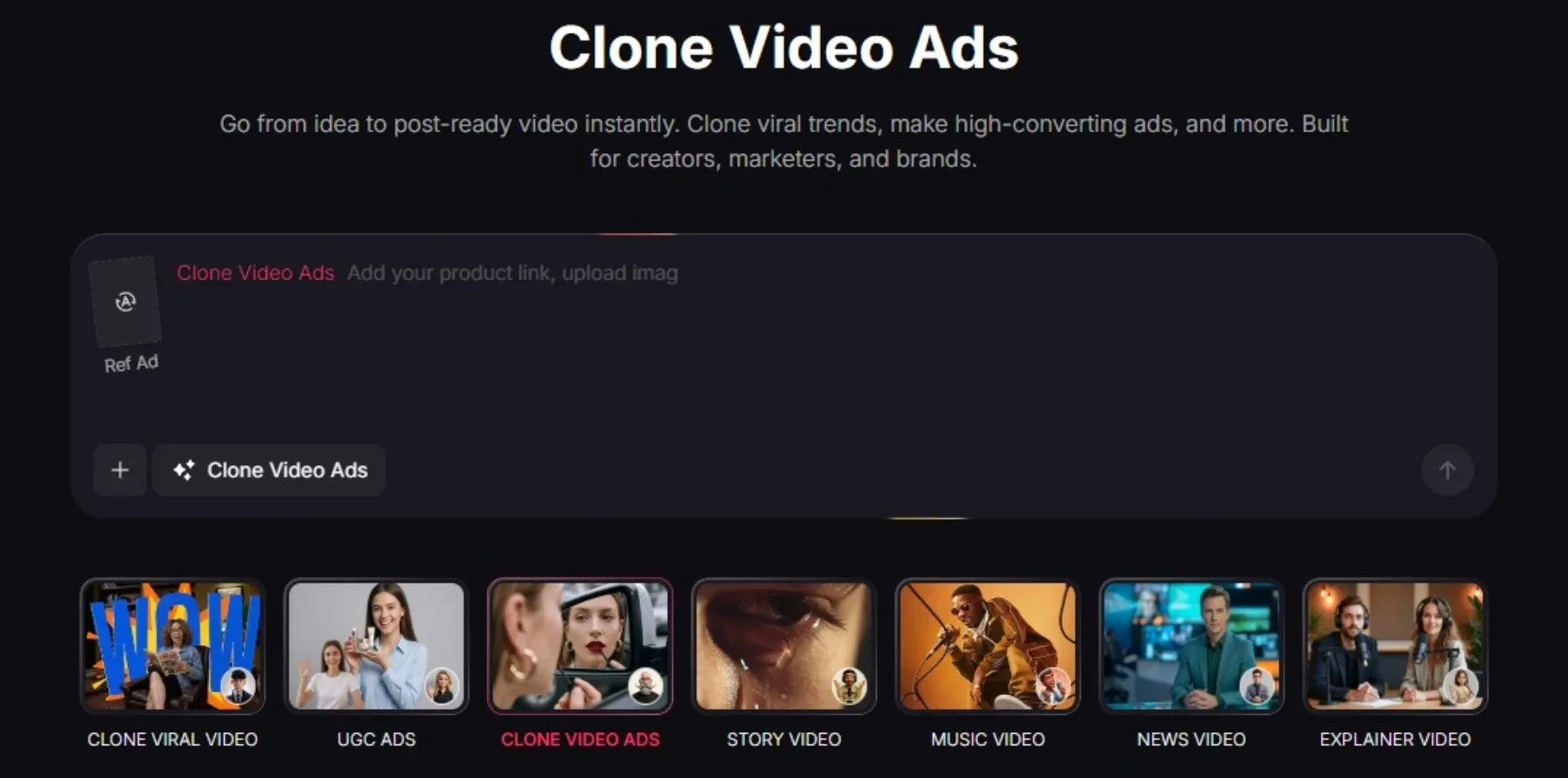
Paste a product link or reference ad, and it generates ready-to-run video ads with proven hooks, structure, and messaging—no manual editing needed. It makes it easy to produce multiple ad variations and scale campaigns fast.
3 Reasons to Switch Riverside to Pollo AI
Access the Latest Video Generation Models
Create videos using cutting-edge models like Seedance 2.5, giving you more control over motion, style, and overall output quality.
Go Beyond Generation with Pro Video Tools
Refine and optimize your content with video tools like remove object from video and other enhancements designed for real production workflows.
Create Ready-to-Post Content with Pollo Agent
Start with one product or idea and get fully produced, platform-ready videos instantly, optimized for performance, with no editing required.










 5000+ reviewsTrustscore 4.4
Loved by 10M+ Creators and Marketers Globally
Thousands of satisfied users have shared their Pollo AI experiences on Trustpilot, rating us as "Excellent." See what they love about our platform.
Liz Cassidy Dec 15, 2025Richard QuickOct 15, 2025armourdudeNov 19, 2025
 DuduJan 14, 2026
 Ray WarnesDec 30, 2025
 lawless clanNov 22, 2025
Browse More AI Video Editors on Pollo AI
FAQs
What is Riverside AI video editor?
Riverside is a recording-first video and audio platform designed for podcasts, interviews, and webinars. Its key strength is high-quality local recording (up to 4K video and uncompressed audio), combined with simple editing tools and AI features for clips, transcripts, and content repurposing.
Can Riverside generate videos from text or prompts?
No, Riverside is not a generative AI video tool. It focuses on recording and editing existing content rather than creating videos from prompts or ideas.
How does Riverside’s text-based editing work?
Riverside converts your recording into a transcript, allowing you to edit the video by editing text. Deleting words or sentences automatically removes the corresponding parts of the video.
Does Riverside support remote recording?
Yes, Riverside is built for remote recording. Each participant records locally on their device, ensuring high-quality audio and video regardless of internet connection quality.
Who is Riverside best suited for?
Riverside is best for podcasters, interview hosts, marketers, and teams creating spoken content like webinars, tutorials, or video podcasts.
Is Riverside better than traditional video editors?
Riverside is better for recording and managing spoken content workflows. However, traditional video editors offer more advanced visual editing, effects, and creative control for video production.
Does Riverside have limitations?
Riverside is strong for recording, but its editing tools are more limited than full video editors, and performance can vary in longer sessions. If you need more advanced editing or want to generate videos from ideas, Pollo AI offers a more flexible alternative with AI models and tools built for full video creation.

Create High-Quality Videos with Pollo AI
Pollo AI removes editing entirely, turning ideas into complete, ready-to-use videos in one click, unlike Riverside’s AI video editor.