



VidFly AI Video Generator
Vidfly AI video generator rapidly gains traction in the content creation space. It features scene composition and automatic enhancement with transitions and integrated voiceovers. But when output quality matters, Pollo AI helps create cleaner videos with richer workflows. It brings leading AI models for creative flexibility, 100+ workflow apps for real needs, talking avatars supporting 70+ languages and accents, effects, and more tools into one platform. Try Pollo AI for free!
Key Features of VidFly AI
Intelligent Scene Composition: Automatically arrange visual elements for cohesive storytellingAI-Powered Video Enhancement: Optimize video quality with intelligent upscaling and color correctionMulti-Style Video Templates: Access diverse visual styles from corporate to creative aestheticsSmart Transition Effects: Generate smooth, context-aware transitions between scenes
Intelligent Scene Composition
VidFly AI excels at understanding narrative structure and automatically composing scenes that flow naturally together. It can analyze your input content and intelligently arrange visual elements, text overlays, and timing to create videos that feel professionally edited. This eliminates hours of manual scene arrangement and ensures your story is told with visual coherence and impact.
AI-Powered Video Enhancement
Beyond creation, VidFly AI includes sophisticated enhancement capabilities that automatically improve video quality. The platform applies intelligent upscaling, color grading, and visual refinement to ensure every frame looks polished and professional. This feature is particularly valuable for creators who want broadcast-quality results without investing in expensive post-production tools or expertise.
Multi-Style Video Templates
VidFly AI offers an extensive library of visual style templates that cater to different industries and creative needs. From sleek corporate presentations to vibrant social media content, each template includes pre-configured visual aesthetics, pacing, and motion patterns. Simply select a style that matches your brand or message, and VidFly AI applies it consistently throughout your video, ensuring professional results every time.
Smart Transition Effects
VidFly AI integrates intelligent transition effects that automatically enhance the visual flow between scenes. Instead of generic cuts, the AI analyzes the content of adjacent scenes and suggests or applies context-aware transitions that smoothly guide the viewer's eye. This can include subtle fades for mood changes, dynamic wipes for energetic shifts, or creative dissolves that blend elements, all designed to maintain a polished and engaging visual narrative without manual effort.
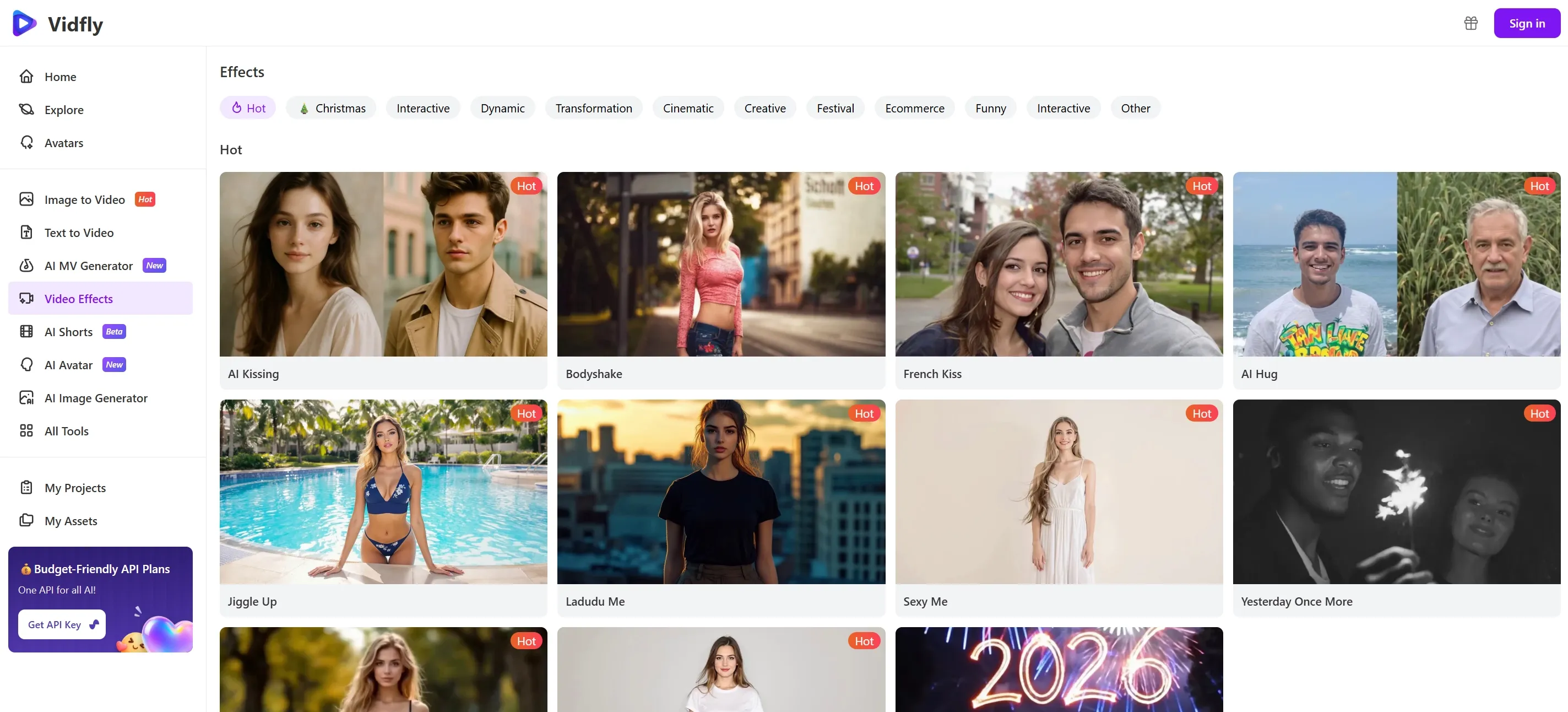
Find Out If VidFly AI Fits Your Video Needs
VidFly AI is a powerful tool, but it is not for everyone. Here is a quick guide to help you figure out if it matches your content goals.
VidFly AI is a great option if you are creating:
- Social Media Content Creation: Generate short promotional videos, Instagram Reels, TikTok videos, and YouTube Shorts using Vidfly's templates.
- Marketing Videos: Create quick marketing videos and ad testers to promote products or services, especially when speed prioritizes cinematic quality.
- Educational Content: Produce simple explainer videos or visual snippets for courses, making learning content more engaging.
- Visual Snippets: Transform blog posts or podcast transcripts into visual videos to expand your reach across different platforms.
VidFly AI is not for you if you are making:
- Hyper-Realistic Videos: Inconsistent character appearances and imprecise lighting makes it unsuitable for realistic human-driven storytelling.
- Cinematic Quality Films: Vidfly lacks the tools needed for VFX, such as advanced color grading, intricate camera work, and cinematic-quality motion graphics.
- Action & Movement-Heavy Videos: Robotic and unnatural movements make it unsuitable for creating videos such as dance videos, sports highlights, or fitness tutorials.
VidFly AI’s Technical Structure
VidFly AI uses a cloud-based model aggregation structure. It emphasizes access to multiple named AI video models.
The platform has a broad input layer. Users can start from prompts, images, scripts, avatars, and existing video files. The tool menu includes text-to-video, image-to-video, AI avatar, AI Shorts, lip sync, editor, caption, clip, and upscaler.
The middle layer appears to be model routing and effect selection. VidFly lists models such as Midjourney and LTX. It also offers video effects and ready-made avatars.
The output layer is controlled by plan level. Free users get 720p exports and five-second video generation. Paid users get 1080p exports and ten-second video generation. Paid plans also raise concurrent tasks from two to six.
VidFly AI’s architecture also includes storage and queue controls. It offers storage from 10 GB to 200 GB. It also separates standard, fast, faster, and fastest generation speeds. That suggests capacity management is tied directly to subscription value.
This is a pragmatic technical structure. It gives users a single front end for many models and tools.
Pros and Cons of VidFly AI
| Pros | Cons |
| Beautiful templates for fast social media content (TikTok, Instagram, YouTube Shorts, ads) | Lack of advanced editing options or fine control over details (e.g., color, lighting, camera action, frame rate) |
| Effective AI voiceovers and auto-subtitles | Character inconsistency (faces, clothes, postures may vary between scenes) |
| Good automatic pairing of text to visuals, music, and captions | Movements can be robotic or unnatural |
| High-speed video production with minimal configuration | Minimal camera work (lacks elaborate angles, pans, cinematic shots) |
Feature Comparison: VidFly AI vs Pollo AI vs VideoWeb AI
| Category | VidFly AI | Pollo AI | VideoWeb AI |
| Core Positioning | Simple AI video hub for beginners. | All-in-one creative platform for creators and marketers. | Video, image, and music AI platform. |
| Model Access | Offers 50+ AI models. | Integrates 70+ top AI video models in one platform. | Offers Kling, Runway, Luma, and Hailuo. |
| Workflow Depth | Prompt, image, avatar, effects, and editing tools. | Pollo Agent outputs publication-ready videos; image/text/reference-to-video generation; 100+ specialized workflow apps | Focuses on model choice and credit efficiency. |
| Main Advantage | Easy entry into AI video creation. | Wider production workflow with no editing required. | Broad creative suite with video, image, and music. |
For full insights, check our Vidfly AI review.
Where Pollo AI Goes Beyond VidFly AI
Publication-Ready Agent Workflow
Pollo Agent turns ideas into polished videos, reducing retries and unfinished assets. You can get post-ready videos with no editing.
Flexible Model Choice
Pollo AI lets you switch leading models such as Seedance 2.0 and Veo 3.1 for different needs, improving creative control when one model misses prompts.
Workflows for Real Use Cases
Pollo AI offers 100+ workflow apps for ads, stories, social content and more needs. From ad videos to celebrity videos, you can always have one to reduce your effort.










 5000+ reviewsTrustscore 4.4
Loved by 10M+ Creators and Marketers Globally
Thousands of satisfied users have shared their Pollo AI experiences on Trustpilot, rating us as "Excellent." See what they love about our platform.
Liz Cassidy Dec 15, 2025Richard QuickOct 15, 2025armourdudeNov 19, 2025
 DuduJan 14, 2026
 Ray WarnesDec 30, 2025
 lawless clanNov 22, 2025
Discover Other Powerful AI Video Generators on Pollo AI
FAQs
What is VidFly AI?
VidFly AI is an AI-powered video generation platform that helps creators, marketers, and businesses produce professional-quality videos efficiently. It specializes in intelligent scene composition, automated enhancement, and style-based video creation that delivers polished results without requiring advanced video editing skills.
Why choose VidFly AI?
VidFly AI stands out for its focus on intelligent automation that understands narrative flow and visual composition. The platform's ability to automatically arrange scenes, enhance video quality, and apply consistent visual styles makes it ideal for anyone who needs professional video content without spending hours on manual editing.
What video formats does VidFly AI support?
VidFly AI supports standard video formats including MP4, MOV, and AVI for export. The platform is designed to deliver web-optimized videos suitable for social media platforms, websites, and professional presentations, with customizable resolution and aspect ratio options.
How long does it take to generate a video with VidFly AI?
Video generation time with VidFly AI varies depending on video length and complexity, but most videos are ready within 2-5 minutes. The platform prioritizes efficient processing while maintaining high-quality output, making it suitable for creators who need fast turnaround times.
How long does Animaker take to export?
The Animaker AI video generator is usually super fast, with short clips ready in under a minute. For complex 4K videos, rendering might take longer—up to 24 hours. Don't worry; you can close your tab, and the AI will finish the job in the cloud! Speed depends on your project's length and resolution.
Can I customize the visual style after generating a video?
Absolutely. VidFly AI allows you to adjust and refine your video after initial generation. You can modify visual styles, adjust timing, swap scenes, or regenerate specific sections until you achieve the exact look and feel you want for your project.

Choose Pollo AI for Reliable Video Creation!
Access stronger models, richer workflows, and practical tools for publish-ready video output.