



Vidrush AI Video Generator
VidRush combines scripts, voiceovers, footage, and avatars for long-form YouTube videos. Pollo AI goes further with cinematic stories, social ads, and scene-by-scene editing. Try Pollo AI video generator free!
Seedream 5.5
Consistent Editing Across 100 Rounds.
Seedance 2.5 Flash
40% OFF. Close to Seedance 2.5 quality. 2× the speed.
Kling 4.0
Up to 10 keyframes. Impressive performance.
AI Scriptwriting
VidRush uses a topic or prompt, along with details about the audience and tone, to draft the narration for AI videos. Users can also provide a finished script.
For a YouTube creator planning a Top 10 video, a topic and a few key points become a structured first draft. This reduces the work of writing every section from scratch.

Automatic Footage Selection
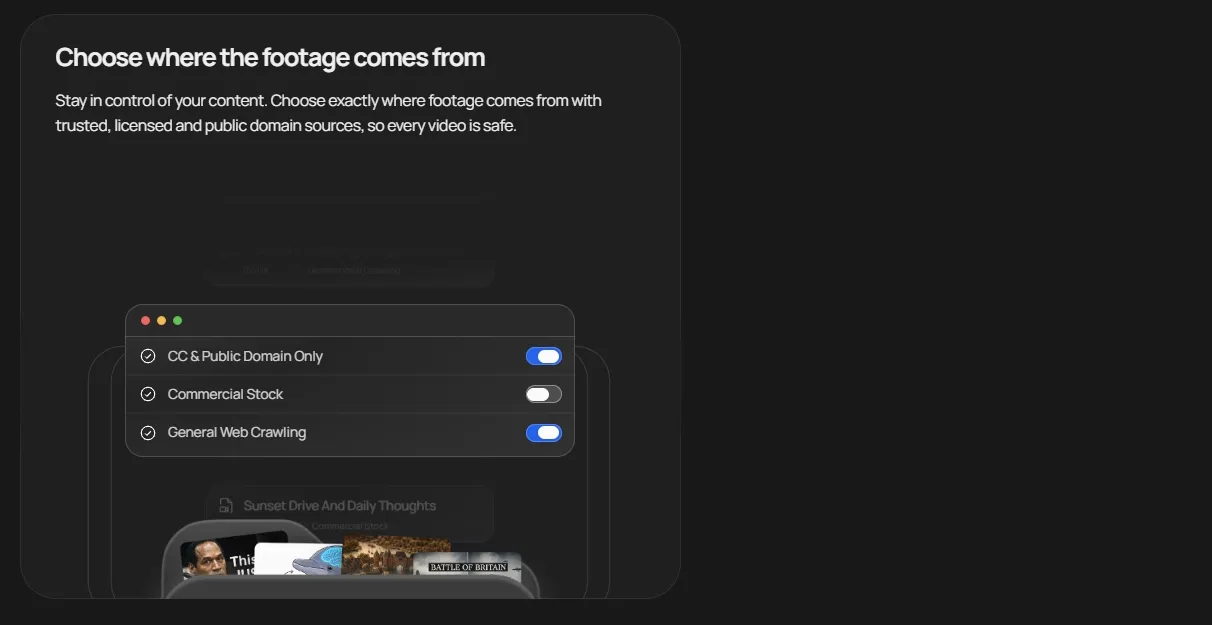
VidRush selects clips and images to illustrate the script. Users can choose from stock libraries, public archives, and web sources, with settings to exclude particular websites or channels.
A news commentary video often needs visuals for several people, places, and events. Matching footage to a prepared script reduces manual searching and gives viewers context for the narration.
Talking Head Editing
VidRush edits a continuous recording of someone speaking to camera. It removes pauses and filler, tightens the pacing, and adds supporting footage and captions around the speaker.
After recording a tutorial in one take, a creator gets a tighter edit with pauses removed and supporting visuals added. Less time goes into trimming the recording before uploading it to YouTube.
AI Avatar Videos
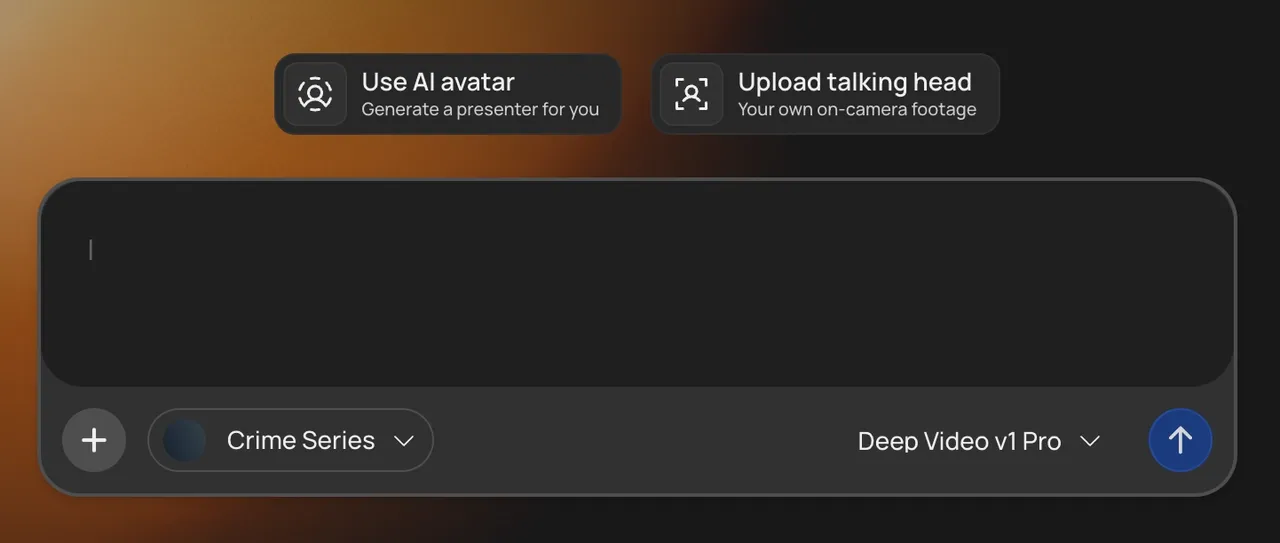
VidRush can place a virtual presenter in a video using an AI avatar or a photo-based character. Its AI avatar workflow adds narration, supporting footage, and captions without requiring a recording.
Regular explainer series benefit from a familiar on-screen host without a new recording for every episode. A preset or photo-based avatar presents each script, reducing the filming work behind frequent uploads.
Brand Settings
VidRush AI video generator saves a channel’s voice, background, visual theme, and other preferences in a brand profile. These settings carry over to new videos, reducing repeated setup.
Keeping a weekly YouTube series consistent means reusing the same voice, background, and visual style. A saved brand profile applies those choices to new episodes, reducing setup before each upload.
Built-In Video Editor
VidRush lets users replace clips, adjust audio, edit text, and correct captions after generation.
Before publishing a YouTube video, the final review may reveal an unrelated clip, uneven audio, or a caption error. The editor brings these corrections together, so the video is ready to export.

What VidRush Is Best For
- Faceless documentary channels: VidRush is a strong fit for kids history videos, kids science videos, and true crime videos.
- Narration-led explainer content: VidRush works well when the story is driven by script and voiceover, not by live filming.
- Top 10 and list-style videos: VidRush is built for structured long-form YouTube formats with a strong YouTube intro.
- Teams that want faster production: VidRush AI reduces the manual work behind scripting, voiceover, visual sourcing, and rough editing when producing ads videos.
VidRush vs. Pollo AI vs. InVideo AI
| Aspect | VidRush | Pollo AI | InVideo AI |
| Main focus | Long-form faceless YouTube videos | Ultimate AI creative suite for marketers and creators | Broad AI video creation and editing |
| Core workflow | Script, voice, stock footage, edit | Agent-led, multi-workflow creation | Prompt-based video generation with editing |
| Best for | Documentaries, explainers, Top 10s | Ads, explainers, stories, social, full-length videos | Marketing videos, explainers, social content |
| Voice tools | 100+ ElevenLabs voices + 25 niche voices | Text to video, AI voice cloning and AI sound effects generator | AI voice generator and voice cloning |
| Editing | Built-in editor for cleanup and replacement | AI video editor and various video editing tools | Prompt editing and online editing tools |
| Input options | Prompt, reference video, custom voiceover | Prompt, URL, image, script, product assets | Prompt, script, stock assets |
Is VidRush AI Worth Using?
User reviews show a mostly positive but still practical picture. On Trustpilot’s VidRush page, some users value VidRush for saving time on long-form YouTube production, especially when they need scripting, voiceover, footage sourcing, and editing in one workflow.
But some Trustpilot reviews also point to real friction: VidRush still has a learning curve, and some users feel the pricing may not always match the output they expect.
In short, VidRush is praised for speed and workflow efficiency, but users may still need to watch quality consistency, manual cleanup, and cost closely.
Looking for More Than VidRush AI? Try Pollo AI
Pollo AI is a better fit when you need more than faceless long-form YouTube automation. Powered by frontier models like Veo and Kling AI, it gives users more creative flexibility and more production-ready output across different video tasks.
Inside Pollo AI Marketing Studio, users can create campaign-ready video ads faster without hiring a production team or editing every clip manually.
Creating ads through apps like clone viral ads, script to video ads, and UGC video ads, marketers can test proven ad formats, turn scripts into polished creatives, and produce authentic creator-style promotions for product launches, social media campaigns, and paid ads.
For creators and teams who want a broader workflow from idea to launch, Pollo AI offers a stronger path than VidRush.
Why Does Pollo AI Go Further
Unlock a professional workspace and turn your ideas into publish-ready visuals.
Full Video Creation
Create post-ready ads, stories, and social videos from prompts, images, or links with Pollo Agent, then refine individual scenes without restarting the entire project.
Direct Every Scene
Combine uploaded footage with new AI shots in Pollo Director, then adjust scenes, captions, and audio on a timeline to shape every moment of your story.
TRUSTED BY LEADING BRANDS WORLDWIDE









10M+Users
Using Pollo AI to Create and Inspire
Explore More AI Video Generators
FAQs
What is Vidrush used for?
Vidrush is mainly used to create long-form faceless videos for posting on Youtube. It works best for documentary videos, Top 10 videos, history videos, true crime videos, news explainers, and other voice-led content.
What video formats and lengths does Vidrush support?
Vidrush currently focuses on Documentary and Top 10 formats. Its official workflow is built for 6 to 40 minute videos, which makes it more suitable for long-form storytelling than quick social clips.
What voiceover options does Vidrush offer?
Vidrush offers 100+ AI voices and several Vidrush-exclusive voices for niches like news, finance, history, and true crime. Users can also upload their own narration if they want more control over the final voice.
Is Vidrush suitable for Instagram videos or Facebook videos?
Vidrush is not mainly designed for short Instagram videos or Facebook ad videos. Its workflow focuses on longer horizontal videos, while social platforms often need short, vertical, fast-paced clips.
Can Vidrush create product videos or explainer videos?
Vidrush can create product videos or video explainers when the topic fits a longer narration-led format. It is less suitable for quick ecommerce showcases, short product ads, or highly visual animated explainers.

Create Post-Ready Video Stories with Pollo AI
Move beyond faceless YouTube videos and create complete videos for ads, social media, products, and storytelling.
Used by 10M+ Creators and Marketers