




Claid AI Product Photo Editor
Claid AI is a generative editor that turns product shots into polished listings, lifestyle scenes, and short videos for ecommerce. For creators needing complete, publish-ready campaigns instead of individual edits, try Pollo AI for free!
Kling 4.0
Up to 10 keyframes. Impressive performance.
Key Features of Claid AI Product Photo Editor
- AI Photoshoot: Restages an existing product photo inside new commercial environments.
- AI Fashion Models: Converts garment images into styled, on-model fashion photography.
- Image to Video: Animates edited product, fashion, or portrait images into short clips.
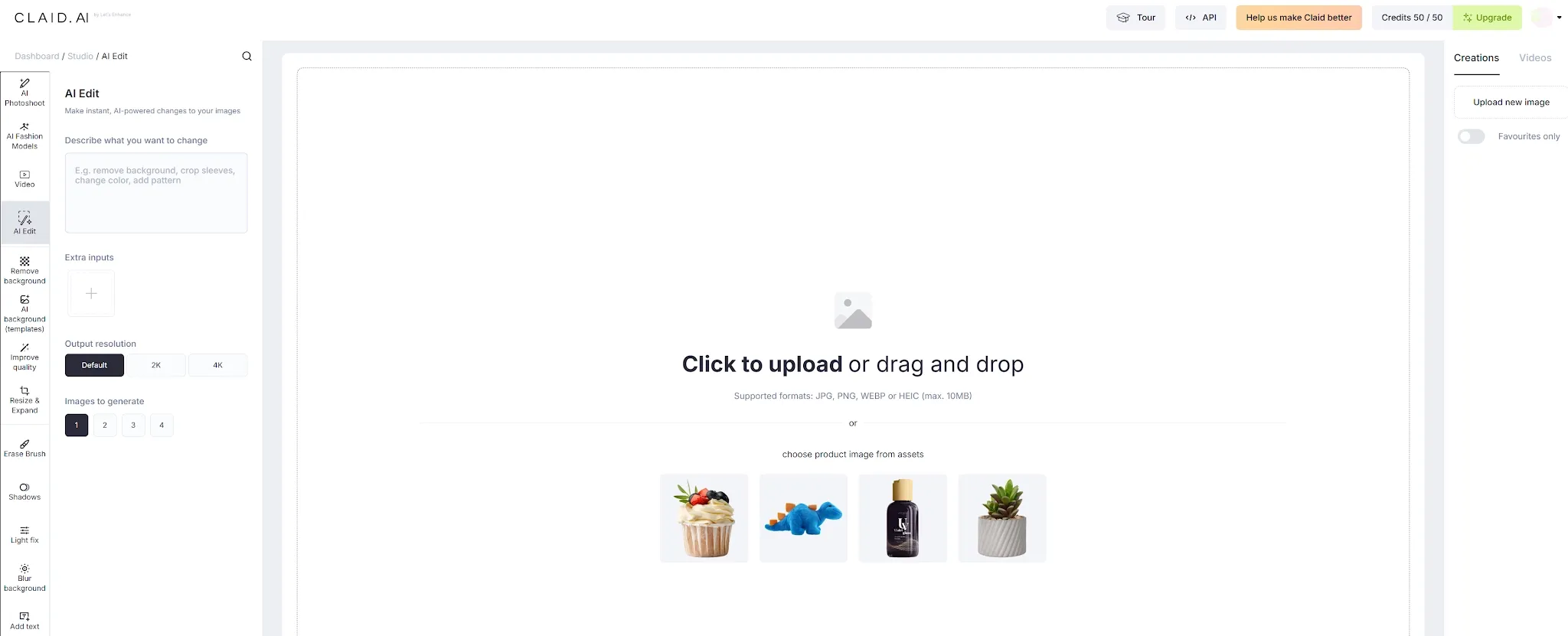
- AI Edit: Applies substantial product and scene changes through written instructions.
- Remove Background: Produces clean product cutouts with several removal and export modes.
- AI Backgrounds (Templates): Places products inside reusable, ready-made commercial scenes.
- Enhancer & Upscaler: Improves resolution, lighting, sharpness, labels, and fine details.
- Image Expander: Extends product photos into channel-specific aspect ratios without basic stretching.
AI Photoshoot
Claid AI Photoshoot begins with an existing product image rather than generating the advertised item from scratch. Users position the product, select an aspect ratio, describe the intended environment, and generate up to four edited compositions. Five modes provide different levels of control. Precise keeps the product in its selected position, while Creative gives Claid more freedom over scale and composition.
Turn Product Ideas Into Complete Visuals
ECreate product scenes, fashion visuals, posters, and short videos from one product brief with Pollo AI.
AI Fashion Models
Claid AI Fashion Models edits flat garment images into on-model fashion photography. Apparel sellers can upload a top, bottom, or complete outfit and produce styled visuals without booking models, locations, or repeated shoots. They can also create realistic previews through virtual try-on workflows.
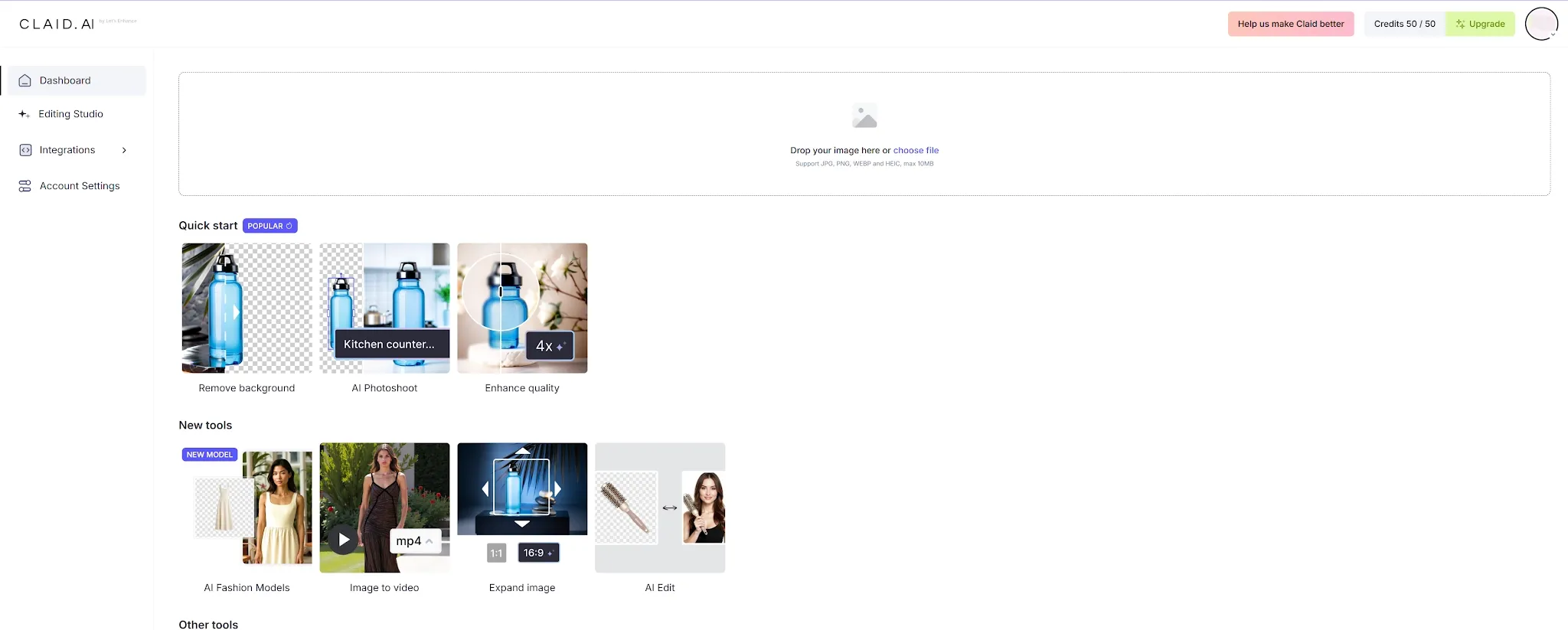
Image to Video
Claid Image to Video extends edited photos into 5- or 10-second clips. Users can describe product motion, camera movement, environmental effects, or a simple human action. Suitable portraits can also become talking clips with speech, sound, and lip sync. Fashion teams can animate on-model visuals with a slow walk, turn, or fit check.
AI Edit
Claid AI Edit applies major changes to existing photos through plain-language instructions. It can replace a scene, alter props, adjust the mood, improve the product presentation, or develop a new campaign direction without traditional masking. Precise instructions are essential. The prompt should explain both what may change and what must remain untouched, especially when packaging text, dimensions, or brand colors matter.
Remove Background
Claid Remove Background isolates products through general, prompted, interactive, and vehicle-specific workflows. The edited result can use a transparent background, solid-color, or custom HEX background. Users can also adjust padding, safe zones, framing, and tight cropping. These controls are useful for glass, jewelry, fabric, packaging, vehicles, reflective surfaces, and other products with difficult edges.
AI Backgrounds (Templates)
Claid AI Backgrounds places product cutouts inside prebuilt environments. Templates cover minimal studios, kitchens, spas, offices, interiors, fabrics, flat lays, nature scenes, platforms, and stone surfaces. This template-led approach is faster than manually describing every setting. It also helps sellers maintain a recognizable style across several products or recurring seasonal promotions.
Enhancer & Upscaler
Claid Enhancer & Upscaler prepares low-resolution supplier images, compressed marketplace files, and older catalog assets for larger placements. It can improve resolution, correct lighting, reduce noise, and sharpen important details. The workflow emphasizes product elements such as text, labels, materials, stitching, packaging, and surface finishes.
Image Expander
Claid Image Expander changes the usable canvas around an existing photograph. A square catalog image can become a landscape banner, vertical advertisement, email graphic, or social Story without stretching the product itself.
Claid AI Product Positioning and Background
Claid developed from Let’s Enhance, a Ukrainian-founded computer-vision company whose story began in 2017. Founders Sofi Shvets and Vlad Pranskevicius initially worked on improving small, low-quality ecommerce photos.
The B2B Claid product launched in 2021 and expanded into a broader marketplace solution in 2022. In October 2021, Let’s Enhance secured a $3 million seed round led by Chamaeleon, with participation from Hype Ventures, Acrobator, and Margo Georgiadis. By 2023, Claid had reportedly optimized more than 100 million user-generated photos.
Its business model combines a self-service Studio, developer APIs, workflow chaining, enterprise SLAs, and custom visual pipelines. Claid therefore targets both individual marketers and enterprise teams processing large catalogs through a CMS, PIM, DAM, supplier feed, or marketplace platform.
Who Uses Claid AI?
- Ecommerce and marketplace teams: They clean supplier images, standardize backgrounds, improve PDP galleries, and prepare catalog assets across large inventories.
- Fashion and apparel brands: They convert garment photos into on-model imagery, build lookbooks, preview collections, and animate outfits for social campaigns.
- Marketing teams and agencies: They adapt product photos into lifestyle scenes, benefit cards, seasonal campaigns, advertisements, and short motion assets.
- Enterprise visual operations teams: They automate enhancement, resizing, background removal, quality control, and exports through APIs and custom pipelines.
Feature Comparison: Claid vs Mintly vs Pollo AI
Comparison Factor | Claid | Mintly | Pollo AI |
| Primary positioning | Generative product photo editor | Ecommerce ad generator | Complete creative and marketing platform |
| Main input | Existing product, garment, vehicle, or portrait photo | Product URL, photo, or reference ad | Product photo, URL, script, prompt, image, or video |
| Product photography | Controlled photoshoots, fashion models, enhancement, and cleanup | Lifestyle scenes and product-focused ad visuals | Product shots, listing images, staging, posters, and visual editing |
| Editing capabilities | Background removal, enhancement, expansion, and prompt editing | Basic product-photo preparation and creative adaptation | Background replacement, object removal, relighting, expansion, and style editing |
| Ad creation | Produces visual assets for ads but does not build complete campaigns | Clones proven ad structures and generates ecommerce creatives | Creates URL, script, photo, UGC, and viral video ads |
| Fashion workflow | Garment-to-model photography and outfit completion | Fashion product scenes and marketing visuals | Virtual try-on photos and videos with broader campaign support |
| Video capability | Short image-to-video clips | Short product and UGC-style advertisements | Product ads, UGC, social videos, stories, and complete campaigns |
| Agent capability | No complete video production agent | No full-length video agent publicly documented | Pollo Agent builds structured, full-length, publication-ready videos |
| Best suited to | Catalog and marketplace teams editing images at scale | Ecommerce teams testing ads quickly | Teams producing visual assets and complete marketing videos |
Claid AI Reviews: What Users Actually Say
Claid’s feedback on Trustpilot and G2 generally praises its product-photo workflow, enhancement capabilities, API automation, and responsive customer support. However, the limited review volume means the available ratings should be interpreted cautiously.
A negative Trustpilot review described the generated results as unnatural. A verified G2 reviewer praised the professional enhancement but said inexperienced users may struggle to use the available filters efficiently.
How Pollo AI Extends Claid’s Editing Workflow
Pollo AI connects product-photo editing with complete commercial production. Marketing Studio transforms product photos, URLs, and scripts into campaign-ready advertisements.
Instead of forcing inexperienced users to manually tweak settings, the Pollo Agent automates the entire aesthetic pipeline. You simply upload a basic product photo, and the Agent intelligently orchestrates accurate shadows, reflections, and context-aware lighting to build a cohesive scene.
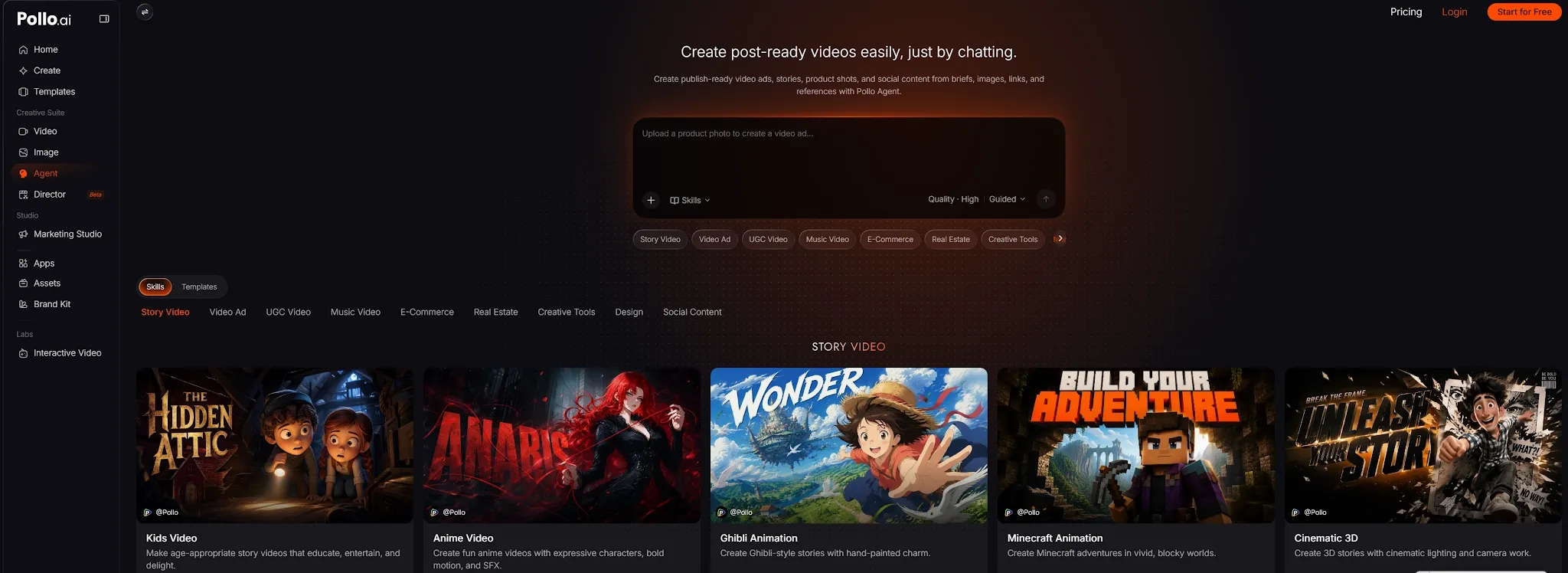
This agent-driven workflow ensures hyper-realistic, natural-looking product showcases and e-commerce posters every time. By replacing tedious manual adjustments with intelligent, publish-ready generation, Pollo AI allows any seller to create commercial-grade visual assets with zero photography costs.
Why Creators Move from Claid to Pollo AI

Access Leading Creative Models
Choose industry-leading image like GPT Image 2.5 and Nano Banana 2 and video models in one platform.
One-Click Publish-Ready Images
Turn ideas into ready-to-publish images in one click, with Pollo Agent styling, lighting, and polishing every asset.
Marketing Studio
Marketing Studio turns ideas into polished e-commerce visuals for product pages, catalogs, ads, and social campaigns.

10M+Users
Using Pollo AI to Create and Inspire


Chosen by 10M+ Creators and Marketers Worldwide
- Liz CassidyDec 15, 2025Easy to use, great results for short videosI’ve been using Pollo AI mainly for short videos and quick image-to-video tests. The interface is straightforward and it works well even with simple prompts, which is a big plus compared to tools that need long, complicated instructions. The results can be really impressive, and it’s honestly been fun to experiment with. I’d love a bit more consistency on faces when there’s movement, but overall it’s been a solid experience for what I needed.
- Richard QuickOct 15, 2025Awesome websiteAwesome website. loads of options and a great way to learn how to work with 'AI' my reasoning for 5 stars is based upon price, versatility and ease of use. Also I would like to add, Pollo AI runs a lot of promos on different AI products as well. I rate their customer service at 5 stars, when I purchased my first subscription my computer crashed the following weekend and I lost all my data and info passwords you name it I lost it, contacted pollo by email they responded quickly and found my info/username and account, and I was able to restore my account.
- armourdudeNov 19, 2025I have been using Pollo AI for short…I have been using Pollo AI for short videos. It is easy to use and works well with simple prompts. Other generators seem to need long drawn out complicated explanations to get even close to what I want.
- DuduJan 14, 2026I'm just amazed by the level of quality…I'm just amazed by the level of quality output that Pollo AI can produce from a simple image. The motion, the realism, It's too good!!
- Ray WarnesDec 30, 2025A fabulous journeyI find Pollo easy to use, it gives me great results and I'd recommend it to anyone. It has been a wonderful experience for me.
- lawless clanNov 22, 2025i tried 220 online img to vid in 2…i tried 220 online img to vid in 2 months, and this is the best online video.I will subscribe for a year; there are many reasons. But freedom is the most important.


Discover Other AI Image Generators
FAQs
What is Claid AI used for?
Claid AI edits ecommerce images by enhancing resolution, removing backgrounds, creating product scenes, generating fashion model photos, expanding frames, and producing short videos.
Is Claid AI an editor or a generator?
Claid is primarily a generative product photo editor. It starts with an existing image and uses generative tools to transform that source into new commercial assets.
Can Claid generate new product photos?
Yes. AI Photoshoot can edit one product cutout into studio, lifestyle, seasonal, and campaign scenes. The actual advertised product still comes from an uploaded source image.
Can Claid create product videos?
Yes. Claid can animate a product, fashion, or portrait image into a 5- or 10-second clip with prompted movement, speech, lip sync, and sound.
Does Claid support fashion photo editing?
Yes. Claid can transform clothing images into on-model visuals, complete partial outfits, generate matching footwear, and animate the resulting fashion image.
Can Claid preserve product details?
Claid is designed to retain product shape, color, material, labels, and packaging while changing the surrounding scene. Commercial outputs should still be verified.

Move From Edited Product Photos to Complete Campaigns
Move beyond fragmented product visuals and let a true AI agent craft cohesive, publish-ready image and video campaigns for your brand.