Photta is an AI fashion-imagery platform offering virtual try-on, virtual fashion models, product photography, and merchant integrations for fashion brands. For broader image generation, flexible campaign variations, and practical photo editing, Pollo AI is the ideal alternative.Try Pollo AI for free now!
POLLO AI INFLUENCER
Create your own influencer. Then jump into any trend with Recast.
Kling 4.0
Up to 10 keyframes. Impressive performance.
Pollo Recast
Recreate viral videos. Remix new versions.
Pollo Recast Challenge
One upload in. Your viral video out. Unlimited rewards await.
Pollo Agent x DeepSeek V4.1 FLASH
Faster completion at a much lower cost.
Pollo Agent x Gemini 4 Argon
Smarter reasoning. All through Pollo Agent.
Pollo MCP
End-to-end content creation. Up to 4 Videos/ 20 Images for FREE.
Key Features of Photta AI Fashion Photography
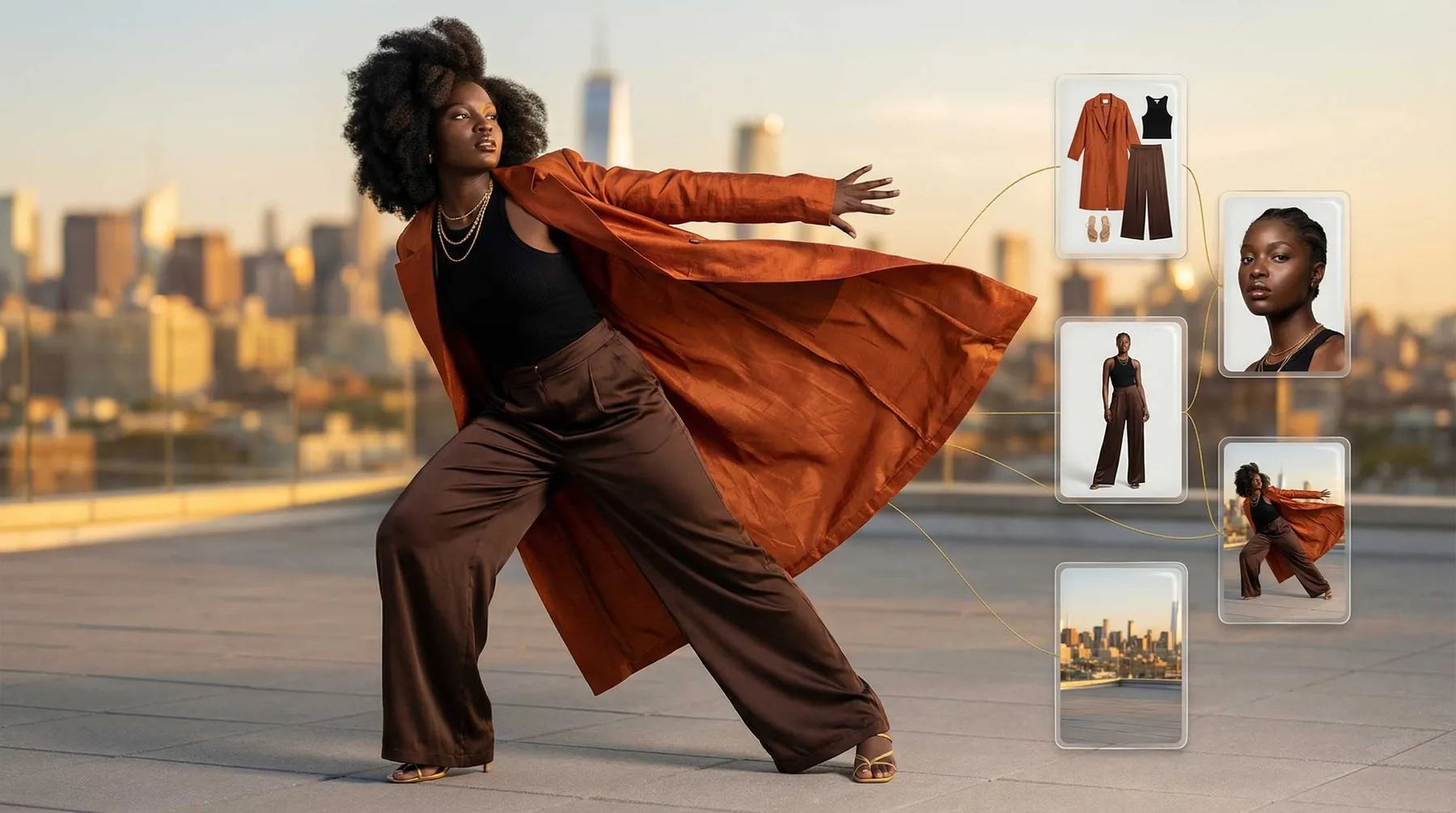
Apparel Virtual Try-On: Photta places uploaded garments on selected AI models with configurable poses and scenes for fashion product imagery.
AI Fashion Models and Poses: Photta provides diverse virtual models, custom model creation, and pose changes for repeated fashion shoots.
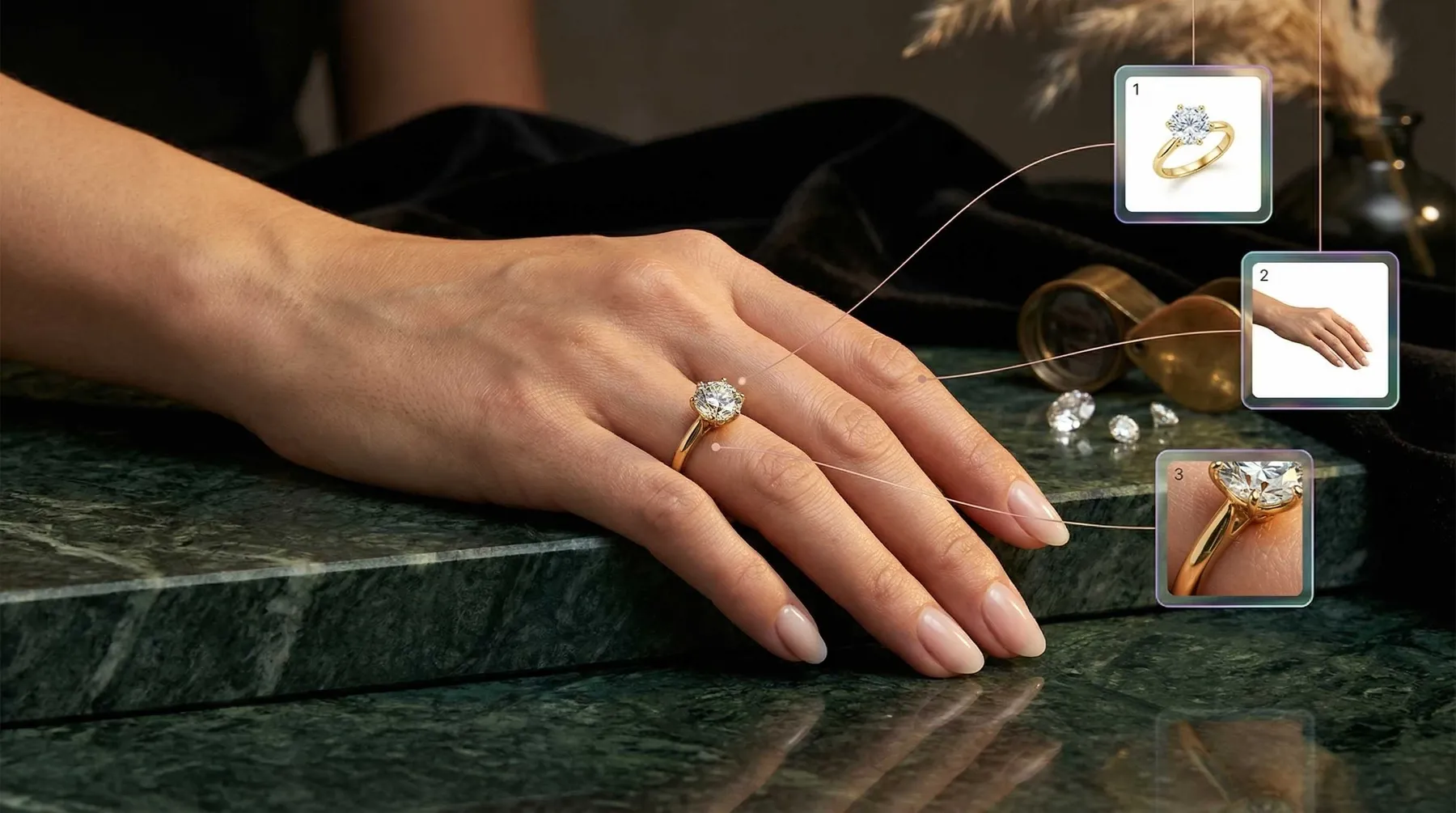
Jewelry, Eyewear, and Shoe Studios: Photta extends its fashion visualization workflow to rings, necklaces, glasses, sunglasses, and footwear.
AI Product Photography: Photta restyles standalone product photos with background removal, enhancement, and ecommerce-oriented scenes.
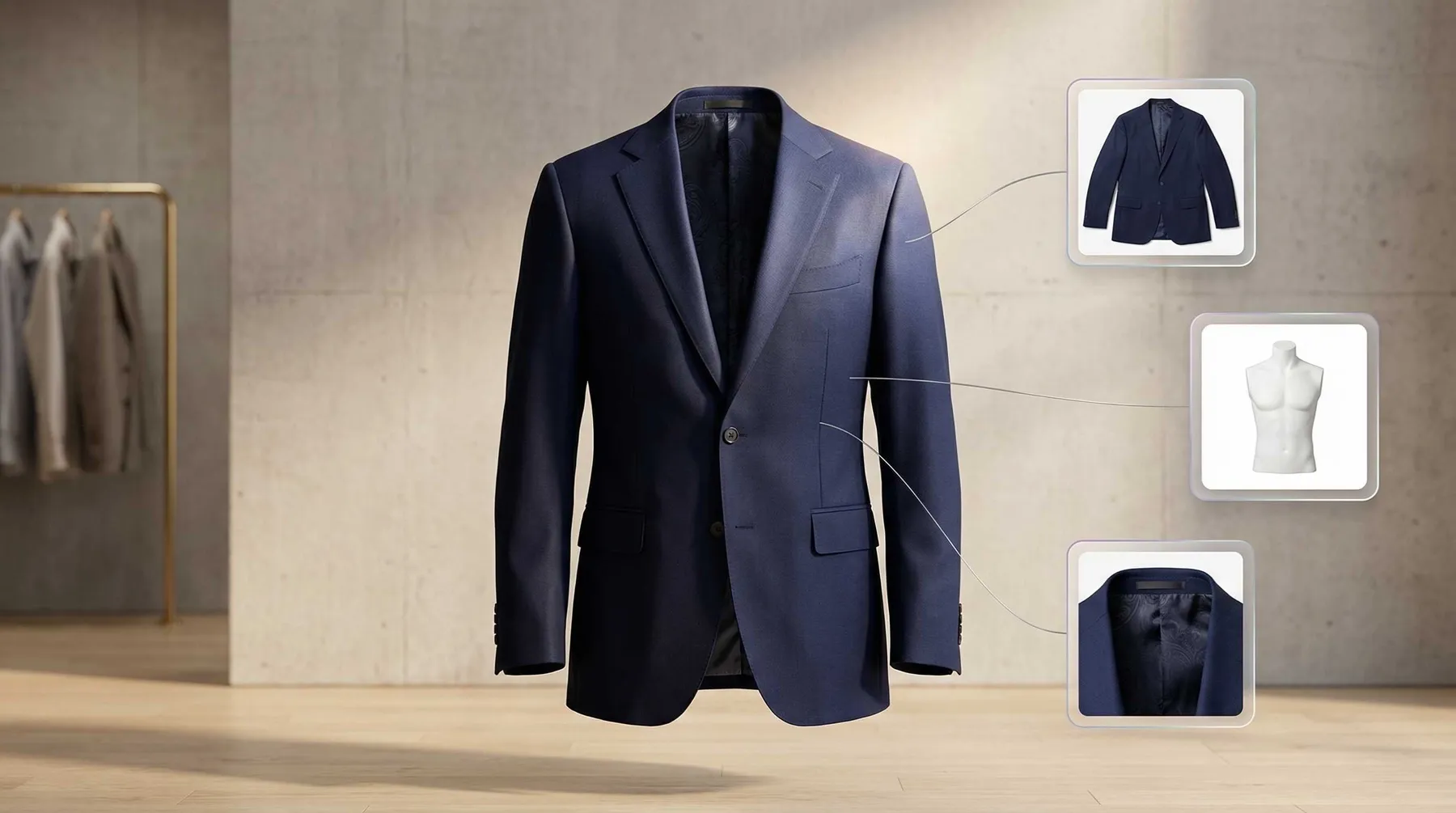
Ghost Mannequin Images: Photta removes visible mannequins while preserving the garment's shape for cleaner catalog presentations.
Image Upscaling: Photta enlarges generated or uploaded fashion images by two to four times for higher-resolution delivery.
Merchant Widget and API: Photta offers an embeddable try-on widget and APIs for adding fashion-image workflows to merchant storefronts and applications.
Apparel Virtual Try-On
Photta's apparel workflow starts with a garment image, then lets users choose a model, pose, and scene before generating the dressed result. It is designed for catalog and campaign photography rather than personal sizing advice.
Clear garment edges and front-facing product photos provide a stronger basis for apparel virtual try-on images. Logos, prints, fasteners, drape, and layered clothing should be reviewed before publication.
AI Fashion Models and Poses
Photta includes ready-made AI fashion models and a model maker for creating profiles that better match a brand's visual direction. Users can select standing, walking, or seated poses and generate several catalog directions from the same product input.
The controls reduce dependence on new model shoots, but face, anatomy, garment fit, and cross-image identity still require quality review across a full collection.
Jewelry, Eyewear, and Shoe Studios
Photta has dedicated studios for jewelry, eyewear, and shoes instead of treating every item as a generic product. Jewelry can be shown on generated hands or body models, eyewear can be placed on face models, and footwear can be presented on models or in styled product scenes.
These category-specific paths are useful for testing presentation, but scale, reflections, contact points, and small product details need careful inspection.
AI Product Photography
Photta's product studio handles merchandise beyond wearable fashion. It can remove a source background, enhance the item, and place it in a cleaner studio or lifestyle presentation.
This supports faster AI product photography for listings and ads. Packaging geometry, labels, logos, colors, and reflective surfaces should still be checked against the real item.
Ghost Mannequin Images
Photta's ghost-mannequin tool is designed for apparel photos that already show a garment on a physical mannequin. It removes the mannequin while attempting to preserve the neckline, sleeves, inner surfaces, and natural three-dimensional form.
The workflow can standardize product listings, although difficult overlaps, transparent fabrics, and incomplete source views may need manual retouching.
Image Upscaling
Photta includes an AI upscale tool for increasing image resolution by 2x to 4x after generation. This is useful when a selected catalog or campaign image needs a larger export without rebuilding the whole scene.
An image upscaler can improve clarity and output size, but it does not guarantee recovery of missing product text, seams, or incorrect geometry.
Merchant Widget and API
Photta Business provides an embeddable virtual try-on widget for ecommerce product pages. The platform also documents APIs for apparel try-on, jewelry try-on, and ghost-mannequin generation, giving merchants both low-code storefront and developer-led integration paths.
Production teams should evaluate supported categories, generation time, credit use, privacy, error handling, and output consistency before launching either integration to customers.
Use Cases of Photta AI Fashion Photography
For fashion ecommerce teams: Turn garment photos into model-led listing images, pose variants, and campaign concepts without arranging a new shoot for every SKU.
For jewelry and accessory sellers: Test product placement on generated hands, faces, and body models before preparing final catalog assets.
For brand marketers: Build related product photo sets for product pages, ads, and seasonal campaigns.
For developers and marketplaces: Embed virtual try-on or ghost-mannequin workflows through Photta's APIs and merchant tools.
Photta Market Positioning
Photta is positioned as a vertical fashion-photography platform rather than a general image generator. Its workflow begins with a real product and organizes generation around apparel, jewelry, eyewear, shoes, product scenes, and ghost-mannequin outputs.
Its main differentiator is the connection between category-specific creation and merchant deployment. A small seller can generate model images in the web app, while a larger ecommerce business can evaluate the embedded try-on widget or dedicated image APIs.
Photta currently provides 20 free credits without requiring a card. Paid plans start at $14 per month and scale by credits, batch limits, mannequins, poses, templates, and production volume.
Photta Pros and Cons
Pros
Cons
Fashion-specific studios for several product categories
Less suited to open-ended image creation
Model, pose, scene, and ghost-mannequin workflows
Garment and accessory details still need review
Free starting credits and scalable paid plans
Higher-volume catalog work requires larger credit plans
Merchant widget and APIs for try-on imagery
Integration requires technical and privacy evaluation
Feature Comparison: Photta vs Pixelcut vs Pollo AI
Photta is stronger for fashion-specific model, try-on, and ghost-mannequin outputs, while Pixelcut is more focused on quickly editing and presenting existing ecommerce photos.
Pollo AI fits teams that need to extend a product input into broader generated scenes, campaign variations, and practical image-editing paths beyond one fashion catalog workflow.
Why Is Pollo AI a Strong Photta Alternative?
Step 1
Try-On and Product Shots
Generate photo-based virtual try-on or standalone product scenes in the same platform, then reuse the approved images across broader commerce and campaign workflows.
Batch-edit approved product images with one text instruction to standardize backgrounds, lighting, colors, and presentation before publishing across multiple sales channels at scale.
I’ve been using Pollo AI mainly for short videos and quick image-to-video tests. The interface is straightforward and it works well even with simple prompts, which is a big plus compared to tools that need long, complicated instructions. The results can be really impressive, and it’s honestly been fun to experiment with. I’d love a bit more consistency on faces when there’s movement, but overall it’s been a solid experience for what I needed.
Awesome website. loads of options and a great way to learn how to work with 'AI' my reasoning for 5 stars is based upon price, versatility and ease of use. Also I would like to add, Pollo AI runs a lot of promos on different AI products as well. I rate their customer service at 5 stars, when I purchased my first subscription my computer crashed the following weekend and I lost all my data and info passwords you name it I lost it, contacted pollo by email they responded quickly and found my info/username and account, and I was able to restore my account.
I have been using Pollo AI for short videos. It is easy to use and works well with simple prompts. Other generators seem to need long drawn out complicated explanations to get even close to what I want.
i tried 220 online img to vid in 2 months, and this is the best online video.I will subscribe for a year; there are many reasons. But freedom is the most important.
Photta is used to create fashion product photos on AI models, generate virtual try-on results, remove mannequins, restyle product images, and support merchant integrations.
What products can Photta process?
Photta supports apparel, jewelry, eyewear, shoes, and general product photos through separate category-focused studios.
Is Photta free?
Photta currently offers 20 free credits without requiring a credit card. Paid plans begin at $14 per month, with larger plans adding more credits, templates, poses, mannequins, and batch capacity.
Can Photta create custom AI fashion models?
Yes. Photta includes a model maker and supports model, pose, and scene selection for repeatable fashion-photo directions.
Does Photta offer an API?
Yes. Photta publishes API paths for virtual try-on, jewelry try-on, and ghost-mannequin generation. Businesses should review current technical limits and commercial terms before deployment.
Build Broader Product Campaigns with Pollo AI
Move from a product photo to generated scenes, campaign variations, refined images, and ready-to-use marketing visuals through focused creation tools.