



Clipchamp AI Video Editor
Clipchamp is a simple Microsoft video editor with basic AI and built-in recording, but it only relies on OneDrive for project storage. For a more advanced workflow, Pollo AI helps to generate ready-to-use content in one flow without any editing steps. Try creating with Pollo AI for free!
Key Features
AI-Powered Video Enhancement Tools : Clean up audio and visuals with AI that removes noise, trims silence, and improves clarity automaticallyAI Voiceover Generator for Scripted Videos : Bring scripts to life with natural-sounding AI voiceovers in different languages and tonesBuilt-in Webcam & Screen Recorder : Capture your screen, camera, or both at once without leaving the editorAI Subtitle Generator with Multilingual Support : Turn spoken content into accurate subtitles that make videos easier to follow and shareExport Audio-Only Files from Videos : Extract and download high-quality audio like voiceovers, music, or dialogue in just a few clicksBrand Kit for Consistent Visual Identity : Keep logos, colors, and fonts in one place to create instantly recognizable videosGIF Maker for Quick, Shareable Content : Turn videos or images into GIFs in seconds for social media and messagingCross-Platform Editing Across Devices : Create and edit videos seamlessly in browser, desktop, or mobile environments
AI-Powered Video Enhancement Tools
Instead of manually refining every detail, Clipchamp uses AI to clean up footage automatically. Background noise is reduced, pauses are trimmed, and overall clarity improves in just a few clicks.
This turns rough recordings into polished videos much faster, especially for content created in everyday environments. Whether you're filming at home or producing quick social content, you can prepare videos for TikTok, IG, or marketing use without re-editing or re-recording.
Clipchamp focuses on basic AI cleanup like noise reduction and trimming. Pollo AI goes further with a wider range of video tools, including video upscaling, background remover, and remove objects from video, allowing deeper editing and more flexible, ready-to-use results.
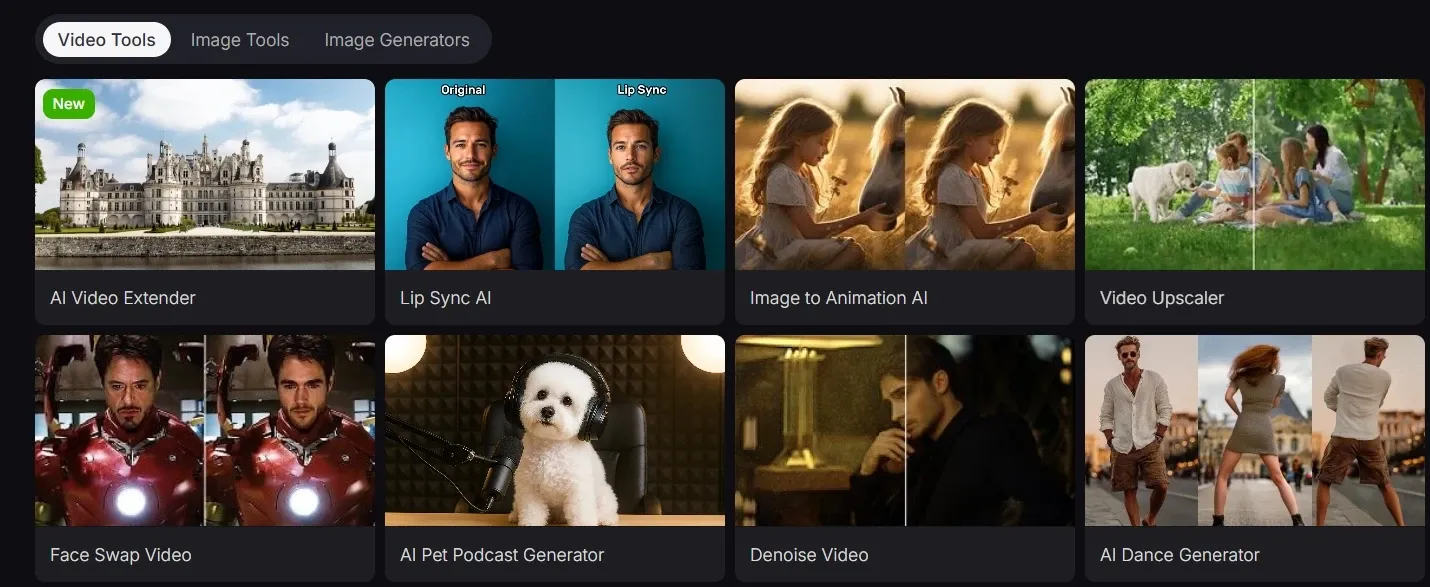
AI Voiceover Generator for Scripted Videos
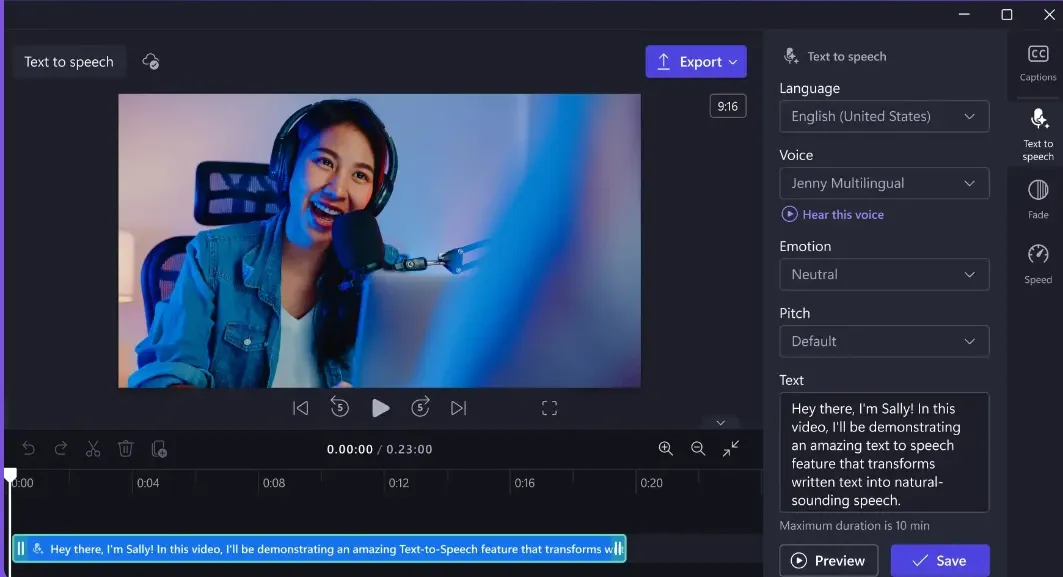
Clipchamp allows users to turn text directly into natural-sounding voiceovers, removing the need for recording. It supports consistent narration with adjustable tone, speed, and language to match different audiences.
This makes it easy to scale video production without worrying about voice quality or setup. For product demos, explainers, or ads, simple scripts can quickly become fully narrated videos, ready to publish in minutes.
In comparison, AI avatar of Pollo AI goes a step further. Simply provide a script, and it creates full talking videos with lifelike avatars, multilingual voice, and natural lip-sync. It delivers ready-to-use content without needing real presenters or separate production steps.
Built-in Webcam & Screen Recorder
Clipchamp lets you record your screen, webcam, or both in one place, then move straight into editing, without switching tools.
This keeps the workflow smooth from capture to export. For example, you can record a product demo with your screen and face together, then quickly edit it into a tutorial or LinkedIn video without re-uploading files.
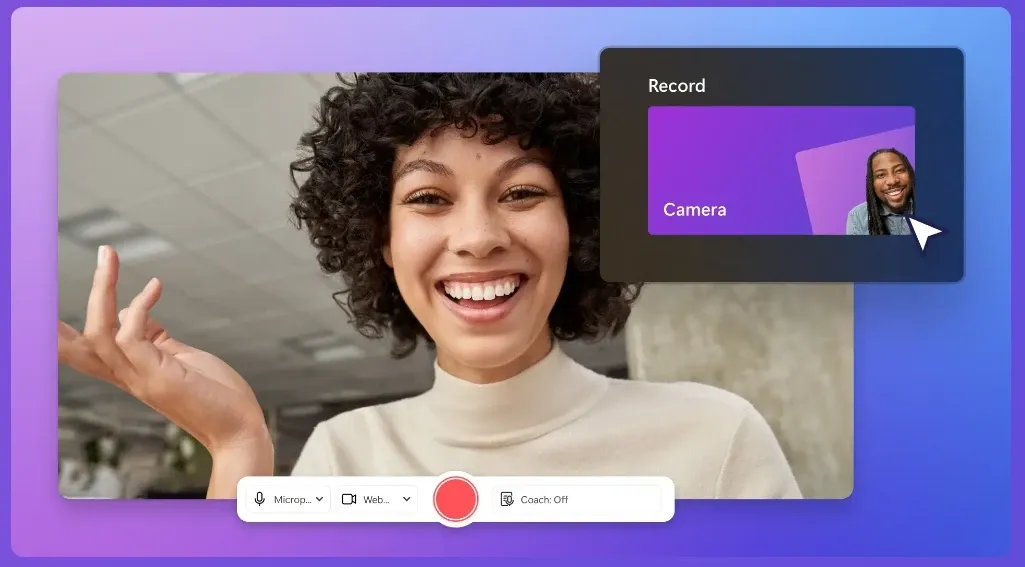
Compared to Riverside, which specializes in high-quality remote recording for podcasts and interviews, Clipchamp offers a simpler built-in webcam and screen recorder focused on quick, everyday content capture.
AI Subtitle Generator with Multilingual Support
Clipchamp turns speech into subtitles across multiple languages without manual typing. The captions can then be styled and exported with the finished video.
This helps your content stay clear even when viewed on mute. For instance, a creator posting Instagram Reels can instantly add captions so viewers understand the message while scrolling, improving watch time and engagement.
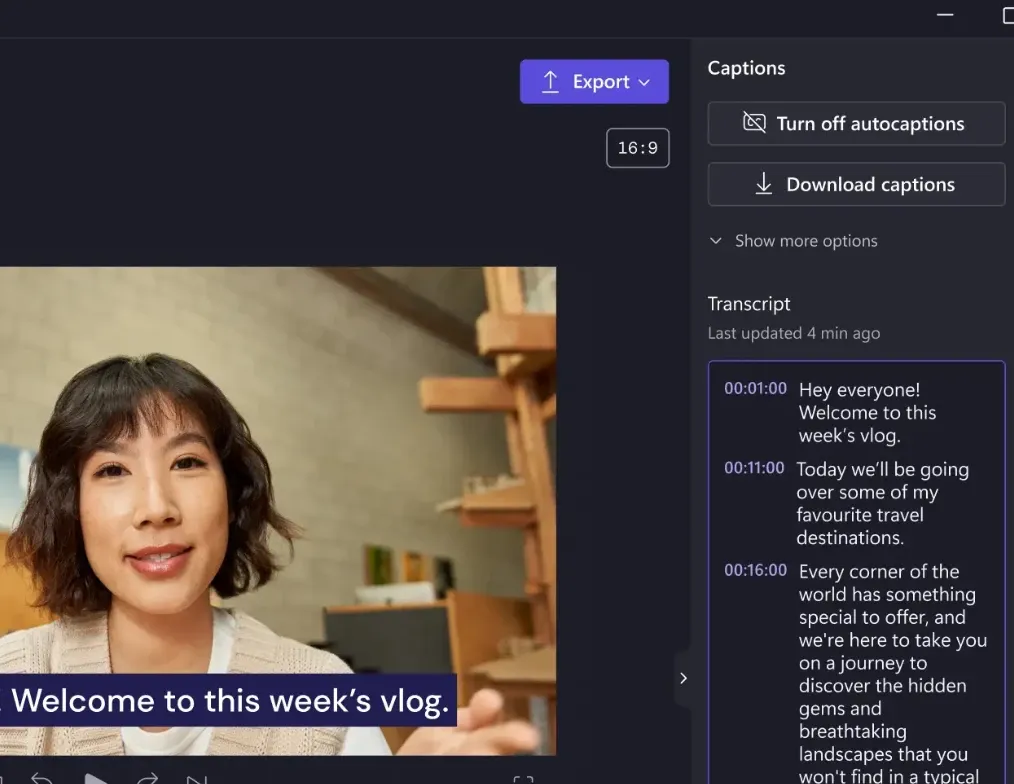
Clipchamp focuses on adding multilingual subtitles, making videos easier to follow without sound.
Pollo AI takes a broader step by generating complete multilingual videos with scenes, audio, and delivery adapted, suited for ads, tutorials, or global content.
Export Audio-Only Files from Videos
Clipchamp helps you pull audio directly from your video and download it as a separate file in seconds. No extra tools or conversions needed.
This makes it easy to reuse content across formats. You can extract a voiceover from a product video and repurpose it as a podcast clip or audio ad without recreating it.
Brand Kit for Consistent Visual Identity
Clipchamp’s brand kit keeps logos, fonts, and colors ready to apply at any time, helping every video maintain a consistent visual identity.
This is especially useful when producing multiple videos in a series. A marketing team can create weekly social content that always matches brand colors and typography, without redesigning each video from scratch.
In contrast, story video generator, which is built by Pollo AI, applies brand elements automatically while generating the entire branding or marketing videos.
Instead of manually adding assets, it builds structured, ready-to-use videos with consistent style, messaging, and flow, making brand consistency part of the creation process, not an extra step.
GIF Maker for Quick, Shareable Content
Clipchamp turns clips or images into looping GIFs in just a few steps. Trim, resize, and export content that’s ready to share instantly.
This is perfect for lightweight content creation. Product highlights, reactions, or short moments can be repackaged into engaging visuals for social media, messaging, or email campaigns.
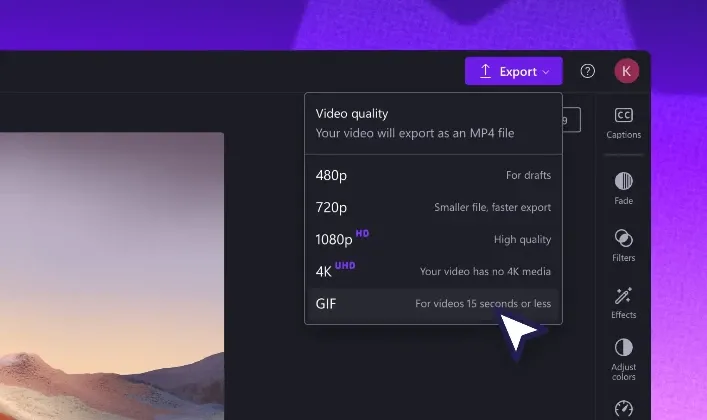
Compared to CapCut, which supports more flexible GIF creation with editing options like text, stickers, effects, and export control, Clipchamp focuses on a simpler, faster workflow for basic GIF conversion.
As a result, CapCut is better for more customizable and creative GIF content, while Clipchamp is more suitable for quick, lightweight GIF creation.
Cross-Platform Editing Across Devices
Clipchamp supports video editing in-browser, on desktop, and on mobile, allowing users to switch devices while keeping their progress intact.
This fits real creation habits. You might start editing a video on your laptop, tweak it on your phone while commuting, and finish it later for publishing without restarting the project.
Use Cases of Clipchamp
- E-commerce Sellers: Turn product descriptions into AI-generated voiceovers for ads, instantly converting text into engaging audio content without the need for recording.
- Content Creators: Create and edit YouTube tutorials by recording both screen and webcam, then seamlessly add AI-generated subtitles for accessibility and global reach.
- Marketing Teams: Use Clipchamp's brand kit to maintain consistent logos, fonts, and colors across promotional videos, ensuring brand identity remains polished across social platforms.
- Educators: Record explainer videos with screen and webcam simultaneously, then use AI subtitles to make content more accessible for diverse learning needs, and export as shareable resources.
- Social Media Manager: Turn behind-the-scenes footage into short GIFs for Instagram and Twitter, resize and crop for perfect social media formats, and add branding with the built-in tool.
Clipchamp vs Clideo vs Riverside vs Pollo AI
| Features | Clipchamp | Clideo | Riverside | Pollo AI |
| Ease of Use | Beginner-friendly timeline editor | Very simple tool-based interface | Easy, but requires setup for recording | Simple, prompt-based workflow |
| Core Workflow | Record and edit videos in one place | Edit, resize, and convert files quickly | Record first, then edit content | Generate videos from text or images |
| AI Capabilities | Basic AI (subtitles, voiceover, audio cleanup) | Minimal AI features | Limited AI, mainly editing assistance | Advanced AI generation (video, image, avatars) |
| Agent Workflow | Not supported | Not supported | Agent only for editing | Pollo Agent plans, generates, and refines content from a simple idea |
| Recording Features | Built-in webcam and screen recording | Not supported | High-quality remote recording | Not recording-focused |
| Content Creation Speed | Fast for simple editing tasks | Very fast for quick edits | Slower due to recording workflow | Fastest with automated generation |
| Best For | Beginners and social video editing | Quick fixes and simple edits | Podcasts, interviews, remote content | Ads, marketing, scalable content creation |
Clipchamp focuses on simple video editing with built-in recording and basic AI tools like subtitles and voiceovers.
Compared to Clideo and Riverside, it provides a more complete workflow for creating and editing content in one place. However, it still depends on manual editing, while Pollo AI shifts toward AI-driven video generation and automated creation.
Where Clipchamp Fits
Clipchamp is positioned as a beginner-friendly, browser-based video editor within the Microsoft ecosystem, built to make video creation accessible without prior editing experience.
It emphasizes simplicity, templates, and fast workflows rather than advanced controls.
Compared to traditional editing software, it prioritizes ease of use, while its AI features remain supportive rather than central. Overall, Clipchamp sits between professional editors and lightweight online tools as an entry-level solution for everyday video creation.
What Users Are Saying
User feedback on Clipchamp is mixed. On the positive side, many users find it easy to use and suitable for beginners, especially for quick edits without a steep learning curve. Some also appreciate how fast it handles simple tasks compared to other online tools.
However, negative reviews highlight issues with stability and usability. Users mention freezing during editing, difficulty saving work, and frustration with support, which can disrupt the overall experience.
Overall, Clipchamp works well for basic, quick editing. But for more reliable or advanced workflows, the experience may feel limited.
Try Pollo AI: An Advanced Alternative
If you need more than editing, Pollo AI offers a more advanced way to create videos.
You can generate complete content using popular models like Seedance on Pollo AI, making it easy to produce blog videos and marketing assets from scratch. Tools like AI video extender also help quickly refine outputs into usable results.
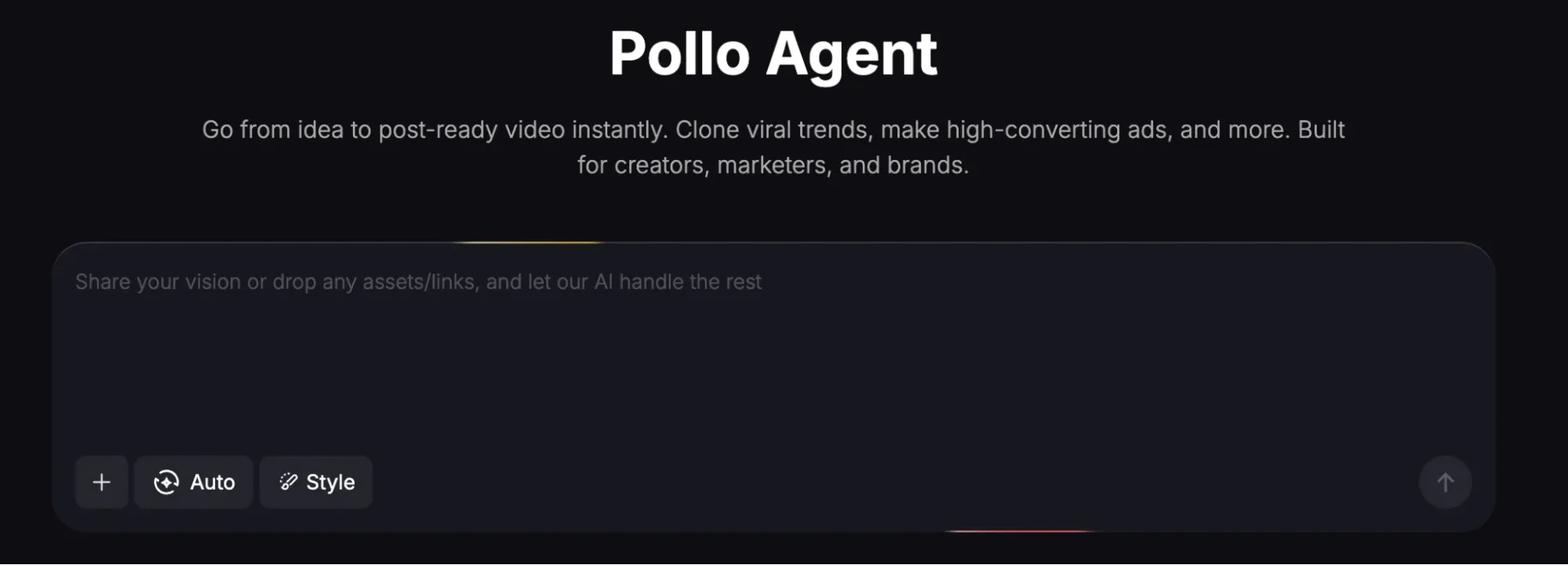
On top of that, the Pollo Agent is built with real content workflows in mind. It helps plan, generate, and polish videos in one flow, making it especially useful for marketers who need to turn ideas into ready-to-use campaign content without any editing.
What Makes Pollo AI More Powerful Than Clipchamp
Publish-Ready Videos with Pollo Agent
Pollo Agent can generate complete, ready-to-publish videos in one flow, helping you go from idea to campaign content without manual editing.
Advanced Tools for Fine Video Optimization
Beyond generation, Pollo AI offers professional tools like remove object from video to refine details and improve final output quality.
AI Avatars for Scalable UGC Content
Generate complete, ready-to-post talking videos with AI avatars, making it easy to produce UGC-style content at scale for TikTok, Reels, and ad campaigns.










 5000+ reviewsTrustscore 4.4
Loved by 10M+ Creators and Marketers Globally
Thousands of satisfied users have shared their Pollo AI experiences on Trustpilot, rating us as "Excellent." See what they love about our platform.
Liz Cassidy Dec 15, 2025Richard QuickOct 15, 2025armourdudeNov 19, 2025
 DuduJan 14, 2026
 Ray WarnesDec 30, 2025
 lawless clanNov 22, 2025
Explore More AI Video Editors
FAQs
What is Clipchamp?
Clipchamp is a browser-based video editor by Microsoft that lets users record, edit, and export videos in one place. Its key highlights include built-in screen and webcam recording, beginner-friendly editing tools, and basic AI features like subtitles, voiceovers, and audio cleanup, making it easy to create videos without prior experience.
Is Clipchamp good for beginners?
Yes, Clipchamp is designed for beginners with a simple interface, templates, and drag-and-drop editing. It’s a good starting point for users who want to create videos quickly without learning complex software.
Can Clipchamp create videos automatically with AI?
Clipchamp includes AI-assisted features like subtitles and text-to-speech, but it does not fully generate videos automatically. Users still need to manually edit and assemble content. If you’re looking for a more automated approach, tools like Pollo AI focus on generating complete videos from text or inputs, helping streamline the process from idea to ready-to-use content.
Does Clipchamp support screen and webcam recording?
Yes, Clipchamp has built-in screen and webcam recording, allowing users to capture content directly and edit it in the same workflow without using external tools.
What types of videos can you make with Clipchamp?
Clipchamp is commonly used for social media videos, tutorials, presentations, and simple marketing content, especially where quick editing and templates are enough.
Does Clipchamp work on mobile devices?
Yes, Clipchamp is available on iOS and also works in browsers, allowing users to create and edit videos across different devices.
Can Clipchamp export videos without a watermark?
Yes, Clipchamp allows watermark-free exports, including on the free plan, as long as you don’t use premium stock assets.

Create Better Videos with Pollo AI
Go from idea to publish-ready content in one flow with powerful AI models on Pollo AI, no editing skills required.