



7 Best OpenArt MCP Alternatives for Marketing Teams (2026)
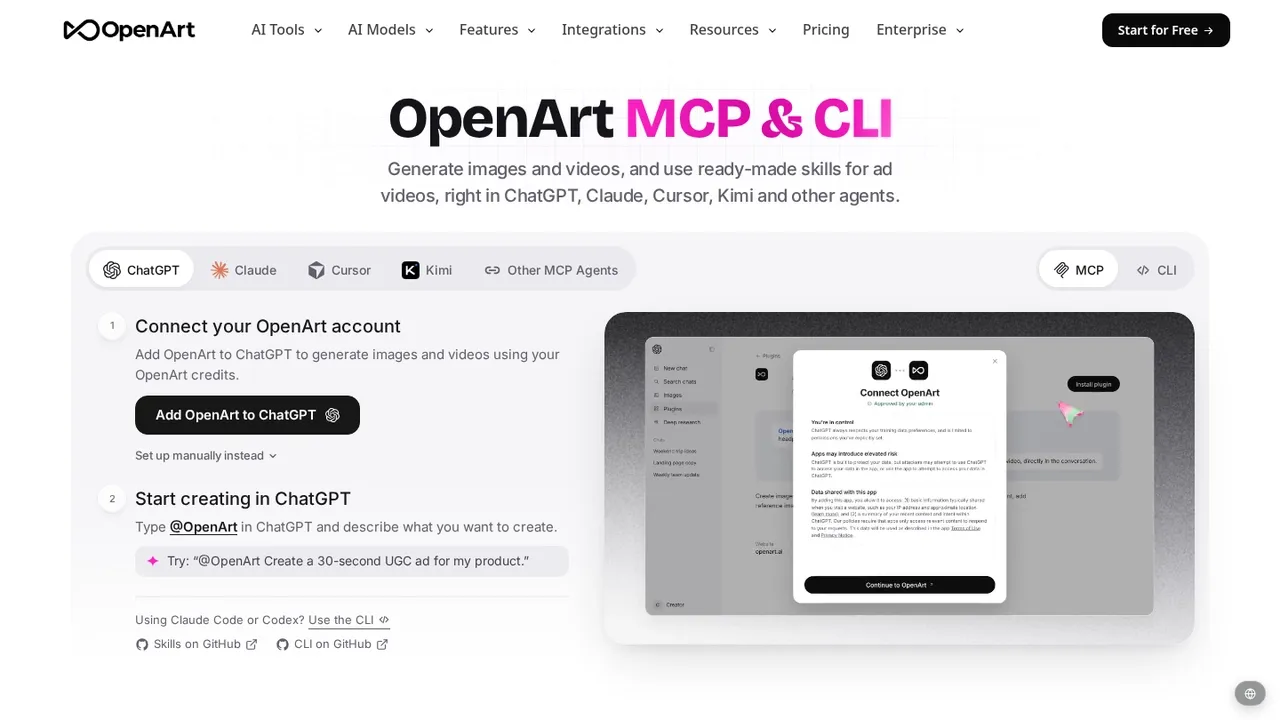
OpenArt MCP gives ChatGPT, Claude, and Cursor a strong set of ad skills. Still, marketing teams look for other options for a few common reasons. Commercial use rights only start on the $34 Plus plan, so a cheap Starter seat is not enough for client work. The MCP docs stop at generation and a set of edit skills, with no timeline to cut the ad afterward and no choice of export format. And once a team grows, the jump from per-seat plans to a Business pool that starts at $227 a month is a big one. Below are seven alternatives, each matched to the kind of team it suits best.
Quick picks by team
Best overall, any team size: Pollo MCP. Brief, link or raw footage in; an edited, watermark-free ad and even talking head videos out. 20 bonus credits to start.
Best for cinematic single shots: Higgsfield MCP, if your team already pays for it.
Best for editors who want a pro timeline: InVideo MCP.
Best free daily allowance for images: ImagineArt MCP.
Best for Runway's own models: Runway MCP.
Best for cutting footage you shot yourself: ChatCut.
Best for teams that finish in CapCut: CapCut × Codex.
Stop Assembling, Start Approving
Get the ad back already edited, captioned, and scored. Pollo MCP does the cutting so your team just signs off.
Test Pollo MCP on a Live Brief
What a Marketing Team Should Check First
Before comparing names, decide what you actually need from an AI video MCP. These five points separate the options quickly:
Output: do you get loose clips, or a finished file ready for an ad account?
Editing: can you trim, re-order, caption, and re-export without leaving the chat?
Your own footage: can it work with videos your team filmed, or only generate new ones?
Who pays and how: per seat, a shared pool, or a free allowance to test with?
Assistants: does it support the chat apps your team already uses?
To be fair to OpenArt, it scores well on several of these. Its skills ask for the right inputs, Smart Shot plans a multi-shot spot, and Dub Video handles 22 languages with lip sync. Where it falls short is the editing step and the price of commercial rights for small teams.
Learn more: our roundup of the best OpenArt alternatives
The Seven Tools at a Glance
Tool | Best for | What you get back | Way in |
Pollo MCP | Finished ads, shorts and talking heads; 100+ models | Edited, watermark-free MP4, MOV or WebM | 20 bonus credits; from $12/mo |
| OpenArt MCP (for reference) | Ad skills and Smart Shot planning | Results saved to OpenArt library; no format choice stated | 40 trial credits; Starter $14/mo |
| Higgsfield MCP | Cinematic shots and characters; 30+ models | Results saved to Assets | Paid plan required; Starter $19/mo |
| Invideo MCP | Live pro timeline with NLE export | Rendered video or Premiere, Final Cut, DaVinci project | Basic plan, 190 credits/mo |
| ImagineArt MCP | 99 tools for images, video, audio | Single assets | 100 free daily credits, image-only; video from $5/mo Basic |
| Runway MCP | Gen-4.5 and other Runway models | Single assets | Runway plan; credits on every job |
| ChatCut | Editing footage you filmed | Video from its editor; XML export | Free plan; paid from $25/mo |
| CapCut × Codex | Drafts for CapCut users | Editable CapCut draft | No MCP pricing listed |
1. Pollo MCP
Good for: any ad team that wants finished videos, from a solo founder to an agency running several brands.
Budget: paid plans from $12 a month, and the first connection unlocks 20 bonus credits, worth up to four videos.
The catch: if your team wants to drive a desktop NLE like Premiere frame by frame, a pro timeline tool may suit you better.
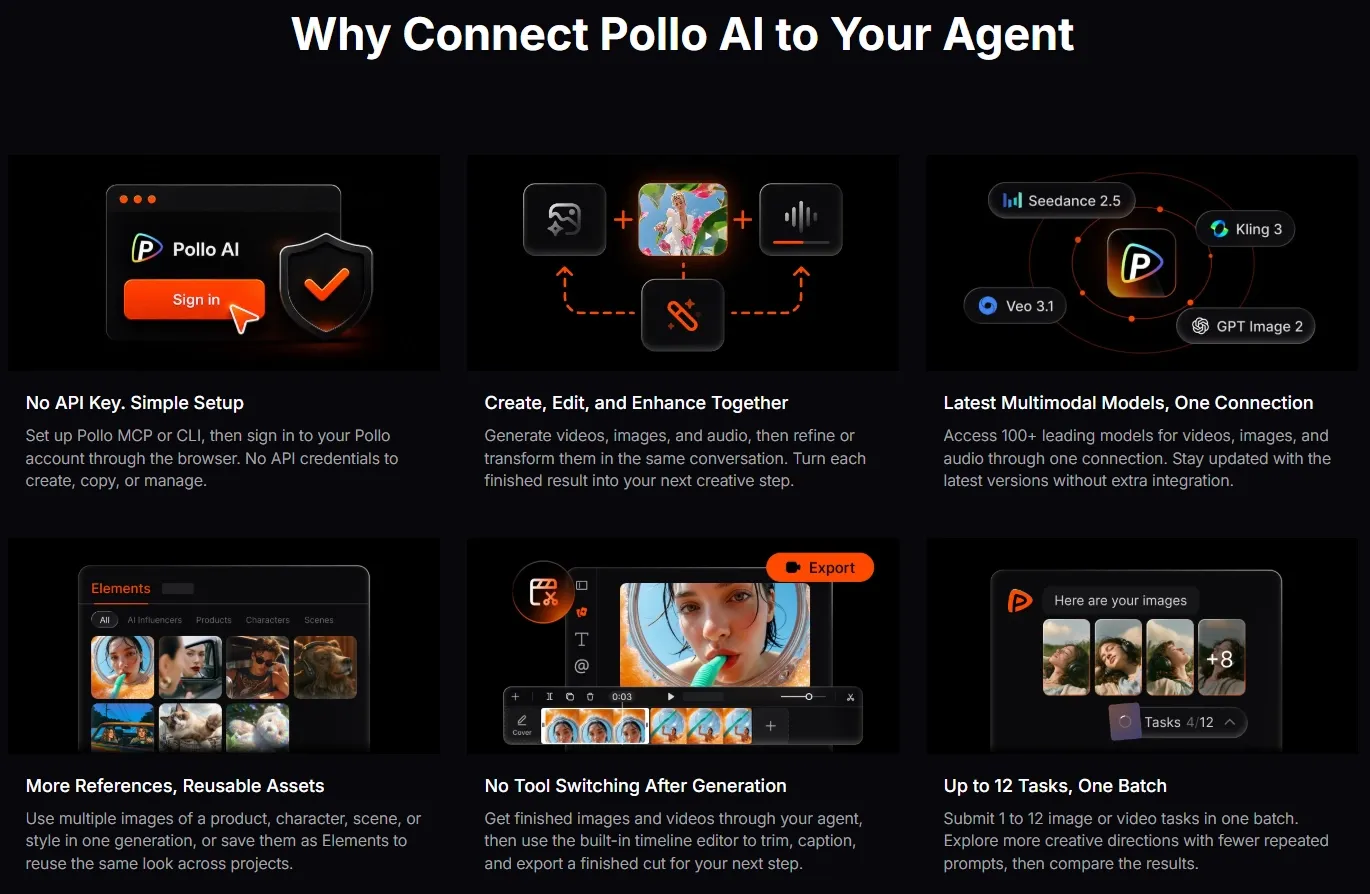
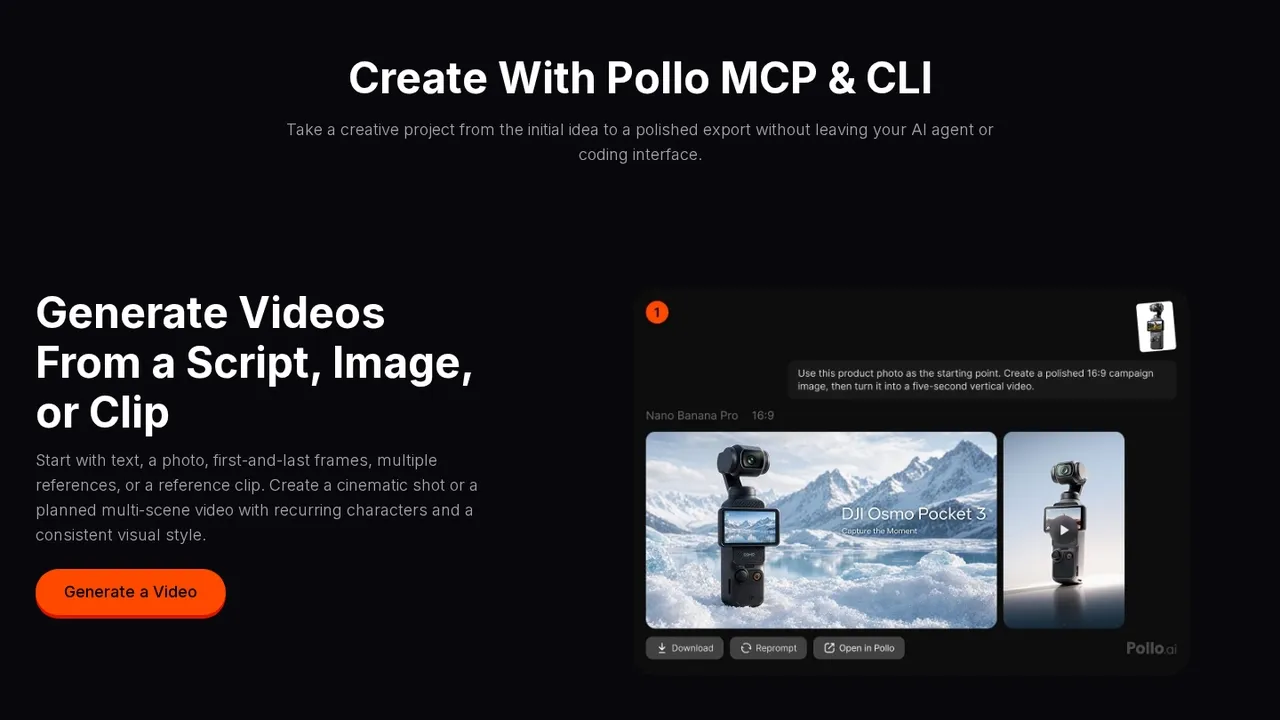
Pollo MCP brings Pollo AI into Claude (web or desktop), ChatGPT, Gemini, Grok and Cursor. Teams that work in a terminal can use the Pollo CLI instead, with support for Codex, Claude Code, OpenClaw, Hermes and Cursor. Sign-in happens in the browser. Where OpenArt asks you to pick a skill, Pollo MCP starts from whatever is on hand. That might be a one-line idea, a few product shots, or a clip. It can also be a URL: your store listing, a competitor's TikTok, a YouTube review, or a blog post. The assistant writes the script, estimates credits, makes the shots, and edits them into a full AI video.
That editing step is the main reason teams switch. In the chat, your team can ask it to trim or split a clip, join scenes into episodes, or go back to an earlier version. It also picks from more than 23 transitions, writes subtitles with AI, fades audio and changes playback speed. The final cut downloads as a watermark-free MP4, MOV or WebM.
For talking head videos, it works with real footage. Upload a founder's webcam take or a creator testimonial. It strips out filler words and dead air, adds captions and covers cuts with B-roll. Replicate mode copies the editing style of any sample video you share.
Model choice is wide, with 100+ models in one place. Seedance 2.5 is a good fit for multi-shot product stories. Elements keep a product or presenter looking the same in every version, and batches of up to 12 jobs make A/B testing easy.
Pollo Library is what makes the edits feel finished. Inside are five built-in libraries. Transitions and captions keep the pace and the text clean, shots and animation add movement, and the sound effects library can place up to 23 effects in a single video. When you ask it to recreate a winning ad, the result stays close to the original. Beyond the libraries, 73 built-in workflows give the assistant a plan for each common job, from long-to-short clipping and explainers to short dramas and product ads. Its Motion Graphics workflows (Animated Chart, Logo Animation, Software Demo and Data Story) suit SaaS and B2B teams.
Each project is stored in a Pollo Space that you can also open on the Pollo AI website, and agencies can give each brand its own Space.
Jobs to Hand Off on Day One
Talking head videos: a clean, captioned founder or creator clip from a raw take, with replicate mode for a set style.
Product ad from a link: paste the product page; the same idea as the web AI ad generator.
Animated series: one sentence becomes a run of short episodes with the same character.
Trip or event story: a folder of photos becomes a short with a clear arc.
Moving product photo: bring a still to life, as the Pollo AI image to video tool does.
Beat-synced photo reel: photos cut to the beat of a track.
Voice memo explainer: a short recording becomes a narrated explainer, like the explainer video maker.
Shorts from a long video: several vertical clips from one webinar.
Four platform versions: one ad re-cut for four channels.
Motion graphics: an animated logo, a moving chart for a results post, a data-driven story or a feature demo for a SaaS launch.
Built for Teams That Ship Ads Weekly
Shared Spaces, 73 workflows, and watermark-free exports. Connect once and claim 20 bonus credits.
Set Up My Team's Space2. Higgsfield MCP
Good for: creative teams who care most about cinematic single shots and consistent characters.
Budget: a paid plan is required to connect; Starter is $19 a month, and every MCP job uses credits.
The catch: results land in your Higgsfield Assets, and its docs name no export format for a finished, multi-shot video.
Higgsfield lists 30-plus models (35+ models and tools on its MCP page), along with motion control, upscaling and a long list of skills. It is closer to OpenArt than to Pollo: strong at making shots, lighter on the edit.
Learn more: our Higgsfield AI review
3. InVideo MCP
Good for: teams with an editor who wants a real timeline and project files.
Budget: no free MCP tier found; Basic plan with 190 credits a month.
The catch: you are still the one directing every edit, so it saves less time for non-editors.
Invideo MCP lets your agent work on a live pro timeline, and it can export projects for Premiere Pro, Final Cut Pro and DaVinci Resolve. See our Invideo AI overview for more on the wider product.
4. ImagineArt MCP
Good for: small teams that want to test image ideas daily without paying first.
Budget: free for basic image models, with 100 credits each day; any video model needs a subscription, starting at $5 a month on Basic.
The catch: it is built around single assets; its docs do not describe editing them into a finished ad.
ImagineArt's MCP exposes 99 tools across image, video, audio, and avatar work, though the free tier only covers basic image models.
Learn more: our ImagineArt AI review
5. Runway MCP
Good for: brand teams already standardized on Runway's models.
Budget: needs a Runway plan; every MCP job uses credits.
The catch: you get single assets back, not an edited ad.
Runway MCP brings Gen-4.5 and other models into the chat. It is a clean swap if your team likes Runway's look; Read our Runway AI overview for the details.
6. ChatCut
Good for: teams with lots of filmed footage, such as interviews and event videos.
Budget: a free plan; paid plans from $25 a month.
The catch: it edits what you shot. It is not built to generate new ad visuals.
ChatCut gives you a multitrack timeline, XML export, and free local export, so it suits teams that film a lot.
7. CapCut × Codex
Good for: social teams that already finish every video in CapCut.
Budget: no MCP pricing listed.
The catch: you get an editable CapCut draft first, and the final export still happens in CapCut.
It sends drafts from the ChatGPT desktop app straight into CapCut. Our CapCut overview explains the editor itself.
Which Alternative Fits Your Team Size
One person (founder, freelancer, solo marketer): Pollo MCP. It is the cheapest way to get a finished ad, and the 20 bonus credits let you test it on a real brief. ImagineArt's daily allowance is a good second option for single images; video needs its $5 Basic plan or higher.
Two to ten people (in-house growth or content team): Pollo MCP for the weekly run of ads, talking heads, and shorts. Add ChatCut if you also edit a lot of filmed interviews, or InVideo if one person is a trained editor.
Ten people or more (agency or brand studio): Pollo MCP with a Space per client keeps brands apart and returns deliverables, not parts. If the main need is a shared credit pool with roles and spend caps, OpenArt Business (up to 60 users) or Runway are worth a trial alongside it.
How We Chose These Alternatives
We started from the jobs a marketing team runs every week: a product ad, a hook test, a talking head clip and a set of shorts. For each tool, we went through its own MCP page, the setup guide and the price list, and checked which assistants it supports, what you get back, what editing it offers and what it costs to start. We left out tools without a public MCP or plugin. Prices and features can change, so check the vendor's page before you buy.
FAQ About Best OpenArt MCP Alternatives
What is the best OpenArt MCP alternative?
Pollo MCP is the best OpenArt MCP alternative for most ad and marketing teams. It goes past generation to timeline editing and a watermark-free MP4, MOV, or WebM export, and it starts with 20 bonus credits.
Is there a free OpenArt MCP alternative?
ImagineArt MCP gives 100 credits every day at no cost, though they only cover its basic image models, and any video model means subscribing (Basic starts at $5 a month). For footage you filmed yourself, ChatCut's free plan is an option. Pollo MCP adds 20 bonus credits on your first connection, so you can finish a real video before paying.
Which OpenArt MCP alternative is best for agencies?
Pollo MCP, because each client can have its own Space and every job ends in a finished file. If shared credits with admin roles matter most, compare it with OpenArt's own Business plan.
Which alternative is best for talking head videos?
Pollo MCP is the strongest pick here. It cleans up your own camera takes by cutting filler words, then layers in captions and B-roll; replicate mode can copy a sample video's style.
Do these alternatives work in Claude?
Pollo MCP, Higgsfield MCP, InVideo MCP, ImagineArt MCP, and Runway MCP all connect to Claude, including claude.ai in the browser. ChatCut and CapCut × Codex cannot be added to Claude on the web.