



What is Wan 3.0? A Detailed Guide to Alibaba’s New Video Model
With Wan 2.7, we had to settle for separate workflows for text-to-video, image-to-video, reference-to-video, and video editing. But when I heard the new Wan 3.0 release accepts all inputs via one unified model, I was ecstatic to explore it because it signals a drastic change in how users can work. Want to know more? Read on as we dive into Wan 3.0 in great detail!
TL;DR
Wan 3.0 combines multimodal inputs, 30-second 1080p generation, synchronized audio, realistic physics, and stronger coherence for product videos, action scenes, and music performances.
Try Wan 3.0 on Pollo AI with Pollo Agent and Marketing Studio for a streamlined workflow from video creation to brand campaigns.
Wan 3.0 Key Feature Breakdown: At a Glance
Before we get into the nitty-gritty of what makes Wan 3.0 special, let me quickly sum up the model’s newest features and what they translate into for video creation:
| Key Features | Wan 3.0 Improvements | Practical Use |
| Duration | Extended from Wan 2.7’s 15-second limit up to 30 seconds per generated clip | Gives more room for action, better dialogue exchange, dynamic camera movements, and longer narrative arcs |
| Resolution | Native 480p, 720p, and 1080p available | Flexible options to choose from depending on preferred speed, cost, and quality |
| Audio | Native audio-visual generation | Enables dialogue, music, sound effects, and video to be rendered as one audiovisual result |
| Multi-Modal Inputs | Can combine text, images, video, audio, document, and webpage reference inputs in one pass | Ensures users can combine many existing assets to generate more precise outputs |
| Temporal Consistency | Improved stability for characters, objects, and visual details across longer visual narratives | Less distortion and identity drift ensure better multi-character scenes, dynamic action sequences like game character combat, etc. |
| Motion Physics | Renders fabrics, fluids, object motion, collisions, etc, with even greater realism. | Create complex movement/action sequences, fashion product videos, and splash moments that feel grounded |
| Pricing | $0.05/sec at 480p, $0.10/sec at 720p, and $0.20/sec at 1080p. | More expensive than Wan 2.7, but with longer generation to help justify it. |
What Makes Wan 3.0 Worth Exploring?
Alibaba announced the Wan 3.0 public beta on August 6th, 2026. Right away, it was clear to me that this new release was not just about a single quality improvement. It feels like a full workflow upgrade focused on solving weaknesses from past releases, so let’s break it down:
Native 30-second Video Generation
Firstly, I was quite relieved to see that they extended the maximum duration to a 30-second single continuous shot. With this change alone, Wan 3.0 has made it easier for us to capitalize on proper camera language and multi-character storytelling.
I always felt that Wan 2.7 was quite limited at 15s, so by doubling down, I was eager to see what kind of extended narratives Wan 3.0 could deliver. And while my first render wasn’t entirely perfect, I managed to generate this 30s sequence that I thoroughly enjoyed sitting through.
Even by itself, it feels like a story arc rather than another generated clip that’s been cut short too early. And while my prompt wasn’t 100% adhered to, I was glad that the final render flowed like a cinematic sequence, meaning I can even use it to create documentary videos, etc.
Broader Multi-Modal Referencing
Another area that I was happy to see improved upon from Wan 2.7 was no longer needing to use separate task-specific models like T2V, I2V, etc. With Wan 3.0, we can finally enjoy support for text, image, audio, video, and even document inputs under a single unified model.
For example, I can freely specify that “the object from image 1 will be picked up and thrown by the character from image 2 while the camera operates with the same movement used in clip 1”. All this can now be handled in a single pass, so I experimented and here’s what I generated:
I uploaded multiple reference images of the subject, sunglasses, retail box, and leather carrying case before directing Wan 3.0 on how to present them via prompt. And as I hoped, it managed to produce a solid showcase that feels and looks like a homemade influencer video.
Enhanced Motion Physics & Realism
Compared to its predecessor, Wan 3.0 offers better simulation of fluids, fabrics, and even object interaction with weight and momentum. In the past, I remember how Wan 2.7 tended to struggle with temporal flickering, so I was glad to see this was made a priority.
In theory, this should translate into better action sequences and environmental dynamics that feel more grounded, so I was quite eager to put this to the test. For my sample, I decided to try and render a hyper-realistic film of an athletic woman practising her shooting with a rifle.
Frankly, I was surprised at how well this generated output was. How her hair interacts with the wind, how she handles the rifle, and most notably, how the glass bottle broke; it all felt practical, realistic, and significantly less stylized than I thought it would be.
Audio-Driven Motion and Lip Sync
With Wan 3.0, we get to enjoy native audio generation and audio referencing. But what really impressed me in this area was how the model also uses audio to guide character movement and scene timing, as well as synchronize lip motion.
This makes it easier to produce sound-led sequences like dance music videos or dialogue clips with more natural performances than before. To see how well it puts this into action, I tried to generate a music video, and this was the final result:
Right away, I noticed how accurate the audio-visual timing seems to be, especially given that it’s a music performance. Even the lip-syncing seems on point, and seeing how expressively in sync her body movements are, I’d say Wan 3.0 has done a great job here.
Improved Temporal Coherence
After multiple video renders, I also noticed that Wan 3.0 is quite capable of maintaining visual stability across longer scenes. I experienced fewer distortions and drifts than I used to with Wan 2.7, especially in cinematic sequences, which really got me excited.
I want to understand its limits in this area, so I focused heavily on cinematic shots. Here’s an example of my favourite outputs that Wan 3.0 produced. From start to finish, it was a clean visual, with almost no artefacts/glitches between frames.
Most of all, I liked the level of character consistency it showed. But I must also admit that to get a near-perfect result like this one, it took me a few tries. So, at the very least, it’s better at ensuring the scene doesn’t fall apart midway than the Wan 2.7 model.
Want a firsthand look at how Wan 3.0 performs? Read this Wan 3.0 review now.
Comparing Wan 3.0 with Wan 2.7: What are the Differences?
We’ve established what Wan 3.0 can do, right? So, how does it stack up to Wan 2.7? To give you a simple and clear breakdown, here’s a quick comparison table:
| Aspects | Wan 3.0 | Wan 2.7 |
| Core Focus | Focused on longer, multi-reference video creation | Centered on audiovisual and multi-shot generation |
| Max Video Length | Up to 30 seconds per clip | Up to 15 seconds per clip |
| Max Video Resolution | Supports up to 1080p | Supports up to 1080p |
| Temporal consistency | More stable character, object, voice, and spatial consistency over a longer duration | Tends to suffer from visual drift or decay the longer the video plays |
| Motion Physics | Improved environmental and fabric dynamics across scenes; more realistic multi-object interaction | Simulates common motion and scene interactions fairly well |
| Audio Generation | Native audio-visual generation with dialogue, as well as simultaneous ambient audio and sound effects | Supports basic native audio and lip synchronization |
| Reference Inputs | Designed to combine many references, be it text, images, videos, audio, documents, and web pages in a single pass | Task-specific workflows for text, image, reference, and video editing, giving a narrower input range |
| Pricing | Around 33% more expensive than Wan 2.7 | $0.10 to $0.15 per second, depending on the provider |
| Best suited for | More complete short stories, advertisements, product videos, social content, educational videos, and projects using multiple reference files | Shorter audiovisual clips, multi-shot concepts, simple image-to-video generation |
If Seedance 2.5 is also on your radar, check out this Wan 3.0 vs Seedance 2.5 comparison to see how the two models perform side by side.
Where Can I Access Wan 3.0? Try Pollo AI
Want to start generating videos with Wan 3.0? Just head to Pollo AI now and read our step-by-step guide on how to use Wan 3.0 to create stunning videos.
I frequently rely on this platform for video creation because it’s the ultimate AI creative suite, integrated with several industry-leading AI video models, including Seedance 2.5, Kling 3.0, and Veo 3.1.
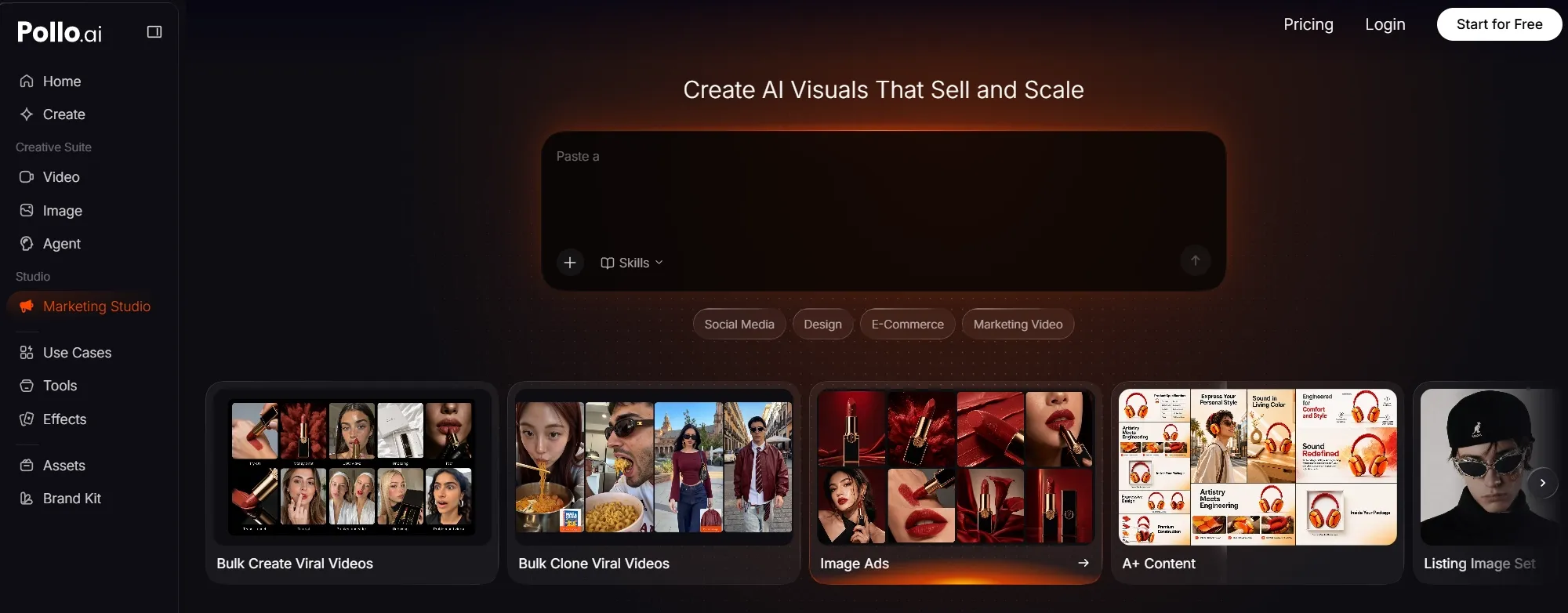
Here, I can generate cinematic shorts, animations, music videos, and so much more in minutes. In fact, being able to switch between AI video models has often allowed me to explore different outputs and choose the best possible result for my projects.
But my favorite aspect of using Pollo AI is Pollo Agent. I can use it to brainstorm ideas and create production-ready videos in just a few clicks. Since it’s an agent-driven tool, it automates structure, pacing, visuals, etc, so I’m often able to sit back and refine my briefs with ease.
Besides that, I can access Pollo AI’s Marketing Studio, which can help me produce polished video content for brand campaigns, ads, social media posts, e-commerce listings, etc. This includes creating product demos, UGC video ads, unboxing clips, virtual try-ons, and more.
And this is just the tip of the Pollo AI iceberg! When you combine Wan 3.0 with all these other tools and features, you’ve got a powerhouse in creative video production. But if you have any doubts, you don’t need to take my word for it!
Try Wan 3.0 Free on Pollo AI Now
Push your creativity further and create polished videos with Wan 3.0 on Pollo AI.
Start Creating Free
Just sign up for a Pollo AI account to start using Wan 3.0 at no cost via the free trial plan. If you take your time to explore everything this platform has to offer, I’m confident that you won’t need to look elsewhere to generate pro-level videos today.
What Does Wan 3.0 Still Need To Improve On?
Like any new video model I’ve tested before, Wan 3.0 still has a few kinks to work out. To start, I thought that the native audio quality was okay; the voices were clear and synced. But for a realistic voiceover, I’d suggest using audio inputs to upload a real recording.
Also, some scenes that I tried to generate still presented drifting, particularly when multiple characters were involved. So, its visual stability is not always solid. For simple scenes, the consistency is 100% there, but the more complex they become, the less reliable it can be.
But the main limitation for me was seeing how conservative it can be when interpreting prompts. For the most part, it anchors tightly to any subject/setting references I upload, so it performs well at preserving identity, but that can be an issue when I want it to be more imaginative.
In other words, I’d say Wan 3.0 is fantastic for times when I need to maintain the source image, character, object, or environment, like a real estate video, for example. But if I wanted to replace or stage a different scene, then these reference guardrails can be a little discouraging.
FAQs about Wan 3.0
What is Wan 3.0?
Wan 3.0 is Alibaba’s latest AI video-generation model that focuses on longer, reference-driven videos. Compared to Wan 2.7, this new release is faster at generating, supports more reference inputs, offers better stability across extended scenes, and presents more believable physics.
How long can Wan 3.0 videos be?
Wan 3.0 has a max duration limit of 30 seconds per clip. It’s a significant increase from Wan 2.7’s 15-second limit, which should give you more room to produce fuller story arcs or even multi-character narratives with more depth than before.
What are Wan 3.0’s limitations?
Wan 3.0 can be rather conservative with how it interprets prompts. For the most part, it performs fine if you want to preserve the source input. But if a huge creative change needs to be made, then it may under-execute. It may also present drift in complex scenes if details aren’t defined.
Is Wan 3.0 suitable for professional filmmaking?
Wan 3.0 has taken a huge step toward accommodating extended visual narratives. It also presents less distortion and drift across frames, so many professional creators and filmmakers can confidently use it for early concept development, producing B-roll videos, movie trailers, and more.
What is the best way to write a Wan 3.0 prompt?
With Wan 3.0, it helps to use reference media since the model excels at identity preservation. Label their roles and explain what you want to see unfold: the subject, setting, actions, camera movements, style, dialogue, etc. For more accurate outputs, set the scene using timestamps.
Is Wan 3.0 a beginner-friendly video generator?
Wan 3.0 is a single unified model, which makes it easier for users to craft detailed creative briefs supported by multiple reference inputs. Because of this, even first-timers can produce visual sequences that closely match their creative vision with fewer generations.