



The 7 Best Higgsfield MCP Alternatives in 2026
Higgsfield MCP is one of the best ways to get cinematic shots out of Claude or ChatGPT. People usually start looking elsewhere for one of three reasons. They want a finished video rather than a set of clips. They do not want a paid subscription just to try it. Or they need a different mix of models and tools. This guide ranks seven alternatives by what each one is actually good at, with prices and limits taken from each company's own pages on November 25, 2026.
Short answer
- Pollo MCP: the best overall pick. It returns a finished, watermark-free video in the chat, with 100+ models, and it is great for talking head videos.
- Runway MCP: the closest match for pure shot generation.
- OpenArt MCP: ad skills and multi-shot planning on top of generation.
- ImagineArt MCP: 99 tools, with 100 free daily credits for basic image models.
- invideo MCP: a pro timeline your agent edits live.
- ChatCut: editing your own footage on a desktop.
- CapCut × Codex: for people who already finish videos in CapCut.
Want the Final Video, Not Just Clips?
Pollo MCP sends an edited, watermark-free MP4 straight back to Claude, ChatGPT, Cursor, Grok or Gemini.
Try the Higgsfield Alternative
What Higgsfield MCP does, and where it stops
To pick a good replacement, it helps to be clear about what you would give up. Higgsfield MCP connects to Claude on the web and desktop, ChatGPT through an official plugin, Cursor, Telegram and other MCP clients, and its CLI covers Claude Code, OpenClaw and Hermes. It gives your agent 30-plus models (35+ models and tools by the MCP page's own count), plus upscaling to 4K, background removal, outpainting and video reframing. You also get Kling 3.0 Motion Control, Soul characters, voice tools and Personal Clipper. Its skills go a long way, too, from Short Drama and Hook Multiplier to Blender, After Effects and DaVinci Resolve workflows.
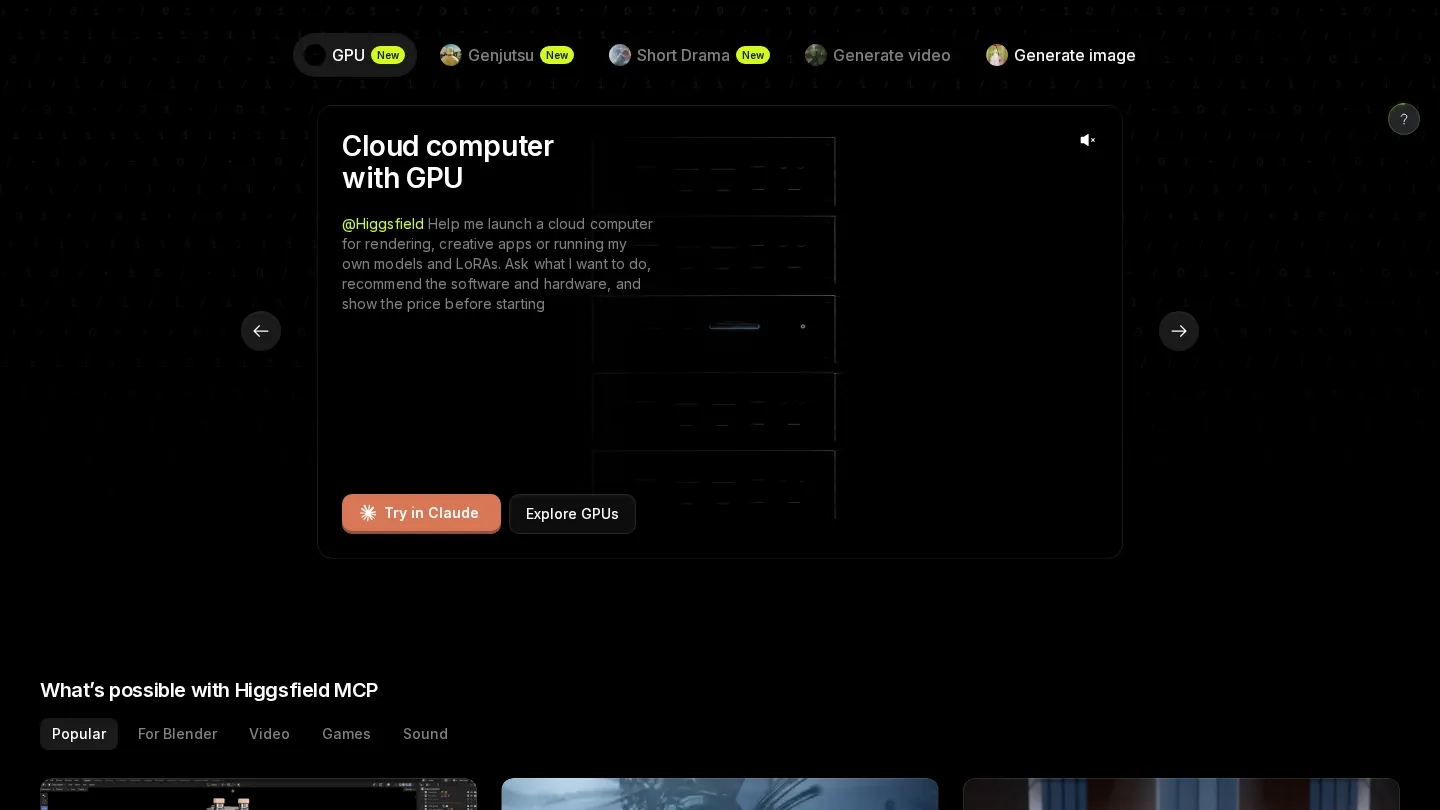
Higgsfield's help center is just as clear about the limits. You need an active paid subscription to connect. Every generation through an agent uses credits, even when the same model is unlimited for you on higgsfield.ai. Audio and the website skill do not work in ChatGPT. The docs do not describe timeline tools such as transitions and subtitle styling, or a finished-video export format. So if your end product is a posted video, someone still has to finish it.
Learn more: our in-depth Higgsfield AI review
Higgsfield MCP alternatives at a glance
| Tool | Best at | Finished video back in chat? | Cheapest way in |
|---|---|---|---|
Pollo MCP | Brief or link to edited video; 100+ models, 73 workflows | Yes: watermark-free MP4, MOV or WebM | 20 bonus credits on connect; plans from $12/mo |
| Higgsfield MCP (for reference) | Cinematic shots, characters, motion control; 30+ models | Not stated; results go to Assets | Paid plan required; Starter $19/mo |
| Runway MCP | Gen-4.5 and other models in chat | No; single assets | Runway plan; MCP always uses credits |
| OpenArt MCP | Ad and edit skills; Smart Shot multi-shot planning | Edit skills, but no timeline or export choice | No free MCP tier; one-time 7-day 10% off on some plans |
| ImagineArt MCP | 99 tools; images, video, audio, avatars | Not stated | 100 free daily credits, image-only; video from $5/mo Basic |
| invideo MCP | Live pro timeline; Premiere, Final Cut, DaVinci export | Yes, plus NLE project export | Basic plan, 190 credits/mo; no free MCP tier |
| ChatCut | Editing your own footage; local export | Yes, from its editor | Free plan; paid from $25/mo |
| CapCut × Codex | Editable CapCut drafts from ChatGPT desktop | Draft first; export from CapCut | No MCP pricing listed |
1. Pollo MCP: best overall Higgsfield MCP alternative
Why it made the list: it covers the part Higgsfield leaves open, turning shots into an edited, exported video inside the chat.
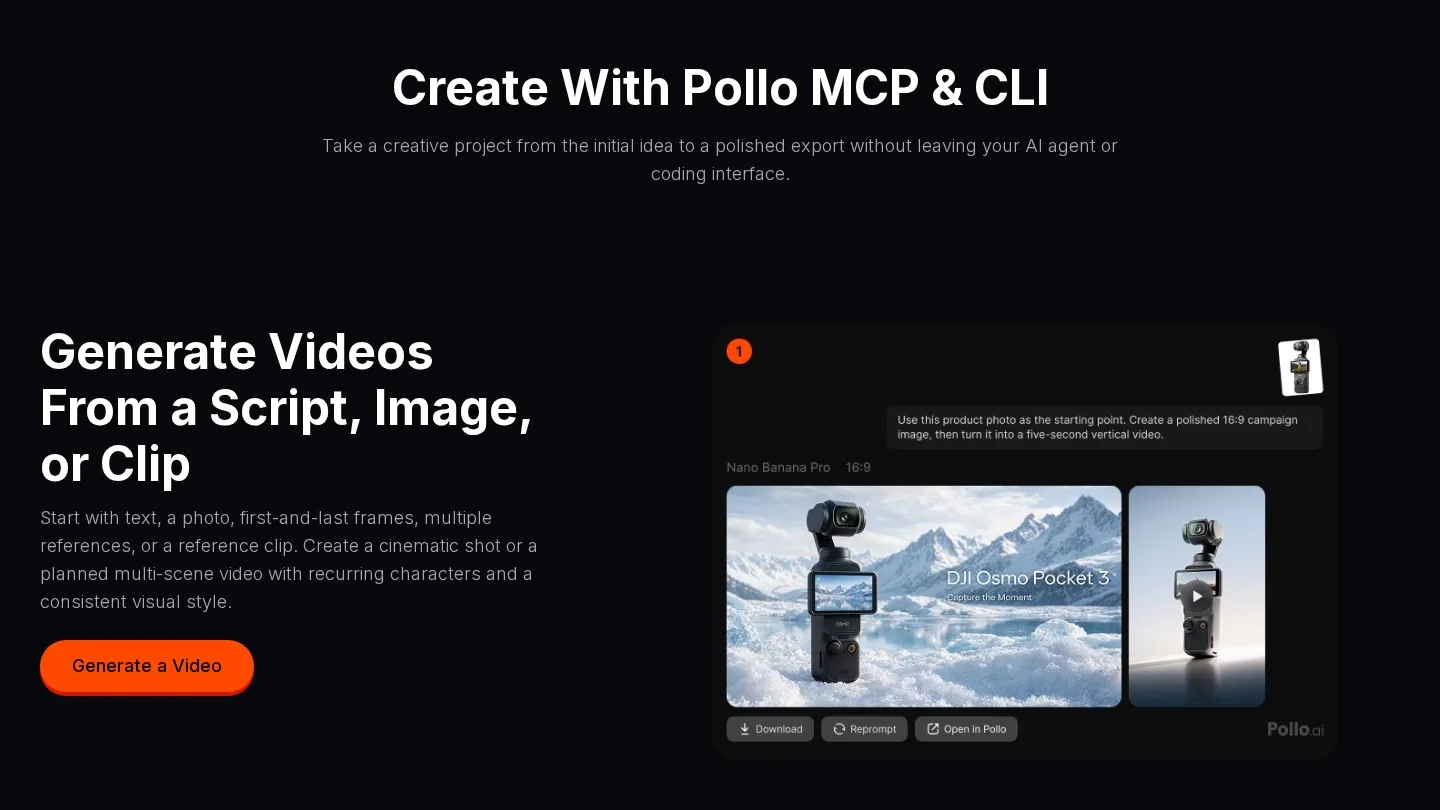
The Pollo AI creative platform plugs into five chat apps through Pollo MCP: Claude (browser and desktop), ChatGPT, Gemini, Grok and Cursor. Coding agents such as Codex, Claude Code, Hermes and OpenClaw use the Pollo CLI instead. Unlike Higgsfield, there is no subscription wall. Your first MCP connection comes with 20 bonus credits, good for as many as 20 images or 4 videos, and paid plans start at $12 a month.
The biggest change for a Higgsfield user is what comes back. You describe a video, or hand over a link, because a store page, a YouTube or TikTok URL or a block of web copy all count as source material. The assistant plans the video, shows a credit estimate, generates the shots and returns a finished cut. You do not need to download clips and rebuild them somewhere else.
Talking head videos are a sweet spot. Record yourself, or just talk into your phone, and Pollo MCP strips the dead air and filler, captions what you say and drops in B-roll where it helps. Replicate mode goes a step further and edits your clip to match a creator video you point to. For course makers, founders posting updates and social sellers, this is where the hours come back.
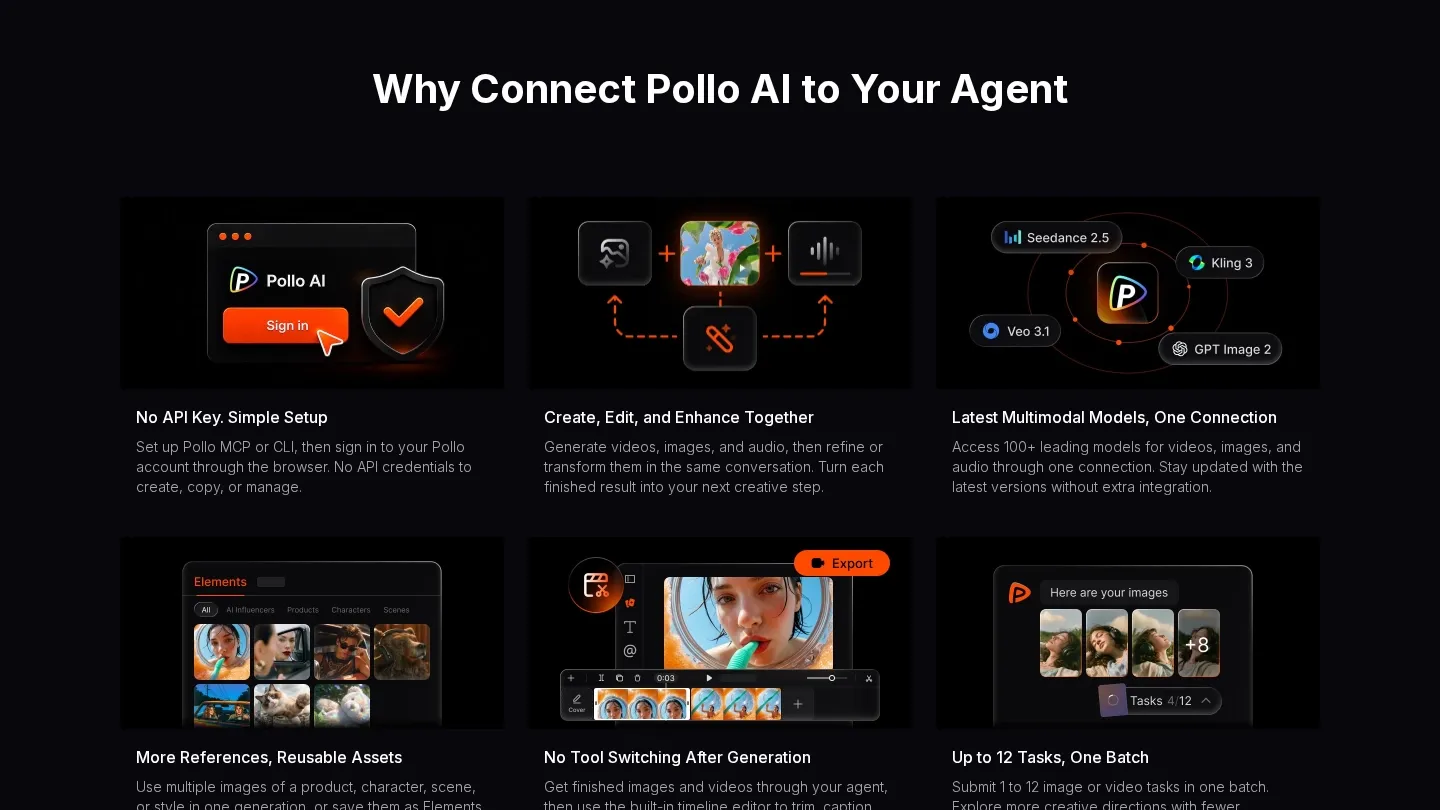
What you keep from Higgsfield: model choice and shot control. Pollo has 100+ video, image and audio models, against Higgsfield's 30-plus. The Kling 4.0 video model handles big camera moves, Seedance 2.5 and Veo 3.1 give you other looks, and stills come out well with Nano Banana 3 or the GPT Image 2.6 image model. You can seed a shot with a prompt, a photo, opening and closing frames, a handful of references or an example clip. Elements lock a person or product to one look, and a batch can hold up to 12 jobs.
What you gain:
- Editing in the chat: trim, split, version history, 23+ transitions, AI subtitles, audio fades and speed control.
- A real file at the end: watermark-free MP4, MOV or WebM export.
- Pollo Library: sound effects, shots, animation, captions and transitions each have their own built-in library. That is how a single video ends up with as many as 23 sound effects, and why a remake still feels like the source.
- 73 workflows: each common job, from product ads and short dramas to explainers and long-to-short clips, has a set method. A Motion Graphics group adds Logo Animation, Data Story, Software Demo and Animated Chart.
- A shared Space: work made in chat shows up on pollo.ai and in Pollo Agent, and Pollo Director handles scene-by-scene changes.
Projects to try with Pollo MCP
Here are prompts that show what it can do:
- "Edit this talking head video: drop the filler words, add captions, and match the style of this creator's video."
- "Make a five-episode cartoon series from this one-line idea."
- "Turn my Lisbon trip photos into a 30-second story short."
- "Make this old family photo move," much like the animate a picture tool.
- "Cut these 12 photos to the beat of this song."
- "Turn this voice recording into an explainer short," the chat version of the AI explainer video maker.
- "Find the best moments in this hour-long interview and give me five vertical shorts."
- "Make TikTok, Reels, Shorts and YouTube versions of this ad."
- "Animate our monthly revenue as a chart" or "Make a three-second logo reveal."
Watch out for: Pollo MCP exports finished files, not project files for Premiere Pro or DaVinci Resolve.
No Subscription Needed to Start
Connect Pollo MCP, get 20 bonus credits, and see a full video come back from a single brief.
Claim 20 Bonus Credits
2. Runway MCP: closest match for shot generation
Why it made the list: if you like Higgsfield for its shot quality, this is the most direct swap.
Runway opened its MCP server on May 27, 2026, so the image and video models behind the Runway AI video generator can now be called from a chat. Give it a prompt, a reference picture or a link to a product, and the finished asset appears right in the conversation. ChatGPT users add it from the plugins directory. In Claude, on the web or desktop, it goes in as a custom connector. Cursor, Replit and Muse are supported as well, and so is any client that speaks Streamable HTTP. Older SSE and stdio setups will not work.
Gen-4.5, Runway's own model, sits next to outside models like Seedance 2.0, Kling 3.0, Nano Banana Pro and GPT Image 2. That mix is aimed at product shots, hero images and short marketing clips. There is no key to paste, since every job is billed to your Runway plan.
Watch the bill, though. Inside MCP only Credits Mode exists. Pro and Max subscribers who enjoy Unlimited Mode in the app still pay credits for each job sent from a chat, and a retry is charged as a fresh job. Output is one asset at a time, much like Higgsfield, and Runway does not mention a timeline or a full-video export.
Next to Pollo MCP: Runway makes beautiful shots from a smaller, Runway-led lineup. Pollo MCP takes the next steps too: cutting, captioning, Pollo Library sound and a final export.
3. OpenArt MCP: ad skills on top of generation
Why it made the list: its skills and Smart Shot planning come closest to Higgsfield's skill catalog for marketers.
OpenArt's connector, called OpenArt MCP & CLI, lives at mcp.openart.ai/mcp. Whatever you make shows up in the chat and is also filed in your OpenArt library, and when OpenArt adds a model to its catalog, the connection picks it up without any setup. You can use it in ChatGPT (as a plugin), Claude (as a custom connector), Cursor and Kimi, or reach it from Codex and Claude Code with the OpenArt CLI.
Skills are what set it apart. There are presets for brand spots, performance ads, listing videos for online stores, UGC and presenter clips, talking heads, new hooks, ad variations and remakes of existing ads. A feature called Smart Shot works out the framing, camera motion and order of shots for a spot with several cuts. You can also set a first and last frame for 1080p clips, reuse an older generation as a reference, and ask the chat how many credits you have left. Seedance 2.5, Kling 3.0, Gemini Omni Flash, Nano Banana Pro and GPT Image 2 are among the models.
Some edit skills work on finished clips: Ad Variation adds captions and sound, Ad Remake and Hook Variants rework an ad, Talking Head adds an AI presenter, and Replace Background, Relight and Dub Video (22 languages) handle fixes. There are still no timeline tools such as trim, split, transitions or version history, and no choice of export format. OpenArt's 10% MCP discount is narrow: it applies once, for 7 days after you first connect, on Plus, Pro and Wonder plans in personal workspaces only. We could not find a free tier for the connector.
Next to Pollo MCP: OpenArt's ad skills are similar in spirit to Pollo's workflows. Pollo MCP has more of them (73), more models, and its own timeline and export.
Learn more: the best OpenArt alternatives
4. ImagineArt MCP: the most free credits
Why it made the list: unlike Higgsfield, you can try it every day without paying, as long as you stick to images.
ImagineArt hosts its server at mcp.imagine.art, and the docs count 99 tools across image, video, audio and avatar work. The agent can string several together in one go: make a picture, sharpen it, cut out the background, then turn it into a clip. You will find it in the ChatGPT and Manus app directories. Claude and Grok take it as a custom connector, and coding agents such as Codex, Cursor, Claude Code, OpenClaw and Hermes are covered too. One command, imagine install, configures up to 11 apps.
The model menu is wide, with Midjourney, Flux, Nano Banana Pro and Seedream for images, and Kling 3, Seedance, Runway, Hailuo, Wan, Luma and PixVerse for video. Ad Studio produces presenter-style unboxing, review and testimonial ads, while Fashion Studio covers model photoshoots. Six video shots can run side by side, and designers can ask for files they can open in their own apps, like layered PSDs or After Effects comps.
Every account gets 100 free credits a day, but they only work on basic image models such as ImagineArt 1.0 Lite and Flux Dev. ImagineArt's pricing FAQ says a subscription is required for all AI video models, and paid plans start with Basic at $5 a month. The connector draws from the same balance as the website. Like Higgsfield, it is about single assets: ImagineArt does not mention timeline editing or a finished multi-shot export.
Next to Pollo MCP: ImagineArt is the cheapest way to experiment with images. Pollo MCP is the better choice when the goal is a finished video, with batches of up to 12 tasks, editing, workflows and Pollo Library.
Learn more: our ImagineArt AI review
5. invideo MCP: a pro timeline your agent edits live
Why it made the list: it has the editing depth Higgsfield's docs do not describe.
With invideo MCP, your agent opens a project in the invideo AI video platform and works on a multitrack timeline while you watch the changes appear in a browser tab. Besides generating media, it can grade color, balance audio, caption, branch off alternate versions and save checkpoints you can return to. When you are done, you can download the rendered video or hand the project to an editor in Premiere Pro, Final Cut Pro or DaVinci Resolve. Chat apps on the list are Claude (web and desktop), ChatGPT, Cursor and Gemini, and coding agents include Codex, Claude Code, Antigravity, OpenClaw and Hermes.
Editing and exporting do not use any credits, a real plus for heavy editors. But invideo itself describes the output as a timeline to keep working on, not one finished clip. We saw no free tier for the MCP, and the smallest plan, Basic, includes 190 credits a month.
Next to Pollo MCP: pick invideo if you will finish the project in a pro editor. Pick Pollo MCP if you want the video finished for you.
6. ChatCut: edit your own footage on the desktop
Why it made the list: it is the opposite of Higgsfield, built for footage you already shot rather than generated shots.
ChatCut pairs an editing agent with a proper multitrack timeline, and you can jump in and adjust that timeline yourself at any point. You can use it in a browser or install the desktop app on a Mac or Windows PC. Claude Code, Codex and WorkBuddy run the agent plugin, while Hermes, Antigravity and similar local agents connect through the desktop app's MCP server. Cursor and Manus go through a hosted link instead. You cannot add it to ChatGPT or Claude in the browser.
It shines on real footage. You can cut by deleting words from the transcript, strip out silences and filler, sync several camera angles, pull highlights from a long interview, add captions timed to each word and send an XML timeline to Premiere Pro or DaVinci Resolve. For generation, it lists 11 video models, Kling 4.0 and Seedance 2.5 among them. Local export is free on the free plan, paid plans begin at $25 a month for 100 credits, and cloud renders stop at 1080p.
Next to Pollo MCP: ChatCut is great if you edit on your own computer. Pollo MCP needs no desktop app, runs in browser-based Claude as well as Grok and Gemini, and can start from an idea or a link as easily as from footage.
7. CapCut × Codex: for CapCut regulars
Why it made the list: it puts drafts straight into an editor many creators already use.
This is CapCut's own plugin. It ties a ChatGPT task to the CapCut video editor over MCP. Describe the video you want, or upload some clips, and it creates the material and lays out a draft on a CapCut timeline. From there you can ask it to trim a scene, change the clip order, replace a visual, move on-screen text, switch the music or add captions and effects. It also searches CapCut's large collection of templates and assets for a good match.
The limits are narrow support and no clear pricing. It runs only in the ChatGPT desktop app and Codex, not in the browser version of ChatGPT, and access may depend on your app version, account and country. CapCut publishes no MCP prices and describes the draft as a place to start, not a finished video.
Next to Pollo MCP: CapCut suits people who will finish in CapCut anyway. Pollo MCP works across five chat apps and returns an edited video without a second editor.
How we picked these Higgsfield MCP alternatives
We approached this the way an editor would when a client asks, "What can we use instead of Higgsfield?" First we listed what Higgsfield users would lose and what they might want more of: model choice, shot control, editing, export and a cheaper way in. Then we went through each tool's MCP page, setup guide, help docs and pricing page and asked the same questions. Does it run in Claude on the web and in ChatGPT, or does it need a desktop app? Does it hand back a finished file, or single shots? Can you fix a cut without leaving the chat? What is the cheapest way to start, and what does every job cost? Tools that get a non-editor to a publishable video in fewer steps rank higher. Where a rival is better at something, such as invideo's project export or ImagineArt's daily credits, we say so.
FAQ
What is the best Higgsfield MCP alternative?
Pollo MCP is the best alternative for most people. It sends a finished, watermark-free video back to Gemini, Grok, Cursor, Claude or ChatGPT, with 100+ models, 73 workflows and timeline editing. For pure shot generation, Runway MCP is the closest match.
Is there a free Higgsfield MCP alternative?
Yes. ImagineArt gives 100 free credits a day for basic image models (video needs a paid plan), Pollo MCP adds 20 bonus credits when you connect, and ChatCut's free plan includes free local export. Higgsfield MCP needs a paid subscription.
Which alternative has more models than Higgsfield?
Pollo MCP. It offers more than 100 models across video, images and audio. Higgsfield lists 30-plus, and its MCP page says 35+ models and tools.
Which Higgsfield alternative can edit and export a video?
Pollo MCP edits on a timeline and exports MP4, MOV or WebM. invideo and ChatCut also edit timelines, and CapCut builds an editable draft.
What is the best MCP for talking head videos?
Pollo MCP deletes the ums and dead air, captions the speech and borrows the cut of a reference clip in replicate mode. ChatCut is a good choice for editing local footage on a desktop.
Do these alternatives work in Claude on the web?
Pollo MCP, Runway, OpenArt, ImagineArt and invideo all connect to claude.ai. Neither ChatCut nor CapCut can be added to Claude in the browser.