



Wan 3.0 Prompt Guide: How To Get the Best Out of Wan 3.0
I’ve spent some time using Wan 3.0, and I’ll say it’s more of a director-led model than its predecessors. It now supports 30-second generations with text, image, audio, video, documents, and web pages as reference inputs, so prompting requires a bit more finesse now. Want to know the trick to it? Read on as we explain what exactly Wan 3.0 responds best to.
TL;DR
Whatever you write at the start of your prompt is what Wan 3.0 will lock in first because it maps out composition early. Establish the shot and scene before identifying the subject, then describe the action, specify lighting and style, then add audio. Also, specify each reference’s role to avoid random results. You can use Pollo AI as the perfect workspace to generate videos with Wan 3.0.
Wan 3.0 Prompt Guide: Understanding Key Aspects
Before we get into how to craft the perfect Wan 3.0 prompt, you first need to understand the core formula for any basic prompt request, so let’s quickly break it down for you:
Aspect | Question to answer | Example |
|---|---|---|
| Subject | What is the subject and what must remain recognizable? | A weathered blue delivery bicycle with a wicker basket. |
| Scene | Where is it, and what surrounds it? | A narrow French street after rain, tiled façades, puddles of water, reflective pavement |
| Motion | What moves, in what order, and at what speed? | The bicycle rolls downhill slowly; water flicks from the tires |
| Camera control | How should the shot be filmed? | Low-angle tracking shot, 35mm lens, soft overcast light |
| Stylization | What visual aesthetic governs the scene? | Documentary video with muted colors |
Why Does Wan 3.0 Demand More Nuanced Prompting?
Wan 3.0’s improved capabilities forced me to adopt a different prompting style from what I frequently relied on with Wan 2.7. One reason is that the max duration of AI videos has been extended to 30 seconds per clip. Now, why does this matter? Here’s why…
I tested Wan 3.0 quite thoroughly, and a key difference between the videos that fell short and those that matched my expectations was the lack of time control in my prompts. When I simply gave visual descriptions without accounting for every second of the shot, it flopped.
Without a clear timeline, Wan 3.0 would fill empty seconds with random changes. The best prompts map out key actions and camera behavior throughout the clip while giving every image, video, audio file, or link a clear role.
I also noticed that Wan 3.0 establishes the composition early, often using the first prompt details as the scene’s foundation. Order matters, especially for image-to-video, where it preserves the initial composition and subject identity but tends to under-execute drastic changes.
For example, if I’m rendering a photo to video ad and I request an overly radical transformation, I may not get a solid result. Given all these considerations, I think it’s fair to say that it takes a nuanced approach to use Wan 3.0. So, let’s look at how you can get the best possible prompts.
Before diving into Wan 3.0 prompts, explore the model’s latest upgrades in our guide on what is Wan 3.0.
Try Wan 3.0 Free on Pollo AI Now
Enter your creative prompts to make stunning videos with Wan 3.0 on Pollo AI.
Start Creating Free
Wan 3.0 Prompting: Text-to-Video vs Image-to-Video
How you craft Wan 3.0 prompts for T2V will be different from I2V because the entire sequence hinges on properly defining the subject, environment, action, camera, and visual style.
And as I mentioned earlier, Wan 3.0 maps out composition early, so what you start your prompt with is what the model locks first before the rest of the scene. For example, if your prompt starts by describing a mood, then Wan 3.0 will anchor around that mood rather than the subjects.
For this reason, you should establish your camera shot type before identifying the subject and the features that you want preserved. Then, you can proceed to define lighting, style, and end with dialogue, sound effects, or music. Here’s an animated film I generated as an example:
Prompt | Output |
|---|---|
| Cinematic 8K stylized 3D continuous shot. A young man in a blue bandana uses a holographic smartwatch to deploy mechanical arms that wash his muddy Mazda RX-7. The car upgrades, surging with blue electricity and turning from white to glossy black with glowing purple energy. The black car speeds through a rain-slicked neon cyberpunk city at night. A windshield HUD activates, and the car leaps, transforming mid-air into a giant bipedal mech with the driver visible in the glowing chest cockpit. The mech lands heavily on the street, then uses blue jet thrusters to fly up and stand heroically on a skyscraper roof. |
On the other hand, if you intend to use reference images, then that requires a different approach. From what I’ve seen using it, Wan 3.0 seems to lock down the composition and subject identity of the source image much more strictly than other models.
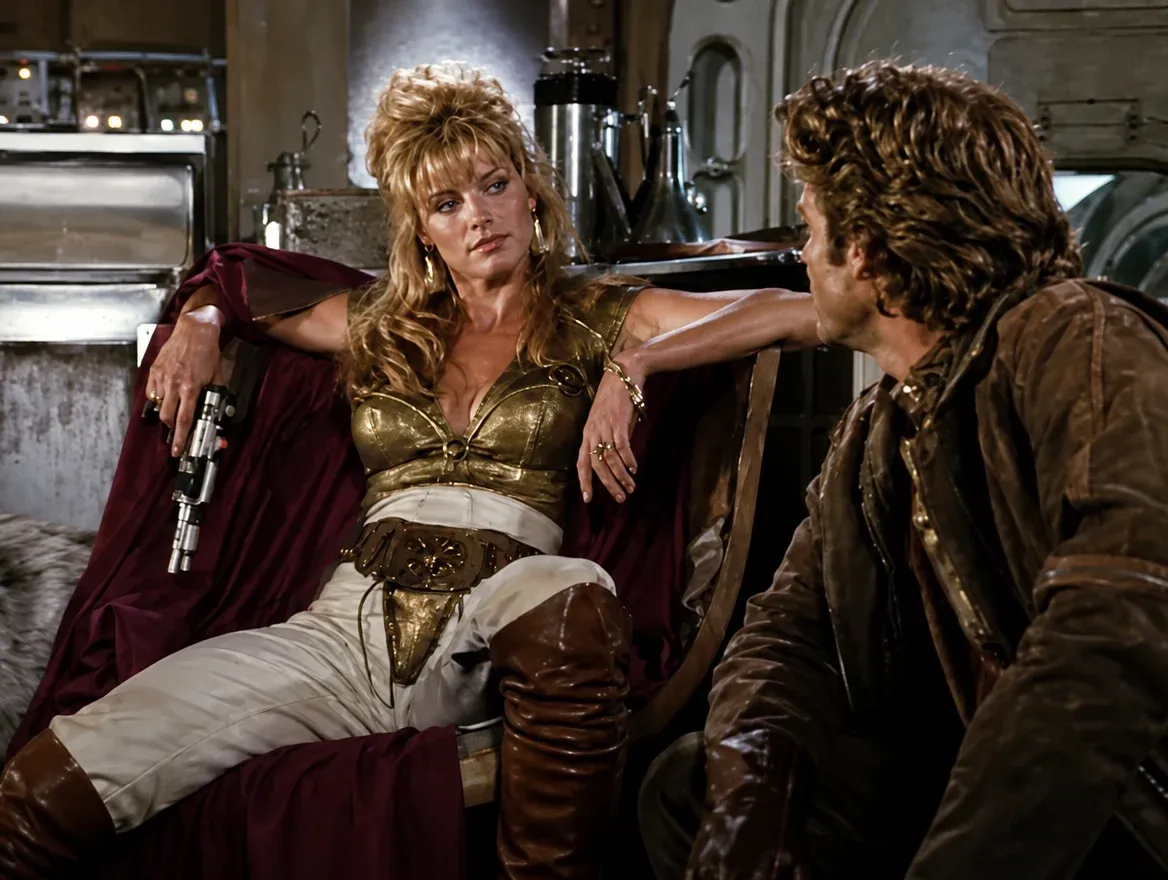
Because of that, it can be quite difficult to use prompts that are radically transformative or cause abrupt changes. In most of those cases, Wan 3.0 would underexecute and fall short of my vision for the scene, so I recommend using prompts with smooth, continuous transitions like below:
Prompt:
Four-shot live-action sequence. Use Image 1 as exact opening frame and visual anchor. Preserve identical mercenary princess, rugged smuggler, faces, costumes, pistol, spaceship set, lighting, and screen direction. Practical 1980s space-action film: real actors, physical sets, rubber alien suit, full-size animatronic robot, practical sparks/smoke, restrained optical lasers, 35mm anamorphic.
SHOT 1 (0–3.2s): Locked medium two-shot. She reclines left, boot up, pistol dangling; he sits right.
SHOT 2 (3.2–6.7s): Fast reverse. Alien bursts left behind him. She fires one precise shot past his shoulder; bolt hits chest, spark, it falls. Orchestral stab, laser crack.
SHOT 3 (6.7–10.3s): Low three-quarter. Robot stomps right, raises arm. She pivots, fires two shots (joint then chest); arm drops, it crashes with sparks/smoke. He stares in awe; she lowers pistol. Percussion hits, brass flourish.
SHOT 4 (10.3–14s): Tight two-shot. Original eyeline. She returns to bored pose, pistol dangling, stares. She remains effortless, controlled and unimpressed.
Input | Output |
|---|---|
 |
Wan 3.0 Prompting: Handling Motion
Speaking from personal experience, handling motion with Wan 3.0 requires a fair amount of sequencing. While you can use a prompt like “a man walks across a beach”, I would say that this description is just a simple preset action, which leaves timing and interaction unclear.
A better option is to add a chain of observable events. I would say, “a man walks across a beach, pauses when he hears a loud bark, turns back toward the sound, and looks down to see a golden retriever running toward him”. This creates more realistic frame-by-frame movement.
But at the same time, you don’t want to overload the clip with excessive choreography. This is something else I noticed that Wan 3.0 doesn’t respond well to. When I tried to get a character to perform too many precise actions or interact with many objects, the output wasn’t so ideal.
So, although Wan 3.0 now supports longer 30-second clips, I suggest you focus on giving the subject a clear, straightforward job/central action to help ensure temporal stability. You can see a good example of this in the realistic video that I generated below:
Prompt:
@Image1 is the sole main character. Preserve her exact face, hairstyle, body, and clothing throughout. Ultra-realistic 30s cinematic time-freeze on a sunlit Italian old-town street (stone buildings, cobblestones, cafés, pedestrians, pigeons).
0–5s: She walks confidently toward camera (Steadicam tracks back) amid normal life.
5–8s: Stops, snaps fingers → elegant invisible shockwave freezes everything.
8–20s: Only she moves; camera circles as she walks the frozen street, touches a suspended droplet, then faces camera with a half-smile and snaps again.
20–30s: Second shockwave unfreezes the world; she stays calm.
Style: photorealistic, 50mm, shallow DOF, natural light, subtle grain, realistic physics/VFX. No morphing, extras, or artifacts.
Input | Output |
|---|---|
 |
Wan 3.0 Prompting: Camera Language
For camera language, a simple rule of thumb that I like to follow is structuring it in four parts: shot size, angle, movement, and lens. For example, “a wide establishing shot from a high angle, then descend into a slow forward dolly to the lighthouse; use a 50mm cinematic perspective.”
You can use this rule in all your Wan 3.0 prompts, but always remember to avoid contradictory language. For example, you can’t say, “A locked-off static camera rapidly circles the subject”. These two separate directions are incompatible, so don’t ask the model to make it work.
If you ever want to generate a dynamic sequence like a trailer video, for example, here’s a general camera perspective guide that you can repeatedly refer to when crafting the scene:
Intent | Camera Direction | Visual Effect |
|---|---|---|
| Establish place | Wide shot, slow crane or pull-out | Context and scale |
| Build intimacy | Medium close-up, gentle push-in | Emotional attention |
| Follow action | Side tracking shot or forward dolly | Momentum and participation |
| Show importance | Slow orbit, centered composition | Heroic or iconic emphasis |
| Preserve detail | Fixed close-up, shallow depth of field | Focus and inspection |
| Create instability | Controlled handheld movement | Urgency or documentary energy |
Another important thing is that simply stating “cinematic camera movement” is not enough to set a proper scene with Wan 3.0. You need to be more specific; for example, “the camera tracks left at walking speed as the dog runs” will produce more intentional results. Here’s a good example:
Prompt | Output |
|---|---|
| Style: Ultra-realistic, cinematic winter documentary, 4K HDR, natural lighting, shallow depth of field, smooth camera movement, soft colour grading, peaceful atmosphere. Scene 1 (0–3s) Aerial drone shot of a small wooden cabin hidden deep inside a snow-covered pine forest. Heavy snow falls gently while warm golden lights glow from the windows. Thin smoke rises from the chimney as the camera slowly descends toward the cabin. Scene 2(3–6s)Inside the cabin, the same woman sits beside a crackling stone fireplace wrapped in a soft wool blanket, reading a book. Scene 3(6–10s)She opens the wooden front door and steps onto the snowy porch. Snowflakes land softly on her sweater and hair. She smiles, takes a slow deep breath, and looks across the silent forest while the camera gently circles around her. Scene 4(10–13s)Close-up cinematic shots: boots leaving fresh footprints in untouched snow, her gloved hand brushing snow from pine branches, snowflakes settling on the warm cabin window, and smoke drifting into the crisp winter air. Scene 5(13–15s)Wide cinematic pullback from the cabin at dusk. Snow continues falling as the glowing cabin becomes smaller among the vast white forest. |
Beyond learning how to craft Wan 3.0 prompts, read our how to use Wan 3.0 guide to create even better AI videos.
Wan 3.0 Prompting: Audio/Dialogue Scenes
We know that Wan 3.0 supports native audio generation, but it’s easy to forget that audio also needs to be described as deliberately as visuals. When it comes to dialogue, what I’ve learned about Wan 3.0 after generating daily vlogs, tutorials, short films, etc, is to keep the lines short.
Sadly, lip-syncing isn’t always consistently reliable, so just treat the dialogue as brief performance cues, not a lengthy script narrative. From what I’ve seen, this is what works best with Wan 3.0. You can see how this helped produce a great audio-visual result below:
Prompt:
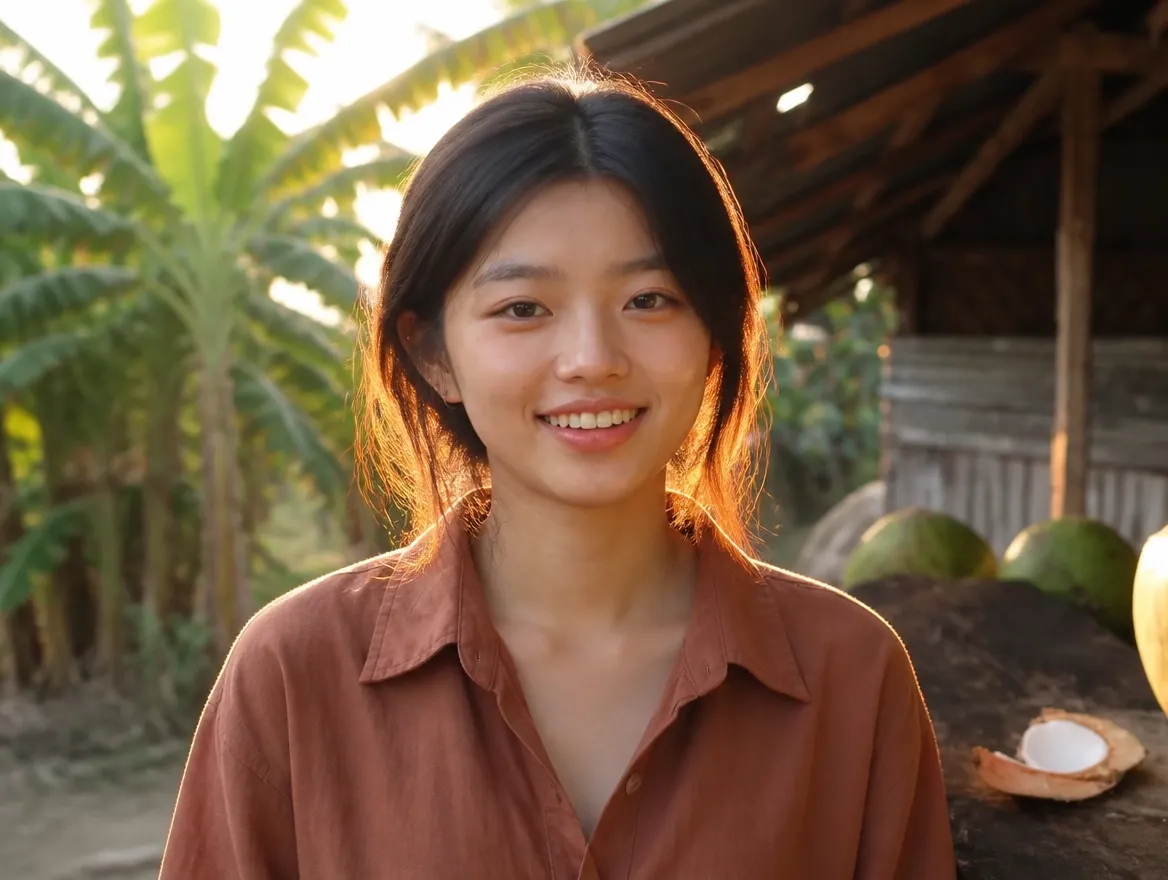
Preserve exact face, hairstyle, identity, skin tone & body from @image1. Authentic Indonesian woman in oversized terracotta linen shirt, dusty burgundy wide-leg trousers, brown leather sandals, small gold hoop earrings, loose wavy hair.
Raw late-2000s flip-camera vlog: heavy shake, focus hunting, exposure shifts, warm faded colors, digital noise. No posing or modern grading.
00:00–00:04 Walks tropical village smiling: “Today we’re hunting for fresh coconuts!”
00:04–00:08 Watches vendor chop coconut, excited.
00:08–00:12 Sips coconut water, smiles: “This is so refreshing!”
00:12–00:16 Chats/laughs with villagers holding coconut.
00:16–00:20 Tries opening coconut, struggles, laughs; locals cheer.
00:20–00:24 Scoops flesh, tastes, thumbs-up.
00:24–00:27 Walks waving to locals.
00:27–00:30 Smiles, waves: “See you in my next adventure. Bye!”
Input | Output |
 |
Another thing that I noticed is that if it's a multi-character scene, be sure to use labels. For example, “[Sarah, raspy voice] says, ‘We need to leave at six.’ “[Jon, soft hesitant voice] looks back at her and says, ‘That’s fine. Let’s start packing.’”
Want to see more examples of what Wan 3.0 can create? Check out this article on the best Wan 3.0 use cases.
Want to Generate Videos with Wan 3.0? Head to Pollo AI
Now that you have a clear understanding of how to make a solid Wan 3.0 prompt, you probably want to start generating videos with it. If so, I’d recommend heading to Pollo AI. Why? Because it’s the ultimate AI creative suite that hosts all the top AI video models in one place.
Here, you can access Wan 3.0, Seedance 2.5, Kling 3.0, and Veo 3.1, and dozens of other options, making it easy to compare different outputs for the best possible result. And not just that, you can also upload all your assets and host all your projects in this single platform.
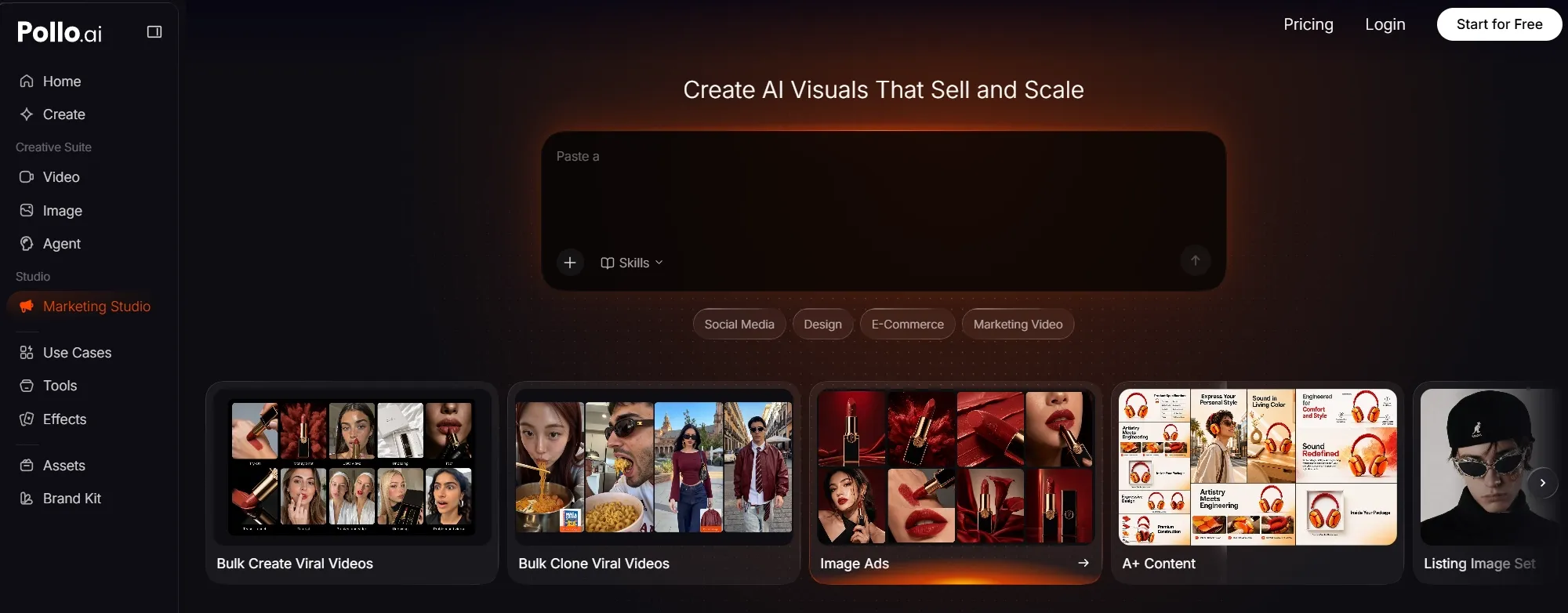
In essence, I consider it to be the perfect workspace that will complement whatever you intend to do with Wan 3.0. Best of all? It offers Pollo Agent, an AI agent for videos, stories, ads, and creative design, which automates everything from structure and pacing to visuals, meaning it can also guide you on crafting the perfect prompt.
Try Wan 3.0 Free on Pollo AI Now
Bring your boldest ideas to life with Wan 3.0 and turn them into publish-ready videos on Pollo AI.
Start Creating FreeAll it takes is a few minutes, and it will turn any rough idea you have into a production-ready result. On top of that, Pollo AI comes with dozens of tools that you can use in post-production, like the AI video extender, ensuring you have everything you need to get the job done.
Just head over to Pollo AI and sign up for an account. You can start generating videos with Wan 3.0 at no cost via the free trial. I guarantee that after a few hours on this platform, you’ll start seeing it as your own personal video production assistant.
FAQs about Wan 3.0 Prompt Guide
How long can a Wan 3.0 generation be?
Wan 3.0 lets you generate videos with native audio up to 30 seconds long in a single pass. Just make sure that your prompt accounts for every second of the shot if you want the best possible result. Otherwise, it may fill in the blanks using its own judgment in unexpected ways.
How many references does Wan 3.0 support?
You can upload up to 10 reference images, 5 videos, and 5 audio files, with support for document and webpage links included per generation. Always remember to label what each of these references does; otherwise, they may end up influencing the final output randomly.
How can I improve a long Wan 3.0 prompt?
Focus on giving Wan 3.0 layered directives. For example, “A quiet forest. Suddenly, the ground shakes and splits open. Zombies climb out of the cracks.” Separate all the key states and treat them as independent chronological beats. For 30s scenes, use timestamps for each end state.
How should I prompt image-to-video generation?
Wan 3.0’s capacity for reference anchoring is quite strong, so it tends to prefer gradual evolution over drastic changes to the source image. Focus on crafting prompts that showcase a natural progression of the scene by specifying how the camera or the subject should move in it.
How can I improve character consistency with Wan 3.0?
You can use a reference image/video of the character, then define the attributes you want Wan 3.0 to keep stable. For example, “Preserve the woman’s long blonde hair and facial features throughout the scene.” Just minimize the number of characters, actions, and location changes.
How do I control audio when using Wan 3.0?
When writing the prompt, you should place audio in its own category and describe the source/behavior of each one separately. For example, “A gentle female voice speaks. Rain taps on the glass. Piano music plays under the dialogue.” That covers voice, sound effects, and background music, ensuring each part is captured in the generated scene.