Uizard is an AI visual-design platform offering text-to-UI generation, screenshot scanning, and editable prototypes for product teams. For launch imagery, product visuals, and practical image editing after interface planning, Pollo AI is the ideal alternative. Try Pollo AI for free now!
POLLO AI INFLUENCER
Create your own influencer. Then jump into any trend with Recast.
Kling 4.0
Up to 10 keyframes. Impressive performance.
Pollo Recast
Recreate viral videos. Remix new versions.
Pollo Recast Challenge
One upload in. Your viral video out. Unlimited rewards await.
Pollo Agent x DeepSeek V4.1 FLASH
Faster completion at a much lower cost.
Pollo Agent x Gemini 4 Argon
Smarter reasoning. All through Pollo Agent.
Pollo MCP
End-to-end content creation. Up to 4 Videos/ 20 Images for FREE.
Key Features of Uizard AI UI Design Tool
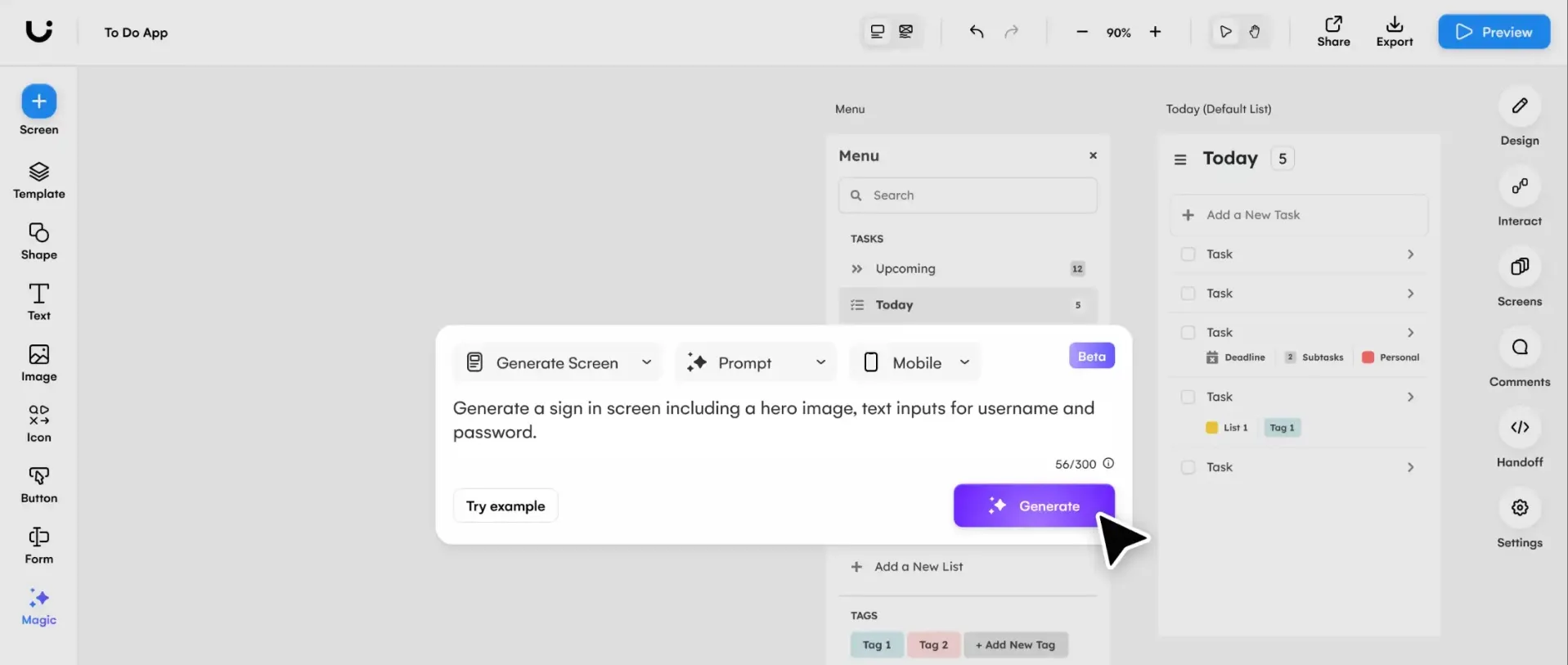
Text-to-UI Prototypes: Uizard's Autodesigner generates multi-screen, editable interface concepts from a written product description.
Screenshot-to-Design: Uizard converts an interface screenshot into editable UI elements for redesign and iteration.
Sketch-to-Wireframe: Uizard transforms photographed hand-drawn screens into editable digital wireframes.
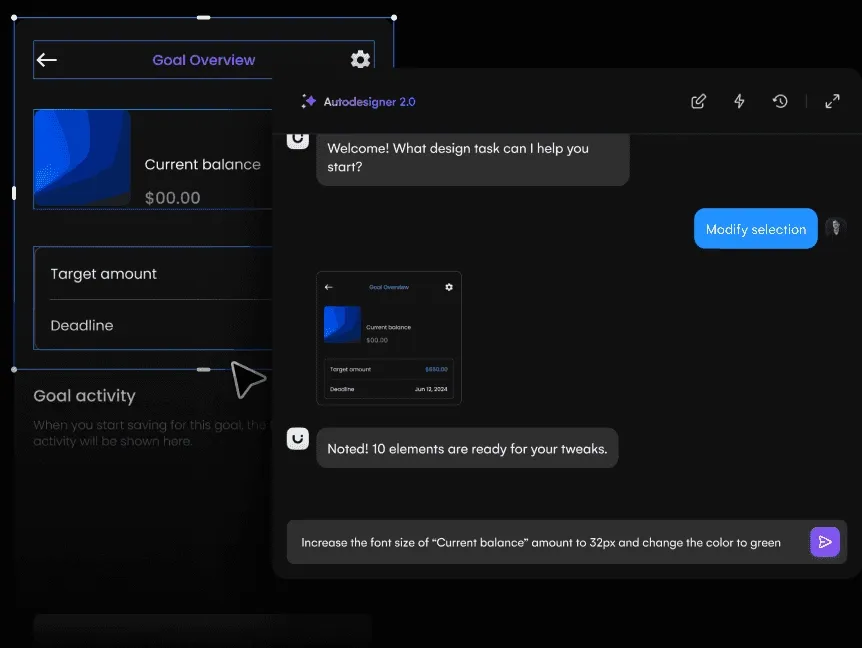
Prompt-Based Component Editing: Uizard lets users select a component and describe the changes they want in natural language.
Theme and Style Generation: Uizard creates visual themes that can be applied across a prototype for faster interface consistency.
Clickable Prototype Collaboration: Uizard supports interactive prototypes, comments, and shared editing for product teams and stakeholders.
Text-to-UI Prototypes
Uizard can turn a text brief into a set of connected app or website screens. Users choose a device and design direction, then receive editable components instead of a flattened reference image.
The generated prototype is useful for early product discussion, but interaction logic, accessibility, copy, and implementation feasibility still require review.
Screenshot-to-Design
Uizard's Screenshot Scanner helps teams start from an existing interface rather than rebuilding every component manually. The imported structure can be edited, restyled, and reused in a new prototype.
Complex layouts, unusual fonts, and dense data interfaces may require manual cleanup after scanning.
Sketch-to-Wireframe
Uizard's Wireframe Scanner gives product teams a bridge from paper ideation to a shareable interface. A rough sketch can become a structured starting point for refining layout and flow.
The tool accelerates digitization but does not replace UX validation or detailed component design.
Prompt-Based Component Editing
Uizard supports prompt-based modification after the first design appears. Teams can request changes to a component, screen, or visual direction without manually adjusting every property.
Clear, scoped requests are easier to apply consistently than broad prompts asking for a complete redesign.
Theme and Style Generation
Uizard can generate and apply style directions across multiple screens. This helps early prototypes move beyond grayscale wireframes without building a full design system first.
Teams should still define production typography, color tokens, states, and accessibility standards before development.
Clickable Prototype Collaboration
Uizard combines AI generation with the collaborative parts of interface planning. Product managers, designers, founders, and developers can review flows and iterate on the same prototype.
It remains a design and validation environment rather than a code-generation substitute for the finished application.
Use Cases of Uizard AI UI Design Tool
For product managers: Turn a product brief into a multi-screen concept for early stakeholder discussion.
For UX designers: Convert screenshots and sketches into editable structures before deeper interaction and accessibility work.
For startup founders: Prototype an app or website quickly, then generate launch images with Pollo AI.
For marketing teams: Use approved interface screenshots alongside AI banner images and product-launch visuals.
Uizard Market Positioning
Uizard is positioned around the earliest stages of digital-product design. Its workflow connects text briefs, screenshots, and paper sketches to editable screens, then adds theme generation, prompt-based iteration, prototyping, and collaboration.
This gives Uizard a clear role between raw product ideas and high-fidelity design work. A product manager can visualize requirements, a founder can test a concept, and a designer can convert rough source material into an editable starting point.
Its distinctive appeal is rapid input-to-editable-interface conversion.
Uizard Pros and Cons
Pros
Cons
Multi-screen UI generation from text
Generated flows still need UX and feasibility review
Screenshot and wireframe scanning
Complex source layouts may require cleanup
Editable components rather than flat images
Not a replacement for a mature design system
Clickable prototypes and collaboration
Does not produce the finished coded product
Feature Comparison: Uizard vs ImagineArt vs Pollo AI
Uizard is strongest for turning interface ideas into editable prototypes, while ImagineArt is more focused on open-ended image generation and style exploration.
Pollo AI fits teams that have finished interface planning and need launch imagery, product visuals, and edited campaign assets.
Why Is Pollo AI a Strong Uizard Alternative?
Step 1
Screenshot-to-Campaign Variations
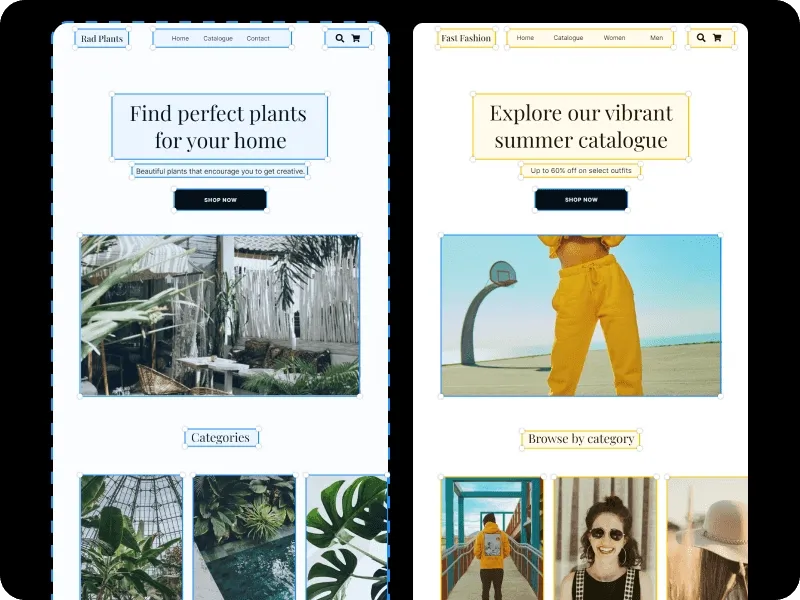
Create reference-based campaign variations from approved interface captures, preserving recognizable product cues while changing the surrounding scene instead of rebuilding the launch concept for each channel.
Extend approved hero art into wider banners, taller social posts, and additional placements with uncrop instead of stretching, cropping, or recreating the source image for each channel.
I’ve been using Pollo AI mainly for short videos and quick image-to-video tests. The interface is straightforward and it works well even with simple prompts, which is a big plus compared to tools that need long, complicated instructions. The results can be really impressive, and it’s honestly been fun to experiment with. I’d love a bit more consistency on faces when there’s movement, but overall it’s been a solid experience for what I needed.
Awesome website. loads of options and a great way to learn how to work with 'AI' my reasoning for 5 stars is based upon price, versatility and ease of use. Also I would like to add, Pollo AI runs a lot of promos on different AI products as well. I rate their customer service at 5 stars, when I purchased my first subscription my computer crashed the following weekend and I lost all my data and info passwords you name it I lost it, contacted pollo by email they responded quickly and found my info/username and account, and I was able to restore my account.
I have been using Pollo AI for short videos. It is easy to use and works well with simple prompts. Other generators seem to need long drawn out complicated explanations to get even close to what I want.
i tried 220 online img to vid in 2 months, and this is the best online video.I will subscribe for a year; there are many reasons. But freedom is the most important.
Uizard is used to generate and edit UI concepts, convert screenshots and sketches, build wireframes, create clickable prototypes, and collaborate on early product design.
Can Uizard generate an app design from text?
Yes. Autodesigner can generate multi-screen, editable app or website concepts from a written description.
Can Uizard convert screenshots into editable designs?
Yes. Screenshot Scanner turns interface screenshots into a design that can be modified inside Uizard.
Does Uizard generate production code?
Uizard is primarily a design and prototyping environment. Teams still need engineering implementation and production validation.
Who is Uizard best for?
Uizard is best for product managers, founders, designers, and developers who need to visualize and discuss interface ideas quickly.
Turn Product Ideas into Launch Images with Pollo AI
Create product imagery, campaign graphics, and edited launch assets after your UI concept is ready for the market.