



Kling AI Video Generator
Kling AI creates lifelike video with smooth natural motion, strong temporal stability, and sharp, film-like detail. Try Kling AI on Pollo AI for free!
Discover Kling AI's Endless Possibilities
Key Features of Kling AI
- Text-to-Video Generation: Create short scenes from prompts with subject, setting, action, and mood.
- Image-to-Video Animation: Bring still images to life with guided movement and scene direction.
- Reference-Based Generation: Use visual references to guide characters, products, styles, and overall look.
- Realistic Motion Dynamics: Generate smoother subject actions, environmental movement, and believable physical flow.
- Cinematic Camera Control: Direct zooms, pans, tracking shots, angles, and visual pacing.
- High-Detail Visual Quality: Produce polished clips with stronger texture, lighting, color, and depth.
- Multi-Shot Sequencing: Build connected video moments with clearer pacing, progression, and scene variety.
- Dialogue Lip Sync: Match character mouth movement with spoken audio for dialogue-based videos.
Text-to-Video Generation
Kling AI supports text to video generation, which is useful when you want to build a scene from a clear creative direction, not just make a random moving clip.
You can describe the action, setting, camera feel, and visual mood in one prompt, then use Kling AI to test how that idea works as motion. It is especially helpful for concept videos, cinematic scenes, ad ideas, and story-driven clips.
| Prompt | Output video |
| A fast-tracking shot through a futuristic city with buildings made from reflective organic chrome. It is daytime, rainbows fill the sky, and an alien planet looms above. The camera zooms in on a robotic bee working inside a reflective organic chrome structure. | |
| A paper boat sets sail in a rain-filled gutter. It navigates the current with unexpected grace. It voyages into a storm drain, continuing its journey to unknown waters. |
Image-to-Video Animation
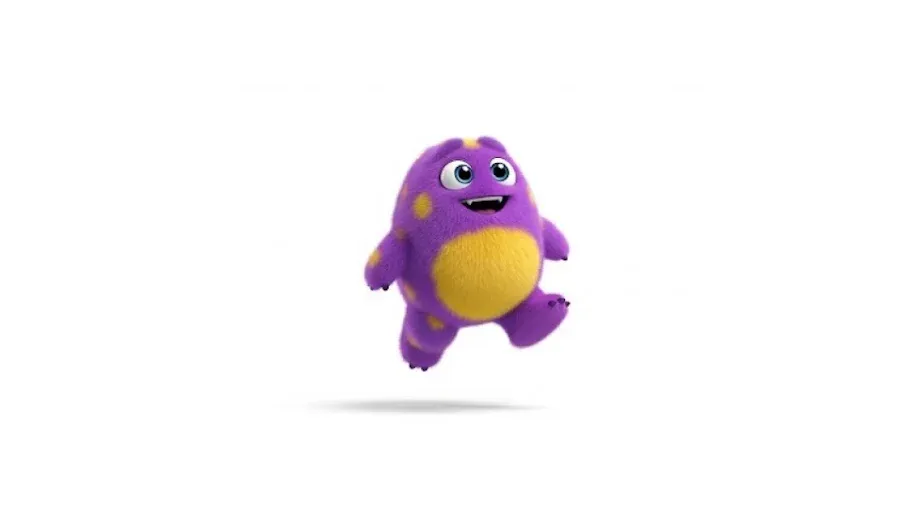
You can use image to video generation to have more control over your starting frame, so the generated motion grows out of a specific visual instead of a blank prompt.
You can begin with a product shot, character image, portrait, or concept frame, then add movement around that existing composition. This is useful when the first-frame look, subject identity, or product appearance needs to stay recognizable.
| Input Image | Output Video |
 |
Reference-Based Generation
Kling AI can use visual references to guide the broader direction of a generated video, such as character identity, product shape, style language, or visual consistency.
This is useful when you want the result to follow a specific creative reference more closely. Compared with text-only creation, reference to video generation gives the model extra visual context beyond the prompt and helps reduce random-looking outputs.
| Input Image | Output Video |
 |
Realistic Motion Dynamics
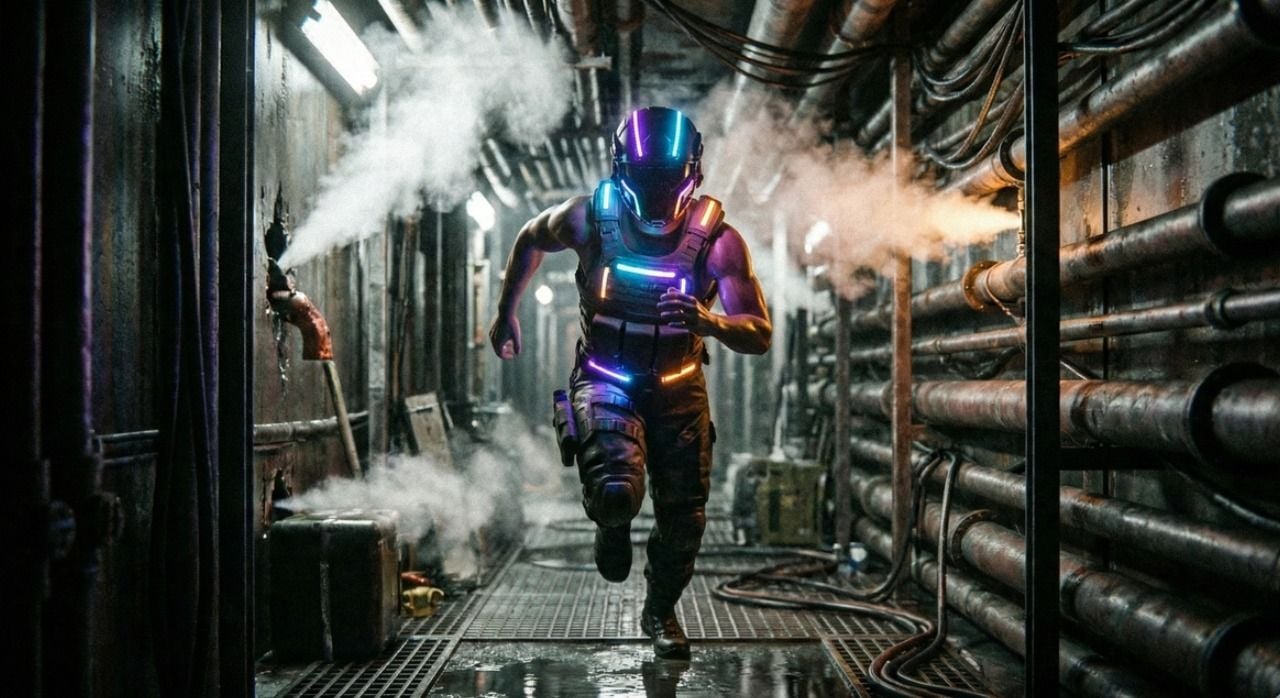
Kling AI’s motion quality matters most when the scene depends on believable movement, not just a nice-looking frame. It can make walking, turning, object movement, fabric motion, and environmental changes in AI videos feel more fluid and less mechanical.
This helps generated videos avoid the stiff, floating, or unstable motion that often makes AI clips feel unfinished.
| Input Image | Output Video |
 |
Cinematic Camera Control
Kling AI allows you to guide camera behavior through prompts, including zooms, pans, push-ins, tracking shots, angle changes, and perspective shifts.
That means you can have more control over how the scene is viewed. This is especially useful when you want a clip to feel directed, with clearer focus, stronger rhythm, and a more intentional sense of visual movement.
| Prompt | Output Video |
| The camera zooms in, and two people wearing US space suits lie head to head in a grassy area surrounded by flowers. | |
| The camera pans slowly, and two men wearing US space suits lie head to head in a grassy field surrounded by flowers. |
High-Detail Visual Quality
Kling AI’s visual quality is valuable because AI videos can easily look unfinished when textures, lighting, and depth do not match.
Its stronger detail helps scenes feel more coherent from frame to frame, especially in close-ups, cinematic shots, and stylized concepts. This makes your output feel less like a generated preview and more like a usable creative clip.
| Prompt | Output video |
 Animate the image with a slow horizontal pan across the mountain valley. Sunlight glances off rocky peaks, morning fog flows subtly, trees and foliage gently sway. Add ambient sounds: soft wind, distant water stream, occasional bird song. Maintain cinematic composition and natural depth of field for a tranquil, immersive experience. |
Multi-Shot Sequencing
Kling AI can support video ideas that include more than one visual beat or connected scene moment.
Instead of relying on a single isolated action, you can explore short sequences with clearer pacing, transitions, and progression. This is useful when a video needs to show a setup, action, and result, rather than only one attractive moment.
| Prompt | Output video |
| A woman takes a sip of coffee and walks out with her coffee and umbrella |
Dialogue Lip Sync
Kling AI offers lip sync for videos where characters speak, react, or appear in dialogue-driven scenes.
This feature focuses on matching mouth movement with spoken audio, so talking characters feel more connected to the voice. It is especially helpful for short ads, character clips, social videos, and simple narrative scenes.
| Prompt | Output |
| A young female tech presenter stands in a modern studio and speaks directly to the camera in Mandarin Chinese. Her mouth movements match the Chinese dialogue naturally. Clean studio lighting, confident delivery, subtle hand gestures, product explainer video style. |
Explore different Kling AI models with the Kling AI API on Pollo API and bring their video generation capabilities into your own products.
Who Is Kling AI for:
- Filmmakers: Generate cinematic concept scenes, test direction faster, and cut early planning costs.
- Marketers: Create product ads and sales campaign videos that lift engagement and speed creative testing.
- E-Commerce Teams: Animate product images into listing videos that improve browsing, trust, and purchase intent.
- Game Studios: Preview characters, worlds, and action beats to accelerate development and reduce storyboard workload.
- Social Creators: Turn ideas into scroll-stopping YouTube intros and other social content that attract more views, shares, and follower growth.
- Animation Artists: Create stylized motion tests without keyframing, saving time on early visual exploration.
- Educators: Generate explainer videos that simplify complex ideas and improve student attention.
Kling AI’s Technical Architecture
The technical foundation of Kling AI is a Diffusion Transformer (DiT) architecture. It is enhanced by Kuaishou's proprietary 3D variational autoencoder (3D VAE).
This framework enables synchronous spatiotemporal compression. It processes spatial relationships and temporal dynamics simultaneously rather than sequentially.
The result is a significant reduction in visual artefacts. These include flickering and texture boiling, which plagued earlier AI video models.
The defining innovation of Kling AI is its Multi-modal Visual Language (MVL) framework. Unlike conventional fragmented, task-specific pipelines, its MVL system unifies many forms, such as text, images, video, and audio.
All inputs are processed into a single cohesive representation. This end-to-end architecture accepts text instructions, reference images, and video contexts. All inputs are handled through a unified interface.
What Users Really Think of Kling AI
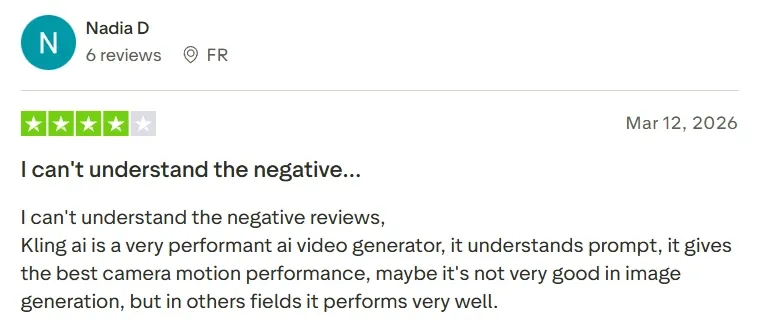
Based on user reviews from review platforms like Trustpilot, Kling AI receives a polarized reception. It reflects both impressive technical capabilities and notable operational shortcomings.
Users Are Satisfied with:
Users are most satisfied with the platform's video quality and physics simulation. Kling AI excels at generating fluid motion, accurate gravity effects, and cinema-grade visuals. These qualities surpass many competing tools.
Reviewers also frequently praise the advanced camera motion controls. These allow for precise cinematic direction, including panning, zooming, and rack focus transitions.
The broad creative feature set is another highlight. It encompasses lip-syncing, multi-shot storyboarding, and other character consistency tools.
Users Are Dissatisfied With:
Conversely, users express that better quality results require precise prompts. Otherwise, it may ignore specific instructions or add unwanted elements. It sometimes produces static videos with no motion despite clear action prompts.
Additionally, users report physical and visual glitches, which is a common issue across current AI models. These include distorted limbs, temporal decay in backgrounds, and physics hallucinations involving water, glass, and fabric.
Feature Comparison: Kling AI vs. Seedance AI vs. Veo AI
| Feature | Kling AI | Seedance AI | Veo AI |
| Strengths | Strong motion, references, lip-sync, and fast visual iteration. | Text, image, audio, and video references support director-level control. | Rich audio, narrative control, scene extension, and character consistency. |
| Generation Logic | Focuses on motion realism, image animation, and short cinematic clips. | Focuses on reference-driven generation across text, image, video, and audio. | Focuses on prompt fidelity, realism, audio, and narrative control. |
| Creative Control | Strong for camera movement, reference images, lip-sync, and short-form direction. | Stronger for multimodal control, including composition, motion, audio, and camera behavior. | Strong for clip extension, first-last frames, scene editing, and API workflows. |
| Audio Capability | Kling 3.0 adds native audio across languages, dialects, and accents. | Seedance 2.0 uses joint audio-video generation for immersive scenes. | Veo 3.1 improves audio, realism, and narrative control. |
| Best For | Creators needing smooth short-form AI video. | Film, ads, e-commerce, and complex multimodal scenes. | Developers, studios, and creators inside Google’s ecosystem. |
How to Use Kling AI on Pollo AI?
Choose the Kling Model
Head over to the Pollo AI image to video generator and select the Kling model from the choices.
Enter Your Prompt
Upload your image and enter a prompt (optional), then tweak the video settings and generate your video.
Save Your Video
Give it a moment, and once the video is ready, download it if you’re happy with the result.
Explore Kling AI's Models










 5000+ reviewsTrustscore 4.4
Trusted by 10M+ Creators and Marketers Worldwide
Thousands of satisfied users have shared their Pollo AI experiences on Trustpilot, rating us as "Excellent." See what they love about our platform.
Liz Cassidy Dec 15, 2025Richard QuickOct 15, 2025armourdudeNov 19, 2025
 DuduJan 14, 2026
 Ray WarnesDec 30, 2025
 lawless clanNov 22, 2025
Discover Other AI Video Generators
Helpful Articles About Kling AI
Read our insightful articles about Kling AI and learn more about its features, benefits, usages and more!
FAQs
Which is the real Kling AI?
How Does Kling AI Work?
This AI video generator uses advanced algorithms to produce 1080p videos that come with fluid motion at 30 frames per second. As such, the video output is typically of a high-quality making it viable for both personal and professional use cases. You can learn more through our personal guide on how to use Kling AI.
Is Kling AI free to use?
Users can access Kling AI at no charge, as it comes with a free plan that comes with free daily credits. All you need to do is sign up for an account using your email to get started. However, you will need to upgrade to a premium plan for access to advanced features.
What types of videos can Kling AI generate?
Kling AI can be used to generate several different types of videos for a wide range of creative applications and purposes. You can use it to create 1080p resolution videos for marketing, film, social media, advertising, and so much more.
Is Kling AI available in the USA?
Yes. As of late June 2024, this AI video generator is now available to users worldwide. Kling AI offers both text-to-video and image-plus-text-to-video generation, making it a strong competitor to OpenAI's Sora.
How fast does Kling AI generate videos?
With Kling AI, video generation will typically take a few minutes or less on average. However, this can also vary depending on the desired length of the video. The shorter the video is intended to be, the faster the final output will be produced.
What is the best Kling AI alternative?
If you are looking for different AI video generator choices, we have compiled a list of the 10 best alternatives to Kling AI to suit your specific needs. Among all of these products, one standout option is Pollo AI, well-known for its powerful features and user-friendly using process.
How to access Kling AI API?
Pollo AI API solution provides access to all of the models of Kling AI. Learn more about Kling AI API here.

Try Kling AI for Free on Pollo AI
Try Kling AI here to discover an easier way to generate AI videos in just a few clicks.