



Upload Images to Generate AI Selective Color Videos
Transform an image into a breathtaking video where your photo subject stands still on a bustling city zebra crossing. While the environment fades into striking black and white, your subject shines in vivid color, creating a dramatic contrast under natural lighting with soft shadows.
Cinematic AI Selective Color Video Effect
Our AI crafts a dynamic city intersection scene, rendering the surroundings in timeless black and white while your subject pops in vibrant color. With natural lighting and soft shadows, our effect creates a visually stunning contrast that elevates your storytelling to Hollywood levels.
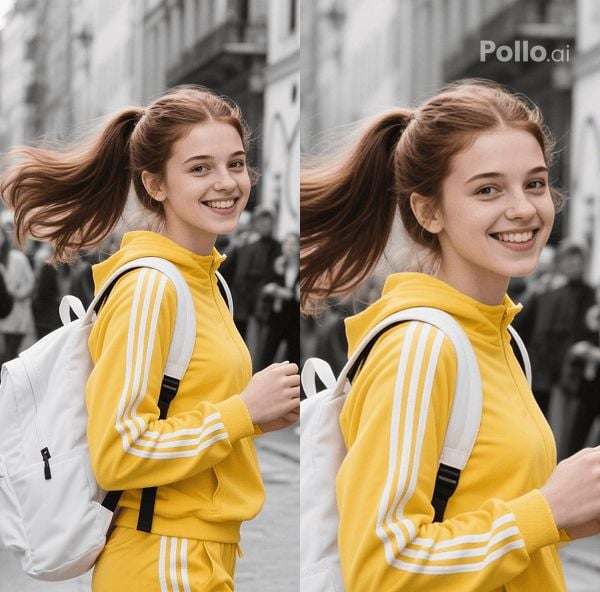
Photo Subject Traits Preserved
Keep your subject’s essence intact! Our AI ensures every detail of your subject—from their vibrant colors to their unique features—remains perfectly preserved. Seamlessly integrated into the bustling monochrome scene, your subject stands out with unparalleled authenticity.
How to Create AI Selective Color Videos?
With only three steps, you can easily create videos from images with Pollo AI.
Step 1
Upload one image featuring a person.
Step 2
Click Create to generate your AI selective color videos.
Step 3
Preview and then download the final videos.
Discover Other Popular Video Effects
FAQs
What types of images work best for your video effect?
You can use any clear photo with a distinct single-person subject for optimal results. High-resolution images with good lighting ensure our AI captures fine details, making your subject pop in vibrant color against the monochrome background.
What kind of scene does your AI create for the video?
Our AI transforms your photo into a realistic video of a single person standing still on a zebra crossing at a bustling city intersection, with the environment and pedestrians in striking black and white, emphasizing your vividly colored subject.
How long does it take to create a selective color video?
Our AI processes your image in just minutes! Upload your photo, and our effect quickly transforms it into a stunning selective color video, ready for download and sharing.
Can I use your effect with photos of multiple people?
Currently, our effect supports only single-person images to ensure the best quality and focus. For optimal results, choose a photo with one person as the subject to highlight in vibrant color against the monochrome scene.
