



Use Pollo AI to Put On Smart Glasses
Upload an image of a single subject, and watch them raise a hand to their temple, instantly summoning a cyberpunk-inspired eyewear device—evoking the futuristic vibe of smart glasses. Our video effect transforms your content with a high-tech aesthetic, perfect for striking social media posts or captivating storytelling.
Seamless Smart Glasses Animation from Pollo AI
Step into the future! Your subject’s temple press triggers stunning smart glasses to materialize, glowing with a cyberpunk flair. This smooth, dynamic animation delivers a bold, sci-fi transformation that makes your content pop.
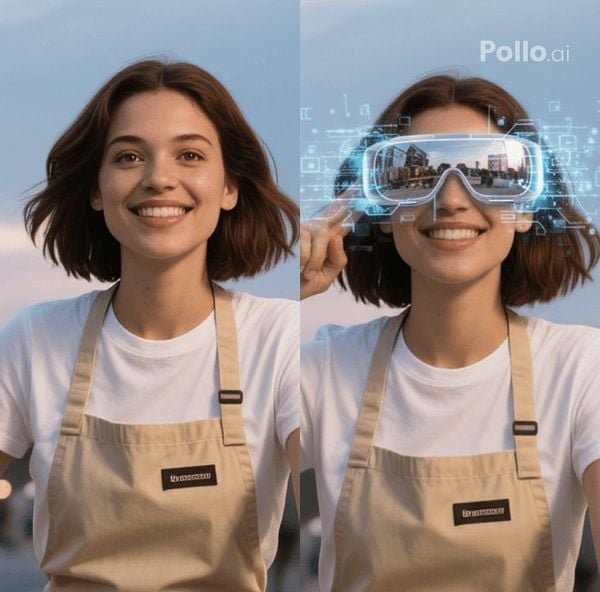
High-Tech Visual Impact
Command attention! The eyewear’s sleek, cyberpunk-inspired design radiates a cutting-edge, technological feel. Our smart glasses effect ensures your visuals exude a futuristic vibe, perfect for captivating audiences across platforms.
How to Use the Smart Glasses Video Effect in Pollo AI
With only three steps, you can easily create videos from images with Pollo AI.
Step 1
Upload one clear image of a single subject to Pollo AI.
Step 2
Click Create to apply our smart glasses video effect.
Step 3
Download the final AI videos instantly.
Discover Other Popular Video Effects from Pollo AI
FAQs
What type of image works best for the smart glasses video effect?
For optimal results, upload a clear, high-resolution image of the subject facing forward with visible facial features to Pollo AI. This ensures the cyberpunk eyewear effect aligns perfectly and delivers a stunning transformation.
Can I use the Pollo AI smart glasses video effect on group photos?
The video effect is designed for single-subject images to ensure precise animation and smart glasses placement. For best results, use a photo with one person as the main focus.
How long does it take to apply the Pollo AI smart glasses video effect?
The effect is applied instantly! Once you upload your original image to Pollo AI, the animation of the subject raising their hand and the smart glasses appearing is generated in just minutes.
Can I share the AI video directly to social media?
Yes! After creating your smart glasses AI video, you can easily download or share it directly to platforms like Instagram, TikTok, or X, making it perfect for boosting your online presence.
