



10 Best Artlist Alternatives for Free Video Generation I’ve Personally Used
Artlist can work well when you want AI tools inside a broader creative asset platform. But if you need stronger video control, broader workflows, and more publish-ready results, it may feel too limited.
In this article, I’ll show my personal experience of using 10 Artlist alternatives, including what each tool does best, where it feels limited, and which type of project it fits most naturally.
TL;DR: What Is the Best Artlist Alternative?
Pollo AI is the best Artlist alternative overall because it gives me the strongest balance of AI video generation, creative flexibility, and post-generation workflow.
For the other options, Pictory and Steve AI are better when the source material starts with text. Synthesia is more suitable for avatar-led explainers, while Renderforest, Animaker, and Vyond lean toward business animation. Dreamina, Krea, and Vidfly are better for creative tests and quick drafts.
Why I Look for Artlist Alternatives?
Artlist is a broad creative platform, but its AI video tools may feel limited when I need more control over the final result. If AI video is the main workflow, I want more than a quick generation feature inside a larger asset library.
The biggest issue is depth. Artlist may not give me enough room to guide motion, scene structure, visual consistency, camera direction, or output style with the level of precision I need for real video projects.
Prompt and image following can also feel unreliable. When I upload images or give specific animation instructions, the result may drift away from what I asked for, which makes it harder to create accurate AI videos from existing visuals.
I’m not alone. Other users also reflect the same issue on Trustpilot.

I also get less support after the first AI result. A raw clip still needs pacing, audio, polish, and refinement. But Artlist does not offer such post-generation tools.
You can learn more about Artlist through our in-depth Artlist review.
10 Best Artlist Alternatives in a Quick View
| Tools | Best For | Pricing |
| Pollo AI | Marketers, creators, and sellers who need publish-ready AI videos in one workflow. | Pricing starts at $10/month |
| Pictory AI | Content marketers who need to repurpose written content into faceless videos. | Pricing starts at $25/month if billed annually |
| Synthesia AI | Business teams that need avatar presenter videos for training and explainers. | Pricing starts at $18/month |
| Renderforest AI | Small businesses that need template-based brand videos and promo content. | Pricing starts at $9/month |
| Animaker AI | Educators and teams that need animated explainer videos. | Pricing starts at $27/month |
| Vyond AI | Business teams that need animated internal communication and training videos. | Pricing starts at $99/month |
| Steve AI | Explainer video creators who need script-driven animated videos. | Pricing starts at $19/month |
| Dreamina AI | Visual creators who need experimental AI videos and short concept clips. | Pricing starts at $20/month |
| Krea AI | Designers who need visual style exploration for AI videos. | Pricing starts at $5/month |
| Vidfly AI | Beginners who need fast visual video drafts from simple inputs. | Pricing starts at $20/month |
Pollo AI: Best Artlist Alternative Overall

I picked Pollo AI as the best Artlist alternative overall because it gives me more control over both AI video generation and the work after the first result. It is not just a place to create raw AI clips. It is a full AI creative suite built for marketers, creators, sellers, and brands.
The biggest difference is flexibility. I can explore different visual directions, motion styles, and content formats without forcing every project into the same generation path. 70+ leading video models, such as Veo 3.1 and Happy Horse 1.1, also help with such visual style exploration.
Pollo AI also feels closer to a real production workflow. Pollo Agent helps create structured, production-ready videos without manual editing. And its Marketing Studio and Commerce Studio guide the project by purpose instead of leaving you with a blank generator.
Key Features
- Pollo Agent: It helps turn ideas, prompts, images, or URLs into structured, post-ready videos without building every cut manually.
- Flexible generation paths: I can test different models, formats, styles, and motion directions to suit each project's needs.
- Specialized Studios: Marketing Studio and Commerce Studio, each guides a different type of video workflow toward a more usable result.
- Built-in video tools: Effects, audio tools, avatars, enhancement options, and AI video editor help refine videos after generation.
- Scenario-based workflow apps: You can create UGC ads, explainer videos, product videos, story videos, and social clips with more task-specific guidance.
Best For
- Marketers who need ready-to-use ads without filming or manual editing.
- E-commerce sellers who need product videos, promotional videos, and showcase visuals.
- Creators who need to generate social clips, talking avatar videos, and visual story ideas from one AI video workflow.
- Teams that need broader workflow coverage than Artlist offers.
Pros:
- Stronger end-to-end workflow for generating, refining, and publishing AI videos.
- Greater creative flexibility when testing different looks, motion styles, and output formats.
- Specialized Studios make the platform more useful for marketing, e-commerce, and creative projects.
- Post-generation tools reduce the need to switch between separate platforms.
Cons:
- The toolset takes time to explore because Pollo AI covers many video workflows.
- Some outputs may need more than one attempt when you want precise motion, pacing, or character consistency.
- Advanced controls can feel dense at first if you only need a very simple one-off video.
Create Better AI Videos with Pollo AI Free
Start with a prompt, image, or concept, then use Pollo AI to create videos with stronger structure and control.
Try Pollo AI Free Now
Pictory AI: Best Artlist Alternative for Repurposing Written Content

Pictory AI fits a very specific content workflow: taking text you already have and reshaping it into a video. I found it most relevant for blog posts, scripts, webinar summaries, and educational material that need a simple faceless video.
The process feels built for content marketers. Pictory AI can break written material into video sections, add captions, and support narration, so you can create a video version of an article or listicle without planning every scene manually.
But its results can feel too dependent on stock-style visuals. When you need original scenes, cinematic motion, product-led storytelling, or detailed visual direction, the output may look more like repurposed content than a newly generated AI video.
Key Features
- Script to video: It helps turn written scripts into faceless videos with scene structure and narration.
- Article to video: Long-form text can become shorter video drafts for content distribution.
- Automatic captions: Captions make videos easier to follow on social platforms and silent autoplay feeds.
- Visual matching: Pictory AI pairs text sections with relevant media to support the message.
- Brand presets: Basic brand settings help recurring videos look more consistent.
Best For
- Content marketers turning blog posts, articles, and stories into stunning viral videos or immersive story videos.
- Educators creating faceless lessons from written material.
- Teams repurposing webinars, articles, or newsletters.
- Solo creators who need captioned videos without complex editing.
Pros:
- Efficient text repurposing for articles, scripts, and long-form content.
- Caption-friendly workflow for social and educational videos.
- Repeatable structure for ongoing content marketing.
Cons:
- Less suited to cinematic generation because the video style often feels structured and media-based.
- Creative control feels narrow when you need detailed scene direction or original visual storytelling.
- Visuals can look familiar when the video relies heavily on common stock-style assets.
For more details, check out our insightful Pictory AI review.
Synthesia AI: Best Artlist Alternative for Business Presenter Videos

Synthesia AI makes the most sense when the video needs a presenter, not a cinematic scene. So it is strongest for training, onboarding, product education, and internal communication videos where a clean avatar-led format is enough.
The output is predictable in a useful way. Presenter videos need clear pacing, readable layouts, and natural delivery, and Synthesia AI keeps that type of business communication organized.
Still, its creative range stays narrow. Because the experience is built around a speaker delivering a script, it struggles when the video needs changing environments, product action, expressive camera movement, or emotion carried by the scene rather than the presenter.
Key Features
- AI avatars: Avatar presenters help turn scripts into professional-looking business videos.
- Text to video generation: Script revisions are easier because you can update the text instead of reshooting.
- Voice and language support: Multilingual voice options help you create training and explainer videos for different regions.
- Business video templates: Templates help structure onboarding, learning, and product education videos.
- Presenter-led workflow: The format keeps videos focused on clear explanation and message delivery.
Best For
- L&D and HR teams creating training videos and onboarding content.
- Educators creating multilingual videos for a global audience.
- Marketers highlighting product features with presenter-led videos.
- Businesses that need consistent internal communication.
Pros:
- Reliable presenter format for training, onboarding, and internal communication.
- Easy script revision compared with filming a real presenter.
- Professional avatar delivery for structured business explainers.
Cons:
- The format can feel too formal for social ads or creator-style content.
- Scene variety is limited compared with open-ended AI video generators.
- Dynamic motion feels secondary because the experience centers on avatar presentation.
Want a closer look? Read our full Synthesia AI review.
Renderforest AI: Best Artlist Alternative for Template-Based Brand Videos

Renderforest AI is best when you want a branded video quickly and do not want to build the structure from scratch. I found it most suitable for promo videos, YouTube intros, product announcements, slideshows, and simple campaign assets.
The templates do a lot of the heavy lifting. You can move faster because the pacing, layout, and visual order are already shaped for common business video formats.
But its downside is originality. Template-led videos can look polished but familiar, and the tool gives you less room for advanced AI motion, detailed camera direction, or highly specific generated scenes.
Key Features
- Video templates: Ready-made templates help you create branded videos faster.
- AI video creation: Text-based and AI-assisted tools support quick promo and explainer drafts.
- Intro and promo formats: The platform fits logo reveals, product announcements, and short brand videos.
- Media support: Built-in visual assets help fill template scenes without searching elsewhere.
- Brand video structure: Layouts and presets help keep simple business videos organized.
Best For
- Small businesses creating promo videos.
- Startups making brand intros and launch assets.
- Freelancers delivering simple branded videos to clients.
- Marketing teams that prefer templates over manual video production.
Pros:
- Fast branded video production for promos, intros, and announcements.
- Template structure helps you avoid starting from a blank timeline.
- Beginner-friendly workflow for simple business video needs.
Cons:
- Template-based results can feel familiar across common business formats.
- AI motion control is limited compared with specialist video generators.
- Character-led or cinematic videos feel harder to create inside this format.
Animaker AI: Best Artlist Alternative for Animated Explainer Videos

Animaker AI works well when your video needs to explain something clearly through animation. I thought it relevant for lessons, tutorial videos, training clips, and business explainers that benefit from characters, icons, scenes, and narration.
The animation structure is the main value. You can create a more guided explainer video instead of trying to force a realistic AI generator to explain a concept with consistent visuals.
Yet, its style can become a constraint. The cartoon-led system may make product scenes, premium brand videos, or creator-style ads feel less natural, especially when the project depends on realism, camera depth, subtle performance, or a more commercial visual tone.
Key Features
- Animated characters: Character-based visuals help explain ideas in a simple, easy-to-follow format.
- Explainer templates: Templates give you a faster structure for educational and business videos.
- Voiceover support: Narration tools help you pair spoken explanation with animated scenes.
- Scene customization: You can adjust characters, text, backgrounds, and layouts to fit the message.
- Training video formats: The workflow supports tutorials, lessons, and internal learning content.
Best For
- Educators creating animated lessons.
- Businesses making product explainer videos.
- HR teams producing simple training content.
- YouTube creators who prefer animation over camera footage.
Pros:
- Clear animation workflow for explainers and training videos.
- Character and scene assets make simple storytelling easier.
- Accessible structure for people who do not want complex video software.
Cons:
- Realistic AI video generation is not its focus.
- The cartoon style may not fit premium campaigns or product-focused ads.
- Motion control feels limited when you need cinematic movement or natural action.
For a deeper breakdown, explore our Animaker AI review.
Vyond AI: Best Artlist Alternative for Business Animation Videos

Vyond AI feels built for companies that need structured animated communication. In my opinion, it is a good choice for training, compliance, sales enablement, process explanation and onboarding videos.
Its business animation environment gives you more control than a basic template tool. You can explain workflows, policies, product steps, or internal updates with characters and scenes that feel consistent across a series.
But the format is less appealing for open creative work. Trend-led ideas, cinematic concepts, or creator-style messages can feel boxed into a training-video format, which makes the final video look less spontaneous and less visually expressive.
Key Features
- Vyond Go: It helps create business-oriented videos from ideas, scripts, documents, or URLs.
- Business animation tools: Characters and scenes support training, explainers, and internal communication.
- Narration support: Voice features help turn written content into guided business videos.
- Avatar-style options: Presenter formats can support structured corporate communication.
- Repeatable video workflows: Teams can create consistent training and explainer videos at scale.
Best For
- Enterprises creating internal training videos.
- Sales teams making enablement content, such as dynamic anime ad videos.
- HR teams producing onboarding and policy videos.
- Businesses that prefer animation for communication.
Pros:
- Strong business fit for training, onboarding, and explainer videos.
- Structured animation workflow helps teams create repeatable content.
- A professional communication style works well for internal video libraries.
Cons:
- The business style can feel restrictive for creative social content.
- Cinematic AI generation is not the main experience.
- The workflow may feel heavier if you only need a quick, short-form video.
Steve AI: Best Artlist Alternative for Explainer Video Creators

Steve AI is built around script-driven video creation, so it fits explainers better than open-ended visual generation.
As Steve AI works best when your script already carries the message, it then gives that script a visual path. So you are not manually turning every sentence into a scene or guessing how to organize the first draft.
However, its output can feel templated when the topic needs a stronger visual identity. Detailed camera language, cinematic realism, and deeper refinement are harder to shape, so polished brand videos may lack the visual depth or distinct style you want.
Key Features
- Script to video: Written scripts can become structured videos with scenes and narration.
- Animated video styles: Animation options help explain ideas without filming.
- Scene-based generation: The tool helps organize scripts into visual sections.
- Voiceover options: Voice features support narrated explainer and tutorial videos.
- Educational video formats: The workflow fits lessons, quick explainers, and motivational clips.
Best For
- Educators making short explainer videos.
- YouTubers turning scripts into draft videos.
- Small teams creating tutorial content or script to video ads.
- Businesses that need fast informational videos.
Pros:
- Script-led workflow is useful when your message is already written.
- Animated explainer formats help simplify educational topics.
- Beginner-friendly structure reduces the need for manual scene planning.
Cons:
- Cinematic scene generation feels limited.
- The visual style can look templated in polished brand projects.
- Post-generation control is lighter than in fuller AI creative suites.
Need more details? Read our Steve AI review.
Dreamina AI: Best Artlist Alternative for Creative AI Video Generation

Dreamina AI is more interesting when the brief is still loose and visual. Instead of treating it like a business video builder, I used it as a space to explore style, mood, character energy, and short motion ideas.
The experience encourages experimentation. It helps turn a visual prompt into something you can react to quickly, so you can decide whether a scene, character, or aesthetic deserves a more serious production pass.
But consistency is the part to watch. Because the tool leans toward open creative generation, motion and subject details can shift across attempts, which matters when you need a stable ad flow, a consistent product sequence, or a more controlled publishing result.
Key Features
- Text to video: Prompts can become short AI-generated video concepts.
- Image to video: Still visuals can be animated into dynamic clips.
- AI character clips: Character-led outputs can support short social and creative videos.
- Product-style video ideas: You can test simple product showcase concepts and campaign visuals.
- Trending video effects: Short effects help create quick, social-friendly AI clips.
Best For
- Visual creators testing stylized video concepts.
- Social media creators making short AI clips.
- Artists exploring character or mood-based scenes.
- Content teams brainstorming campaign video ideas.
Pros:
- Good creative testing space for stylized AI visuals.
- Image-to-video support helps animate existing visual ideas.
- Short-form effects can support quick social video experiments.
Cons:
- Output consistency can vary across prompts and scenes.
- Motion may need repeated attempts before it feels stable.
- Finished marketing workflows feel less guided than on production-focused platforms.
For more testing notes, check out our Dreamina AI review.
Krea AI: Best Artlist Alternative for Visual Style Exploration
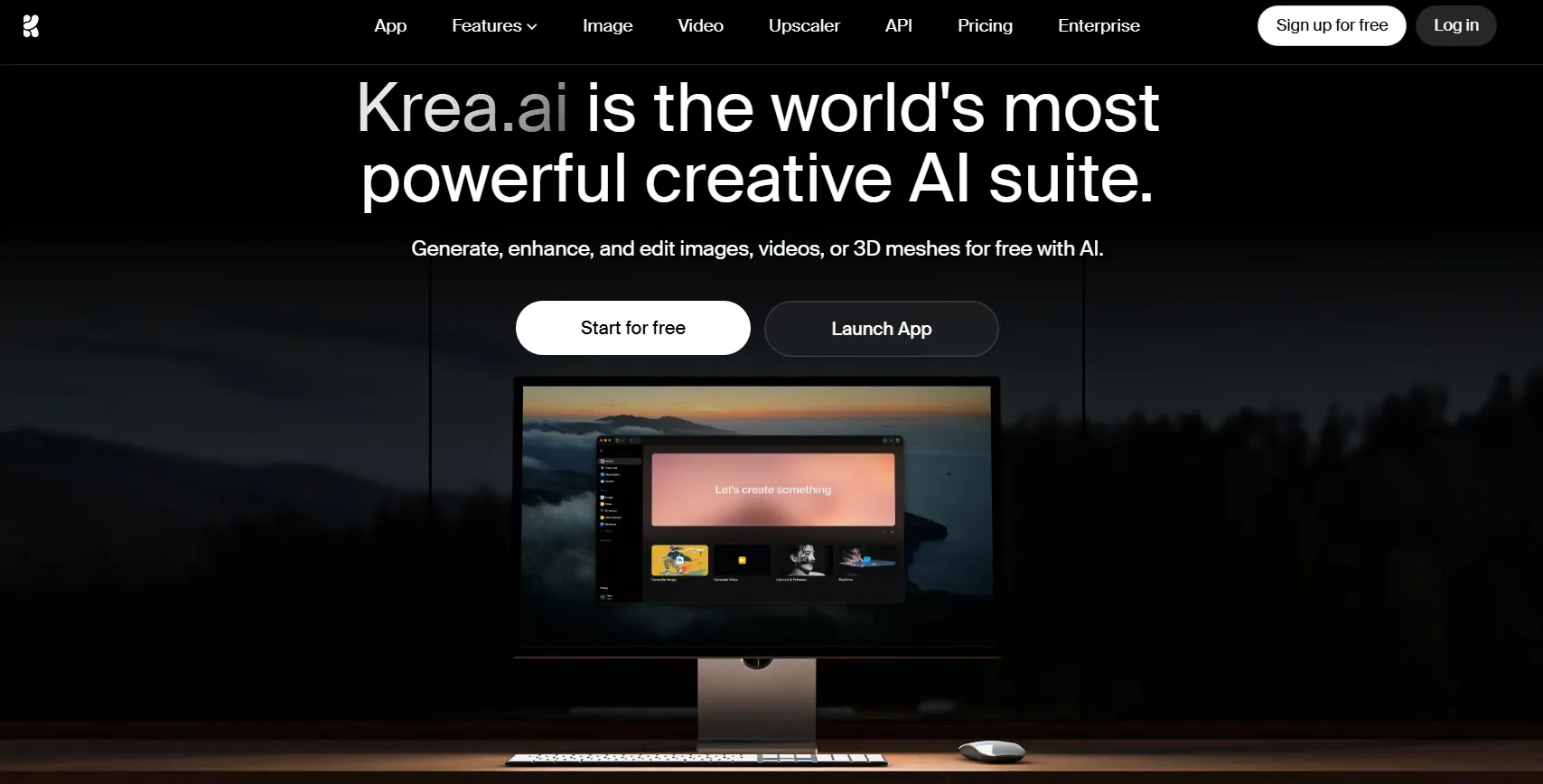
Krea AI is best for exploring how a video could look before you lock in a final direction. I found it especially useful for designers, artists, and visual teams testing aesthetic directions.
The strongest value is fast visual iteration. You can explore style, composition, mood, and motion ideas quickly, which helps when you are building a moodboard, concept direction, or early visual test.
But it is less focused on finished video delivery. The issue shows up when the video needs a full journey, not just a strong look; you may still need another workflow to shape pacing, messaging, audio, and final publishing details.
Key Features
- Style exploration: You can test different aesthetics before committing to a final video look.
- Real-time visual feedback: Fast iteration helps you refine mood, composition, and direction.
- Enhancement tools: Video upscaling and improvement options help polish generated visuals.
- Creative workspace: The platform supports early-stage video concepts and visual planning.
Best For
- Designers exploring video styles.
- Artists creating mood-based visual tests.
- Creative teams building concept directions.
- YouTube or social creators testing AI looks, such as YouTube outros, before production.
Pros:
- Strong visual iteration for style, mood, and concept testing.
- Useful for early creative direction before building a final video.
- Good fit for designers who care about aesthetics and presentation.
Cons:
- Publish-ready video workflows are not the main focus.
- Marketing and e-commerce use cases need more outside planning.
- The tool can feel less guided when you need a finished video.
Want to compare more details? Read our full Krea AI review.
Vidfly AI: Best Artlist Alternative for Fast Visual Video Drafts

Vidfly AI is a lighter choice for quick AI video testing. I found it useful when you want a fast draft from a simple prompt or image and do not need deep control right away.
The tool feels approachable for beginners. You can use it to check whether a visual idea has potential before spending more time on a larger production workflow.
But its depth is where it falls behind. When the project needs controlled motion, brand polish, stronger scene direction, and a clear path to final delivery, the draft-first setup starts to feel thin.
Key Features
- Fast video drafts: You can create simple AI video concepts quickly.
- Image-to-video support: Still images can become short animated clips.
- Text-based generation: Simple prompts can produce basic video outputs.
- Beginner-friendly workflow: The interface is easier to approach than many advanced AI video tools.
- Concept testing value: It helps you decide whether a visual idea is worth developing further.
Best For
- Beginners testing AI video generation.
- Creators making quick draft clips.
- Social media users trying simple visual ideas.
- Teams that need fast concept tests before production.
Pros:
- Easy starting point for simple AI video drafts.
- Quick visual testing before committing to a fuller workflow.
- Useful image-to-video workflow for lightweight short clips.
Cons:
- Ad and e-commerce workflows need more depth.
- Complex scenes can feel harder to guide with precision.
- Serious production control feels more limited than other ultimate AI platforms like Pollo AI.
You can learn more in our practical Vidfly AI review.
Create Post-Ready Videos with Pollo AI Free
Bring your idea to Pollo AI and turn it into content that is easier to test, polish, and publish.
Try Pollo AI NowHow Did I Test These Artlist Alternatives?
I judged each tool by whether its output could move beyond a quick demo. The video needed to feel usable for publishing, campaigns, lessons, or audience-facing content.
I also checked how much control I had after generation. A good AI video tool should keep motion stable, protect the subject, match the format, and leave room for refinement.
| Aspects | What I Looked For |
| Brief accuracy | Whether the tool understood the subject, action, mood, scene details, style, and camera direction. |
| Motion behavior | Whether the movement felt intentional, smooth, and connected to the prompt, instead of random or stiff. |
| Scene consistency | Whether faces, hands, products, objects, and backgrounds stayed stable across the clip. |
| Output polish | Whether the video looked sharp, well-composed, properly lit, and ready enough for real content use. |
| Direction control | Whether I could guide the aspect ratio, duration, visual style, camera movement, or final format. |
| Finishing support | Whether the tool helped with captions, narration, audio, effects, exports, or post-generation refinement. |
| Practical fit | Whether the tool made sense for ads, explainers, avatar videos, training, social clips, or creative drafts. |
I also looked at where each tool naturally fits. Some are better for written-content repurposing, some for animation, and some for visual exploration.
Pollo AI ranked first because it covers more of the full video workflow, from the first idea to a more publish-ready result.
My Final Verdict
Pollo AI is the best Artlist alternative overall because it gives me more than a first AI output. I can start with different input forms, then fine-tune the video until the motion, style, sound, and final format feel closer to the content I actually want to publish.
Another reason I prefer Pollo AI is that it keeps the whole project moving forward. Pollo Agent helps close the gap between a raw AI result and a finished video, while the platform gives me the tools to shape the message, add sound, refine the look, and adapt the output for real marketing, ecommerce, or creative use.
For anyone who wants better AI video creation and a stronger path from idea to publishable output, Pollo AI is the best choice I tested.